Guide
AI Agent Security for Small Teams: A 2026 Checklist
By the Space Office team · Published · Updated · 8 min read
AI agents are safe enough for a small business when their access is scoped and a human approves anything irreversible — and risky the moment one agent can read untrusted text, reach sensitive data, and act on its own in the same breath. You do not need a security department to get this right. You need an access tier, an approval gate, and about ten good questions for the vendor.

Most AI agent security writing is aimed at companies with a CISO, a procurement process and a 40-page questionnaire. That is not you. If you run a five-person agency or a solo operation, the practical question is smaller and sharper: what can this thing do without asking me first? Everything else in this guide is a way of answering that question on purpose instead of by accident.
The question that decides your risk: scope of autonomy
Risk in agent systems comes from the combination of three capabilities, not from any one of them. An agent that reads untrusted text is fine. An agent that touches customer data is fine. An agent that takes actions is fine. An agent that does all three at once, unsupervised, is the entire problem. Break the combination — usually by removing the unsupervised part — and most of the scary scenarios stop being possible.

This is also the cheapest control available to a small team. You cannot easily audit a vendor's infrastructure, but you can absolutely decide that nothing gets sent, published, paid or deleted without a human clicking yes.
The four risks that actually matter at your size
The OWASP Top 10 for LLM Applications 2025 lists ten risk categories, and four of them do most of the damage to small teams. The other six are real but mostly land on the people building the models and platforms, not on the people using them.
1. Prompt injection (LLM01)
An attacker hides instructions inside content your agent reads — a web page, a PDF, an inbound email, a support ticket. Because language models take instructions and data through the same channel, the agent can treat that text as a command. Prompt injection has held the top spot on the OWASP list for two consecutive editions. If your agent reads anything a stranger can write, assume the stranger can try to give it orders.
2. Sensitive information disclosure (LLM02)
The agent surfaces something it should not: a customer's details in a draft that goes to the wrong recipient, a pricing sheet quoted back in a public reply, credentials pasted into a shared context. This is usually not an attack — it is an over-broad connection plus a missing review step.
3. Excessive agency (LLM06)
The agent has more permissions, more tools, or more freedom to act than the job requires. It is the single most preventable item on the list and the one people concede fastest, because granting broad access is convenient on day one and invisible until day thirty. Give an agent the narrowest access that lets it finish the task, then widen it only when it has earned that.
4. Unbounded consumption (LLM10)
A loop, a retry storm, or an over-eager agent burns through model spend with no ceiling. It is a financial risk rather than a data one, but for a lean team an unexpected four-figure bill is a genuine incident. Caps and alerts on the provider account handle it in about ten minutes.
Security for a small team is mostly one decision made early: how much can this run without a person saying yes?
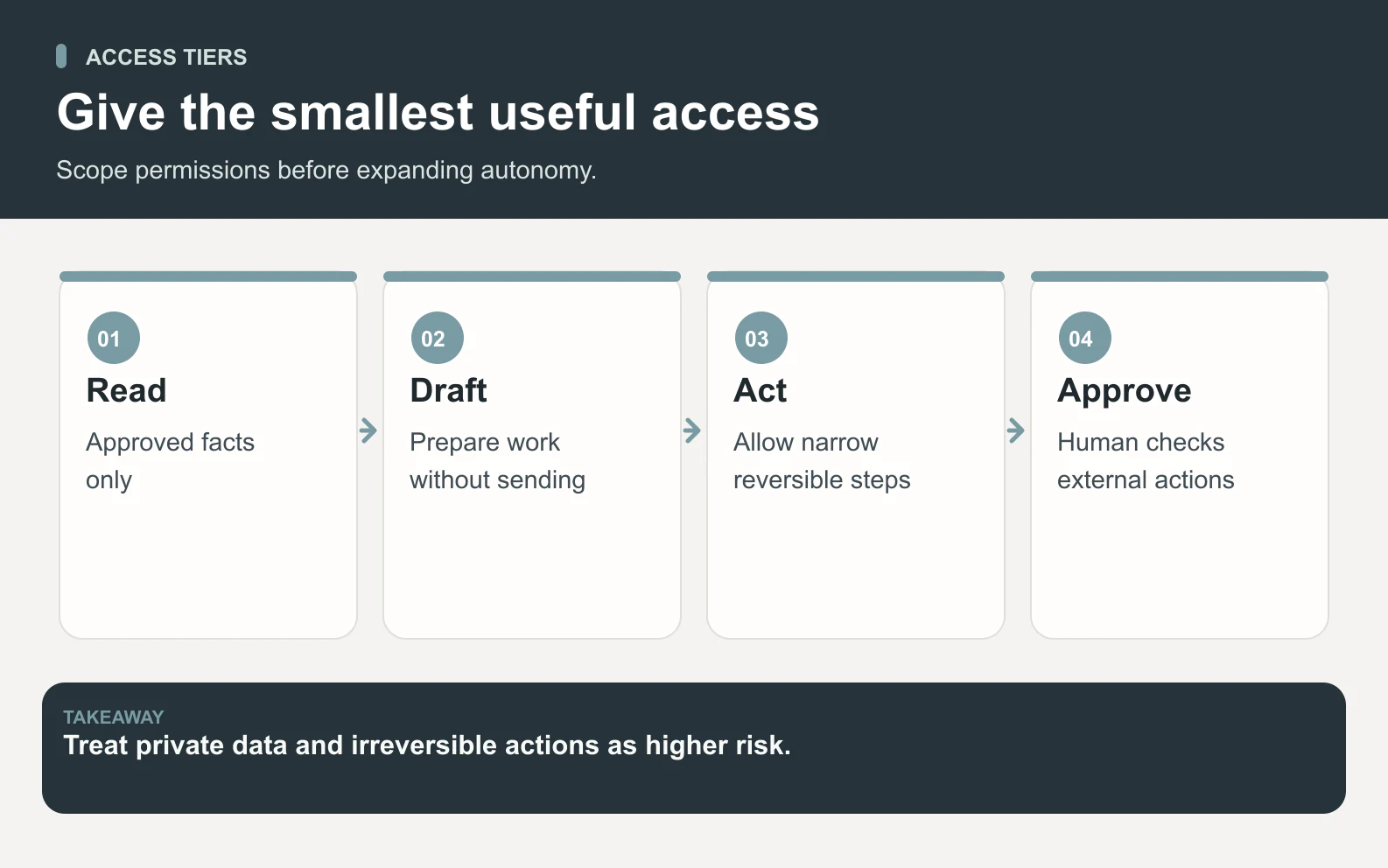
Access tiers: the table to copy into your own notes
Pick a tier per use case rather than per vendor, and start lower than feels necessary. Nearly all of the value of AI agents for a small business is available at tiers two and three, where the blast radius is close to zero.
Swipe to explore the diagram
Scroll horizontally to view all columns.
| Tier | What the agent can touch | Human approval | Good first use |
|---|---|---|---|
| 1. Sandboxed | Only what you paste into the brief | Not needed | Drafting, research, rewriting |
| 2. Read-only | Selected docs, analytics, a shared folder | Not needed to read | Reporting, audits, summaries |
| 3. Draft-only | Reads systems, writes drafts nowhere live | Required to publish or send | Content, email, social, proposals |
| 4. Act with approval | Can send, post, update records | Required per action | Scheduling, CRM updates, outreach |
| 5. Autonomous | Acts without a checkpoint | None | Reversible, low-stakes, well-tested only |
Tier 3 is where most lean teams should live for the first quarter. The agent can see enough to be useful and cannot do anything you would have to apologise for.
Ten questions to ask any AI agent vendor
You are not trying to conduct an audit. You are trying to find out whether the vendor has thought about this at all, and a straight answer to these ten is a better signal than any badge on a website.
- 1What is the narrowest permission set this product can run with, and what breaks at that setting?
- 2Which actions are irreversible, and which of those can happen without me approving them?
- 3Where do my prompts, files and outputs get stored, for how long, and can I delete them?
- 4Is my data used to train anyone's model? Get this in writing, not in a support reply.
- 5Do I bring my own model provider key, and what does the vendor's platform still hold on to?
- 6How do you handle content from untrusted sources — inbound email, scraped pages, uploaded files?
- 7What spend controls exist, and can I set a hard ceiling rather than an alert?
- 8Who at the vendor can see my workspace, and is that access logged?
- 9What happens to my data if I cancel, and can I export everything first?
- 10What have you deliberately chosen not to let agents do yet, and why?
That last question is the most revealing one on the list. A vendor who cannot name a single thing they refuse to automate has not finished thinking about safety.
Worked example: a 30-day scoped rollout, costed
Here is what a careful first month actually looks like for a four-person agency putting AI agents on content and reporting. The point is that caution is cheap — it costs review time, not licence fees.
Scroll horizontally to view all columns.
| Week | Access tier | Scope | Human time |
|---|---|---|---|
| 1 | Sandboxed | Briefs pasted in, drafts only | ~45 min reviewing 6 outputs |
| 2 | Read-only | Add analytics and a docs folder | ~30 min reviewing 4 reports |
| 3 | Draft-only | Agent drafts posts and emails | ~45 min reviewing 8 drafts |
| 4 | Draft-only | Widen to social and design | ~30 min reviewing 6 items |
Add it up: about 2.5 hours of human review across the whole first month, and roughly 24 reviewed deliverables. On Space Office the subscription side starts at $60/month plus two added specialists at $25 each, which is $110/month before compute and AI usage, with model usage billed to your own provider key at cost and zero markup — so you can cap spend directly in your provider account rather than trusting a vendor's dashboard. At the end of the month you have a real quality baseline and a documented sense of where the agent is reliable, which is exactly what you need before widening access. (Times and mix are illustrative; your review load depends on how specific your briefs are.) Dedicated AWS compute starts at about $30/month, and AI usage is paid separately through your own provider key with zero markup.
Why bringing your own key changes the picture
Using your own model provider key moves three things into your control at once: the billing relationship, the spend ceiling, and the provider-side data terms you have already agreed to. You set the cap, and you can revoke the key in a click without waiting on a support ticket. A key you own is the fastest kill switch in the stack — prefer vendors who support it, whoever you buy from. It does not cover everything, though: prompts and outputs still pass through whichever platform coordinates the work, so ask that vendor what it retains and for how long.
What a review gate does that a permission cannot
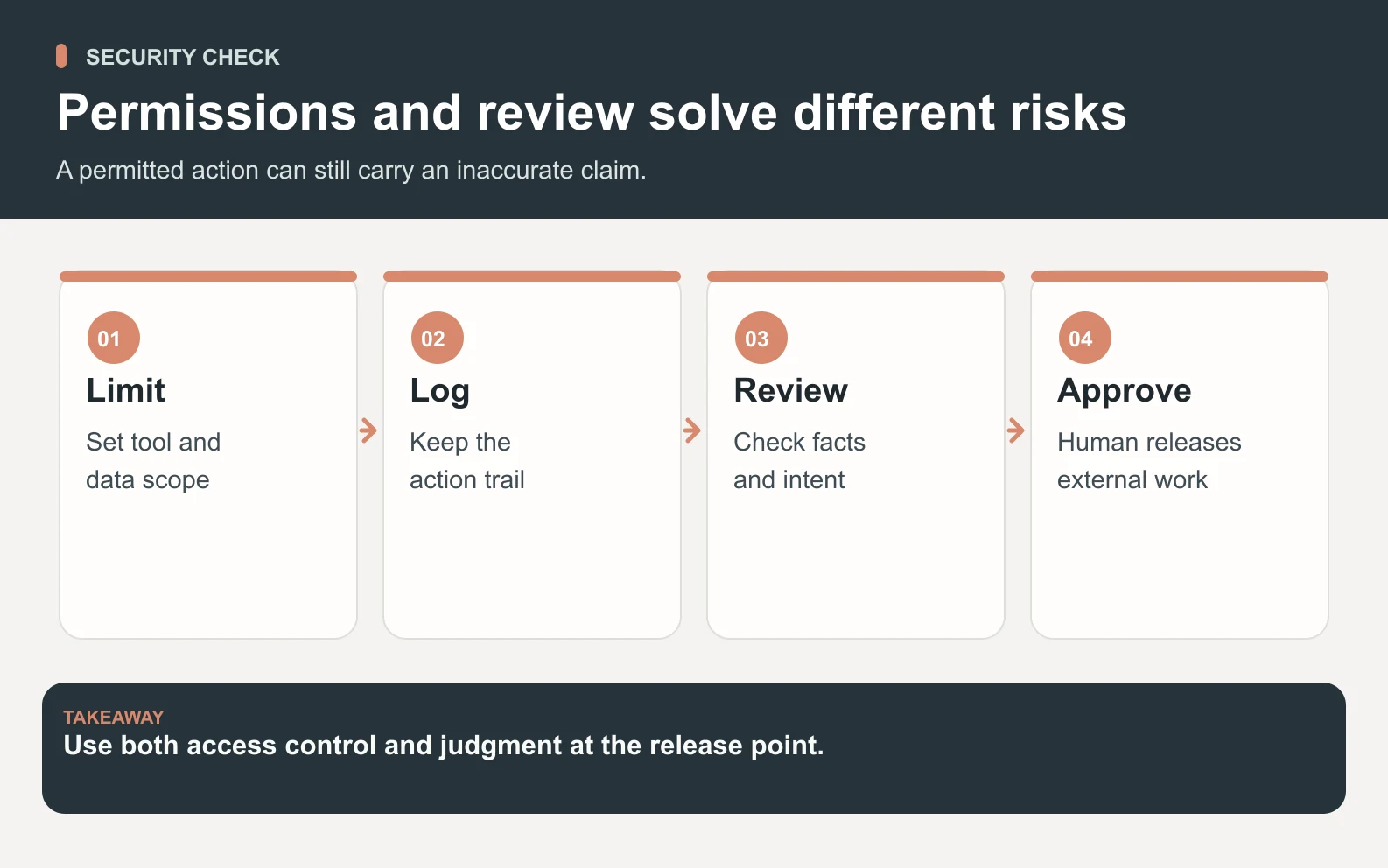
Permissions stop an agent doing things it should not. They do nothing about an agent doing the right thing badly — a factually wrong claim in a customer email, a tone that is off, a number quoted from the wrong quarter. Those are not security failures in the textbook sense, but they cause the same phone call. This is the job Hydrogen does at Space Office: it splits a brief across specialists, then reads their work against that brief and sends weak output back before it reaches you. Hydrogen checks outputs against the brief and returns issues to the specialist for revision. You still review and approve the final work.
Swipe to explore the diagram
Two different gates
A permission asks whether the agent is allowed to act. A review asks whether it should have. You want both.
Red flags worth walking away from
A handful of vendor behaviours reliably predict trouble, and none of them require technical expertise to spot.
- The default setup asks for full account access before you have run a single task.
- There is no way to require approval before an agent sends, posts or pays.
- The data-retention and training policy is not written down anywhere you can link to.
- Spend limits are described as alerts rather than hard caps.
- Every capability is framed as fully autonomous, with no mention of a human checkpoint.
- Nobody at the company will tell you what the product deliberately will not do.
Where we are honestly still early
We would rather you hear this from us than discover it in a procurement call. Space Office has 25 live agents: Hydrogen and 24 specialists, with 15 more specialists in development. Check the live roster and request access through the contact page. What we can state plainly is the architecture — you bring your own provider key, so model spend and the provider-side data terms sit with a provider you already chose, and every specialist's output passes Hydrogen's review before it reaches you. If a certification is a hard requirement for your business today, ask us directly before you buy rather than after. We would rather lose the sale than oversell the state of things.
The order to do this in
If you take one thing away, take the sequence. It works whether you buy from us, from a workflow platform, or from nobody at all.

- 1Pick one use case where a mistake would be embarrassing rather than expensive.
- 2Start at the lowest access tier that makes it possible, and write down what you granted.
- 3Set a hard spend cap on your provider account before the first run, not after the first bill.
- 4Require human approval on anything that sends, publishes, pays or deletes.
- 5Review every output for two weeks, note what kind of errors appear, and widen access only where the error rate is genuinely low.
See exactly where the human checkpoint sits in the workflow before anything reaches you.
How it worksGartner's June 2025 forecast that more than 40% of agentic AI projects would be cancelled by the end of 2027 blamed escalating costs, unclear business value and inadequate risk controls — three failures of scoping, not of technology. Small teams have an advantage here that large ones do not: you can decide the scope in an afternoon and change it whenever you like. The safest agent is not the most locked-down one. It is the one whose job you can describe in a sentence.
Frequently asked questions
Is it safe to give an AI agent access to my business data?
It is safe when access is scoped and irreversible actions require your approval. The dangerous pattern is one agent that can read untrusted text, reach sensitive data, and act without a checkpoint at the same time. Start read-only or draft-only, grant the narrowest permissions that let the task finish, and widen only after a few weeks of clean output.
What is prompt injection, in plain terms?
Prompt injection is when hidden instructions inside content your agent reads — a web page, an email, an uploaded file — get treated as commands rather than data. It ranks first on the OWASP Top 10 for LLM Applications 2025. The practical defence for a small team is limiting what the agent can act on.
How much does Space Office cost, and are there usage fees?
Space Office starts at $60/month, or $600/year, covering the platform, Hydrogen and two specialists of your choice, with more from the 24-specialist roster at $25/month each. Model usage is not marked up: you connect your own Anthropic, OpenAI or Google key and pay that provider directly, which also means you set the hard spend cap in your own account. Dedicated AWS compute starts at about $30/month, and AI usage is paid separately through your own provider key with zero markup.
Does Space Office have SOC 2 or other certifications?
Space Office has 25 live agents: Hydrogen and 24 specialists, with 15 more specialists in development. Check the live roster and request access through the contact page. What we can state is the architecture: you bring your own model provider key, so spend and provider-side data terms sit with a provider you chose, and Hydrogen reviews every output before delivery. If a certification is a hard requirement, ask us before you buy.
What is excessive agency and how do I avoid it?
Excessive agency, LLM06 on the OWASP list, means an agent holds more permissions, tools or autonomy than its task needs. Avoid it by granting one capability at a time, keeping publish and send behind a human click, and reviewing what you granted monthly. Convenience on day one is what creates the exposure by day thirty.
Do AI agents need access to my customer data to be useful?
Usually less than you would expect. Content, design, SEO, research and reporting work run well at read-only or draft-only tiers using documents you choose to share. Customer records are only required for CRM and support use cases. If a vendor asks for broad data access before the first task, treat that as a red flag rather than a setup step.
How do I stop an AI agent from running up a huge bill?
Set a hard spend cap in the model provider account rather than relying on vendor alerts. This is one reason to prefer tools that let you bring your own API key: the ceiling, the usage log and the off switch all stay in an account you control. OWASP lists this risk as unbounded consumption, LLM10.
What is the difference between a permission and a review gate?
A permission decides whether an agent is allowed to act. A review decides whether the work is any good. Permissions cannot catch a confident but wrong draft. Hydrogen checks outputs against the brief and returns issues to the specialist for revision. You still review and approve the final work.