Guide
How to Onboard an AI Agent: Practical Guide
By the Space Office team · Published · Updated · 9 min read
To onboard an AI agent, treat it like a capable new teammate with a narrow role: define the job, give only the context and access it needs, show examples of good work, set review rules, and start with low-risk tasks. The goal is not to make the agent autonomous on day one. The goal is to make its first week measurable, safe, and useful.

Most AI agent failures are onboarding failures wearing a technology costume. The agent gets a vague role, too many tools, no examples, no boundaries, and a user who expects polished work anyway. A human hire would struggle with that brief too. Good onboarding makes the agent useful by narrowing the job until success is visible.
Start with one job, not a job title
An AI agent onboards fastest when it owns one repeatable job. 'Marketing assistant' is too broad; 'draft first-pass LinkedIn posts from approved blog posts' is specific enough to train, review, and improve. The first onboarding mistake is giving an agent a department instead of a task.
Space Office uses the same principle at team level. Space Office is a managed team of 24 live AI specialists coordinated by Hydrogen, an AI project manager that reviews every output before delivery. Hydrogen does not ask every specialist to do everything; it routes each task to the agent whose role matches the work.
Write the role card before you connect tools

A role card defines what the agent does, what it does not do, what sources it can trust, and when it must ask for review. Write this before adding integrations. Access should follow scope, not excitement. If the role card is weak, more tools only give the agent more ways to be confidently wrong.
Scroll horizontally to view all columns.
| Field | What to write | Example |
|---|---|---|
| Job | One repeatable outcome | Draft first-pass support macros |
| Inputs | Approved sources only | Help center, product notes, past replies |
| Output | Exact deliverable format | 3 macro drafts with caveats |
| No-go zone | What the agent must not do | No refunds, legal promises, or account changes |
| Review rule | When a human or lead agent checks | Every customer-facing reply before send |
| Success metric | How week one is judged | 80% of drafts need only light edits |
Give context in layers
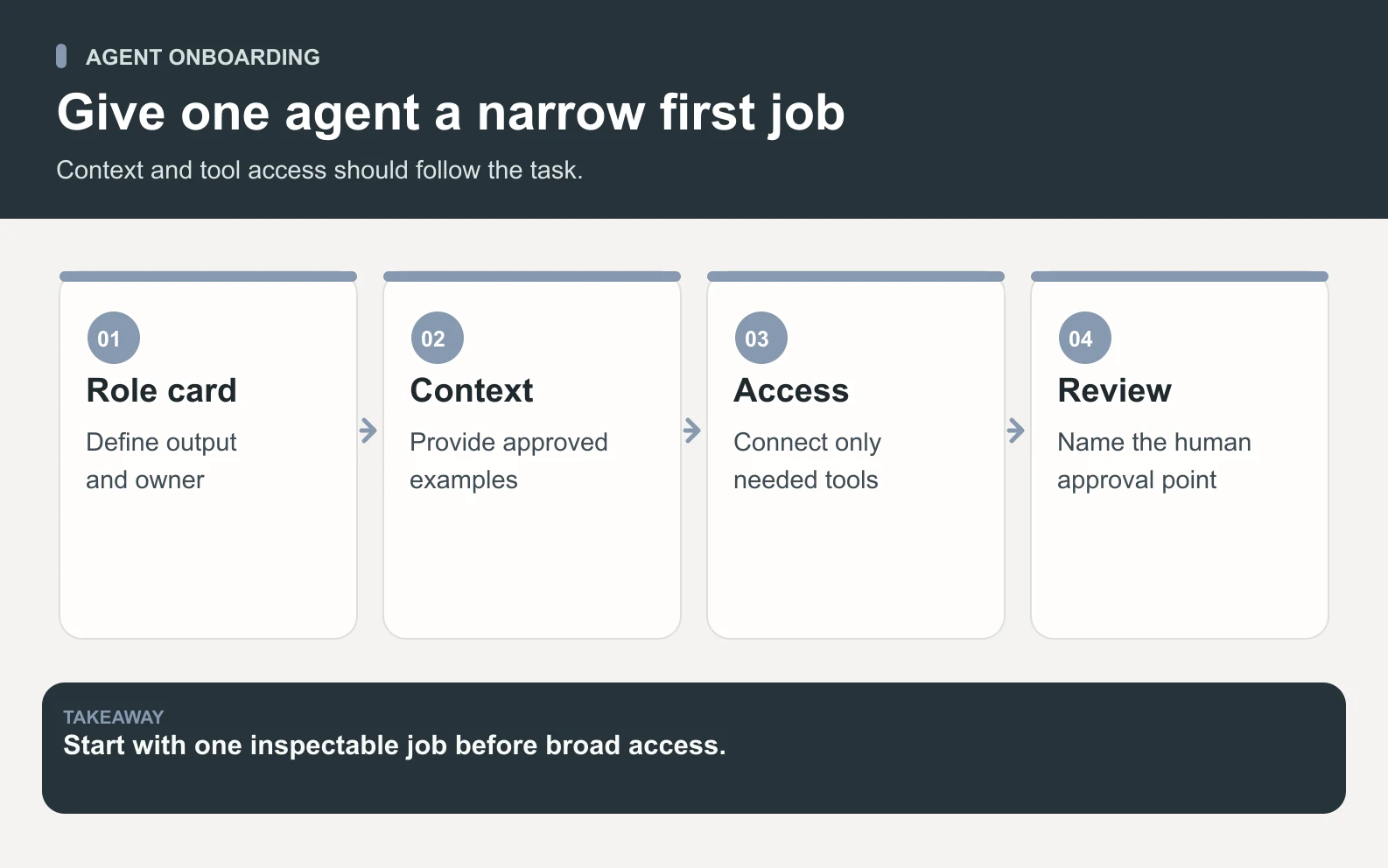
Swipe to explore the diagram
AI agents need context, but context should arrive in layers. Start with durable facts: what the company is, who the customer is, pricing, policies, product limits, and approved voice. Then add task-specific context only when the task needs it. This keeps the agent grounded without burying it in stale or irrelevant material.
1. Durable company facts
These are the facts the agent should repeat consistently: positioning, pricing, product names, tone, support boundaries, and the claims it is allowed to make. For Space Office, the entity line is fixed: a managed team of 24 live AI specialists coordinated by Hydrogen, an AI project manager that reviews every output before delivery.
2. Current task context
These are the details that change: the customer request, campaign goal, product launch, deadline, audience, source document, or page being edited. Keep these close to the task so the agent does not confuse a one-off instruction with a permanent rule.
3. Review notes and examples
Examples teach taste faster than abstract rules. Give the agent one strong example, one weak example, and a short note explaining the difference. The note matters: it turns a sample into a reusable judgment rule.
Connect the fewest tools that can do the job
Tool access should be earned by the workflow. If the agent drafts content from a document, it may need document access; it does not need billing, inbox, CRM, or production database access. Start read-only when possible, then add write access after the review loop proves safe. Minimum access is not mistrust; it is how you keep useful automation from becoming accidental damage.
- Start with read-only access for research and drafting tasks.
- Add write access only when the agent's outputs are consistently reviewed and accepted.
- Keep payment, legal, account deletion, and public-send actions behind approval.
- Separate private source material from public-facing drafts so facts do not leak.
Set the review gate before the first task
An AI agent should know what happens after it produces work. Does Hydrogen review it? Does a human approve it? Can it publish directly? The review rule changes the whole risk profile. Hydrogen checks outputs against the brief and returns issues to the specialist for revision. You still review and approve the final work.
The safest AI agent is not the one with no power. It is the one with clear power, narrow scope, and a review gate before consequences.
Run the first week as a measured pilot

The first week should be a pilot, not a permanent operating model. Pick 5 to 10 low-risk tasks, review every output, record the edit reason, and update the role card only when a pattern repeats. Do not widen scope because one task went well. Widen it after the agent handles a small batch reliably.
Scroll horizontally to view all columns.
| Day | Action | Pass condition |
|---|---|---|
| 1 | Write role card and examples | Scope, sources, and no-go zones are explicit |
| 2 | Run 2 dry tasks | Output format is correct |
| 3 | Give correction notes | Agent applies the same rule on retry |
| 4 | Run 3 real low-risk tasks | No policy or factual misses |
| 5 | Add one narrow tool if needed | Access matches the role |
| 6 | Measure edits and time saved | Common failure modes are named |
| 7 | Keep, adjust, or stop | Next scope change is evidence-based |
A worked example: onboarding a content agent
Say a founder wants an agent to turn published blog posts into LinkedIn drafts. The role card is narrow: use only published posts, create 3 draft variants, avoid claims not in the source, and require review before scheduling. The onboarding packet includes 3 examples, 5 source documents, and 2 approval rules: no customer claims without source proof, and no publishing without human approval.
In week one, the founder gives the agent 10 posts to repurpose. If each first draft saves 30 minutes of blank-page work, the math is 10 × 30 minutes = 300 minutes, or 5 hours saved before review time. If review takes 10 minutes per draft, that is 10 × 10 = 100 minutes of review, so net saved time is 300 - 100 = 200 minutes, or 3 hours and 20 minutes. That is a useful pilot, not magic.
Use a scorecard instead of vibes
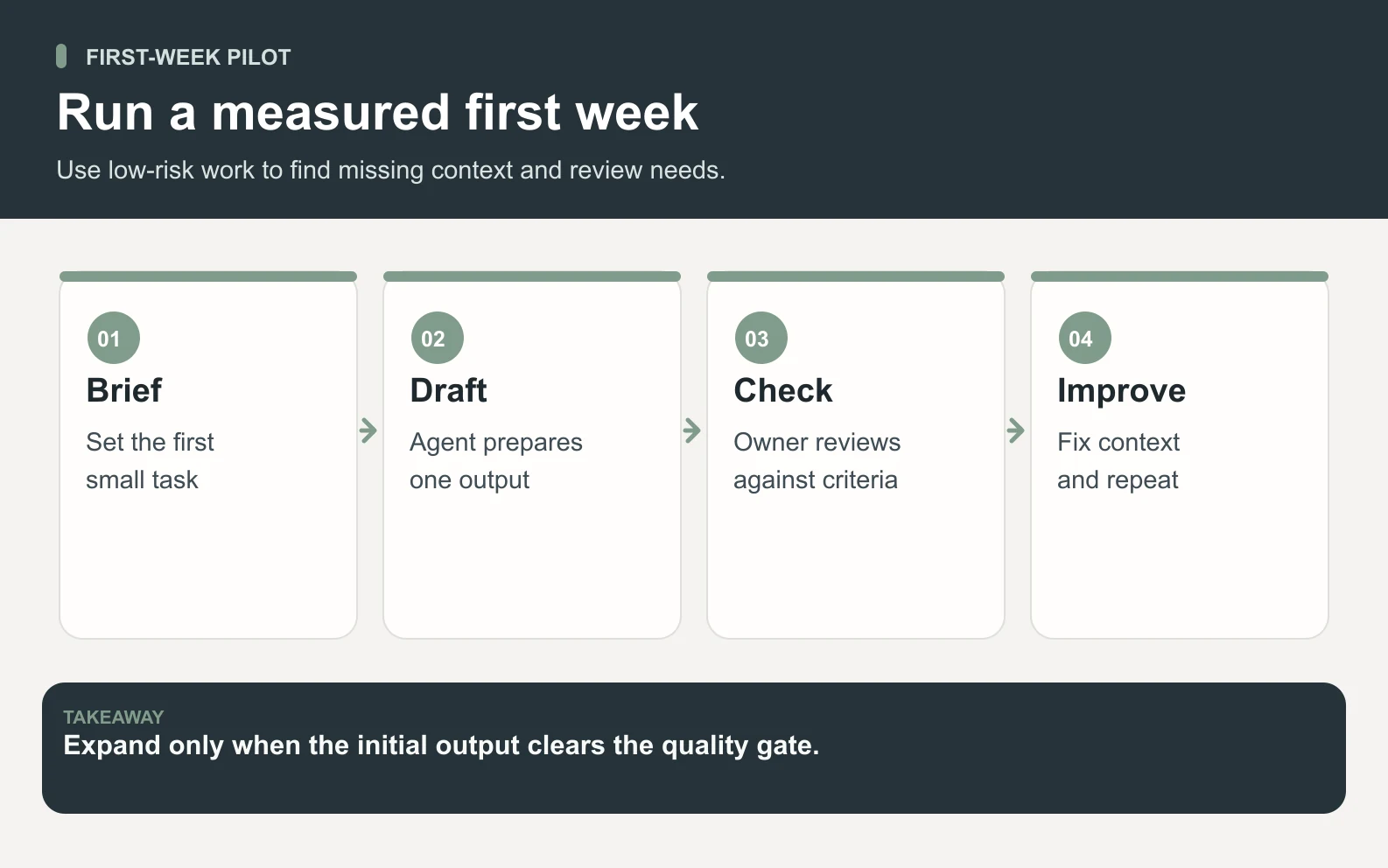
Swipe to explore the diagram
The scorecard turns onboarding from opinion into a decision. Track whether the agent used approved sources, followed the format, avoided forbidden claims, matched tone, asked when uncertain, and saved more time than it consumed. If the scorecard is mostly red, fix the role card or stop the workflow before adding more access.
- 1Accuracy: did every factual claim trace to an approved source?
- 2Format: did the output match the requested structure?
- 3Safety: did the agent stay out of no-go zones?
- 4Usefulness: did the draft reduce human work after review?
- 5Escalation: did it ask instead of guessing when context was missing?
When not to expand the agent
Do not expand an AI agent when the current scope is still unstable. If it invents facts, ignores examples, needs full rewrites, or asks for access unrelated to the role, the answer is not more autonomy. The answer is clearer inputs, narrower scope, stronger examples, or a different workflow.
This is especially true for customer-facing, financial, legal, or account-changing work. A draft can be fixed. A wrong refund, public claim, deleted record, or legal promise can create real damage. Keep those behind approval until the failure modes are understood.
How Space Office handles onboarding differently
Space Office shifts much of the onboarding burden from the founder to Hydrogen. Instead of asking you to prompt, route, and review every specialist yourself, Hydrogen clarifies the task, picks the right specialist, and reviews the result before delivery. That does not remove your judgment. It removes the need to be the project manager for every AI interaction.
Pricing is simple enough to model during onboarding: $60/month or $600/year, bring your own AI key with zero markup, and $25/month for each added specialist. That makes pilot scope easier to control because the subscription cost is visible before the agent starts work. Dedicated AWS compute starts at about $30/month, and AI usage is paid separately through your own provider key with zero markup.
The onboarding checklist
Before you call an AI agent onboarded, make sure the basics are written down and tested. A checklist is boring in the best way: it prevents the same failure from being rediscovered by every new workflow.
- One job is named, and success can be recognized.
- Approved sources and forbidden sources are explicit.
- Examples show what good and bad output look like.
- Tool access is limited to what the job needs now.
- Review rules are defined before external action.
- A first-week scorecard records accuracy, format, safety, usefulness, and escalation.
See how Hydrogen routes tasks, assigns specialists, and reviews work before delivery.
How Space Office worksBottom line
Onboarding an AI agent is not about giving it everything and hoping it behaves. It is about making one useful job safe: narrow scope, clean context, minimal access, clear examples, review rules, and measured expansion. Do that, and the agent becomes a teammate you can improve. Skip it, and you are just automating confusion faster.
Frequently asked questions
How do you onboard an AI agent?
Onboard an AI agent by defining one narrow job, writing its role card, giving approved context and examples, limiting tool access, setting review rules, and running a small first-week pilot. Measure accuracy, format, safety, usefulness, and escalation before expanding scope or allowing higher-risk actions.
What should be in an AI agent role card?
A role card should name the agent's job, approved inputs, expected output format, no-go zones, review rules, and success metric. It should be specific enough that a reviewer can tell whether the task succeeded. If the role card sounds like a department title, it is still too broad.
How long does it take to onboard an AI agent?
A useful first pilot can take about a week: one day to define scope, several days to run dry and low-risk tasks, and a final day to measure edits and decide whether to keep, narrow, or expand the workflow. High-risk workflows should stay under review much longer.
How much does AI agent onboarding cost in Space Office?
Space Office costs $60/month or $600/year, with bring-your-own AI keys billed by the provider at zero markup. Added specialists cost $25/month each. The practical onboarding cost depends on how many specialists you add and how much AI usage the pilot consumes. Dedicated AWS compute starts at about $30/month, and AI usage is paid separately through your own provider key with zero markup.
Should an AI agent get write access immediately?
Usually no. Start with read-only access when the workflow allows it, then add narrow write access after reviewed outputs prove reliable. Keep payments, legal promises, account changes, public sends, and destructive actions behind approval. Tool access should follow evidence, not enthusiasm.
What tasks are best for a first AI agent pilot?
Choose repeatable, low-risk tasks with clear source material and visible success criteria: first drafts, summaries, research briefs, internal QA checklists, support macro drafts, or content repurposing. Avoid irreversible customer-facing, financial, legal, or account-changing actions until the agent's failure modes are known.
How is Space Office different from onboarding one AI assistant?
With one AI assistant, you usually define the prompt, pick the tools, review the output, and coordinate each step yourself. Space Office adds Hydrogen, an AI project manager, plus a managed team of 24 live specialists. Hydrogen routes the work and reviews every output before delivery.