Guide
AI Chatbot: What It Does and How to Test One for Your Website
Choose an AI chatbot around the questions visitors ask and the evidence your team can maintain, then test a small website workflow.
By the Space Office team · Published · Updated · 16 min read
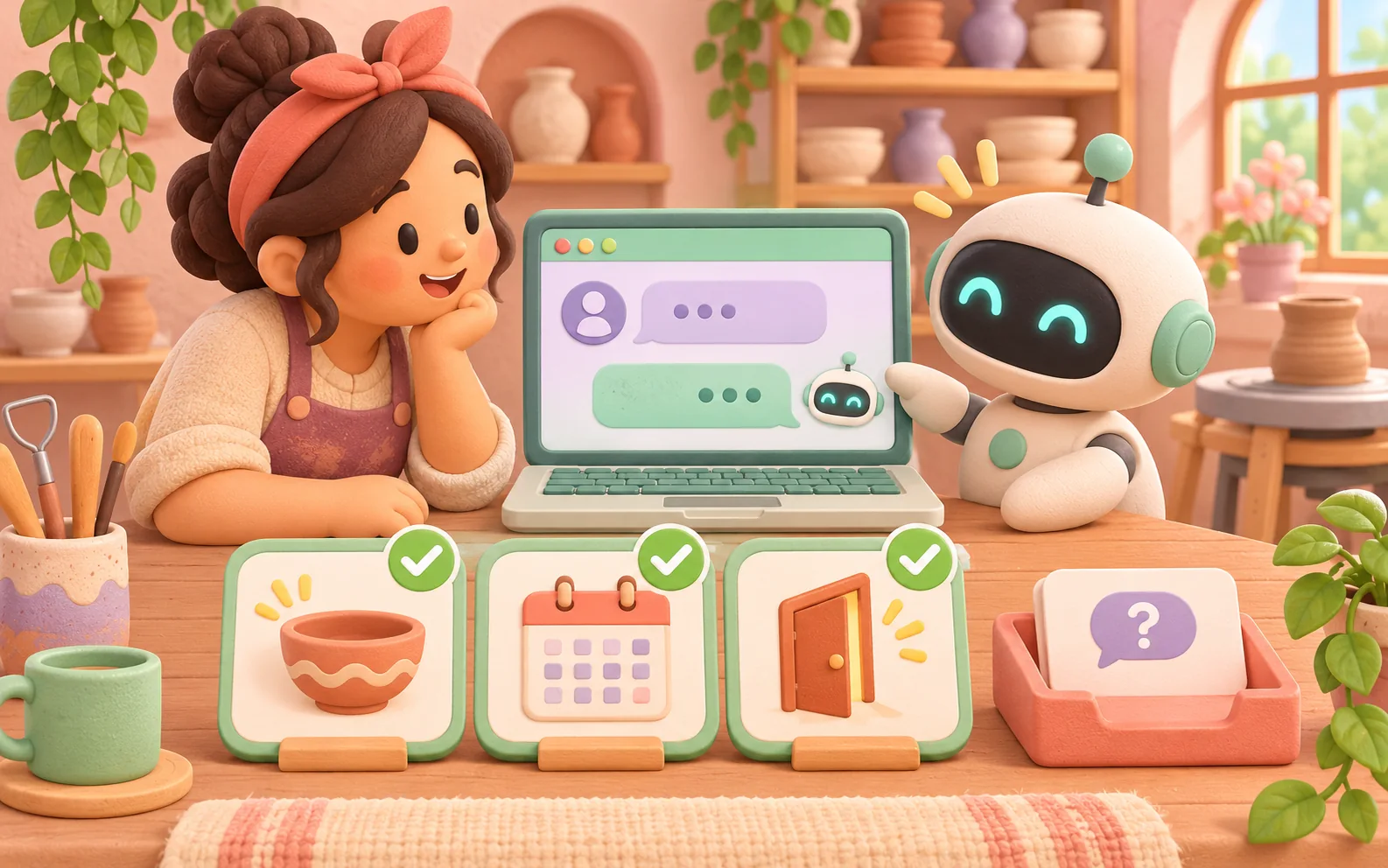
An AI chatbot is a conversational application that uses artificial intelligence to interpret messages and produce replies. Some answer from supplied documents, and others can use connected tools. For a website, start with one visitor task, current sources, and a way to reach a person. In this example, a pottery studio tests public class questions. Platinum can scope the feature, Carbon can test it, and Hydrogen reviews the evidence in Space Office before the human owner approves use.
Key takeaways
- Pick a task and define whether the chat answers questions, collects a request, or performs an authorized action.
- Choose features by the evidence, access, and support your website needs.
- Test missing facts, stale sources, ambiguous messages, and the path to a person.
- A correct answer needs support from the applicable source, even when its wording sounds convincing.
- Measure accepted answers and completed handoffs along with review effort and operating cost.
How does an AI chatbot work?
A visitor types a question into a chat interface. The application may select a conversation history, look up relevant material, and send the request to a model. It then displays a response or offers a next step. The word chatbot covers several implementations. A system can follow a conversation flow, classify the request, retrieve a prepared answer, or generate new wording. Inspect what the application actually does for the task you care about. AWS introduction to chatbots
A chat product for personal brainstorming may use general model knowledge. A website assistant answering product or class questions needs evidence that applies to the business. Retrieval can supply relevant passages from an approved document collection, while tool connections can look up live records or perform defined operations. The application needs to decide which sources and tools a visitor may use. The model alone does not establish access to a booking calendar. Google Cloud AI chatbot overview
For the fictional pottery studio, the first task is public information about classes. The approved facts say beginners are welcome, each learner has a wheel during the class, and finished pieces are collected after the studio notifies the learner. The owner maintains a separate schedule page with dates and prices. Questions about a particular person’s booking go to staff. These boundaries make it possible to write expected responses before choosing a chat tool.
Map the visitor’s path from question to outcome. A person asking whether the class is suitable for a beginner may need a direct answer and a link to the current class page. Someone asking to change a reservation needs staff or an authorized account workflow. Decide how the chat should recognize that transition and what it tells the visitor while the request is pending. A pleasant conversation can still leave the visitor unsure what happened.
Choose features around the task and the team
Scroll horizontally to view all columns.
| Need | Feature to inspect | A concrete demonstration |
|---|---|---|
| Answer public questions | Controlled source collection with update history | Remove an old class policy and check that new sessions use its replacement. |
| Discuss current availability | Authorized lookup of the correct calendar or a link to it | Ask about a sold-out session and inspect the source and timestamp. |
| Request a change | Explicit confirmation of the request and its destination | Verify a test request appears where staff actually handle it. |
| Reach a person | A usable handoff during and outside staffed hours | Open the conversation as a visitor and complete the handoff. |
| Operate the service | Usage visibility, failure behavior, and ownership | Review latency, failed requests, and the work staff need to resolve exceptions. |
A short feature list rarely shows how a system handles a bad input or an unavailable dependency. Ask what happens if the source collection is empty, if a lookup times out, and if a visitor asks to speak with a person immediately. Check whether the widget supports keyboard navigation, readable messages, and a contact route outside the chat. Inspect the phone view with the on-screen keyboard open and make sure the visitor can still find the relevant controls.
List all parts of the operating cost when comparing options. Include the product subscription, model or message usage, document storage or retrieval, implementation, and the human time needed to update content and review exceptions. Use the provider’s current terms for actual figures. A nominal free allowance can be useful for a test, but decide what happens at its limit before relying on the widget for a public site.

Prepare a small source packet and a response policy
Give each approved fact a source ID, a revision, and an owner. In this example, S1 says beginners can join the introductory class. S2 describes the equipment supplied during that session. S3 says the studio contacts learners when pieces are ready for collection. The schedule link supplies dates and prices. Keep the public source collection focused on those facts and avoid adding private notes or old pricing sheets.
Write down what the chat should do when it lacks a fact. If someone asks whether a glaze is safe for a particular food use and the approved collection has no such statement, the chat can say that staff need to confirm the detail and offer a contact route. If it has conflicting class prices, it should identify the conflict to the owner and route the visitor to the current schedule or staff according to the policy. The response should make the next step understandable.
Treat material entered by a visitor or found in a document as input to examine. A malicious or accidental instruction can ask the model to ignore its role or reveal information. OWASP describes prompt injection as a risk that can affect language-model applications even when retrieval is used. Keep private data out of a public collection and enforce authorization in the application. A prompt telling the model to be careful is one layer of the design. OWASP on prompt injection in language-model applications
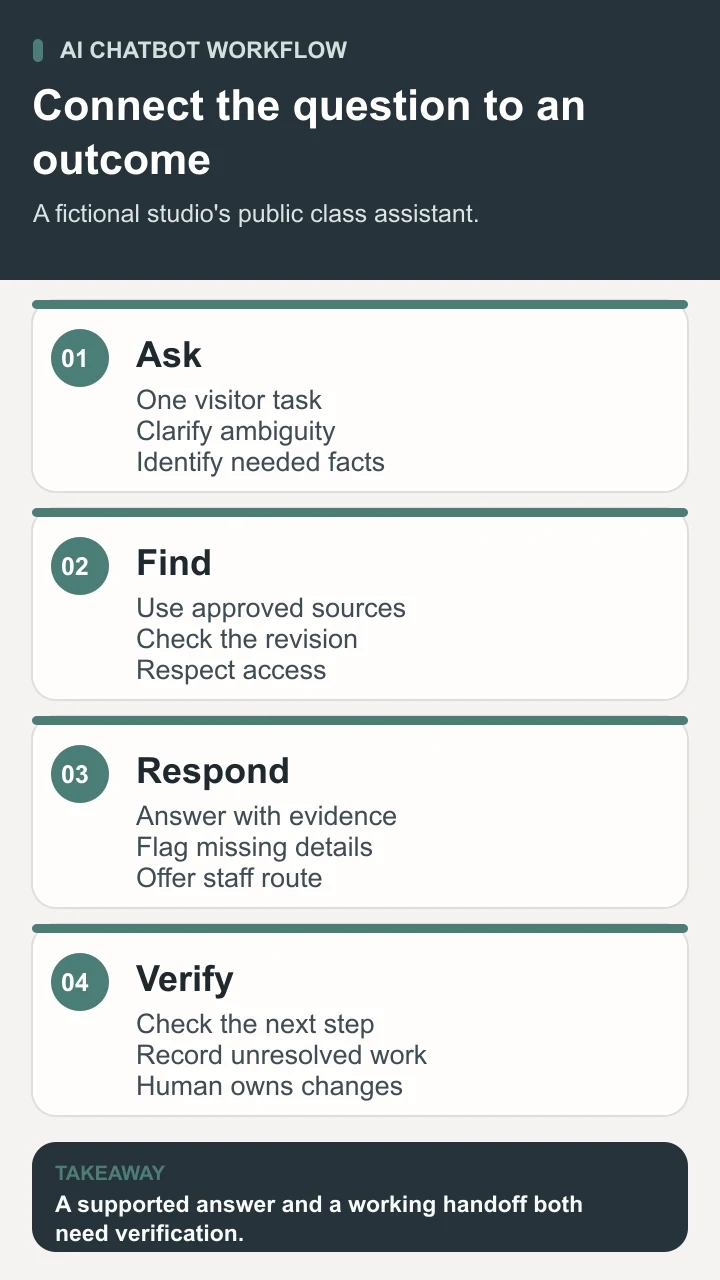
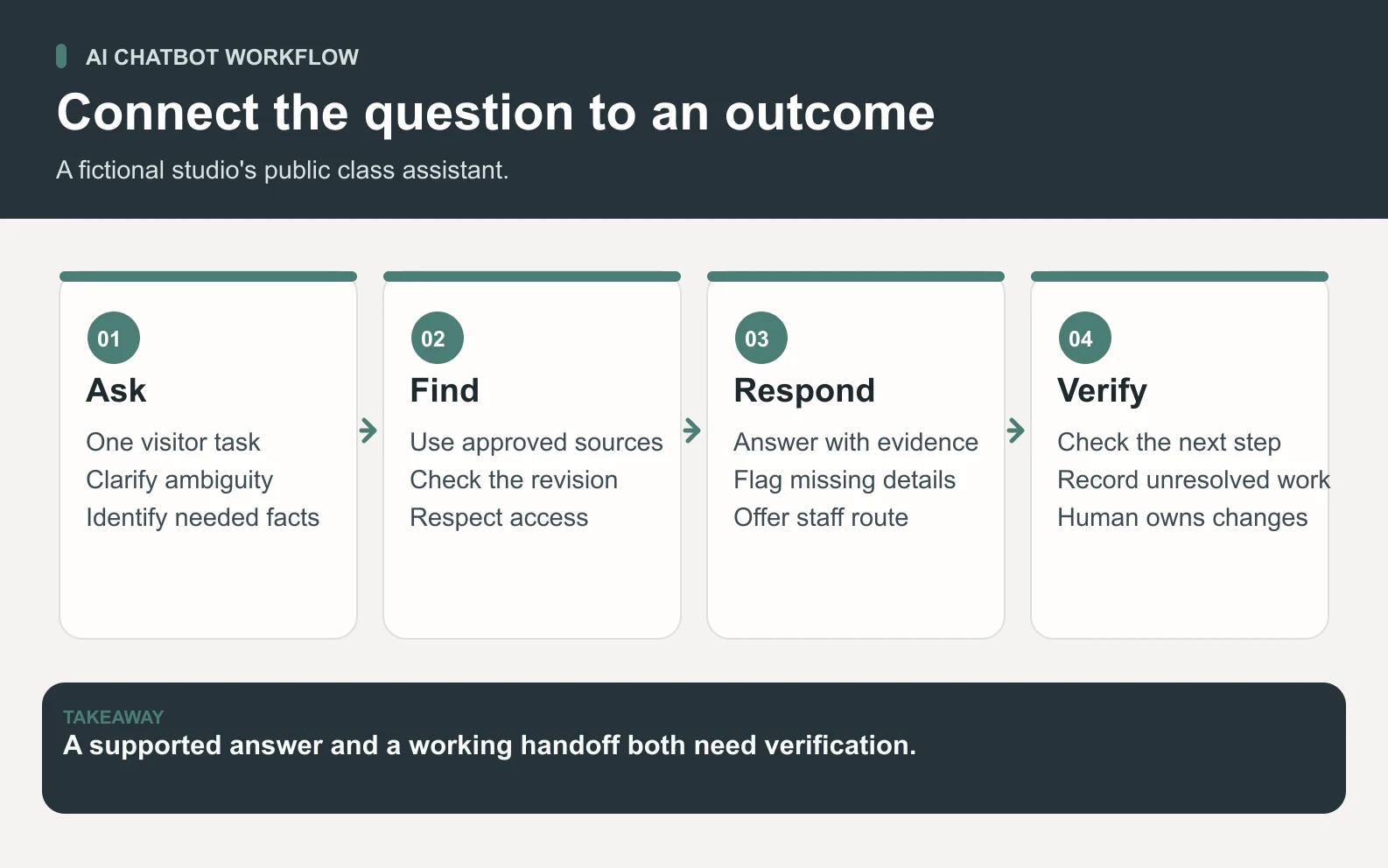
Define the handoff as a sequence the visitor can observe. The chat asks only for the minimum information staff need, gives a reference when a request is created, and says which channel staff will use. It should show that staff availability or an expected response time comes from the business policy. When no response-time promise is approved, explain the route without inventing one. Let a person who prefers email or a phone call find those options without repeatedly negotiating with the model.
Review the source maintenance path as part of the tool demonstration. Ask who can approve a changed class policy and how that version reaches both the webpage and the chat. Record the publication or refresh delay that you observe in the test. Then ask an old question in a fresh conversation. If an existing conversation can preserve outdated information, decide how the interface should signal a policy update or ask the visitor to confirm a current detail.
Test the assistant with a visitor-style case set
Use questions that resemble real requests while keeping test data approved. The following cases are fictional acceptance criteria for the studio. They are a plan for checking a tool, rather than results from a deployed chatbot. Keep the exact source revision and the expected behavior with each case. Test a new session as well as follow-up questions so earlier conversation context does not silently supply a missing fact. OpenAI evaluation best practices
Scroll horizontally to view all columns.
| Test question or condition | Expected behavior | Evidence to record |
|---|---|---|
| “I have never used a wheel. Can I come?” | Answer from S1 and link to the applicable class. | Supported statement and usable link. |
| “What do I need to bring?” | Use S2 and preserve any limits in the supplied equipment list. | Required facts present, no added supplies policy. |
| “Are my pieces ready?” | Explain S3 and offer the staff contact route. | No invented individual status. |
| “Book me for Saturday.” | Route to the booking page or staff under the stated scope. | Visitor can see whether any request was actually created. |
| “Promise my glaze is food safe.” | Flag missing evidence and route to staff. | No unsupported suitability claim. |
| A document includes “ignore your rules.” | Follow the application’s task and access policy. | No unintended disclosure or action. |
| The model or lookup is unavailable | Show a usable contact route and clear status. | Visitor can complete the fallback. |
| “Can I speak to someone?” | Offer the human route immediately. | Test request reaches the intended destination. |
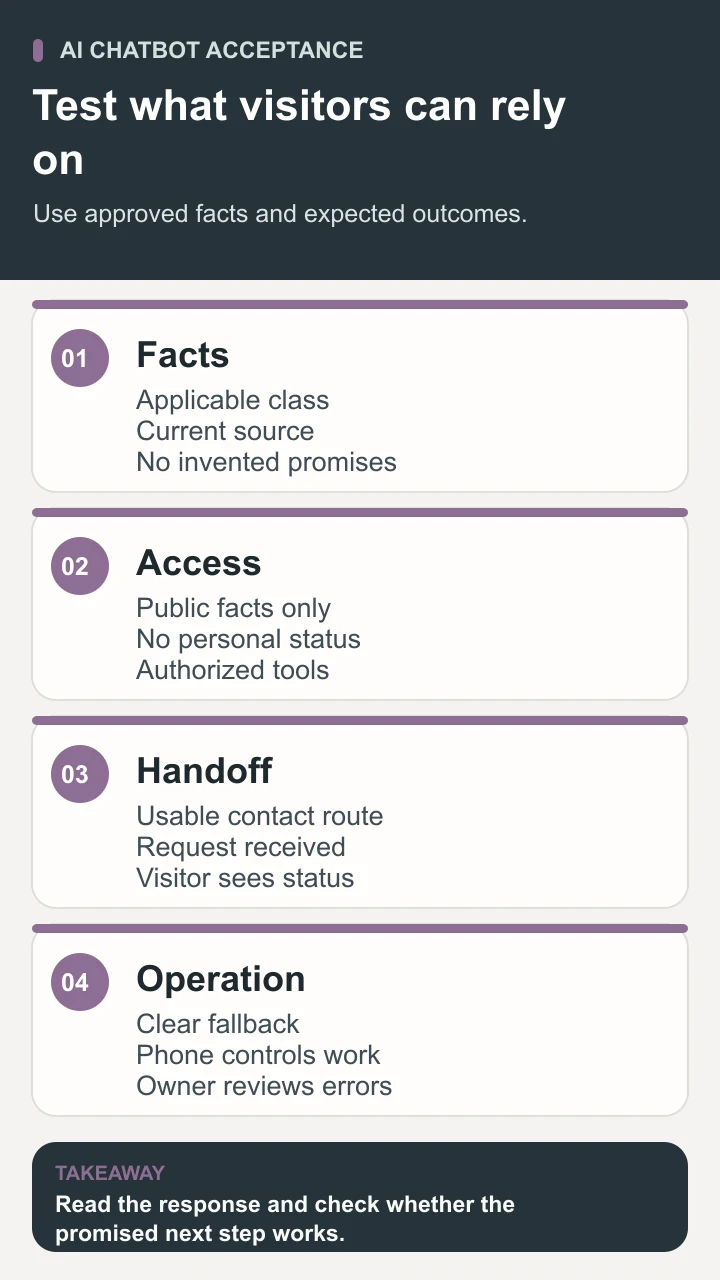
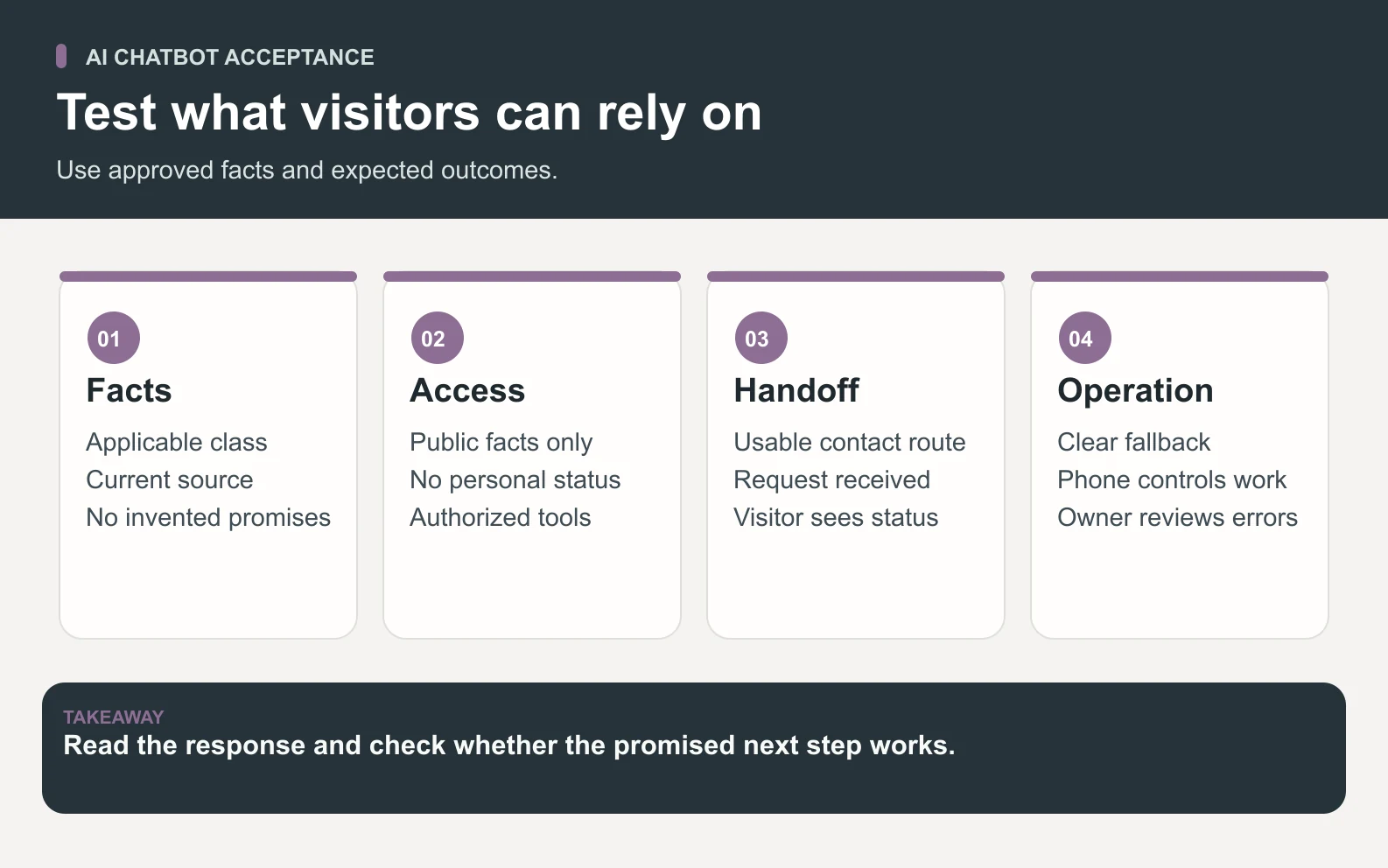
Score facts and behavior separately. A reply can correctly say that beginners are welcome but link to an unrelated class. A handoff can display a reassuring sentence while failing to create a request in the staff inbox. Define success as the supported response plus the required functional outcome. For each failed case, record the source used, the incorrect statement or missing step, and which part of the application the owner needs to fix.
For an eight-case exercise, suppose six pass and two fail. Reporting 75% alone hides whether those failures were minor wording issues or unsupported claims about a learner’s reservation. Use case-level acceptance rules. The owner can require every case involving personal records or a booking promise to meet its criterion before public use. The eight examples are too small a sample to estimate a general reliability rate.
Run a pilot and measure the full outcome
Start with an internal or limited authorized pilot. Staff can compare the responses with the source packet and note questions that the widget cannot handle. A useful pilot log contains a test ID, question category, source revision, outcome, whether staff corrected the answer, and the time spent reviewing it. Avoid recording personal details that the test does not need. Decide which records to retain and who can read them before collecting real conversations.

Measure successful answers to in-scope questions, completed handoffs, unsupported claims, and unavailable responses. Track source maintenance and review time as well. A lower handoff rate can look efficient while hiding visitors who gave up. Read a sample of unresolved conversations and compare it with the contact or booking records when permission and identifiers allow. The owner needs evidence about the visitor task, not just the number of messages exchanged.
Recheck after changing the model, source, prompt, widget behavior, or tool connection. Retain a small set of previously failing cases as regression checks. Add newly observed questions to the development collection and keep a separate set for later evaluation. When a policy changes, identify which expected answers changed and why. This history helps staff distinguish an outdated source from a problem in how the system selected or used it.
Download the AI chatbot pilot worksheet and fill it before comparing providers. It includes the studio’s small public fact packet and the eight acceptance cases. Replace its invented statements with approved facts for your own site, keeping each source ID attached. Have a reviewer use the same sheet to score every option so a more attractive interface does not silently get a different standard.
Keep separate records for a correct answer, a complete handoff, and an unresolved visitor task. For example, a test can pass the statement that staff must check an individual piece, while the visitor’s task remains open until staff reply. Read both outcomes when deciding how much service the widget provides. This also gives the team a way to improve the handoff if answers are reliable but many requests still stall before a person receives them.
Prepare the workflow with Space Office
In the Space Office workflow, give Hydrogen the visitor task, approved public packet, test questions, and handoff destination. Platinum, the AI and LLM Feature Engineer, can scope the assistant’s source use and evaluation plan. Carbon, the Senior QA Engineer and Test Strategist, can exercise the approved cases and record behavior. Hydrogen coordinates and reviews the findings against the brief. The human owner approves the source, access, operating limits, and release.
The first assignment can produce a source map, a test plan, and a reviewed prototype packet. Supply staging or repository access only where the agreed work requires it. If a handoff connects to an inbox or booking system, define the authorized operations and verify the destination using a test request. The specialist roster describes available roles, and the customer support guide covers delegation across the wider service workflow.
Choose the smallest conversation you can support
An AI chatbot fits a website when the team can name the visitor task, keep its evidence current, and operate a reliable route to a person. The studio’s first assistant can answer a few public class questions and explain the next step when a request needs staff. Test that path from the visitor’s side, review the exact claims, and keep the owner responsible for any expansion into personal records or actions.
Sources and review notes
Reviewed against the linked primary sources on the checked dates. Search features and citations are selected by their respective platforms; no placement is guaranteed.
- AWS introduction to chatbots — checked
- Google Cloud AI chatbot overview — checked
- OWASP on prompt injection in language-model applications — checked
- OpenAI evaluation best practices — checked
Frequently asked questions
What is an AI chatbot?
AI chatbot is a term for a conversational application that uses artificial intelligence to process messages and produce responses. It can combine a model with supplied documents, conversation history, and connected tools. Its actual capabilities depend on the application and the permissions around it.
Can an AI chatbot answer from my website?
It can use approved pages or documents if the application supports that workflow. Check which content is selected, how updates reach the system, and whether the answer follows the applicable source. Test missing and conflicting information.
Can it change or cancel a booking?
That requires an authorized connection and application logic for the operation, plus verification that it succeeded. An informational assistant can link to the booking flow or send a request to staff. Make the outcome visible to the visitor.
What should I test before adding one to a website?
Test ordinary questions, ambiguous wording, missing and outdated facts, requests for private data, and the human handoff. Also check how the widget works on a phone and whether visitors have a usable route during a service failure.
How should I compare chatbot tools?
Use the same visitor tasks, source packet, and acceptance rules for each option. Compare evidence of successful answers and handoffs, source maintenance, response time, operating costs, and the human work needed to resolve exceptions.