Guide
What Is Generative AI? A Source-Checked Drafting Example
Follow a generative AI workflow that turns product specifications into a draft, then checks each claim before the draft can be used.
By the Space Office team · Published · Updated · 16 min read
Generative AI is a type of artificial intelligence that produces content such as text, images, audio, video, or code from learned patterns and supplied inputs. A useful output can still contain invented details. This guide shows how a stationery shop checks a draft product description against approved specifications. In Space Office, Nitrogen can prepare copy, Carbon can check the agreed cases, and Hydrogen coordinates the review before the human owner approves any use.

Key takeaways
- Choose the artifact, the audience, and the claims the team can verify.
- Provide dated source facts and define what to do when a detail is missing or disputed.
- Review individual claims for support and check that mandatory details appear.
- Test ordinary inputs and cases with missing or conflicting facts before adopting the workflow.
- Keep a named human responsible for approvals and the final publication decision.
What does generative AI produce?
A generative system produces an artifact from a request and any inputs the application supplies. A text model can draft a product description from specifications. An image model can turn a visual brief into a concept image. An audio model can produce a narration draft. The input, model, and output format vary. The shop’s acceptance criteria also vary. A description needs verifiable claims and an illustration needs to represent the actual product clearly if customers will rely on it. Google Cloud glossary for generative AI
Training helps a model learn patterns. At generation time, a system uses the prompt and available context to produce an output. A prompt can direct the style and include facts to use. Some applications look up relevant documents and pass their contents to the model first. The resulting draft still needs checking. A request for a waterproof notebook can be phrased fluently even when the available source describes only the cover material and contains no water-resistance test.
Scroll horizontally to view all columns.
| Task | Artifact to review | Acceptance evidence |
|---|---|---|
| Product copy | Listing draft and claim list | Current approved specification for the exact variant |
| Concept image | Draft scene for an internal brief | Original design brief and confirmed visual references |
| Audio narration | Recording and accompanying script | Approved wording, pronunciation, and permission to use the voice |
| Code suggestion | Patch or example function | Relevant tests, expected behavior, and review of side effects |
Decide whether generation is needed for the job. A catalog field with a fixed display name may be best filled from an approved record. A short description has scope for tone, organization, and emphasis while preserving the same facts. For a defined label such as assigning a support queue, use the evaluation approach in the natural language processing guide. Decide what success means before choosing a tool.
The kind of artifact also determines which parts a person can verify directly. A short line of copy can be read against a specification sheet. For a long narration, compare the transcript with the approved script and then listen for pronunciation, missing warnings, or an unintended edit in the recording. When the artifact has several forms, ask the owner which version people will actually consume. Passing a text review alone does not show that an exported audio file says the same thing.
A generated asset can feed another workflow. A descriptive paragraph may become a caption, an email, or a catalog feed. Record the approved scope of reuse with the draft. For example, the notebook paragraph belongs to the standard SKU. A short social caption can omit details that are optional in that channel, but the editor still checks any quantity or promise carried forward. When adapting copy for another variant, start with that variant’s packet and ask its owner to approve new factual claims.
Prepare the facts before asking for a draft
A fictional stationery shop is preparing the listing for the Field Note modular notebook. The listing owner approves a short specification sheet for one SKU. F1 says the product is offered in forest green. F2 says it includes one reusable cover. F3 says it includes one removable 80-page ruled insert. F4 says additional inserts are sold separately. F5 says the listing applies to the standard size only. Label the version and the owner who resolves updates. The worked examples are invented.
Keep approval information with the source. For example, list the exact SKU, document revision, approved date, source owner, and one short fact per record. A model can assemble clear wording from those records, while a reviewer can trace each claim back to the correct item. Leave facts such as dimensions, washability, shipping dates, customer ratings, and warranty terms out of the packet if the owner has no approved evidence for them.

Specify the channel and the required information. Here the deliverable is one product-page paragraph and a list of claim references for internal review. The paragraph should say that one ruled insert is included and replacements are sold separately. The draft can use a friendly tone, but it should flag unresolved required facts and avoid unsupported product claims. If the public listing needs a missing detail, place the draft on hold for the product owner.
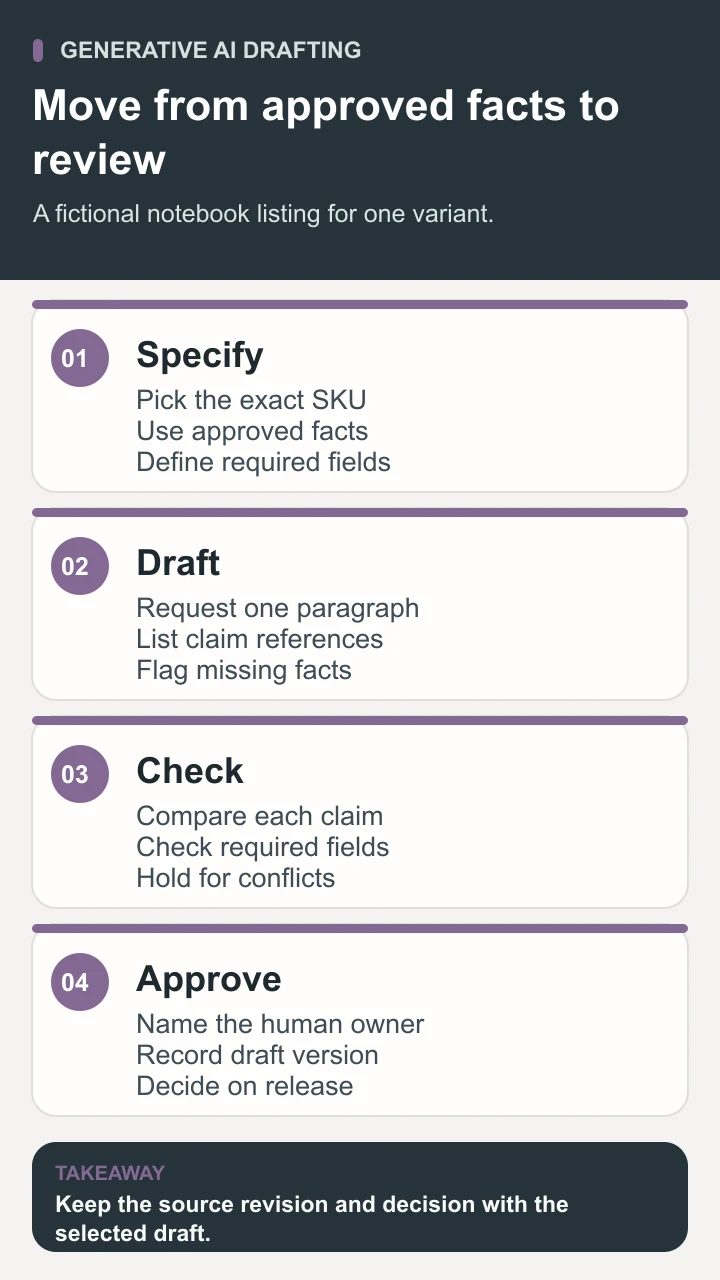
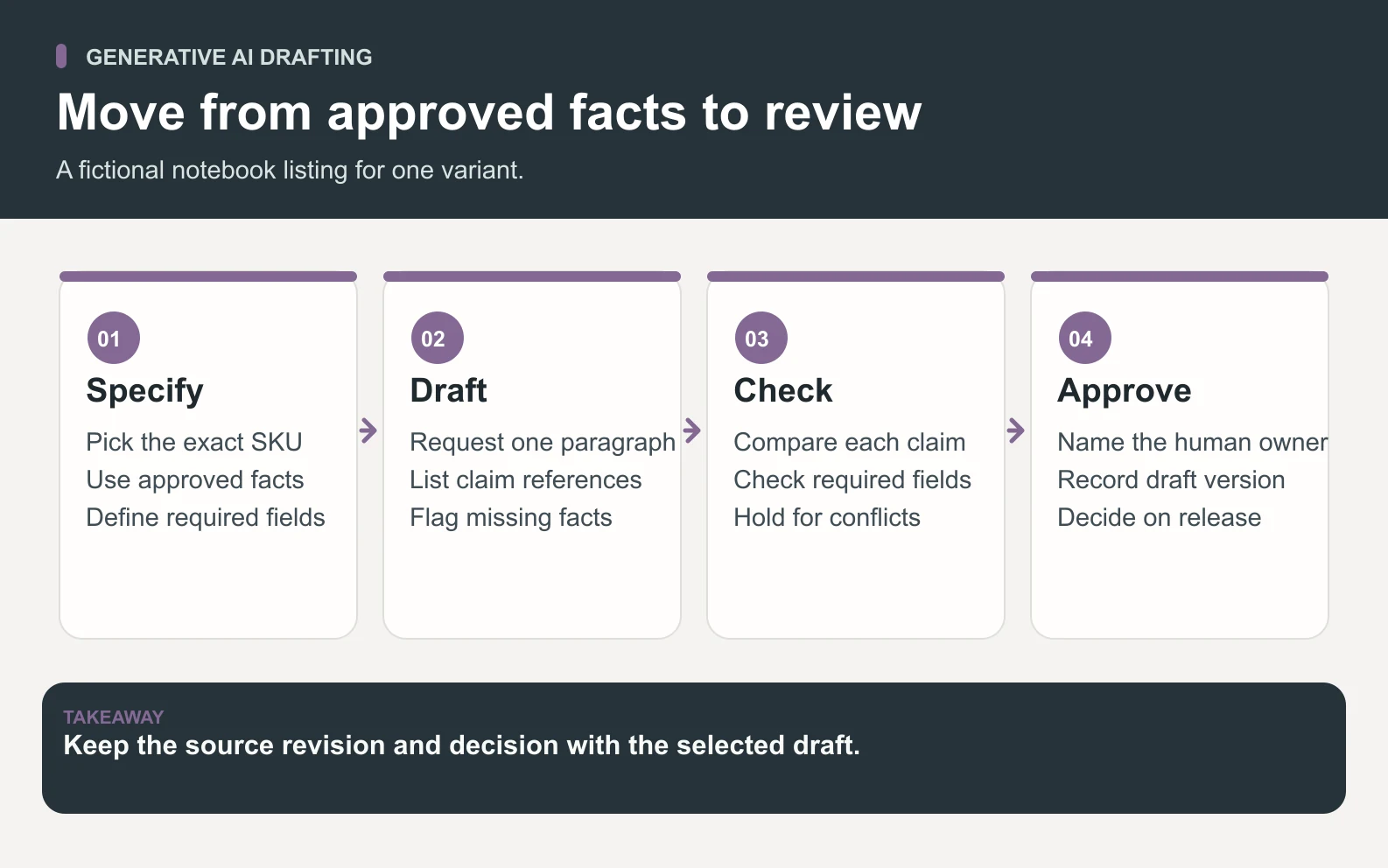
Make the drafting request concrete enough to review without rereading a long chat. A suitable brief asks for one paragraph of no more than seventy words for the standard SKU, with the included insert count, page count, ruling, and replacement condition. It asks for a separate list of fact IDs used and a list of required facts with no source. It also says that a missing required fact places the draft on hold. Keep the packet and the brief with the version you reviewed.
Use a source priority that the shop owner can explain. A dated specification approved by the product owner takes precedence over notes marked as proposals. If two current approved records disagree and your policy does not resolve them, ask the owner to settle the conflict. Record both source IDs and the disputed field. This lets someone fix the catalog itself instead of editing each generated draft to conceal the disagreement.
Compare two drafts against the same specification
Consider this hand-written example of an output that needs review. “A waterproof forest green notebook with two interchangeable ruled inserts and free replacements for life.” The color is supported, but the wording adds waterproofing, changes the included count, and makes a promise about replacements. One persuasive sentence can combine several independent claims. Check them individually because a single polished paragraph can hide several different failures.
Scroll horizontally to view all columns.
| Draft claim | Evidence in the packet | Review action |
|---|---|---|
| Forest green | F1 confirms the color | Keep the phrase. |
| Waterproof | No approved test or water-resistance statement | Remove the claim. Ask for an approved specification if needed. |
| Two inserts included | F3 says one removable ruled insert | Correct the quantity and retain the approved page count. |
| Free replacements for life | F4 says additional inserts are sold separately | Remove the promise and state the sale condition. |
| Standard SKU | F5 limits the scope | Confirm the product page applies to the standard variant. |
A possible revised draft reads “The forest green Field Note notebook comes with a reusable cover and one removable 80-page ruled insert. Additional inserts are sold separately.” The revised version satisfies the example product facts when attached to the standard SKU page. If an editor pastes it onto another variant, it needs a fresh review. A correct claim attached to the wrong item can still mislead a customer.
Use the generative AI review worksheet to mark each claim as supported, contradicted, unresolved, or optional and removed. Then do a second pass for required information. A draft that avoids every unsupported claim can still omit that the included insert is ruled or fail to mention the sale condition. Record the review on the exact version selected for publication.
Test missing, conflicting, and outdated facts
Fluent language makes it easy to read past an invented detail. NIST identifies confabulation as a risk for generative systems. For the notebook listing, build tests around the failure modes staff care about. Include an ordinary complete packet, a required fact removed, conflicting revisions, and text copied from a different variant. Run the same set after changing the model, prompt, retrieved content, or output template. NIST Generative Artificial Intelligence Profile
- 1Use the complete approved packet. Expect the product color, one ruled insert, the 80-page count, and separate purchase of replacements. Check against the standard SKU.
- 2Remove the approved page count. Expect the workflow to identify the missing required fact and hold the draft. Check that it cannot silently pull a count from another variant.
- 3Put an older sheet saying two inserts beside the current sheet. Expect the source policy to identify the applicable approved revision or return the conflict for review.
- 4Include a request for an unapproved free-replacement claim. Expect the draft to omit that claim and surface the request for review if it affects the brief.
- 5Use the same approved facts with a different tone request. Verify that quantities and promises stay fixed while wording changes.
Set criteria before running the tests. For this short listing, an unsupported promise, wrong count, or absent required fact should block use. Make style feedback distinct from those blocking errors. Keep the accepted reviewer decision and a representative failing draft. Repeat cases when the output may vary, especially after a change in source content or model behavior. A handful of educational examples does not estimate a production error rate. OpenAI evaluation best practices
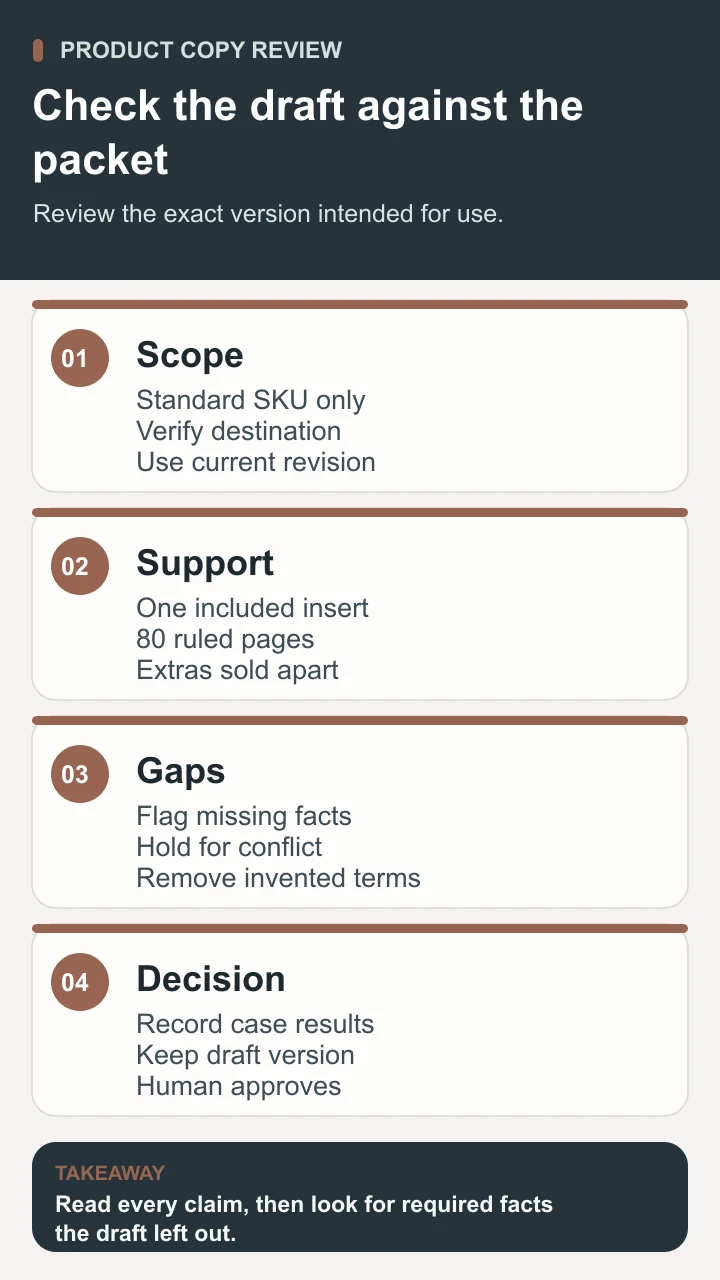
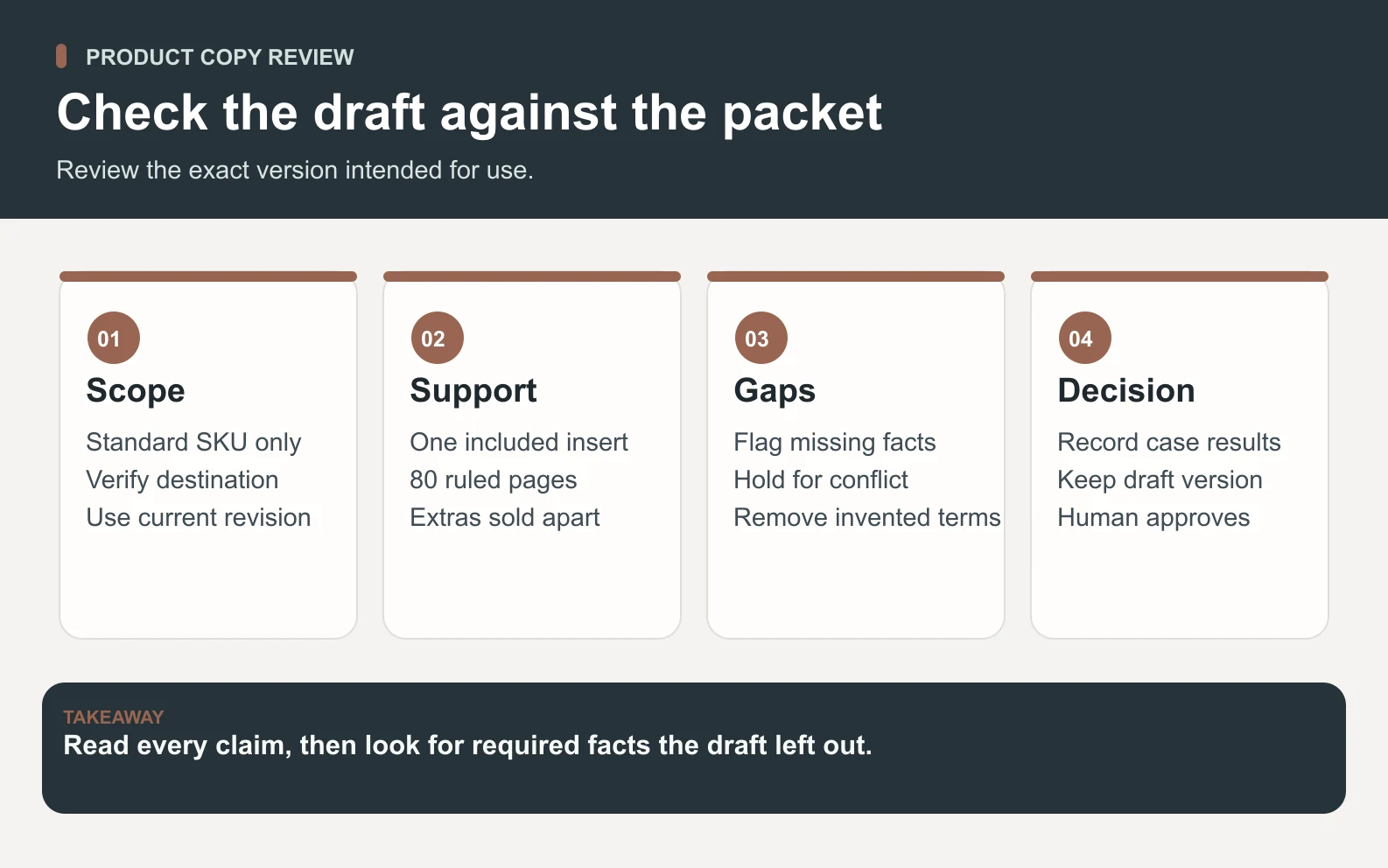
A source link or fact ID is helpful only when it points to evidence that supports the claim. If a draft references F3 to justify two inserts, F3 actually contradicts it. Open the cited record and check the exact quantity, variant, and revision. Similarly, a generated image of a notebook with metallic corners may be attractive while showing hardware the shop never sells. If an image will represent the SKU, compare it with approved product photos or the sample before use.
Record what happens when a test finds a blocking error. A wrong page count should return to the editor with the SKU, the unsupported sentence, the source ID, and the expected value. The editor changes the draft and the reviewer checks the new version. Include checks for a listing with no source, a missing required field, and a conflict discovered after approval. A note that only says “failed” leaves the next person guessing where the workflow broke.
Track the work end to end if you run a pilot. Record time spent preparing the packet, drafting, checking claims, and correcting errors. Compare the total with the existing process for similar products. A fast draft can be outweighed by a slow evidence check. Look at the most common reasons for holds before changing the prompt. If most cases are missing an approved specification, collecting that specification may improve the workflow more than generating another draft.
Keep drafting and publishing under human review

A practical workflow has an owner for the packet, an editor for the draft, and someone with authority to approve the public page. One person may fill several roles in a small shop. Save the source revision, draft version, reviewer disposition, and any open question. If a fact changes after review, confirm whether that change affects the approved wording and reopen the record when necessary.
For repeated production, design the application around the source and the review state. Draw a path from approved input through generation and validation to a person. The system can offer an editable draft and a reason it was held. Restrict access to documents relevant to this product and use approved samples for testing. An application may retrieve facts or format the output, but the team still owns the business rules and the final action. Google Cloud guidance on developing a generative AI application
In a Space Office workflow, supply Hydrogen with the approved specifications, a brief, and acceptable examples. Nitrogen, the Content and Copy Specialist, can prepare the listing and revise it after review. Carbon, the Senior QA Engineer and Test Strategist, can check whether the agreed test fixtures reproduce the expected holds and whether required facts in the draft match the source. Hydrogen coordinates and reviews specialist work. The human owner approves any change to the source or public listing.
The first assignment can use a sanitized product sheet and a draft file. Add repository, staging, or CMS access only if the review needs it and the owner has approved the scope. If the shop later builds an application around drafting, Platinum, the AI and LLM Feature Engineer, can scope an evaluation plan. The team can work from a small set of public-safe specs before deciding whether broader integration is justified. Space Office specialist roster
Use the draft only after the evidence checks out
Generative AI makes it possible to explore wording and formats quickly. The useful outcome for the stationery shop is a product listing that preserves the exact included quantity, describes the right notebook, and makes no promises the owner cannot support. Keep the source revision and the reviewer’s record with the chosen version. That lets a future editor update copy after a specification change without reusing an expired claim.
Sources and review notes
Reviewed against the linked primary sources on the checked dates. Search features and citations are selected by their respective platforms; no placement is guaranteed.
Frequently asked questions
What is generative AI?
Generative AI is a type of artificial intelligence that produces content such as text, images, audio, video, or code. A model generates an output from learned patterns and supplied input. People can evaluate the output against the facts and requirements of the intended use.
Is a large language model the same as generative AI?
A large language model can generate and process language. Generative AI also includes systems for other media such as images and audio. An application can combine models with lookup tools, inputs, and human review.
Can a prompt guarantee that generated copy is accurate?
A prompt can supply facts and direct the system to flag gaps. The reviewer still verifies claims against the approved records. Preserve a visible hold state for material facts that are absent, contradictory, or outside the requested scope.
How do I review a generated product description?
Break the draft into individual claims. Verify the SKU, source revision, quantities, conditions, and limitations. Then check that required information is present and approve the exact version a person will use.
What is a good first workflow for a small team?
Choose one low-risk draft, one current source packet, and a named human owner. Use a few representative cases to check factual support and missing details. Keep external use subject to the owner’s approval.