Guide
AI Team for Course Creators: Full Workflow Guide
By the Space Office team · Published · Updated · 9 min read
An AI team for course creators works best as a launch and operations crew: it helps plan the curriculum, draft lesson assets, write sales copy, repurpose content, summarize student feedback, and prepare support material. It should not replace your expertise. It should remove the production drag around turning that expertise into a course people can understand, buy, and finish.

Course creators usually do not fail because they lack ideas. They fail because a course is not one task. It is curriculum design, audience research, lesson structure, workbook writing, landing-page copy, email, social promotion, student support, analytics, and post-launch revision. A single AI assistant can help with pieces. A coordinated AI team helps keep the pieces moving in the right order.
Space Office is a managed team of 24 live AI specialists coordinated by Hydrogen, an AI project manager that reviews every output before delivery. For a course creator, that means you can brief the outcome once and get work routed across writing, SEO, research, design direction, sales copy, and operations. The creator remains the expert; the AI team becomes the production layer.
Start with the course outcome, not the AI tool
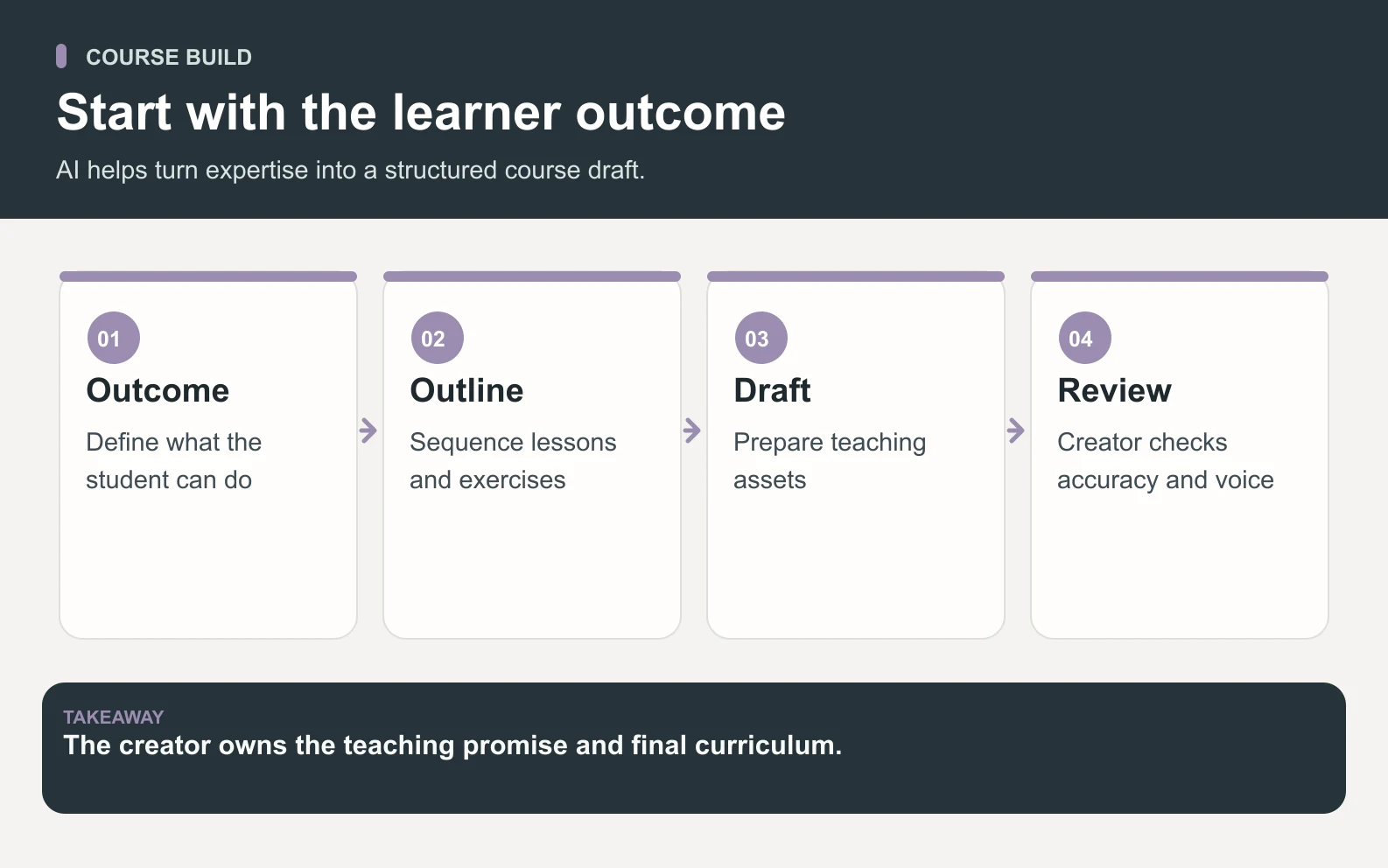
Swipe to explore the diagram
An AI team for course creators should start with the student outcome. Before asking for lesson drafts, define who the course is for, what the student can do after finishing, what proof they will create, and what a beginner misunderstands about the topic. That keeps the AI from producing generic modules that sound polished but teach very little.
A useful brief names the audience, promise, level, format, deadline, constraints, examples you like, and the assets you already have. Hydrogen can then split the job: research the audience, turn expertise into a module map, draft lesson summaries, write launch copy, and flag weak claims before they go live.
What an AI team can handle for a course launch
An AI team can handle the production work around your expertise. It can organize ideas, find gaps, draft supporting assets, repurpose material, and prepare launch content. It should not invent credentials, fabricate student results, or create lessons for a topic you cannot responsibly teach.
Scroll horizontally to view all columns.
| Workstream | Typical AI-team output | Human owner still decides |
|---|---|---|
| Curriculum | Module map, lesson order, prerequisites, exercises | What students truly need to learn |
| Lesson assets | Outlines, summaries, worksheets, quiz drafts | Accuracy, nuance, and teaching examples |
| Launch copy | Sales page, emails, social posts, FAQ | Offer promise and proof |
| Design direction | Slide structure, visual brief, worksheet layout notes | Final brand and teaching style |
| Student support | Common questions, onboarding notes, feedback themes | Policy, tone, and personal responses |
The safest AI course workflow is not “AI writes the course.” It is “AI organizes the production so your expertise survives the deadline.”
A practical 7-step AI course workflow

A practical AI course workflow moves from strategy to assets to review. The order matters because copy written before the curriculum is clear usually overpromises, and lessons written before the audience is clear usually feel generic.
- 1Define the student, promise, skill level, and course boundary.
- 2Turn raw notes, calls, or frameworks into a module map.
- 3Draft lesson outlines, worksheets, quizzes, and examples.
- 4Write the sales page, launch emails, and social content from the finished promise.
- 5Create support assets: FAQ, onboarding note, refund-policy explanation, and community prompts.
- 6Run a quality review for unclear claims, missing steps, and weak proof.
- 7After launch, summarize feedback and prioritize the next course update.
A worked example: from messy expertise to launch assets

Imagine a creator has 3 recorded workshops, 40 pages of notes, and a launch date in 3 weeks. The deliverables are 6 modules, 24 lesson summaries, 12 worksheets, 1 sales page, 7 emails, 12 social posts, 1 student FAQ, and 1 post-launch feedback report. Without coordination, the creator may spend 8 hours organizing notes, 6 hours shaping lessons, 4 hours writing launch copy, and 2 hours reviewing support material: about 20 hours before filming or teaching.
With Space Office, the creator writes one detailed brief and uploads the source material. Hydrogen routes curriculum structure, writing, SEO, sales copy, and support assets to the relevant specialists, then reviews the combined handoff. If the creator spends 90 minutes briefing, 3 hours reviewing drafts, and 90 minutes making expert corrections, the first pass is about 6 focused hours. The math is 20 hours of scattered production versus about 6 hours of expert review and decisions.
Scroll horizontally to view all columns.
| Task | Solo creator load | AI-team handoff |
|---|---|---|
| Organize source material | 8 hours | Brief plus structured source review |
| Shape modules and lessons | 6 hours | Draft map and summaries for expert correction |
| Launch copy | 4 hours | Sales page, 7 emails, and 12 posts drafted |
| Support assets | 2 hours | FAQ and onboarding material drafted |
| Founder time | About 20 hours | About 6 focused approval hours |
Use AI to preserve your voice, not flatten it
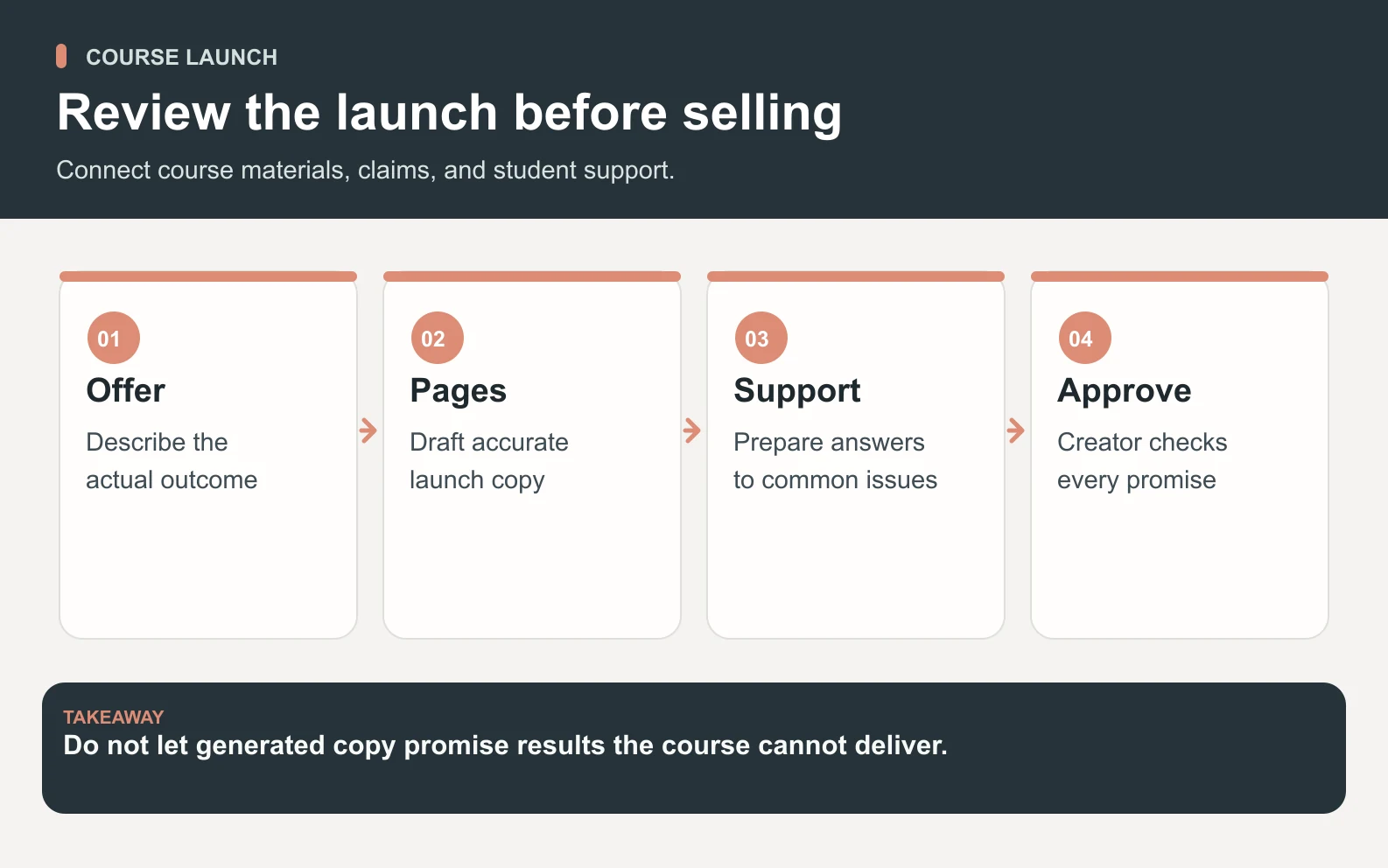
Swipe to explore the diagram
The biggest risk for course creators is not that AI makes mistakes, though it can. The bigger risk is that it turns a distinct teaching style into generic advice. Your examples, stories, frameworks, warnings, and taste are the product. The AI team should ask for those inputs and protect them through the draft.
A good workflow gives the AI team transcripts, voice notes, sales-call objections, student questions, and a few examples of your best explanations. Then Hydrogen reviews the draft for gaps: vague promises, unsupported claims, lessons out of order, exercises that do not test the skill, or copy that sounds like anyone could have written it.
Where real specialists fit in the course workflow
Different parts of a course launch need different kinds of work. In Space Office, Hydrogen coordinates the project manager layer, while specialists can support research, writing, design direction, frontend implementation, QA, and growth. The exact roster depends on your workspace, but the operating idea is simple: stop asking one assistant to behave like a whole launch team.
1. Research before the outline
Audience research should happen before module writing. The team can summarize student pain points, competitor positioning, search questions, and objections. That gives the course a sharper promise and gives the launch copy real language to use.
2. Writing after the structure
Writing should happen after the module sequence is approved. That keeps lessons from becoming a pile of decent paragraphs in the wrong order. Lesson summaries, workbook prompts, email drafts, and FAQs all get better once the course path is fixed.
3. Review before publishing
Hydrogen's review is useful because course material has many failure modes: weak exercises, inflated promises, missing prerequisites, and unsupported claims. Hydrogen checks outputs against the brief and returns issues to the specialist for revision. You still review and approve the final work. Treat that as a sample-based review signal, not a universal guarantee.
Pricing: what a course creator should budget
Space Office costs $60/month or $600/year, with additional specialists at $25/month each and bring-your-own AI usage at zero markup. For a course creator, the practical question is whether one month of coordinated production saves enough time or unlocks enough launch quality to justify the subscription. Dedicated AWS compute starts at about $30/month, and AI usage is paid separately through your own provider key with zero markup.
Do not compare that only against a single AI chat subscription. Compare it against the work you would otherwise manage: curriculum assistant, copywriter, research assistant, launch coordinator, and editor. Hiring-cost figures vary heavily by market and seniority, so any human-cost comparison should stay approximate / illustrative rather than pretending there is one universal number.
When not to use an AI team for courses
Do not use an AI team to fake expertise, promise results you cannot support, or mass-produce lessons you have not reviewed. If your course depends on legal, medical, financial, or other regulated advice, you need qualified human review. AI can support structure and production; it should not become the credential.
- Avoid AI-generated claims about student outcomes unless you can prove them.
- Do not outsource your teaching point of view; make the team extract and organize it.
- Do not publish worksheets, quizzes, or scripts without expert review.
- Do not use AI to mimic another creator's course structure or examples.
The best first brief for a course creator
The best first brief is specific enough for a team to act. Include the audience, transformation, course format, current assets, teaching constraints, launch date, tone, price point if public, examples you like, and what must stay in your voice. Ask for an outline first, not a full course. That creates a checkpoint before production accelerates.
Meet the specialists Space Office can coordinate when your course launch needs more than a blank AI chat.
Meet the AI teamThe bottom line
An AI team for course creators is worth considering when production, not expertise, is the bottleneck. Space Office can help turn your knowledge into structured lessons, launch assets, support material, and feedback loops while Hydrogen reviews the work before delivery. Keep the human expertise at the center, and use AI to make the course easier to build, sell, and improve.
Frequently asked questions
What is an AI team for course creators?
An AI team for course creators is a coordinated group of AI specialists that helps with curriculum planning, lesson outlines, worksheets, launch copy, research, repurposing, support assets, and review. The creator still owns the expertise, examples, proof, and final teaching decisions.
How can Space Office help course creators?
Space Office can turn one course brief into assigned work across writing, research, SEO, design direction, sales copy, and operations. Hydrogen coordinates the specialists and reviews the output before delivery, so the creator spends more time making expert decisions and less time managing drafts.
How much does an AI team for course creators cost?
Space Office costs $60/month or $600/year, with added specialists at $25/month each. You bring your own AI key, and Space Office adds zero markup to AI usage. The budget question is whether coordinated production saves enough creator time to justify the subscription. Dedicated AWS compute starts at about $30/month, and AI usage is paid separately through your own provider key with zero markup.
Can AI write my full online course?
AI can draft outlines, lesson summaries, worksheets, quizzes, emails, and support material, but it should not replace your expertise. A responsible workflow uses AI to organize and accelerate production, then requires the creator to review accuracy, examples, promises, and student outcomes.
What should I include in a course brief for an AI team?
Include the target student, promised outcome, skill level, format, source material, deadline, examples, voice notes, launch assets needed, and claims that must be avoided. Ask for a module outline first so you can approve the structure before the team drafts everything else.
When should course creators avoid AI-generated content?
Avoid AI-generated content when it fakes expertise, invents student outcomes, copies another creator's structure, or covers regulated advice without qualified human review. AI is safest for production support, structure, repurposing, and first drafts that a real expert checks before publishing.