Guide
AI Team for Businesses: Choose Your Starting Team
By the Space Office team · Published · Updated · 12 min read
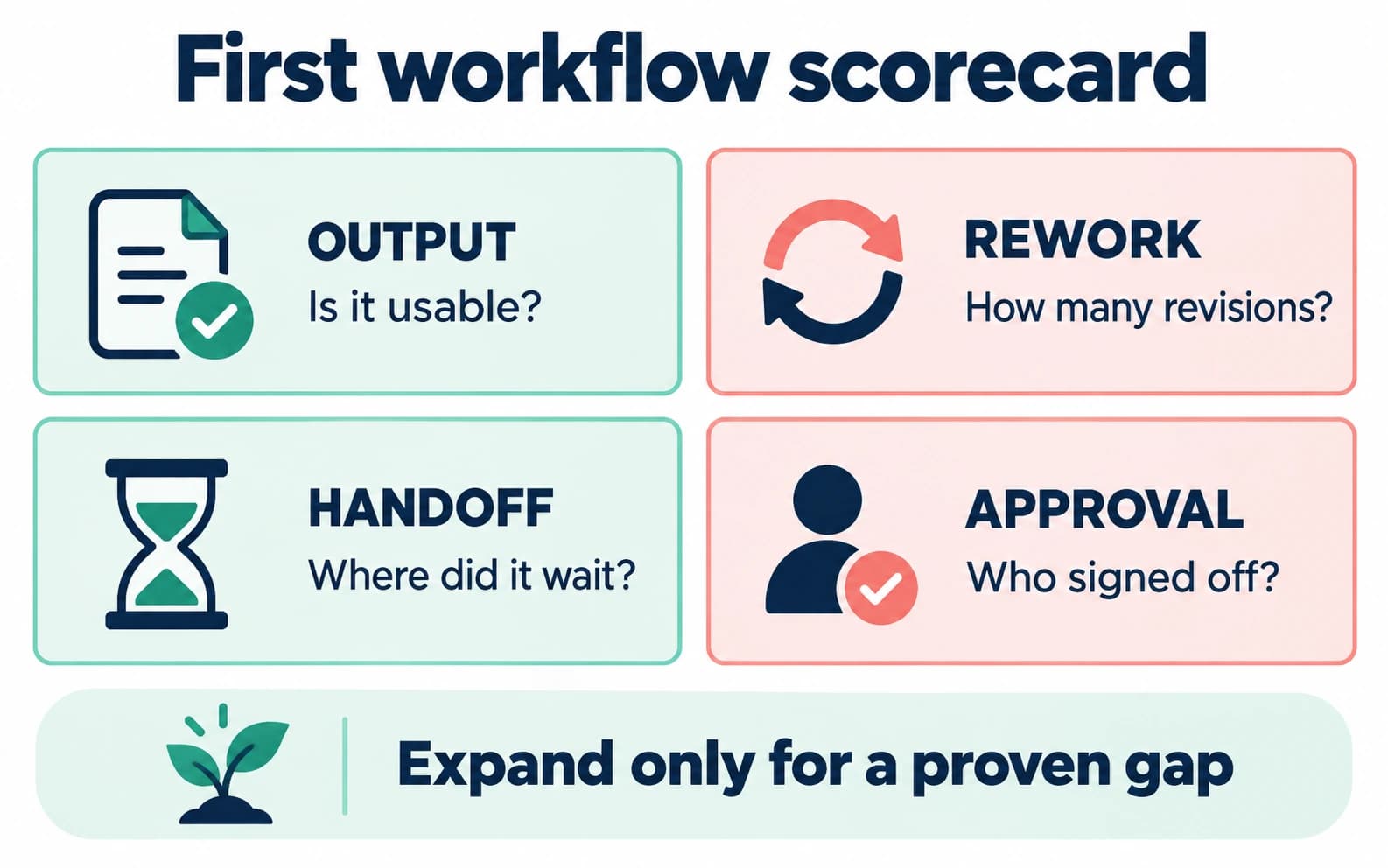
An AI team for a business should start with one bottleneck, not a giant roster. Pick the vertical guide closest to your work, choose two included specialists for the first workflow, and expand only when review, handoff, and output quality justify the extra roles.

For concrete task examples before choosing a vertical team, explore these AI agent use cases: sourced research, content drafts, prospect briefs, prototypes, test investigations, and launch preparation. Each example names the input, output, and human acceptance check.
Most small businesses do not need an abstract “AI workforce.” They need a repeatable way to get one painful category of work done: launch content, sales follow-up, support drafts, SEO refreshes, client onboarding, recruiting outreach, or operating documentation. This hub helps you route to the closest Space Office guide and choose a starting team without over-buying roles.
Space Office is a managed AI workforce coordinated by Hydrogen. The live roster has Hydrogen plus 24 specialists, with 15 further roles in development. The base subscription is $60/month or $600/year and includes Hydrogen plus two specialists. Additional specialists cost $25/month or $250/year each. Dedicated compute and AI-provider usage are separate, and a human remains responsible for approving anything that goes to customers, candidates, regulators, or the public.
Choose by bottleneck before industry
The best first question is not “what industry am I in?” It is “which workflow is creating the most drag?” A law firm, SaaS company, agency, and real estate office can all need research and follow-up, but the review rules differ. Start with the bottleneck, then use the vertical guide to understand limits and examples for your context.
- 1Name one workflow that repeats every week.
- 2Write who approves the final output today.
- 3Pick the smallest specialist set that helps before approval.
- 4Use the vertical guide to check risk, tone, and handoff details.
- 5Review the first outputs before adding more specialists.

Vertical routing table
Scroll horizontally to view all columns.
| Business type | Best starting guide | Common first workflow |
|---|---|---|
| Consultants | AI team for consultants | Research, proposal drafts, delivery notes, and client-ready summaries |
| Coaches and course creators | AI team for coaches or course creators | Launch copy, lesson outlines, email sequences, and student support drafts |
| Agencies and B2B SaaS | AI content team for agencies or B2B SaaS marketing | Campaign research, briefs, SEO updates, and content production support |
| Shopify and ecommerce | AI team for Shopify stores or ecommerce founders | Product copy, category SEO, support replies, and merchandising research |
| Recruiting and sales-led teams | AI team for recruiters or AI sales team for startups | Pipeline research, outreach drafts, CRM notes, and follow-up messaging |
| Professional services | AI team for accountants or law firms | Client communication and document support with strict human review |
| Local operations | AI team for local businesses or property managers | Review responses, local pages, leasing docs, checklists, and admin drafts |
| Real estate agents | AI team for real estate agents | Listing copy, buyer communication, market research, and follow-up sequences |
| Indie hackers | AI team for indie hackers | Lean growth, launch support, content, and customer research |
| Newsletter operators | AI team for newsletter operators | Issue drafts, research, subscriber outreach, and content workflows |
| Nonprofits | AI team for nonprofits | Grant research, donor communication, event planning, and program documentation |
Pick a two-specialist starting team
1. Start with the two roles included in the base plan
Because two specialists are included in the base subscription, the cleanest first setup is often Hydrogen plus two focused roles. For a content-heavy business, that might be Nitrogen for copy and Neon for SEO. For a launch, it might be Sodium for research and Nitrogen for messaging. For support, it might be Gold for customer success and Carbon for QA. The point is not to hire every role on day one; it is to prove one workflow.
Small team rule
Start with two specialists when possible. Add a third only when the workflow genuinely needs another role, not because the roster looks exciting.
When to add more specialists
2. Add roles only when the workflow crosses a real boundary
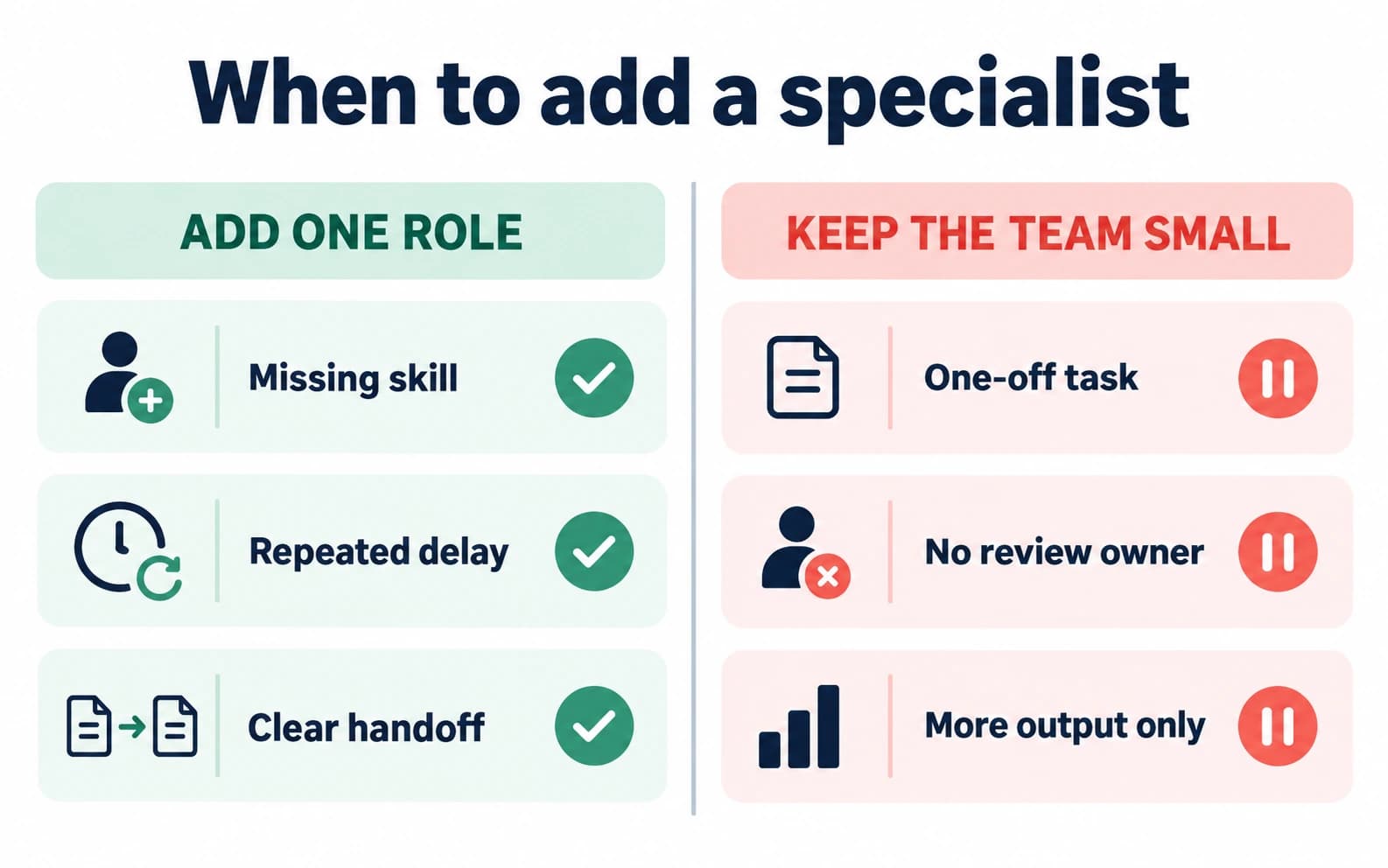
Add a specialist when the workflow crosses a real boundary. Copy that needs search intent may need Neon. A campaign that needs visual direction may need Boron. A support workflow that touches customer promises may need Gold and Carbon. Extra roles are valuable when they reduce rework or improve review quality; they are wasteful when they only create more outputs for the founder to manage.
- Add a specialist when an included role cannot judge the output well enough.
- Add a specialist when work repeatedly waits on the same missing skill.
- Add a specialist when Hydrogen can coordinate the handoff without creating a longer approval queue.
- Do not add a specialist to bypass legal, financial, medical, or hiring accountability.
Swipe to explore the diagram
Worked example: a lean SaaS marketing setup
A SaaS founder wants weekly search-led content, landing-page refreshes, and launch copy. A practical first setup is Hydrogen plus Nitrogen and Neon, which stays inside the $60/month base subscription because two specialists are included. If the founder adds Boron for creative direction and Carbon for QA, that becomes $60 + 2 added specialists × $25 = $110/month before dedicated compute, AI-provider usage, and human approval time.
Scroll horizontally to view all columns.
| Setup | Specialists | Monthly subscription math | Best use |
|---|---|---|---|
| Base focused team | 2 specialists | $60/month | One weekly workflow such as content + SEO or research + copy |
| Expanded launch team | 4 specialists | $60 + 2 × $25 = $110/month | Research, copy, SEO, creative direction, and QA handoff |
| Six-specialist operating pod | 6 specialists | $60 + 4 × $25 = $160/month | Multiple recurring functions with more review coordination |
| Full live specialist roster | 24 specialists | $60 + 22 × $25 = $610/month | Broad access across the live roster; still needs human approval |
Swipe to explore the diagram
Review risk changes the answer
3. Keep human authority on regulated or high-stakes work
The right AI team for a business depends on review risk. A newsletter draft, product description, or internal checklist is usually easier to review than legal advice, financial conclusions, medical recommendations, or hiring decisions. Space Office can help with bounded, reviewable support work, but the qualified human owner must keep authority over regulated or high-stakes decisions.

That is why several vertical posts include explicit limits. The law-firm guide should not imply legal advice. The accountant guide should not imply tax authority. The recruiting guide should not automate final hiring judgment. Those limits are not weaknesses; they are what make the workflow usable without pretending AI removes accountability.
Use function guides when no vertical fits
Some businesses do not fit a neat vertical. In that case, choose a function guide: AI marketing team for SaaS startups, AI sales team for startups, AI operations team for startups, AI support team for SaaS, AI finance team for startups, AI design team for startups, AI dev team for solo founders, AI agents for SEO, or how to run marketing with no marketing hire.
What to do after choosing a guide
After you pick the closest vertical or function guide, open /agents to confirm the live specialist list and /pricing for subscription math. If the question is whether to buy a managed team or keep using tools, read AI tool alternatives and managed AI team vs DIY agents. If the question is pure budget, read How much does an AI team cost?.
Ready to map the first workflow? Review the live roster, choose two specialists, and price the smallest team that can clear the bottleneck.
Meet the AI specialistsSources and review notes
Product facts were reviewed September 29, 2026 against docs/PRODUCT-FACTS.md, src/lib/pricing.ts, and src/lib/agents.ts. Images and visual explanations were updated October 1, 2026. Industry examples are routing guidance, not claims that regulated decisions can be delegated to AI.
- Space Office specialist roster — checked
- Space Office pricing — checked
- Space Office how it works — checked
Frequently asked questions
What is the best AI team for a small business?
The best starting team is usually Hydrogen plus two specialists tied to one recurring bottleneck. For many businesses that means copy plus SEO, research plus copy, or support plus QA. Start small, review outputs, then add roles only when the workflow needs them.
How much does an AI team for a business cost with Space Office?
Space Office starts at $60/month or $600/year for Hydrogen plus two specialists. Additional specialists cost $25/month or $250/year each. Dedicated compute and bring-your-own AI-provider usage are separate, and humans still approve final external work.
Which vertical guide should I read first?
Read the guide closest to your customer and workflow. If your industry is not listed, choose a function guide such as marketing, sales, support, finance, design, development, SEO, or operations instead of forcing a weak vertical match.
Can an AI team handle regulated business work?
Only bounded support tasks should be delegated. Legal, medical, financial, tax, hiring, and customer-impacting decisions need qualified human ownership. Use Space Office for drafts, research, summaries, checklists, and reviewable prep—not unsupervised authority.
Should I hire the full AI roster at once?
Usually no. The full live specialist roster costs $610/month in subscription fees before compute and model usage. Most teams should start with two included specialists and expand only when another role clearly reduces rework or improves quality.
How is this different from buying another AI tool?
A tool usually gives you a surface, workflow, or assistant. Space Office gives you a managed workflow with Hydrogen coordinating specialists and reviewing output. Use tools for deterministic systems; use a managed team for cross-functional deliverables.