Guide
AI Team for Nonprofits: Practical Guide
By the Space Office team · Published · Updated · 9 min read
An AI team for nonprofits works when it protects scarce staff time without pretending to replace mission leadership. Use it for donor education, campaign copy, grant-research summaries, volunteer materials, SEO, and internal operations. Keep fundraising promises, legal language, financial claims, and community-sensitive decisions under human review. The best model is reviewed capacity, not autopilot.

Nonprofit teams are usually asked to sound like a newsroom, a development department, a grant office, a support desk, and a campaign shop at the same time. The work is real, but the headcount often is not. A single AI assistant can help with drafts, yet it still leaves one staff member prompting, checking, rewriting, and coordinating every step.
Space Office is a managed team of 24 AI specialists coordinated by Hydrogen, an AI project manager that reviews every output before delivery. For a nonprofit, that means the first useful question is not 'Can AI write this?' It is 'Which parts of our mission work can be safely prepared, structured, and reviewed before a human signs off?' The responsible use of AI in nonprofits is capacity with review, not authority without context.
Start with staff capacity, not novelty
A nonprofit AI team should start with the work that repeatedly blocks staff from higher-value relationships. That might be donor updates, newsletter drafts, board summaries, volunteer onboarding, campaign FAQs, grant-opportunity notes, program-page SEO, or follow-up emails after events. If the task is frequent, source-based, and reviewable, it is a better AI candidate than a sensitive decision or a public promise.
The simplest filter is practical: if a staff member already knows the answer but needs two quiet hours to package it, an AI team can probably help. If the team does not yet know the answer, or the answer depends on community trust, compliance, or lived experience, AI should support research and preparation rather than decide.
Current nonprofit marketing pressure is real
Live research backs up the capacity problem. The 2026 M+R Benchmarks Study, published at mrbenchmarks.com, says nonprofit fundraisers and organizers are dealing with rapid changes across email, SMS, social media, advertising, search, and AI; it uses data from 180 participating organizations and defines small nonprofits as those with 2025 online revenue below $1,000,000. Those are exactly the teams that need more output without a bloated tool stack.
What nonprofit teams can delegate safely

Nonprofits can delegate source-grounded production work: turning approved facts into clearer materials, summarizing existing notes, drafting repeatable communications, and preparing options for human review. The goal is not to make mission work generic. The goal is to get routine packaging off the calendar so staff can spend more time with donors, beneficiaries, partners, and volunteers.
Scroll horizontally to view all columns.
| Workstream | AI-team output | Human approval still required |
|---|---|---|
| Fundraising | Draft donor email, appeal variants, pledge FAQ | Campaign promise, gift terms, final send |
| Grant support | Opportunity summary, checklist, first-pass narrative | Eligibility, budget, legal commitments |
| Programs | Service page copy, intake FAQ, plain-language summaries | Policy, eligibility, community-sensitive language |
| Volunteers | Onboarding guide, shift reminders, role descriptions | Safety rules, background-check requirements |
| Board/admin | Meeting summary, KPI explainer, follow-up list | Governance decisions and financial approvals |
A nonprofit should not use AI to manufacture trust. It should use AI to make truthful, approved information easier to understand and act on.
The right first brief for a nonprofit AI team
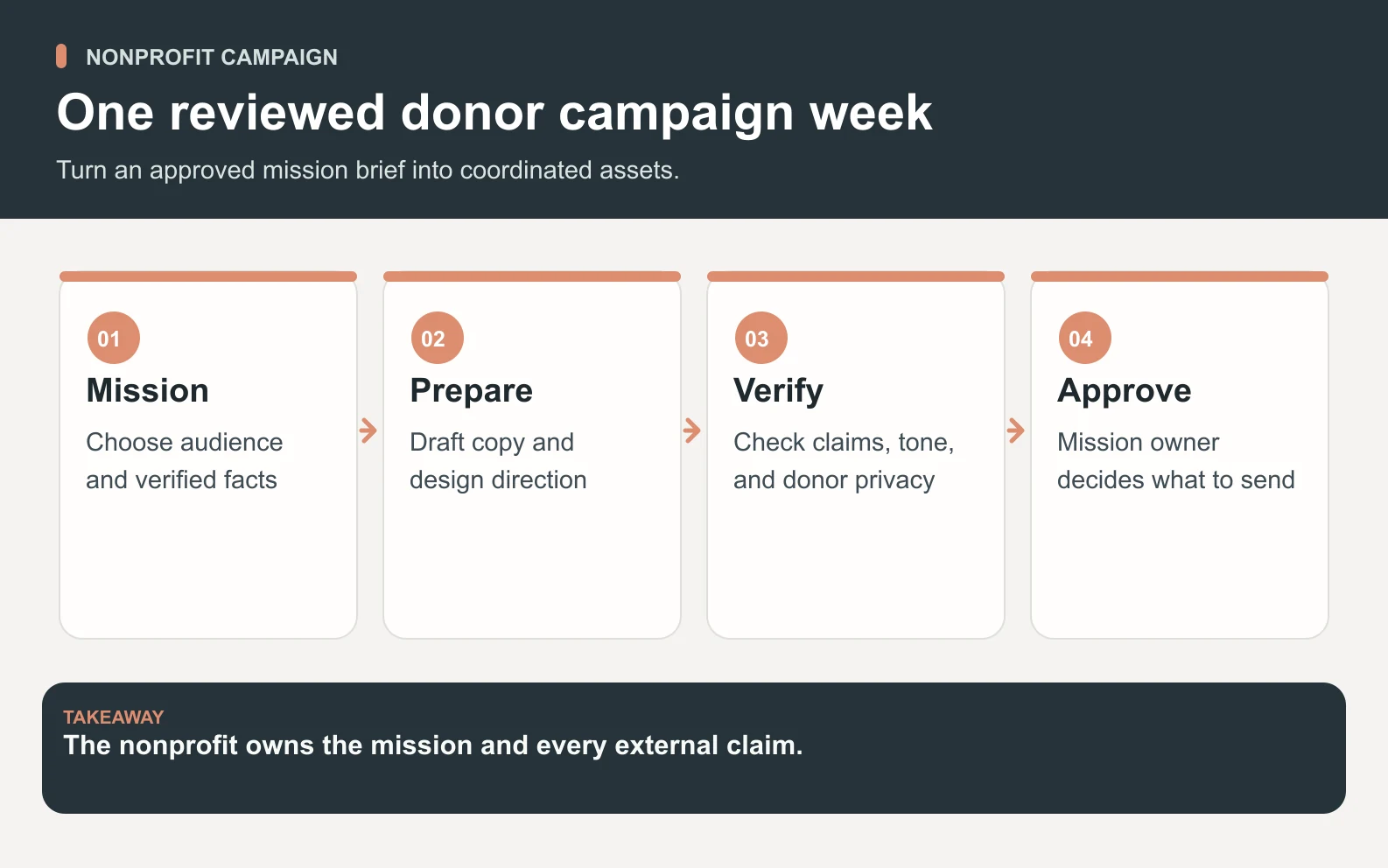
Swipe to explore the diagram
The first brief should name one audience, one outcome, one source packet, and one approval owner. For example: 'Help us prepare a donor education package for a spring campaign. Use only the attached program notes, prior annual-report language, and approved pricing-free donation page. Draft materials for review, not final send.' That is enough for useful work without pretending the AI knows your community better than you do.
1. Name the audience
A donor, volunteer, board member, program participant, and partner need different levels of detail. Say who the piece is for before asking for the piece. Audience specificity prevents the common failure where AI writes a polished paragraph that fits nobody.
2. Attach approved source material
Give the AI team current program descriptions, approved impact language, donation-page copy, brand voice, policy boundaries, and examples of good past communications. The approved sources matter more than prompt cleverness. If the source packet is thin, the output will either be thin or risky.
3. Define the review rule
Decide who approves facts, tone, money language, and public sending before the task starts. Space Office's model helps because Hydrogen reviews every output before delivery, but nonprofit staff still need final review for claims, compliance, and community nuance.
A worked example: a donor campaign week

Imagine a 6-person nonprofit preparing a monthly donor campaign. The staff has one program update, 4 beneficiary-safe themes, a donation page, and a list of common donor questions. Without support, the development lead might spend 2 hours outlining the campaign, 3 hours writing two emails, 2 hours creating social copy, 1 hour preparing volunteer talking points, and 1 hour drafting donor FAQs: about 9 production hours before internal review.
With Space Office, the team sends one brief to Hydrogen. Nitrogen drafts donor copy, Neon shapes a searchable campaign explainer, Oxygen checks the message hierarchy, and Hydrogen reviews the package before delivery. If staff spend 45 minutes briefing and 90 minutes reviewing, the comparison is 9 production hours versus about 2.25 focused review hours. The arithmetic is 9 - 2.25 = 6.75 staff hours redirected toward donor relationships and program work.
Scroll horizontally to view all columns.
| Asset | Typical manual prep | Reviewed AI-team handoff |
|---|---|---|
| Campaign outline | 2 hours | 1 message map with objections |
| Donor emails | 3 hours | 2 drafts plus subject-line options |
| Social posts | 2 hours | 6 channel-ready drafts |
| Volunteer notes | 1 hour | Talking points and answer sheet |
| Donor FAQ | 1 hour | 5 approved-source answers for review |
| Staff time | About 9 hours | About 2.25 review hours |
Where Space Office specialists fit nonprofit work
A nonprofit often needs several kinds of support around the same initiative. That is where a team beats one assistant. Neon can improve discoverability for program pages, Nitrogen can draft plain-language copy, Oxygen can sharpen campaign strategy, Boron can review visual hierarchy, Silver can prepare PR angles, and Hydrogen keeps the handoffs organized.
- Use Neon when the public needs to find a program, resource, or campaign page through search and answer engines.
- Use Nitrogen when the team needs donor emails, newsletters, appeal copy, onboarding messages, or social drafts.
- Use Oxygen when the ask, audience, objection, or campaign priority is unclear.
- Use Boron when the page or collateral feels hard to scan, even if the words are accurate.
- Use Silver when a launch, milestone, or partnership needs a press-ready angle.
Pricing: how a nonprofit should model it
Space Office costs $60/month or $600/year, with two months free on annual billing. Added specialists cost $25/month each, and bring-your-own AI usage has zero markup. For nonprofit budgeting, compare that to a defined package of work rather than to a vague promise of automation. Dedicated AWS compute starts at about $30/month, and AI usage is paid separately through your own provider key with zero markup.
If one campaign package saves 6.75 staff hours in the worked example, the internal break-even depends on how your organization values scarce staff time. If you use an approximate / illustrative loaded staff cost of $45/hour, 6.75 × $45 = $303.75 of capacity in that week. That number varies by market, role, and seniority, so treat it as planning math, not a universal salary claim.
What nonprofits should not delegate
Nonprofits should not delegate trust-sensitive decisions to AI. Do not let AI invent impact numbers, beneficiary quotes, donor commitments, grant eligibility, legal language, restricted-fund rules, financial allocations, or crisis responses. Those need qualified human ownership. AI can prepare drafts and checklists, but it should not become the source of truth.
The line
Use AI to speed up preparation; keep accountability, consent, and mission judgment with people.
How to measure the first month
Measure a nonprofit AI team by useful capacity, not draft volume. Track staff review hours, assets shipped, factual corrections, donor replies, volunteer completions, campaign-page updates, search impressions for program pages, and rework caused by unclear source material. A high draft count with heavy fact correction is not success.
Scroll horizontally to view all columns.
| Metric | Good sign | Warning sign |
|---|---|---|
| Staff time | 2–4 focused review hours/week | More time managing AI than before |
| Accuracy | Mostly tone edits | Frequent fact or policy corrections |
| Output | 3–6 useful assets/week | Many unused drafts |
| Risk | Clear approval owner | AI drafts bypass review |
| Learning | Repeated questions become FAQs | Same confusion repeats |
A safe 30-day pilot plan
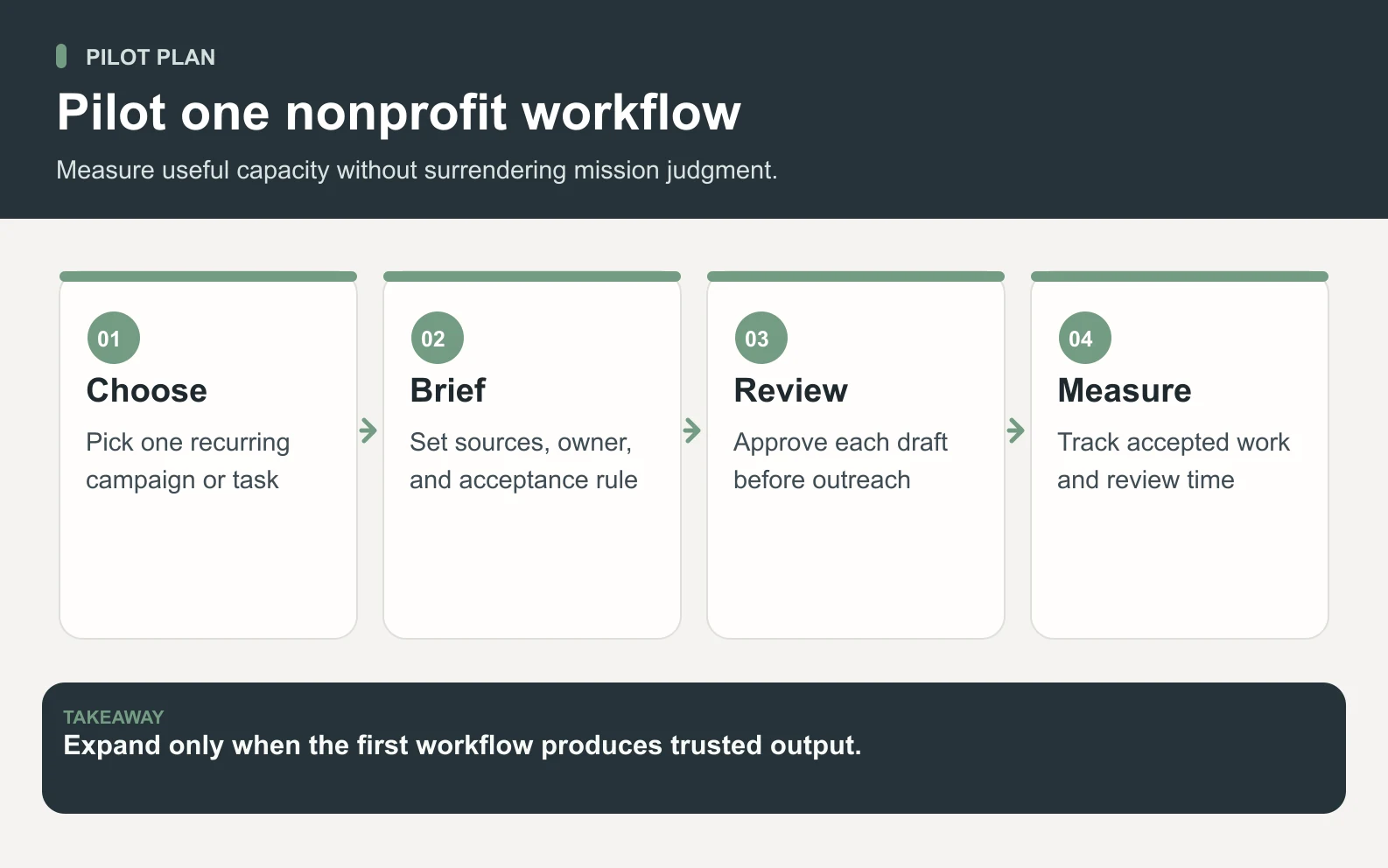
Swipe to explore the diagram
A safe pilot is narrow enough to review and useful enough to matter. Start with one communications lane, such as donor education or volunteer onboarding. Keep the source packet small, record every correction, and expand only after the team can show that outputs are accurate, useful, and easier to approve than to write from scratch.
- 1Week 1: prepare the source packet, approval rule, and first donor or volunteer asset.
- 2Week 2: run 3–5 repeatable drafts and record every correction by type.
- 3Week 3: add one related workstream, such as FAQ or program-page SEO.
- 4Week 4: compare staff time saved, outputs shipped, rework rate, and stakeholder feedback.
Meet the Space Office specialists that can support nonprofit communications, search visibility, design review, and operations from one brief.
Meet the AI specialistsBottom line
An AI team for nonprofits is a fit when the organization has approved facts, repeatable communications work, and too little staff capacity to package everything well. It is not a fit when the work needs unreviewed judgment, sensitive policy decisions, or invented impact. Keep the mission human. Let AI reduce the production drag around it.
Frequently asked questions
What is an AI team for nonprofits?
An AI team for nonprofits is a coordinated group of AI specialists that helps prepare communications, fundraising assets, grant-research summaries, volunteer materials, SEO content, FAQs, and operations documents. It should work from approved sources and stay under human review for claims, compliance, donor promises, and mission-sensitive decisions.
How can nonprofits use Space Office?
Nonprofits can use Space Office to brief Hydrogen once, then receive reviewed support from specialists such as Nitrogen for copy, Neon for SEO, Oxygen for strategy, Boron for design review, and Silver for PR. Staff still approve public claims, financial language, grant details, and sensitive community messaging.
How much does an AI team for nonprofits cost?
Space Office costs $60/month or $600/year, with two months free on annual billing. Added specialists cost $25/month each, and bring-your-own AI keys are billed by the provider with zero Space Office markup. Nonprofits should compare the cost to reviewed staff capacity, not unreviewed automation. Dedicated AWS compute starts at about $30/month, and AI usage is paid separately through your own provider key with zero markup.
Can AI write grant applications for a nonprofit?
AI can help summarize opportunities, organize requirements, draft first-pass narratives from approved program facts, and create compliance checklists. It should not decide eligibility, invent outcomes, create budgets, or submit commitments without qualified staff review. Grant work is useful for AI support, not AI authority.
Is an AI team safe for donor communications?
It can be safe when donor communications are drafted from approved facts, reviewed before sending, and kept away from private donor data unless access is necessary and authorized. AI should never invent impact numbers, beneficiary quotes, gift restrictions, or campaign promises. The review rule matters as much as the draft.
What should a nonprofit delegate first to AI?
Start with a low-risk, repeatable communication package: donor email drafts, volunteer onboarding copy, campaign FAQs, program-page refreshes, or board-summary drafts. Pick work that has clear source material and one accountable reviewer. Avoid crisis communications, legal commitments, and sensitive beneficiary decisions at the start.
When should a nonprofit not use AI agents?
Do not use AI agents for unreviewed legal, financial, safeguarding, crisis, or eligibility decisions. Do not use them to invent impact proof, quotes, testimonials, or program results. If trust, consent, or compliance is the core issue, AI can prepare information, but people must decide and approve.