Guide
Marketing Automation: Build a Workflow You Can Test and Trust
Make marketing automation useful with clear customer needs, dependable records, tested branches, and a person responsible for what happens next.
By the Space Office team · Published · Updated · 16 min read
Marketing automation is the use of software to carry out repeatable marketing actions when defined conditions or schedules are met. Build a useful workflow by choosing a customer task, checking the underlying records and permissions, defining entry and exit rules, testing normal and exceptional cases, and assigning a monitoring owner. In Space Office, Oxygen can prepare lifecycle logic and Phosphorus can review email sequences and sending readiness. Hydrogen coordinates and reviews their work; a human verifies the facts, grants any needed access, and approves implementation and sending.

Key takeaways
- Start with a repeatable customer need rather than a long sequence of promotional messages.
- Write the trigger, eligible record, exclusions, action, delay, exit, and owner before choosing software.
- Recheck current eligibility before later actions; an earlier entry decision can become stale.
- Test duplicates, missing information, opt-outs, failures, and re-entry as deliberately as the normal path.
- Keep software execution, AI-assisted preparation, and human authorization as distinct responsibilities.
Download the free marketing automation worksheet to specify one flow and its test cases. The plant nursery, contact records, schedules, and review decisions below are fictional examples. They demonstrate a planning method, not customer results or a ready-to-activate campaign.
What marketing automation does, and what it still needs from you
Salesforce’s definition describes software managing marketing processes and campaigns through predefined workflows. A workflow might send an approved message, update a contact record, notify a colleague, or move an eligible person to a different stage. The useful distinction is that software follows an explicit condition or schedule; someone does not need to repeat every individual action manually.
Consider a nursery offering a downloadable houseplant care guide. A person requests the guide and separately chooses whether to receive future care emails. The business wants to fulfill the request, offer an appropriate next step, and avoid repeating the same welcome message. Automation can execute those rules consistently only if the team first decides what each choice means and where that information is stored.
Scroll horizontally to view all columns.
| Part of the system | Its job | What it does not establish |
|---|---|---|
| Marketing strategy | Choose the audience, offer, and intended customer benefit. | Whether an individual contact currently qualifies for a message. |
| Customer record or CRM | Store the relevant person, preferences, history, and relationship information. | That every stored address should receive every campaign. |
| Automation workflow | Evaluate configured conditions and carry out supported actions. | That the rules, source data, or content are correct. |
| AI-assisted preparation | Help draft logic, content, test cases, and review notes. | Automatic access to accounts or permission to activate a flow. |
The benefit is reduced repetitive coordination and a more dependable handoff. The cost includes setup, data cleanup, content review, testing, software, and continued supervision. If a task happens rarely or changes each time, a checklist and an owned manual response may be simpler. Automating an unclear process can make its mistakes repeat faster and become harder to notice.
Use the email marketing guide for campaign purpose, audience, and message planning. This guide focuses on the logic that moves an eligible record through repeatable actions. For a wider comparison between structured execution and agent reasoning, see AI agents versus automation tools. Neither approach removes the need to define the work.
Choose one customer task and write a complete workflow brief
Start with a sentence about what the customer is trying to do. For the nursery: “Receive the guide I asked for and choose whether more care advice would help.” That is a clearer first task than “turn every download into a sale.” It separates a useful requested resource from later promotion and gives the team a concrete experience to test.
HubSpot’s workflow guide identifies triggers, actions, and records as core components. Extend that basic model with exclusions, delays, exits, and operational ownership in your own planning brief. Those additions force decisions about who should stay out, what can change while someone waits, and who handles a result the software cannot resolve.
- 1Trigger: name the specific event or schedule, its source, and the timestamp used to recognize it. Avoid ambiguous phrases such as “shows interest.”
- 2Record: identify the contact or other object being evaluated, its stable identifier, and the fields the rule needs. Decide how duplicate records will be reconciled.
- 3Entry and exclusions: state both who qualifies and who must be held out, including tests, suppressed addresses, incomplete records, and people already in the flow.
- 4Action and delay: specify the exact approved message or task, the destination, timing, and the current checks needed immediately before it runs.
- 5Exit and re-entry: define completion, opt-out, conversion, expiry, and exceptions. Say whether a later event may start the flow again.
- 6Owner and recovery: name the person who sees failures, can pause the flow, checks affected records, and authorizes any replay.
For the nursery, use a single care-guide request event and one version of the welcome flow. Decide how the resource will be provided to the requester and which actions depend on the separate care-email preference. Do not treat a download, an email open, or an inferred interest score as a substitute for the permissions your actual process requires. Have the owner approve the message purpose and audience rules.
Prefer the smallest set of necessary inputs. A preferred plant category may help choose a relevant tip; a long profile of unrelated personal details adds work and uncertainty. Record the source and time of a preference so the team can investigate a conflict. When required information is missing, route the record to a defined hold state rather than filling it with an AI guess.

Work through an example with branches, delays, and exits
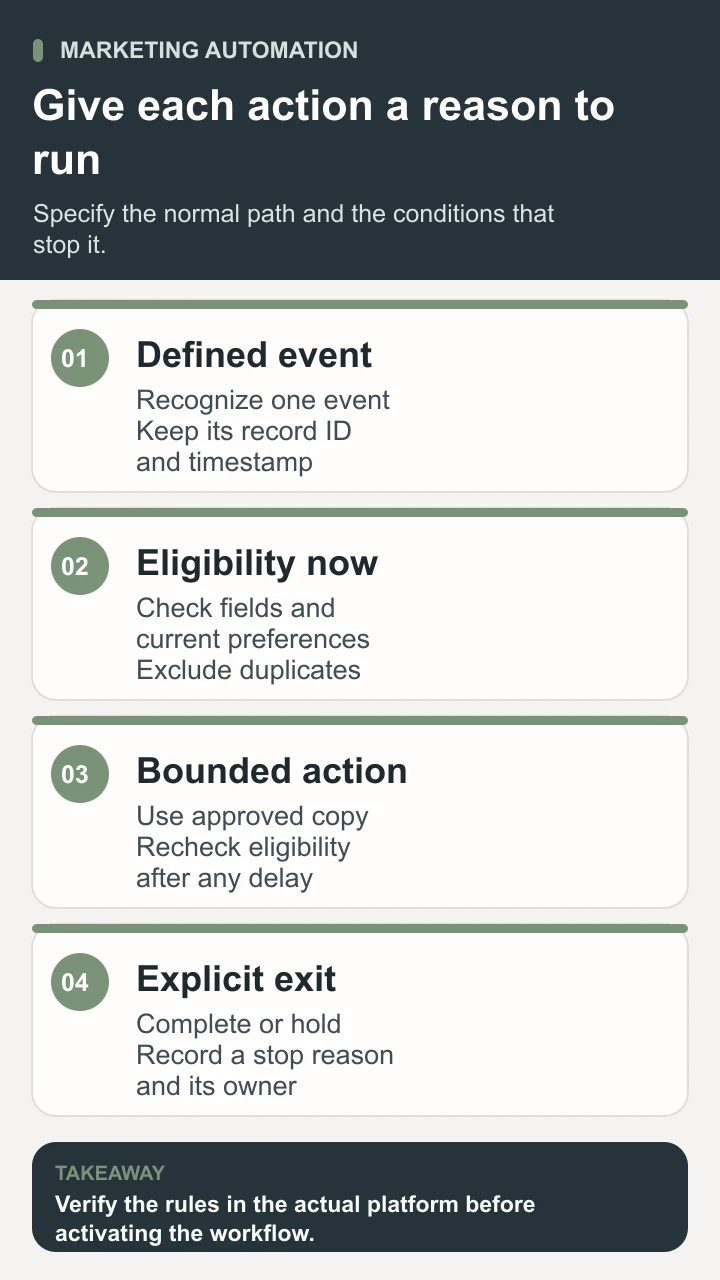
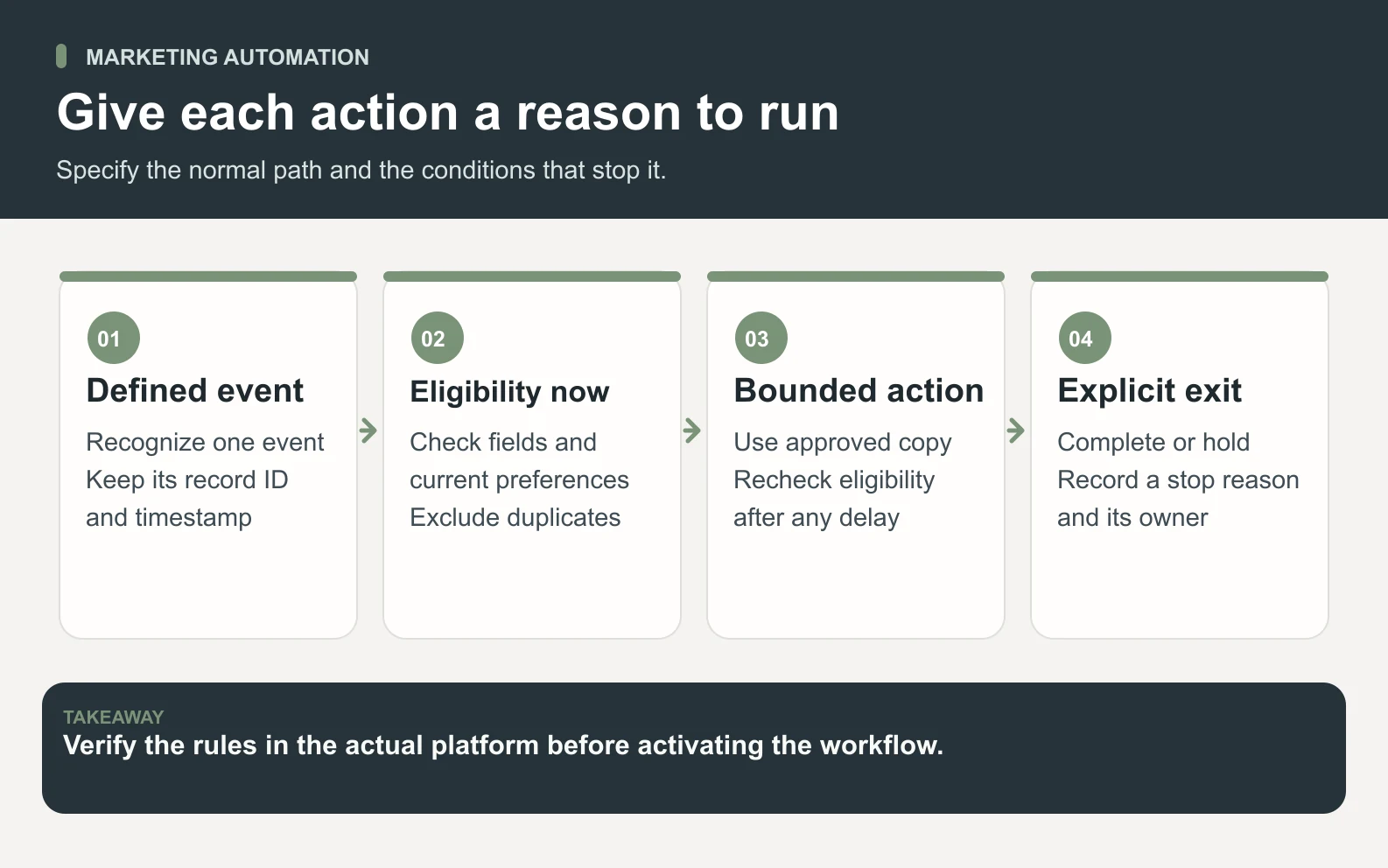
The following example assumes the nursery already has an approved request form, a care guide it can deliver, and an authorized email platform. It is a specification for the owner to implement and verify in the chosen tool. Exact timing is illustrative. A real team should choose timing based on the promised experience, recipient preferences, operating hours, and its ability to respond.
Scroll horizontally to view all columns.
| Stage | Illustrative rule | Expected record or result |
|---|---|---|
| Request arrives | Recognize the submitted care-guide event once using its event identifier. | One request record with a timestamp; duplicate delivery events are investigated. |
| Check entry | Confirm required fields and current suppression status; distinguish resource fulfillment from optional care emails. | An eligible route or a hold reason, with the rule version recorded. |
| Provide the resource | Use the approved fulfillment route and record its outcome. | A successful delivery record or an owned exception; no assumed success. |
| Wait for follow-up | After an illustrative three-day delay, recheck the care-email preference and any exit condition. | Send one approved relevant tip only if all current checks pass. |
| Complete or stop | End after the defined tip, an opt-out, expiry, or an exception requiring review. | A completion or stop reason; no automatic indefinite promotional sequence. |
A delay is a point where the world can change. Someone might update preferences, become suppressed, already receive similar content through another flow, or ask the business to stop. Evaluate those conditions near the action, not only when the record enters. If the platform cannot apply the required stop behavior, simplify the workflow or change the design before activation.
Keep the content promise aligned with the branch. A person requesting guidance about low-light plants should not receive a message implying that they purchased a particular product. If there is no reliable category, use an approved general guide or hold the personalization. The content should remain accurate even when a first name is absent or a recommendation cannot be selected.
Define re-entry deliberately. The nursery may allow someone to request another guide while preventing a second copy of the same welcome series. Those are different rules. Write down what happens for a repeated request, a new preference, and a corrected contact record. A permanent ban on re-entry can block legitimate requests; unlimited re-entry can create duplicate messages.
Choose marketing automation software against the actual requirements
Write the workflow before comparing products. A polished visual builder is useful only if it can evaluate your records and execute the required actions under the right conditions. Ask a vendor to demonstrate the nursery’s normal path and exception cases using sample records. A generic demonstration of a different workflow does not establish that your required behavior is available.
HubSpot’s workflow documentation separates enrollment triggers, re-enrollment, unenrollment, actions, settings, and publication. It also identifies subscription and permission requirements. That is a useful reminder to verify the specific plan and permissions for any product you evaluate. A feature shown in a vendor’s documentation may depend on an account tier, object type, integration, or additional setup.
- Record fit: can the tool represent the relevant contact, preferences, event timestamps, stable identifiers, and relationship history without fragile copying?
- Rule fit: can it express the required entry, exclusion, delay, exit, and re-entry behavior, including changes while a record waits?
- Action fit: does the actual account support the approved sending or task route, and what happens when the destination rejects an action?
- Observability: can an owner inspect enrollment reasons, action history, errors, and the workflow version associated with a record?
- Control: can authorized people test, publish, pause, edit, and recover the workflow with appropriate separation of responsibilities?
- Operating cost: what do contacts, sends, seats, integrations, usage, setup, and maintenance cost for the intended workload?
Avoid selecting software using a universal “best platform” ranking. The right choice depends on the existing systems, audience, channels, skills, and failure tolerance. A small permission-based email sequence and a multi-system lifecycle program have different requirements. Confirm current product limits and prices directly rather than assuming that a low advertised entry price covers the workflow you designed.
Plan what happens when data crosses systems. If a form writes a preference to one platform and a second system sends messages, specify which record is authoritative and how changes reach the sender. An integration that copies new contacts may not copy later suppression changes. Test that distinction with sample records and document the consequence of a delayed or failed update.
When a step depends on a software connection, use the API guide to define the request, response, access boundary, and failure behavior before treating that connection as an available workflow action.
Test exceptions before a small supervised launch
Start with clearly labeled test records and non-customer destinations that your team controls. Confirm whether the platform’s preview or test mode actually performs external actions. Where a simulation cannot verify delivery, use a controlled end-to-end test with the owner’s approval. Document what was tested, what remains unverified, and which account configuration the evidence applies to.
Scroll horizontally to view all columns.
| Test case | Question to answer | Expected handling |
|---|---|---|
| Normal eligible request | Does one event produce the intended resource and only the approved follow-up? | One bounded run with traceable action outcomes. |
| Duplicate event or record | Can the same person enter twice or receive duplicate messages? | Apply the documented deduplication rule or hold for review. |
| Preference changes during delay | Does the later action evaluate the current preference? | Stop the optional message when the current conditions fail. |
| Missing field or stale category | Will the flow invent a name, preference, or recommendation? | Use approved fallback content or a documented hold. |
| Failed action or integration | Can a replay repeat an already completed send? | Inspect completed actions before an authorized recovery. |
| Repeat request after completion | Does re-entry match the stated promise? | Fulfill the allowed request without an unintended repeated series. |
Review message content as well as branch logic. Check subject, sender identity, destination links, preference controls, fallback values, mobile readability, and what a reply reaches. A technically successful send can still contain an expired offer or point to a missing resource. Use the email deliverability guide for the separate question of sending readiness and diagnosis.
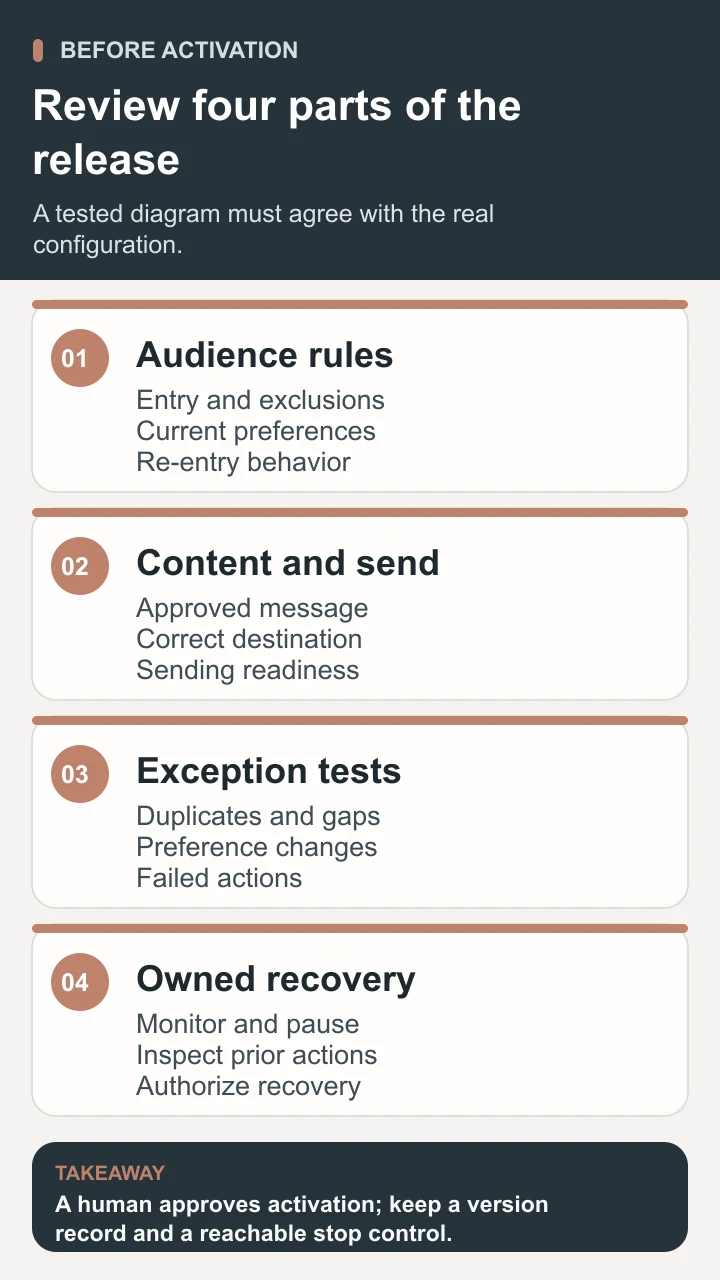
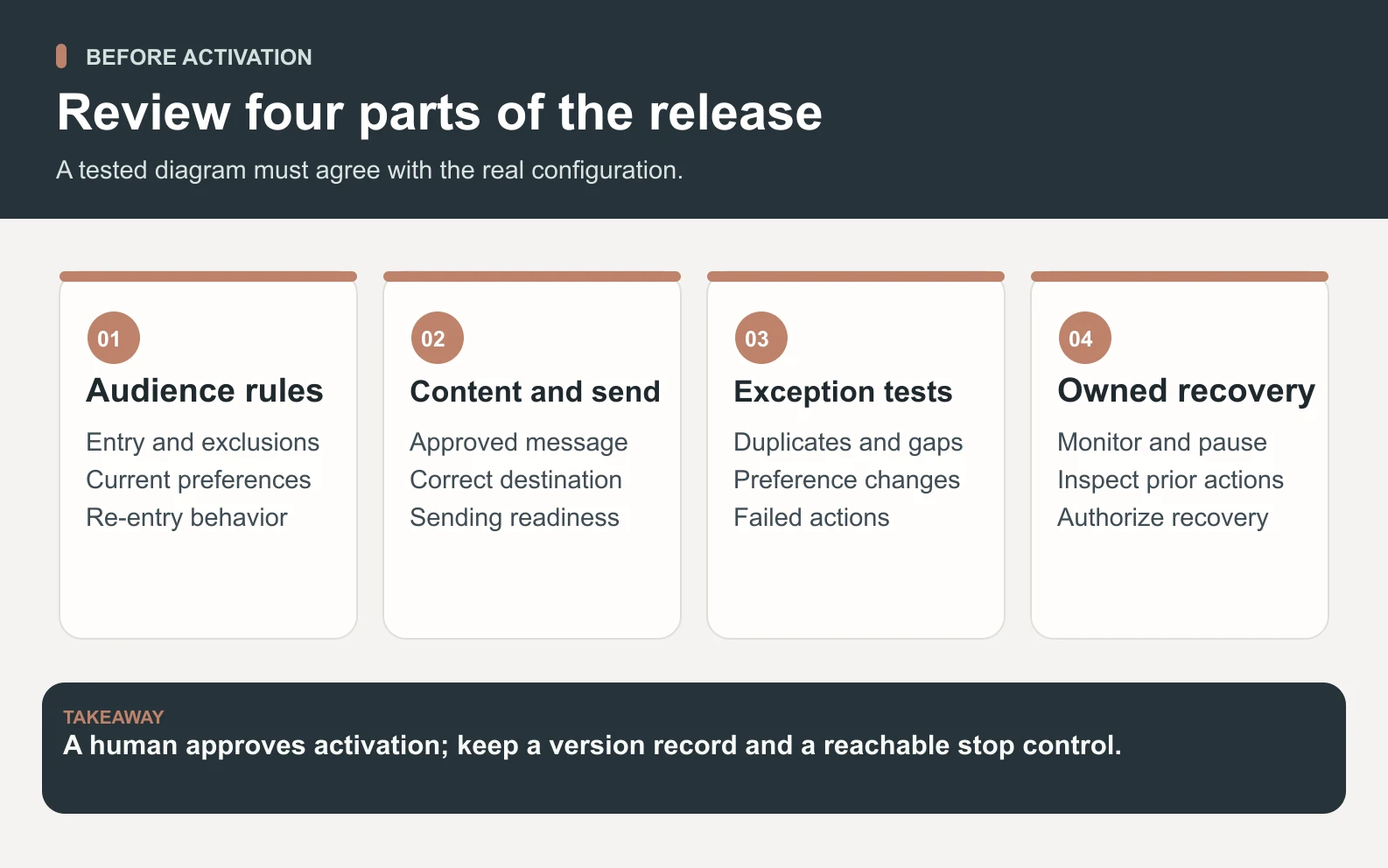
The owner should approve a small initial scope and a specific observation window. Decide who checks the first runs and how quickly they can pause the flow if the wrong people enter or a duplicate action appears. Keep the previous configuration and a change log. Editing a live workflow can affect records already waiting, so verify that behavior in the chosen product before changing it.

Use a reviewed Space Office workflow to prepare the release packet
Give the team approved versions of the customer task, message promise, field definitions, preference rules, source content, current platform capabilities, and representative sample records. Remove unnecessary personal information from planning examples. If account inspection is needed, the owner must grant suitable access separately. Knowing a platform’s name does not give the agents credentials, sending authority, or a working integration.
- 1Oxygen, the live Strategy and GTM specialist, prepares the lifecycle brief: intended audience, entry and exit logic, handoff, and the questions the flow should answer.
- 2Phosphorus, the live Email Marketing specialist, drafts the bounded sequence and reviews segmentation, suppression, sending readiness, and pre-send checks against the supplied evidence.
- 3Hydrogen coordinates the specialists and reviews whether the messages, audience conditions, tests, and stop instructions agree. Unresolved assumptions remain visible in the packet.
- 4The human owner verifies facts and permissions, confirms the platform configuration, approves content and access, and decides whether to implement, activate, pause, or change the flow.
The output is a workflow specification, approved message drafts, test matrix, unresolved-issue list, and monitoring handoff. It is not a promise that Space Office replaces your CRM or automatically publishes a campaign. Review the live agent responsibilities and how Space Office works to choose the appropriate preparation roles. Assisted access can be discussed through contact.
Assign a stable workflow name and version to the packet. The person implementing it should record any difference between the proposed logic and what the platform can actually do. Bring that difference back for review before release. This prevents an attractive diagram from becoming a misleading description of a different live configuration.
Measure useful outcomes and maintain the workflow
Keep operational measures separate from customer outcomes. Eligible records, held records, attempts, successful actions, failures, and stopped runs explain whether the workflow behaves as designed. Resource use, replies, suitable enquiries, and completed purchases answer different questions about value. A run count is not a unique-person count, and a delivered email is not proof that the recipient found it useful.
For the nursery, review whether requesters received the promised guide, whether follow-ups respected current preferences, and whether unresolved replies reached an owner. If purchases are an outcome, define the observation window and reliable order record before reporting them. A purchase occurring after an email does not by itself prove that the email caused the purchase. Keep the source and limits of the attribution visible.
Schedule maintenance around changes that can break the promise: a revised guide, new form fields, preference changes, different sending infrastructure, altered product availability, or a new business owner. Re-run the affected tests and record the new version. When a failure occurs, pause the relevant actions, identify affected records, and determine which completed steps must not be repeated before deciding on recovery.
Good marketing automation turns one well-defined customer task into dependable, observable work. Start with the smallest useful flow, make the exclusions and exits explicit, and verify the experience before expanding it. Add another branch only when there is a real customer reason, reliable information to support it, and an owner able to maintain what the software will do.
Sources and review notes
Reviewed against the linked primary sources on the checked dates. Search features and citations are selected by their respective platforms; no placement is guaranteed.
Frequently asked questions
What is marketing automation?
Marketing automation is the use of software to perform repeatable marketing actions according to defined conditions or schedules. A workflow evaluates a relevant record and carries out supported actions, such as providing an approved resource or notifying an owner. The team still needs to define the audience, data, content, permissions, exceptions, and monitoring responsibilities.
How is marketing automation different from email marketing?
Email marketing concerns the audience, purpose, content, and measurement of email communication. Automation concerns when defined actions occur and which records qualify. Email can be one action inside a broader workflow that also updates records or notifies a colleague. A planned campaign may be sent manually, while an automated sequence needs explicit entry and stop rules.
What should a small business automate first?
Choose a frequent, useful task with stable rules and clear ownership, such as providing an already approved resource after a request. Begin with a small number of actions and reliable records. If exceptions dominate, preferences are unclear, or the team cannot inspect failures, improve the process before activating automatic execution.
Does marketing automation require a CRM?
The workflow needs trustworthy records, but they do not have to live in a separate CRM product. Some platforms combine contact storage and automation; others connect several systems. Verify which system owns each important field, how updates reach the sender, and whether the chosen account supports the required conditions and action history.
Can AI agents set up and run the whole workflow automatically?
Do not assume that they have account access or sending authority. Space Office’s Oxygen and Phosphorus can prepare lifecycle logic, email drafts, and review material within their verified roles. Hydrogen coordinates and reviews. A human must verify the facts, authorize any access, check the implemented configuration, and decide whether to activate or change the workflow.