Guide
Email Marketing: Plan, Write, and Measure a Useful Campaign
Build an email marketing campaign around a reader's need, a clear next step, and a send decision a person can review. Includes a worked example and free worksheet.
By the Space Office team · Published · Updated · 16 min read
Email marketing is the use of email to share useful information, promote an offer, and maintain relationships with subscribers. Start with a consented audience, choose one purpose, write a message with a clear next step, review the send, and measure completed actions alongside delivery and engagement. In Space Office, Nitrogen prepares copy and Phosphorus checks segments and the sending path; Hydrogen coordinates and reviews their work. The customer supplies approved facts and access, and a human approves sending.

Key takeaways
- Choose one reader need and business objective before writing the subject line.
- Define who qualifies, who is excluded, and what changes when someone registers or unsubscribes.
- Match the email's promise, call to action, and destination page.
- Review the actual audience selection and test message before approving a send.
- Treat opens, filtered clickers, site visits, and completed actions as different observations.
For repeatable sequences, use the marketing automation guide to define entry conditions, current exclusions, delays, exits, test cases, and the person responsible for exceptions.
Download the free email marketing worksheet to plan a campaign, record exclusions, review the message, and compare results. The fictional workshop example below shows how to fill it in. This guide covers campaign planning and learning; use the separate email deliverability guide when your main problem is authentication, rejected messages, or inbox placement.
What email marketing does and which format fits
A campaign should give subscribers a reason to hear from you now. That reason might be a useful lesson, an invitation they requested, a relevant product update, or help taking their next step. Write the reader benefit before the business objective: “Help beginners decide whether this workshop fits” is more actionable than “Send our monthly email.” The business can then measure suitable registrations without making every sentence a sales pitch.
Mailchimp's introduction describes common formats including welcome messages, newsletters, nurturing sequences, and promotions. Choose the format for the decision it supports. A newsletter can maintain a relationship over time; a short sequence can help someone evaluate one offer. Neither format is automatically better. The useful question is whether each message supplies something the intended subscriber needs.
Scroll horizontally to view all columns.
| Format | Reader task | Possible primary action |
|---|---|---|
| Welcome message | Understand what they subscribed to and where to begin | Choose a topic preference or use the first resource |
| Newsletter | Learn something relevant without researching from scratch | Read a useful guide or reply with a question |
| Offer or event campaign | Decide whether a specific opportunity fits | Complete a suitable purchase or registration |
| Educational sequence | Resolve questions before taking a larger step | Finish a lesson, request details, or submit a brief |
Choose an email platform by the work you must manage: subscription records, exclusions, useful segment rules, test sends, unsubscribe handling, and reporting exports. Check those functions in the actual plan you would use. Also check contact and sending limits, account ownership, and who can pause a scheduled campaign. A template library matters less when your team cannot reliably remove someone who has already completed the action.
Email is one distribution channel within a broader content marketing program. It can bring subscribers to a relevant article or offer, but an email click is not a Google Search click. Keep channel reports separate. The campaign's value comes from helping the subscriber and supporting the business task; sending more messages alone does not establish useful growth.
Build the consented audience before building the campaign
Start with the subscription the person actually chose. Record the signup source, subscription purpose, confirmation status, and current preferences in the system responsible for your list. A spreadsheet containing an address is not evidence that its owner requested this campaign. If the records cannot establish why someone belongs in the audience, leave that person out while the account owner resolves the gap.
For personal Gmail accounts, Google's subscription guidelines call for confirmed addresses, one-click unsubscribe, honoring unsubscribe requests within 48 hours, and separate addresses for subscription and non-subscription messages. Those are provider guidelines. Keep marketing invitations distinct from essential receipts or password resets when planning the message stream and checking its settings.
Next, describe a segment that changes the message in a useful way. For a pottery studio, subscribers interested in beginner classes need different information from experienced potters seeking open-studio time. Connect the distinction to an explicit preference or relevant customer record. The target audience guide helps define the broader group; the email segment specifies which eligible subscribers should receive this particular message.
- 1Write inclusion rules in plain language. For example: subscribed to workshop updates, selected beginner pottery, and within the location the studio serves. Name the fields that support each condition.
- 2Write exclusions separately. Remove unsubscribed or suppressed contacts, people who already registered, and anyone who received a conflicting campaign. Exclusions should still apply when a contact qualifies through several routes.
- 3Check the logic and a sample. Inspect a few included and excluded records against the written rule. Confirm whether the platform joins conditions with AND or OR and how it handles an empty field.
- 4Define when membership changes. Decide when new registrations and preference updates affect the audience, then refresh the selection before each approved send. Save the final count and the time it was checked.
Mailchimp's segment documentation distinguishes conditions and AND/OR logic. In practice, “subscribed AND beginner interest” is different from “subscribed OR beginner interest.” The second expression can include people who fail one requirement. Verify how your own platform applies subscription status as well as the visible segment filters; do not assume a plausible segment name proves the underlying selection.

Write a message that earns one clear next step
Build the message in four parts: Audience, Useful promise, Message, and Review. Define the consented group and its exclusions; name the need your supported offer addresses; connect clear copy and a call to action to the right destination; then check the actual selection and obtain human approval. This short plan prevents a polished draft from outrunning the facts behind it.
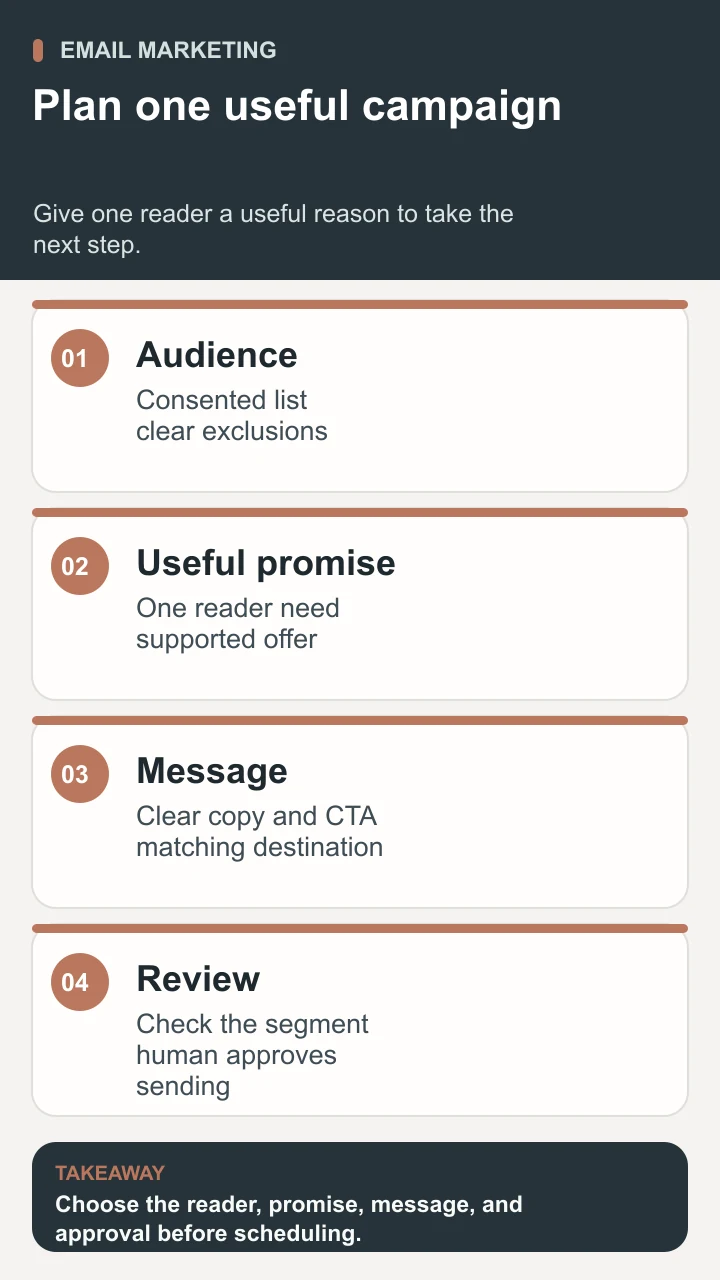
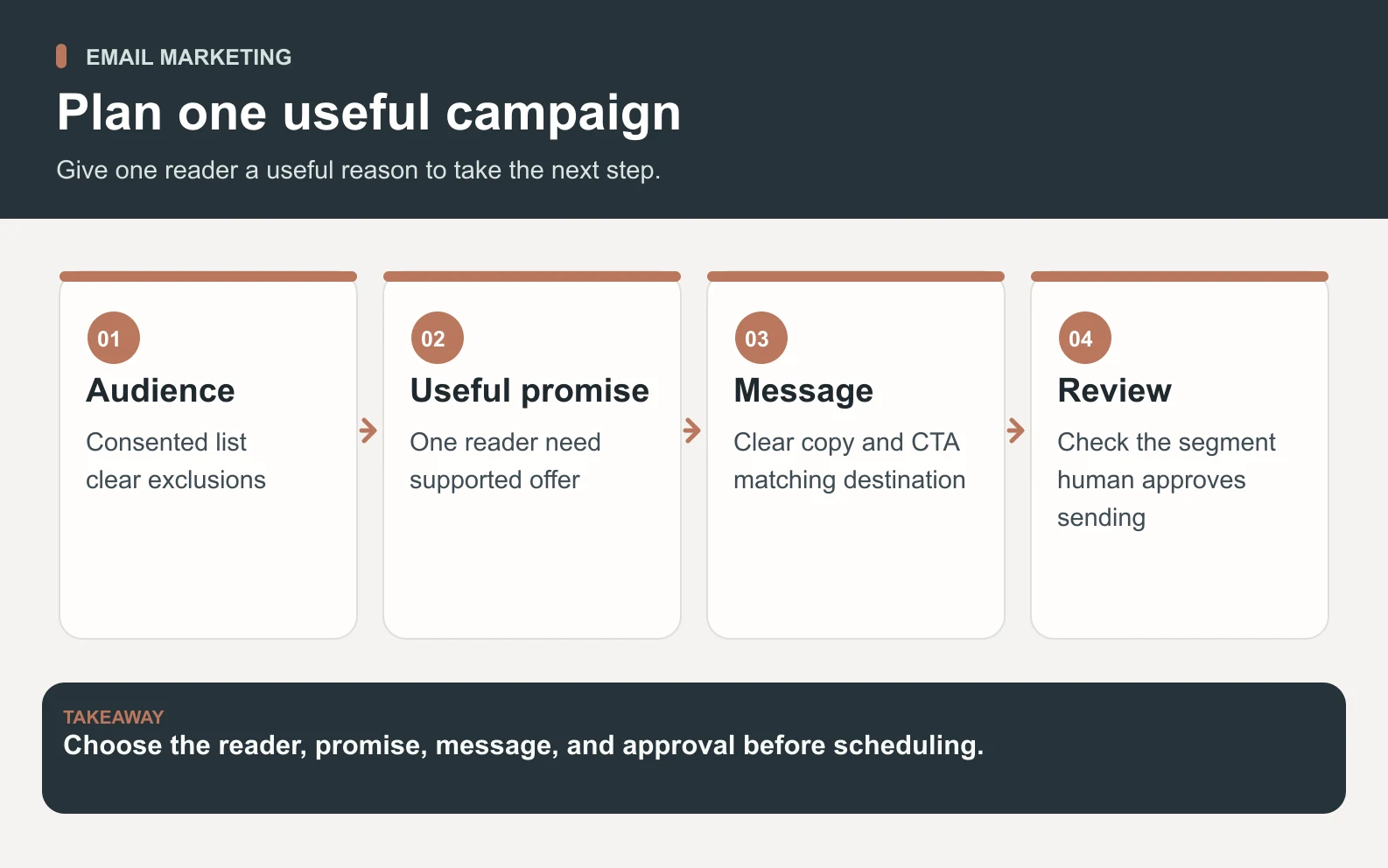
Draft the body before polishing the subject line. Explain why this subscriber is receiving the message, what is available, what matters to their decision, and what the next step does. Put material details near the invitation: location, time, price, requirements, and genuine limits. Replace “Transform your creativity” with the specific experience the business can actually provide. A concrete promise is easier for both the reader and reviewer to evaluate.
Use the subject line to describe the message honestly and the preview text to add a useful detail. For the example workshop, “Beginner pottery: Saturday workshop details” pairs with “See the project, materials, and booking information.” Do not invent urgency or imply that an ordinary campaign is a personal reply. Make the sender recognizable and use a monitored reply address when inviting questions.
Choose one primary call to action, such as “See workshop details.” Necessary navigation, preference controls, and unsubscribe links can still exist. The destination should deliver the same offer and explain any remaining steps. If the email promises an agenda but the button leads directly to a payment form without details, fix that mismatch before asking anyone to optimize the button color.
Make important information readable as text. Give meaningful images useful alternatives, keep the layout manageable on a phone, and test personalization with missing values. A blank first name should not create an embarrassing greeting. Read the plain-text version and follow every link from the actual test message, including the footer. These checks often reveal practical obstacles that a desktop design preview misses.
Worked example: a three-message workshop campaign
Imagine a fictional local pottery studio offering a Saturday introductory workshop. Subscribers explicitly requested beginner-workshop updates. The owner wants suitable registrations while helping people understand the experience. All business details, timing, and results in this example are illustrative; this is not a Space Office customer case study or a performance benchmark. The owner must confirm the real date, capacity, price, and access information before using a similar campaign.
Scroll horizontally to view all columns.
| Message | What it helps the reader decide | Content and next step | Who receives it |
|---|---|---|---|
| Invitation, 10 days before | Is this beginner workshop relevant to me? | Explain the project, location, duration, price, and materials. Link to workshop details. | Eligible workshop subscribers who have not registered |
| Practical questions, 5 days before | Can I attend and what should I expect? | Answer real questions about experience, clothing, accessibility, and collection. Link to the same details page. | Still-eligible subscribers who have not registered |
| Deadline reminder, 1 day before | Do I want to register before the genuine cutoff? | State the verified cutoff and current availability. Link to registration only if it remains open. | Still-eligible subscribers, excluding registered and suppressed contacts |
The sample invitation could read: “You asked to hear about beginner pottery workshops. Our next session introduces hand-building through one small project. The workshop page lists the date, price, materials, and what happens after firing. See the details to decide whether it fits, or reply if you have a question before booking.” The final version needs the owner's verified details; the draft intentionally avoids unsupported claims about what everyone will achieve.
Each later message must add something. The practical-questions email can explain a real concern raised by subscribers. The reminder is justified only by an actual deadline or availability change. If the workshop fills after the first send, cancel the remaining promotional messages. If registration data is delayed, resolve that delay before scheduling reminders that may reach people who already booked.
Do not choose reminder recipients solely because a dashboard says they did not open. Select them using current subscription eligibility, campaign exposure, and registration status, with a reasonable frequency rule. Keep event logistics for registered attendees in the appropriate separate flow. Record who owns that handoff so that leaving a promotion sequence does not mean missing information someone needs to attend.
Prepare the campaign for human review with Space Office
Give Space Office a bounded brief: one campaign, one audience, and one approval packet. Supply approved offer facts, brand examples, the destination page, subscription and exclusion rules, a proposed schedule, and the decision owner. Share only the records necessary for the task through an approved route. The customer must provide or authorize relevant access; selecting specialists does not automatically connect an email account or authorize sending.
- 1Nitrogen, the Content & Copy Specialist, drafts the messages, subject lines, preview text, and calls to action from the approved brief. Ask for unresolved factual questions beside the draft instead of plausible invented details.
- 2Phosphorus, the Email Marketing Specialist, checks the segment and exclusions and prepares the sending-path preflight from supplied evidence. Missing consent, stale suppression, or unresolved send-path problems belong in a hold decision, not a hidden footnote.
- 3Hydrogen coordinates the handoff and reviews the specialist output. The packet should make copy changes, audience rules, blocked items, and the proposed next action easy for the account owner to inspect.
- 4The human owner checks the real campaign settings and test message, resolves open questions, and approves the send or holds it. The approval should identify the version, segment, schedule, and person responsible for pausing the sequence.

Review evidence, not just a green status label. Confirm a working registration page, the correct audience count, suppression handling, actual received test messages, personalization fallbacks, and the genuine cutoff. If an important offer detail changes, update both the message and destination. If a segment rule changes, recheck the sample and count. Earlier approval does not cover a materially different campaign.
The live specialist roster describes the roles, and how Space Office works explains the coordination model. This workflow prepares a reviewable campaign; it does not guarantee inbox placement, registrations, or revenue. Technical sending concerns belong in the deliverability investigation before release. Keep the first handoff small enough that the owner can verify every material claim and action.
Measure useful actions beyond opens and clicks
Write the measurement definition before sending. For the workshop, the primary outcome is a valid registration, counted once in the booking system. Choose a reporting window and specify how cancellations, repeat bookings, and campaign attribution will be handled. Track unsubscribes, complaints, and delivery problems alongside the outcome so that a registration total does not conceal a poor subscriber experience.
Open rates need particular caution. Mailchimp explains that Apple Mail Privacy Protection can preload tracking pixels even when the person has not opened the message. An observed open is therefore not reliable proof of reading. Avoid declaring a subject-line winner or removing a subscriber solely from that signal. Record the platform's privacy filtering settings when comparing reports.
Clicks also need context. Mailchimp's bot-activity documentation describes automated security tools and previews that can inflate opens and clicks. Use the available bot filtering, record its settings, and retain the distinction between unique clickers and total clicks. Filtered clickers are a useful observation, not proof that every remaining event came from an interested person.
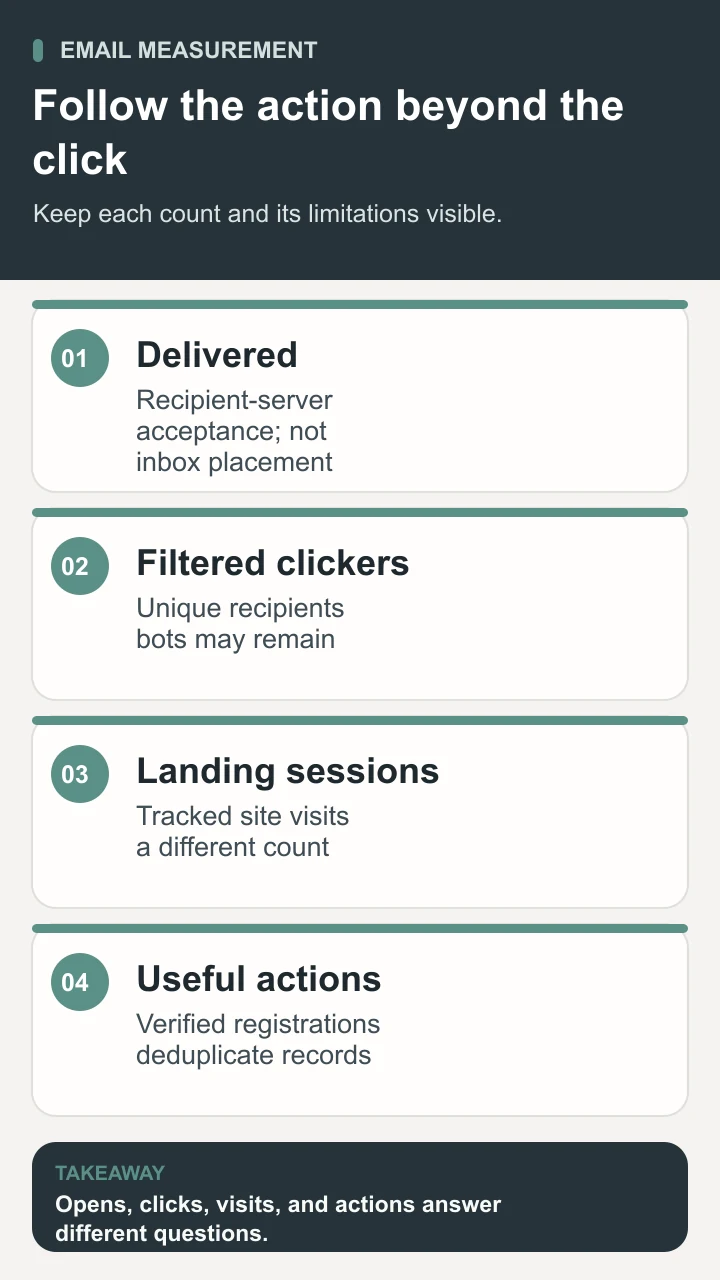
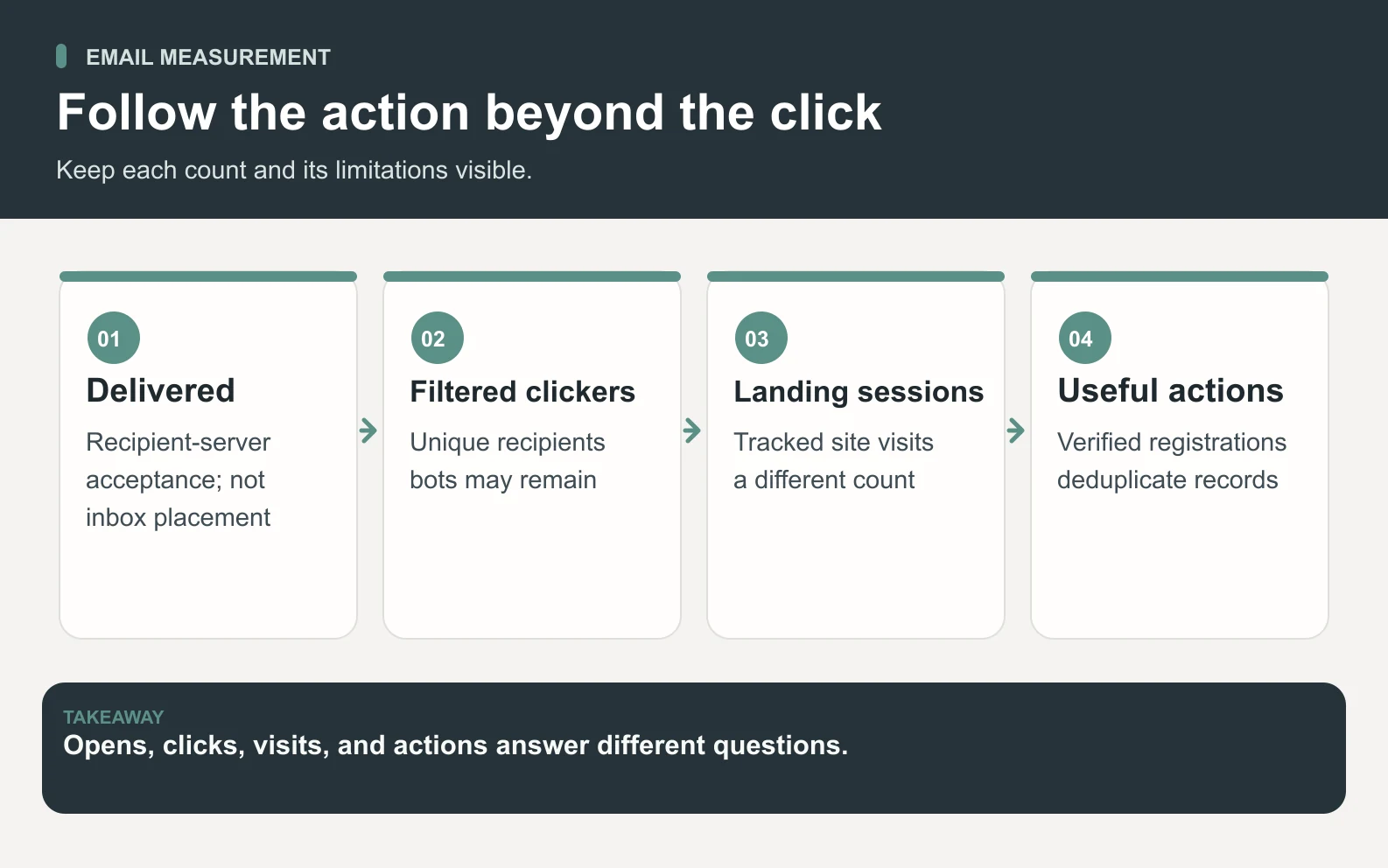
Google Analytics documents campaign URL parameters for identifying referral traffic. Use consistent source, medium, and campaign values; a content value can distinguish messages. For the fictional invitation, the links might use utm_source=studio_newsletter, utm_medium=email, utm_campaign=beginner_workshop, and utm_content=invitation. Keep personal information out of those values and verify a test visit reaches the intended report.
Scroll horizontally to view all columns.
| Observation | Illustrative count | Interpretation |
|---|---|---|
| Delivered | 480 messages | The platform reports acceptance by the recipient’s mail server; this does not establish inbox placement. |
| Filtered clickers | 36 unique recipients | 36 ÷ 480 = 7.5% by this defined click-rate denominator; filtering does not prove human intent. |
| Landing sessions | 31 tracked sessions | A site session is a different unit from an email recipient or a click. |
| Useful actions | 8 campaign-attributed registrations | 8 ÷ 480 ≈ 1.7% of delivered messages under this attribution rule; verify the booking records. |
These four rows are not a perfectly matched funnel. One recipient can create several sessions, while tracking availability can leave a real visit unobserved. A registration may follow another visit or another channel. Reconcile outcomes in the booking system and describe the attribution rule without claiming that email caused every attributed booking. Do not divide registrations by sessions and label the result a recipient conversion rate.
Compare campaigns with similar audiences, offers, windows, and filter settings. If the next workshop sells out earlier or has a different price, record that change before judging the copy. For a deliberate comparison, the A/B testing guide explains how to define a hypothesis and a meaningful outcome. A small list may produce too few actions for a confident winner; useful replies and a corrected booking problem can still guide the next improvement.
Improve the next email marketing campaign with one clear lesson
Useful email marketing starts with a subscriber's need and ends with a decision about what to improve. Complete the worksheet for one campaign, verify the audience and offer, and approve the specific send. Afterward, record the outcome, the limits of the measurement, and one justified change. A better explanation, a corrected exclusion, or a clearer registration page can be a more valuable next step than adding another message to the schedule.
Sources and review notes
Reviewed against the linked primary sources on the checked dates. Search features and citations are selected by their respective platforms; no placement is guaranteed.
- Mailchimp: What Is Email Marketing? — checked
- Google: Email Subscription Guidelines for Senders — checked
- Mailchimp: Getting Started With Segments — checked
- Mailchimp: Apple Mail Privacy Protection FAQs — checked
- Mailchimp: About Bot Activity and Bot Filtering — checked
- Google Analytics: Collect Campaign Data With Custom URLs — checked
Frequently asked questions
What is email marketing?
Email marketing is the use of email to provide relevant information, promote an offer, and maintain relationships with subscribers. A practical campaign connects a consented audience, a reader benefit, a clear next step, and a way to evaluate the result. It includes newsletters, welcome messages, and promotional or educational sequences, each with its own purpose.
How do I start email marketing for a small business?
Start with one subscription purpose and one useful campaign. Record why people are eligible, choose a platform that can manage subscription status and exclusions, and write the message around a verified offer. Test the destination and actual email, obtain the account owner's approval, and review completed actions and subscriber feedback before expanding the program.
How often should I send marketing emails?
Choose a frequency that matches the subscription promise and the amount of useful information you can provide. An event may justify a short sequence with a real cutoff; an educational newsletter may follow a regular schedule. Set a limit across overlapping campaigns and review unsubscribes, complaints, replies, and outcomes. There is no single frequency that fits every audience.
What is a good email marketing open or click rate?
A useful comparison needs the same metric definition, audience context, reporting period, and privacy or bot-filter settings. Opens may be inflated by privacy features, and clicks can include automated activity. Establish your own comparable baseline, retain raw counts and denominators, and assess whether verified customer actions improve. A universal percentage cannot tell you whether your campaign served its purpose.
Can AI prepare and send the whole campaign?
AI can help prepare copy, segment rules, review notes, and an analysis from approved inputs. Sending also requires authorized account access, correct audience settings, and a verified message. In the Space Office workflow described here, Nitrogen and Phosphorus prepare the work, Hydrogen coordinates and reviews it, and the human owner approves sending. A finished draft is not permission to contact the list.