Comparison
Relay.app Alternative After Shutdown: Choose the Right Layer
By the Space Office team · Published · Updated · 8 min read
Relay.app has shut down, so the replacement question is urgent and practical: do you need another workflow builder, an AI-agent platform, or a managed team to complete the work those workflows triggered? Choose a tool for the layer that failed first: app automation, agent building, or reviewed execution.

Relay.app's homepage now says the service shut down in September 2026 and that accounts, workflows, and run history were permanently deleted. That changes the buying question. You are not comparing two live products feature by feature; you are rebuilding a work system after a product exit.
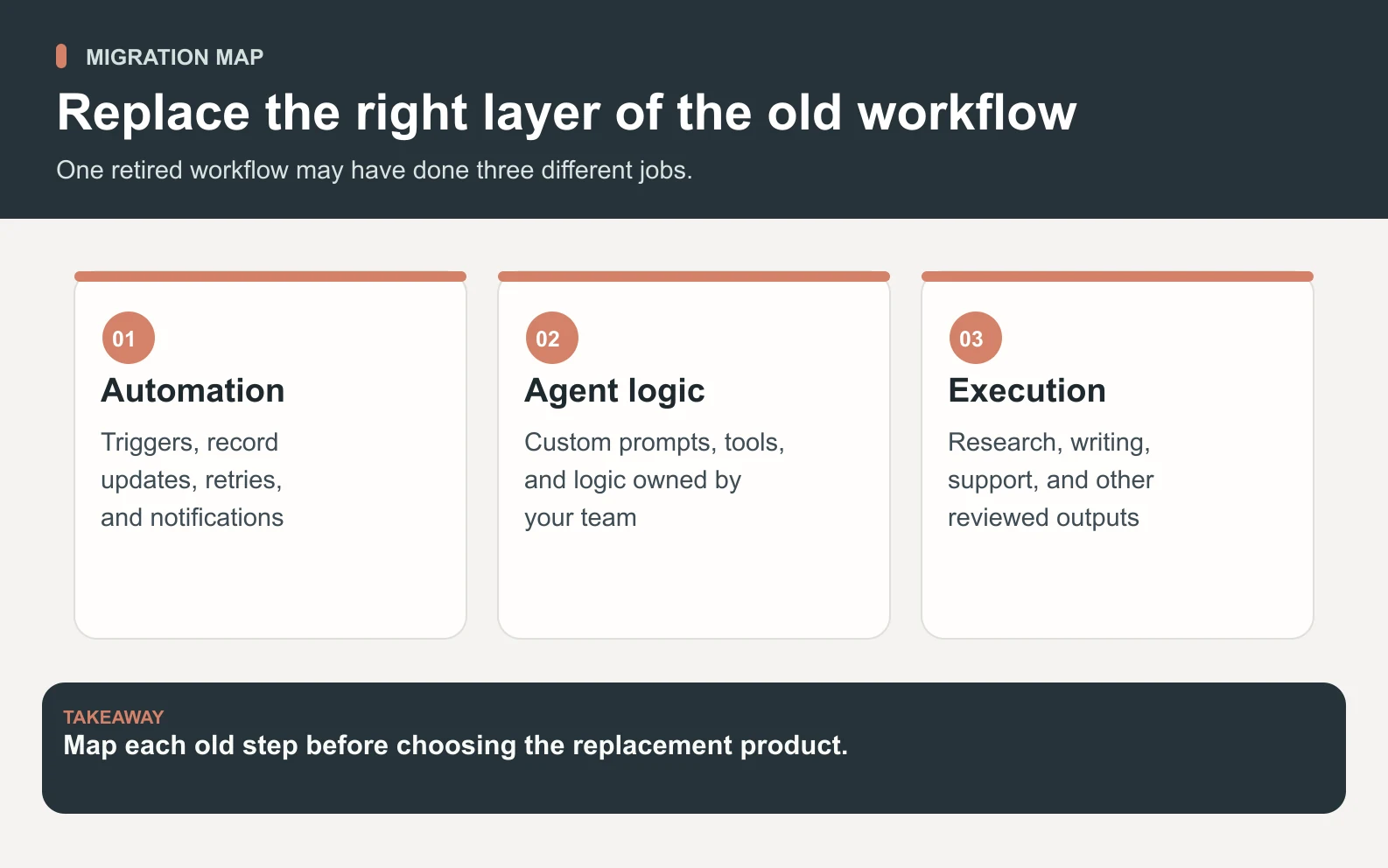
A fair Relay.app alternative shortlist should separate three jobs. First, recurring app-to-app workflows: triggers, steps, retries, approvals, and logging. Second, AI-agent building: prompts, memory, tool calls, and deployment. Third, business execution: research, copy, outreach, support, SEO, design, and quality review. Space Office fits the third layer, not every automation layer.
Start with the job Relay.app handled

1. Rebuild critical automations first
If Relay.app was moving data between systems, replacing it with a workflow automation product is the safest first step. Prioritize the workflows that create revenue, notify customers, update records, or keep compliance evidence. Do not start by recreating every nice-to-have helper.
2. Separate automations from decisions
A workflow step can send a message, copy a file, or update a CRM. A decision requires judgment, current context, and review. Relay-style automations often sat between those two layers. When a step says 'write the answer,' ask whether it needs a specialist, a policy check, or a human sign-off before it becomes customer-facing.
3. Keep the rollback path visible
Because Relay.app's public shutdown message says run history was deleted, many teams will lack an easy audit trail. Rebuild from source-system evidence where possible: CRM updates, emails, tickets, calendar events, documents, and webhooks. Then document the new owner for each workflow before switching it back on.
Relay.app alternatives by replacement layer
Swipe to explore the diagram
Scroll horizontally to view all columns.
| Replacement need | Good candidate | Why it fits | Watch-out |
|---|---|---|---|
| App-to-app automation | Zapier | Large connector catalog, task-based plans, familiar no-code workflow model | Task usage and add-ons need budget checks |
| Visual operations workflows | Make | Scenario builder for multi-step app automations | Requires someone to own edge cases and failures |
| Owned workflow logic | n8n | Good when technical teams want more control over automation design | Self-hosting or workflow ownership adds maintenance |
| Reviewed business output | Space Office | Hydrogen coordinates specialists for research, copy, SEO, outreach, support, and review | Not a drop-in replacement for every trigger-step automation |
When Zapier or Make is the better replacement
Choose Zapier or Make when the old Relay.app workflow was mostly deterministic: when this form arrives, create a record; when this status changes, send a message; when this field updates, notify the owner. Zapier's public pricing reference describes a no-code automation platform with plan features plus task allowances. That model is familiar for teams that need a broad connector library and predictable workflow ownership.
Make is also a logical candidate for visual multi-step workflows, especially when the team already thinks in scenarios. The main question is not whether either tool can replace the interface you knew. It is whether the new owner will maintain triggers, retries, permissions, and exception paths after the emergency migration is done.
Use automation tools when the task is repeatable. Use a managed team when the task changes with the brief.
When Space Office is the better Relay.app alternative
Space Office is the better alternative when Relay.app was not just moving data; it was the front door to work. A founder might have used a workflow to turn a customer email into a research task, a landing-page edit, a support answer, and a follow-up sequence. That is no longer only automation. It is cross-functional execution.
In Space Office, Hydrogen acts as the AI project manager. Hydrogen coordinates specialists such as Sodium for market research, Nitrogen for content, Copper for outreach, Gold for customer success, Neon for SEO, and Iron for lead generation. Hydrogen reviews specialist output before delivery, while the customer still approves final publication, customer communication, or external action.
Pricing: workflow tasks versus selected specialists
Compare replacement costs by workload, not by headline plan. A workflow automation plan prices access, features, and usage allowances. Space Office prices a selected specialist mix: $60/month for Hydrogen plus two specialists, then $25/month for each additional specialist. Dedicated AWS compute starts at an estimated $30/month, and AI-provider usage is paid through your own key with zero Space Office markup.
Scroll horizontally to view all columns.
| Line item | Monthly cost | What it covers |
|---|---|---|
| Space Office base | $60 | Hydrogen plus two chosen specialists |
| Copper add-on | $25 | Outbound and follow-up sequence support |
| Gold add-on | $25 | Customer-success and onboarding content |
| Light compute estimate | $30 | Dedicated AWS workspace compute, if selected |
| AI-provider usage | Provider bill | Paid to Anthropic, OpenAI, or Google through your own key |
| Illustrative total before usage | $140 | $60 + $25 + $25 + $30 |
A worked example: replacing a lead-to-proposal workflow

Imagine Relay.app previously handled 20 qualified inbound leads per month. Ten only needed a CRM update and notification; those belong in Zapier, Make, or another automation layer. The other 10 needed a company summary, pain-point research, a tailored proposal paragraph, and a follow-up email. Put those in Space Office with Sodium and Nitrogen included, then add Copper for follow-up.
The illustrative subscription math is $60 base + 1 extra specialist × $25 = $85/month before compute, provider usage, and human review time. If the team also chooses light dedicated compute, the modeled operating line is $85 + $30 = $115/month before model usage. That number is not a guarantee of total cost; it is a clean way to compare the reviewed-work layer against automation-task consumption.
Migration checklist after Relay.app
Swipe to explore the diagram
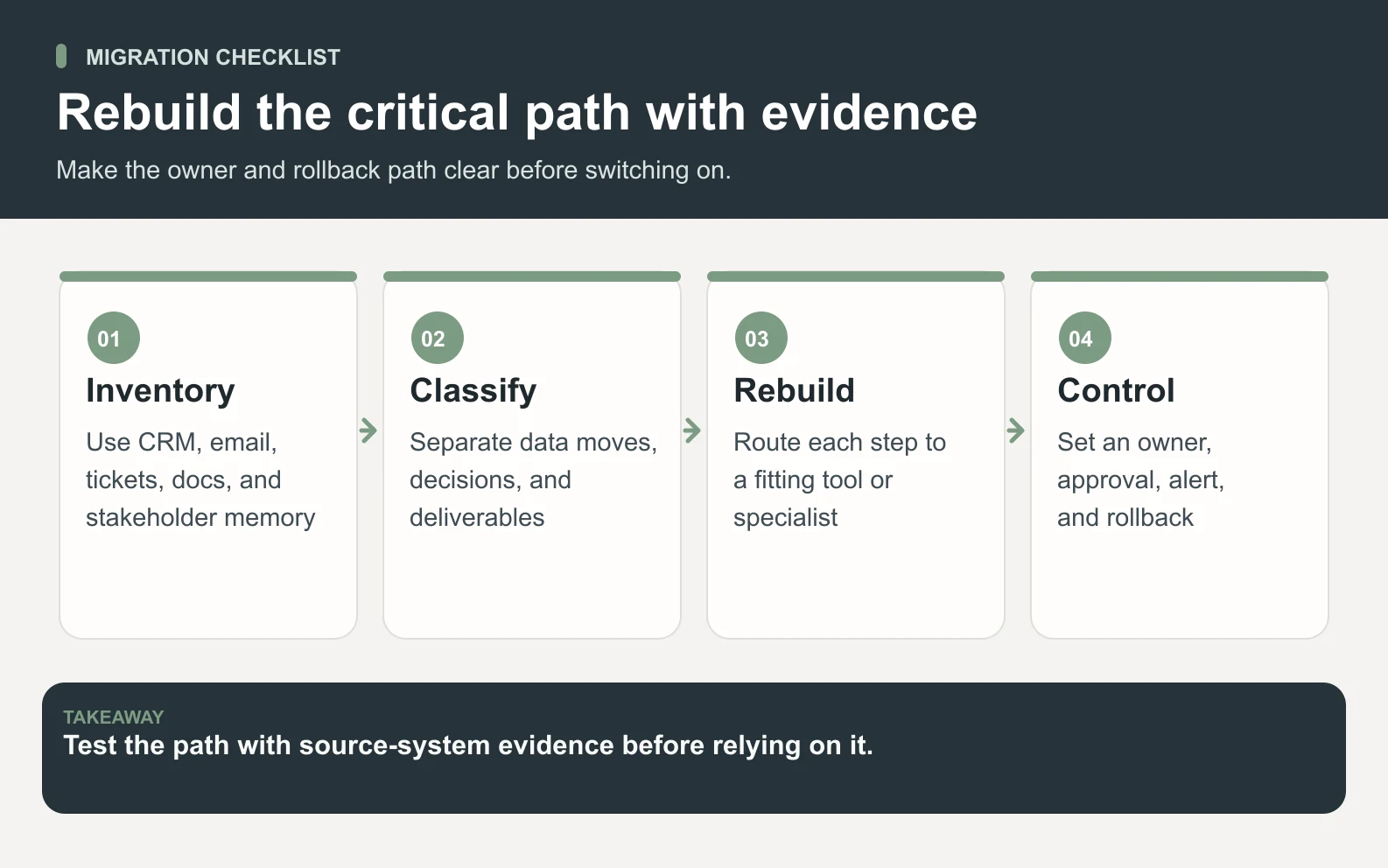
- 1List every active workflow from memory, source-system evidence, and stakeholder interviews.
- 2Mark each workflow as data movement, decision support, or finished deliverable.
- 3Move pure data movement to a workflow tool before rebuilding AI steps.
- 4Route research, copy, sales, support, SEO, and review tasks to a specialist workflow.
- 5Add an owner, approval rule, failure alert, and rollback path for each critical workflow.
What not to copy from the old setup
Do not recreate an old Relay.app workflow just because it existed. Product exits are painful, but they are also a forced audit. Remove stale branches, undocumented prompts, duplicate alerts, and automations that created more review work than they saved. Keep only the path that has a current owner and a measurable acceptance check.
Also avoid rebuilding hidden approval shortcuts. Many shutdown migrations fail because the replacement technically runs, but nobody knows who approved an external message, a CRM update, or a billing-sensitive action. For every rebuilt path, write the approval point in plain language: what waits, who checks it, and what evidence remains after the action runs.
If the old workflow mixed private context with public output, split those steps during the rebuild. Keep private account details in the system that owns them, pass only the brief needed for the current task, and ask the output layer to cite which source fields it used. That discipline makes later errors easier to trace and reduces the temptation to paste entire customer records into an AI prompt.
Decision rule
Pick an automation product when the work is predictable and connector-heavy. Pick an agent builder when a technical teammate wants to own the agent design. Pick Space Office when the value is the reviewed deliverable that comes after the trigger: the researched answer, the proposal, the support macro, the SEO brief, or the outreach sequence.
If Relay.app was triggering work that now needs a human-readable owner, start by mapping the specialists Hydrogen can coordinate.
Meet the Space Office specialistsSources and review notes
This comparison is published by Space Office, one of the products discussed. Relay.app's current homepage was checked for shutdown status, and public pricing or product pages were consulted where available. No private benchmark or migration test was performed.
- Relay.app shutdown notice — checked
- Zapier pricing reference — checked
- Make pricing — checked
- Space Office pricing — checked
Frequently asked questions
What happened to Relay.app?
Relay.app's homepage says the product shut down in September 2026 and that accounts, workflows, and run history were permanently deleted. Teams should rebuild from their source systems rather than assuming an export exists.
What is the best Relay.app alternative?
The best alternative depends on the layer you need. Use Zapier, Make, or n8n for repeatable automation. Use Space Office when the workflow created work that needs research, copy, outreach, support, SEO, and review from specialist agents.
Can Space Office replace Relay.app workflows?
Space Office can replace the reviewed-work part of a Relay.app workflow, not every trigger-step automation. It is strongest when a workflow needs Hydrogen to coordinate specialists and return an accepted deliverable.
How much does Space Office cost compared with a workflow tool?
Space Office starts at $60/month for Hydrogen plus two specialists. Additional specialists are $25/month each. Dedicated compute and AI-provider usage are separate, so compare it against workflow tools on the same workload and review requirement.
Should I move all Relay.app workflows to one tool?
Not necessarily. Pure data movement may belong in an automation tool, while research, customer-facing drafts, proposals, and campaign work may belong in a managed specialist workflow. Splitting by job type usually produces a cleaner migration.
Do I still need human approval?
Yes. Hydrogen reviews specialist output before delivery, but a human should approve customer-facing messages, publications, account changes, and other external actions.