Guide
AI Tool Alternatives: Gumloop, Sintra & More by Job
By the Space Office team · Published · Updated · 13 min read
Looking for a Gumloop alternative? Compare n8n, Make, AI by Zapier, and Space Office by who builds and maintains the workflow. Looking for a Sintra alternative? Compare Marblism, Lindy, Relevance AI, and Space Office by the kind of assistant or team you need. Keep either product if its current workflow already does the job.

This is a shortlist by job, not a ranking from product tests. We reviewed the vendors' own descriptions on October 5, 2026 and compared the work each product is designed to handle. Space Office is included because this is its website; we have a commercial interest in that option. Check each vendor's current plan and test your actual workflow before switching.
Start with the work you need done. Moving data between apps, managing an inbox, building an agent, and returning a reviewed launch packet are different jobs. The two shortlists below identify credible options for Gumloop and Sintra searches; the category map and deeper guides follow.
Gumloop alternatives: choose by workflow ownership
Gumloop now supports custom agents as well as workflows, and its Agent Tasks can run on schedules or app triggers. Keep it when your team wants to build, share, and control those agents and the existing setup works. Compare the following alternatives when a different way to build or own the work matters.
Scroll horizontally to view all columns.
| Alternative | Choose it when | Your responsibility | Deeper guide |
|---|---|---|---|
| n8n | You want AI steps inside controlled workflows, with code and self-hosting options | Build, test, monitor, and maintain the agent workflow | n8n comparison |
| Make AI Agents | You want a visual canvas that combines agents with app automation | Design the scenarios, connections, exception paths, and reviews | Make comparison |
| AI by Zapier | You want agentic AI steps alongside Zap triggers, actions, and history | Configure the Zaps, connected apps, limits, and output checks | Zapier comparison |
| Space Office | You need reviewed work across roles more than a workflow canvas to maintain | Brief the specialists and approve the final deliverable | Gumloop comparison |
If the requirement is a production automation with exact triggers, credentials, logs, and retries, shortlist the builders first. If the requirement is a researched and reviewed business deliverable, compare Space Office's managed workflow. That is a change in operating model, not a claim that Gumloop cannot perform AI work.
Sintra AI alternatives: choose by the help you need
Sintra offers named helpers and use cases, while Brain AI supplies shared business context. Keep Sintra if those helpers and its credit model suit your routine. These alternatives answer different needs: a packaged AI team, an operational teammate, a customizable workforce, or reviewed cross-functional deliverables.
Scroll horizontally to view all columns.
| Alternative | Choose it when | Your responsibility | Deeper guide |
|---|---|---|---|
| Marblism | You want packaged AI employees for defined business tasks such as inbox, social, lead generation, or SEO | Check role coverage, connected accounts, and final approval for each task | Marblism comparison |
| Lindy | You want an AI teammate in operational channels such as email, Slack, and CRM work | Set action permissions and review messages or changes before they matter | Sintra vs Lindy |
| Relevance AI | You want to build and customize agents or a multi-agent workforce | Design the agents, tools, handoffs, monitoring, and approvals | Relevance AI comparison |
| Space Office | You want Hydrogen to coordinate selected specialists and review a finished work packet | Provide the brief and approve the final deliverable; compute and model usage are separate | Sintra comparison |
For a closer helper-to-helper choice, start with Marblism. For inbox and operational follow-through, inspect Lindy. For control over agent design, inspect Relevance AI. Use the Space Office guide when the bottleneck is coordinating and reviewing work across disciplines. The right choice depends on your task, access boundaries, and review process; these pages do not establish which product produces better results.
Start with the job, not the vendor name
The fastest way to pick an AI tool alternative is to name the job in one sentence. If the sentence says “when a form is submitted, update three systems,” you are buying automation. If it says “summarize my inbox and calendar,” you are buying productivity assistance. If it says “our product needs a custom agent workflow,” you are building. If it says “turn this brief into research, copy, SEO, design direction, and QA notes,” you are evaluating a managed team.
Decision shortcut
If the output needs a specialist to judge quality, compare managed AI teams. If the output needs the same step every time, compare automation builders first.

Comparison map: four kinds of AI alternatives
Scroll horizontally to view all columns.
| Category | Best job | What you own | Where Space Office fits |
|---|---|---|---|
| Automation builders | Repeatable triggers, routing, and app sync | Workflow logic, testing, credentials, exceptions | Use Space Office around the workflow for research, copy, QA, and documentation |
| Personal or team assistants | Scheduling, summarizing, inbox, task planning, narrow helper workflows | Reviewing the assistant output and completing downstream work | Use Space Office when the plan must turn into reviewed specialist deliverables |
| AI app or agent builders | Internal tools, product agents, and custom workflow logic | Prompts, evals, hosting, monitoring, data boundaries | Use Space Office if you need outcomes without maintaining the agent stack |
| Managed AI workforce | Cross-functional business deliverables | Briefing, final approval, and any external responsibility | This is Space Office: Hydrogen plus specialists with review before delivery |
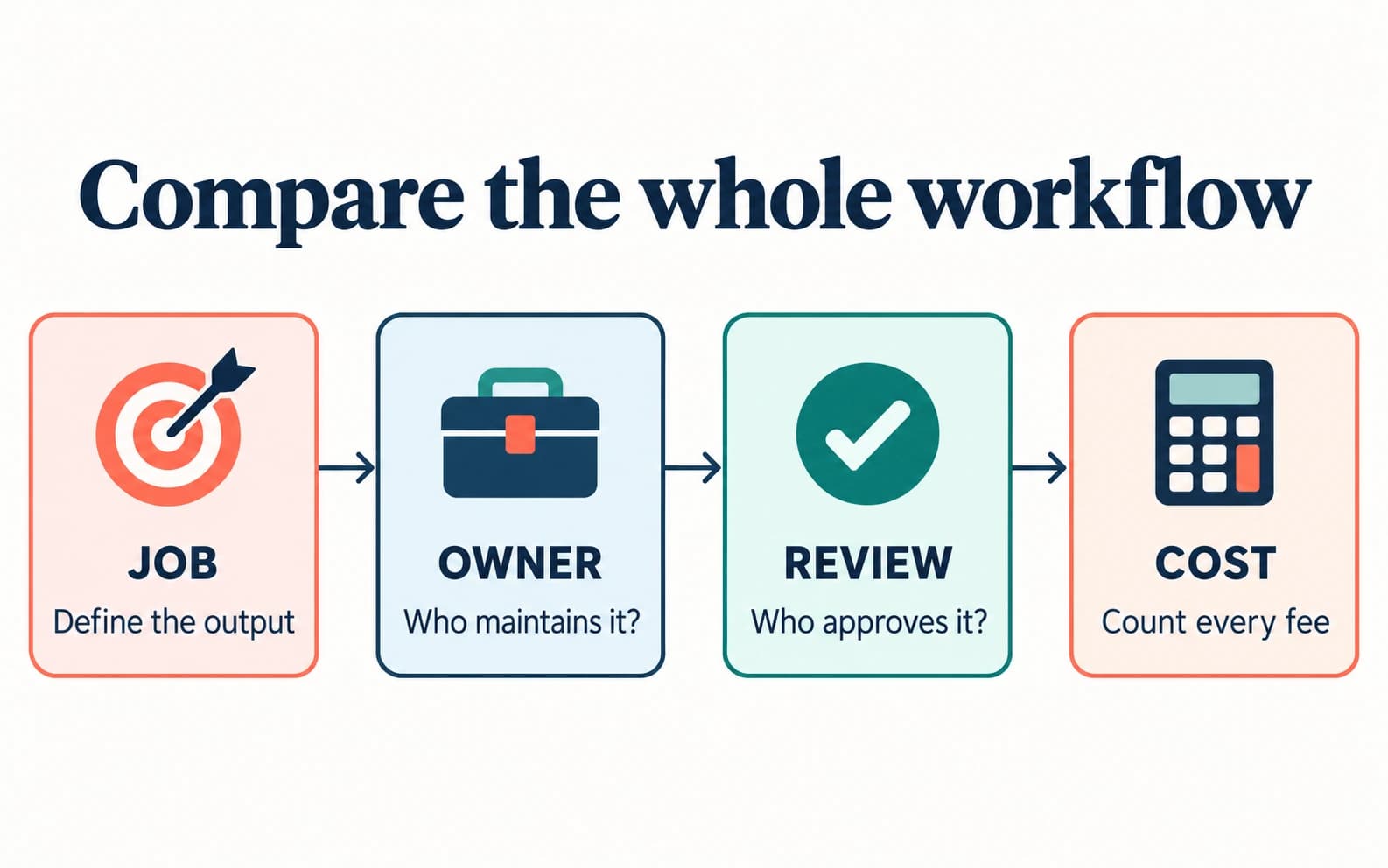
Swipe to explore the diagram
When an automation tool is the better alternative
1. Pick automation when the output must be identical every time
Automation tools are better when the work is deterministic. A payment event should create the same CRM record every time. A new ticket should route by the same rules. A lead enrichment step should be monitored, versioned, and retried if an API fails. In those situations, a managed AI team is not the system of record; it can help document, test, or improve the workflow, but the workflow belongs in automation software or code.
- Choose automation when the success check is binary: did the record update, did the email send, did the task move?
- Choose automation when the work must run unattended at high volume.
- Choose automation when credentials, logs, and rollback are the core risk.
- Use Space Office beside it when you need launch copy, support macros, QA reports, or operating docs for the workflow.
When an assistant product is the better alternative
2. Pick assistants when the job is personal productivity
Assistant products are often better for one-person productivity. If the problem is that your calendar is chaotic, your inbox is noisy, or your task list needs prioritization, a specialist roster may be more than you need. A focused assistant can reduce friction without asking you to brief a team. The boundary appears when the assistant identifies work but cannot complete it to a reviewed standard.
That is where Space Office becomes relevant. A founder can ask Hydrogen to coordinate SEO research, draft copy, outline a landing-page test, and request QA notes from the right specialists. The assistant may help plan the day; the managed team helps complete the business packet.
When a builder is the better alternative
3. Pick builders when agent logic is your product
AI builders are better when agent behavior is part of your product or operating moat. If your team needs custom tools, private data boundaries, internal evals, or a workflow that must be owned by engineering, do not outsource the core logic to a managed team. Build it deliberately, then use Space Office for surrounding work such as product pages, support flows, SEO refreshes, research summaries, and launch collateral.
Honest limit
Space Office does not remove your responsibility for regulated decisions, production data access, customer promises, or final external approvals.
When Space Office is the better alternative
4. Pick Space Office when reviewed specialist output is the bottleneck
Space Office is stronger when a job crosses roles. A product launch can need research from Sodium, copy from Nitrogen, discovery work from Neon, design direction from Boron, outreach help from Copper, and a QA pass from Carbon. Hydrogen coordinates the handoff and reviews output before delivery. That is different from opening six separate chats and hoping the pieces align.
The pricing shape is also different. Space Office starts at $60/month or $600/year for Hydrogen plus two specialists. Extra specialists are $25/month or $250/year each. Dedicated AWS compute and AI-provider usage are separate; customers bring supported provider keys and Space Office adds zero markup on model usage.
Worked example: compare a launch workflow, not sticker prices
Suppose a small team wants one reviewed launch workflow: research, landing-page copy, SEO review, visual direction, and QA. In Space Office terms that could mean five specialists. The subscription arithmetic is $60 base + 3 added specialists × $25 = $135/month, because two specialists are included. Dedicated compute and model usage stay separate, and a human still approves the final launch assets.

Scroll horizontally to view all columns.
| Line item | Automation or assistant path | Space Office path |
|---|---|---|
| Planning and routing | Handled inside the tool or by the operator | Hydrogen coordinates the specialist workflow |
| Specialist work | Your team writes, reviews, and edits | Five-specialist example: $60 + 3 × $25 = $135/month subscription |
| Compute and model usage | Depends on the vendor plan or your API usage | Separate dedicated compute and BYO AI-provider usage with zero markup |
| Final approval | Your team owns it | Your team still owns it after Hydrogen's review |
Compare a shortlist around the same buyer task
Once you have chosen a category, compare a small shortlist against the same task, required systems, owner responsibilities, and commercial terms. Use the free competitive analysis template to record each option beside its source, checked date, and unresolved questions. Keep your existing process in the comparison: a new tool should solve a specific problem well enough to justify the change.
This also keeps the buying advice honest. A founder comparing Zapier, Make, n8n, and Gumloop may not need four separate sales pitches. They may need one category decision first: do they want deterministic app plumbing, or do they want reviewed business deliverables? Choose the category first; then compare vendors inside that category.
Cost checklist before comparing any AI tool alternative
Sticker prices rarely compare the same thing. A single automation seat, a personal assistant subscription, an AI builder plan, and a managed specialist team all package different responsibilities. Before treating one as cheaper, list who owns setup, credential management, prompt maintenance, output review, retries, and final approval. The cheapest tool can become expensive if it moves the work back to the founder.
Scroll horizontally to view all columns.
| Cost line | Question to ask | Why it changes the comparison |
|---|---|---|
| Base subscription | What does the monthly fee actually include? | A software seat and a reviewed team deliver different value |
| Usage | Are tasks, credits, runs, or model calls metered? | A low entry price can grow with volume |
| Setup labor | Who builds and maintains the workflow? | Founder time is still a cost even when software is cheap |
| Review | Who checks the output before it reaches customers? | Unreviewed work creates cleanup risk |
| Add-ons | Do extra roles, compute, seats, or integrations cost more? | The total budget is wider than the first invoice |
For Space Office, the clean subscription example is a launch or operating workflow with five specialists: $60 base plus three added specialists at $25 each, or $135/month before dedicated compute and AI-provider usage. That number should be compared with the cost of getting reviewed work done, not with the cheapest single-user tool seat. For deeper math, use AI operations team cost per month or how much an AI team costs.
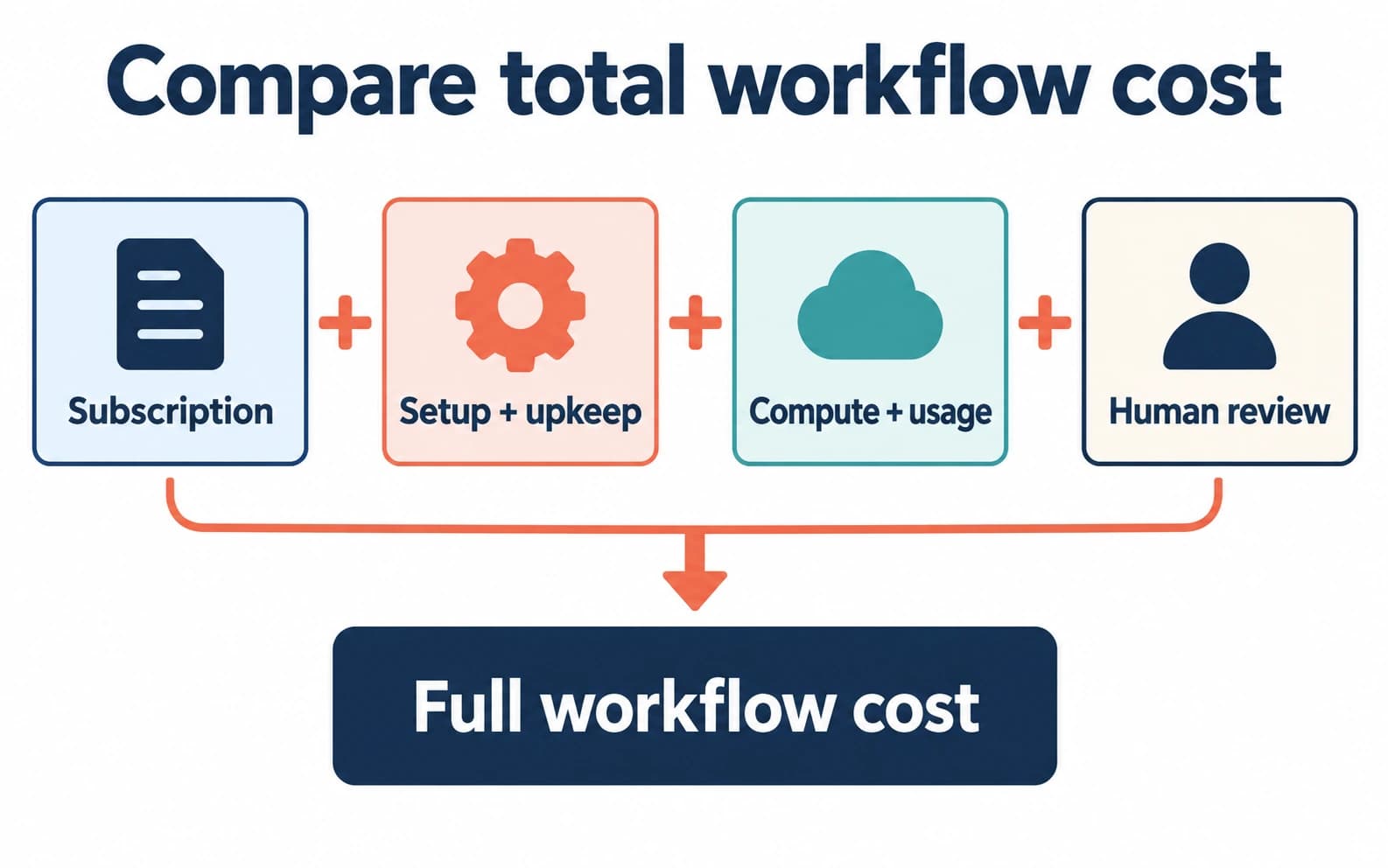
Swipe to explore the diagram
Complete comparison guide directory
Open a vendor-specific guide only after you know the job category. All live comparison guides are listed below for easy navigation.
Automation and workflow alternatives
- Gumloop alternative — workflow builder vs managed team
- n8n alternative — DIY workflows vs managed specialists
- Zapier alternative — app automation vs AI team
- Make.com alternative — keep Make, switch tools, or hire AI
AI agent and builder alternatives
- Dust alternative — managed team vs builder
- Beam AI alternative — managed team vs automation OS
- Relevance AI alternative — build vs managed team
- MindStudio alternative — managed AI team guide
- Relay.app alternative — choose the right layer after shutdown
AI assistant and specialist alternatives
- Sintra AI alternative — helpers vs reviewed specialists
- Sintra vs Lindy — context, workflow, and cost comparison
- Motion alternative — calendar AI or managed AI team
- Artisan AI alternative — one AI BDR vs a team
- Manus AI alternative — one agent vs a managed team
- Fyxer alternative — inbox AI or managed AI team
- Accio alternative — desktop agent vs managed AI team
- Marblism alternative — an honest comparison
Space Office positioning guides
- Space Office vs ChatGPT — which fits a real business task
- Managed AI team vs DIY agents — decision framework
- AI agents vs automation tools — what's the difference
A well-organized hub with useful routing is better than a pile of near-duplicate alternatives that make the reader do the sorting alone.
Next step after this hub
If you already know you need a managed AI team, skip the competitor list and open /pricing for live subscription math, then /agents for the roster. If you are comparing by audience instead of vendor, use AI team for businesses. If you are still choosing a category, use How to choose an AI platform before reading any product-specific alternative page.
Ready to compare the managed-team path? Start with live pricing, then choose specialists from the roster.
Open Space Office pricingSources and review notes
Space Office publishes this comparison and has a commercial interest in its own inclusion. We reviewed the linked official vendor pages on October 5, 2026 for described capabilities, and checked Space Office product facts against docs/PRODUCT-FACTS.md and src/lib/pricing.ts. The shortlist is an editorial fit guide, not a hands-on test, price ranking, customer outcome study, or quality benchmark. Existing images were reviewed for relevance and retained; their last visual update was October 1, 2026.
- Gumloop agents and workflow platform — checked
- Gumloop Agent Tasks and triggers — checked
- n8n AI agents and workflow controls — checked
- Make AI Agents in the visual canvas — checked
- Zapier migration to AI by Zapier — checked
- Sintra helpers and current plan structure — checked
- Sintra Brain AI business context — checked
- Marblism AI employee roles — checked
- Lindy AI teammate and channels — checked
- Relevance AI agents and workforces — checked
- Space Office pricing — checked
- Space Office specialist roster — checked
- Space Office how it works — checked
Frequently asked questions
What is the best AI tool alternative to start with?
Start with the job category, not the logo. Automation builders fit repeatable workflows, assistant products fit planning and productivity, builders fit owned agent logic, and Space Office fits reviewed specialist deliverables coordinated by Hydrogen.
How much does Space Office cost compared with AI tools?
Space Office starts at $60/month or $600/year for Hydrogen plus two specialists. Additional specialists cost $25/month or $250/year each. Dedicated compute and bring-your-own AI-provider usage are separate, so compare against the whole workflow rather than one software seat.
Does Space Office replace automation tools like Zapier, Make, or n8n?
Not always. Keep automation tools for deterministic app-to-app workflows. Use Space Office when the work needs research, judgment, writing, design direction, QA, or another reviewed deliverable that a trigger-action workflow does not complete by itself.
Why doesn't every AI tool have its own comparison page?
We only create detailed comparison pages when buyers have a distinct decision to make. This hub routes you to existing guides that answer real purchase questions. If a tool doesn't have its own page here, check the category comparisons above to find the right match.
When should I build my own AI agents instead of using Space Office?
Build your own agents when agent behavior is part of the product, must run inside strict data boundaries, or needs custom engineering ownership. Space Office is better for reviewed business deliverables where you do not want to maintain prompts, evals, hosting, and dispatch yourself.
What should I read after this alternatives hub?
If you know the tool category, open the matching comparison guide. If you know you want a managed team, open /pricing and /agents. If you are comparing business verticals, use the AI team for businesses hub.