Guide
When Not to Use AI Agents: Honest Limits
By the Space Office team · Published · Updated · 10 min read
Do not use AI agents when the work is high-stakes, poorly defined, privacy-sensitive, irreversible, or impossible for a qualified person to review. Use agents for bounded, reviewable work where speed and consistency help. Keep humans in charge when judgment, consent, liability, reputation, or customer trust matter more than throughput.

The most mature AI strategy includes a no list. AI agents are useful because they can plan steps, call tools, draft work, and hand off tasks faster than a human can start from scratch. That same speed becomes dangerous when the work is vague, sensitive, high-stakes, or unsupervised. Knowing when not to use AI agents is what makes the places you do use them safer and more valuable.
Source note: this guide uses Space Office product facts from the current repo and cites two external risk references checked during this run. OWASP describes its GenAI Security Project as focused on security and safety risks in generative AI, including agentic AI systems, at https://owasp.org/projects/top-10-for-large-language-model-applications. IBM's AI-agent overview at https://www.ibm.com/think/topics/ai-agents points to research on governing agentic systems and visibility into AI agents.
The short answer: avoid agents when review is impossible

Avoid AI agents when nobody qualified can review the result before it matters. Agents can help draft, summarize, triage, and organize, but they should not become the final authority for decisions that affect legal exposure, health, finances, employment, customer safety, or irreversible external actions. If the consequence of being wrong is serious, the workflow needs human approval or a different tool entirely.
Scroll horizontally to view all columns.
| Situation | Risk | Safer use |
|---|---|---|
| Legal, medical, financial, or hiring decisions | Wrong advice can create liability or harm | Use AI to organize facts; require qualified review |
| Confidential customer data without consent | Privacy, contract, or trust breach | Sanitize inputs or get approval first |
| Unclear workflow | Agent automates confusion faster | Document the process before automating |
| Irreversible external action | Email, payment, deletion, or public post goes out wrong | Draft only; human presses send |
| Brand or relationship judgment | Tone-deaf output damages trust | Use AI for options; human chooses |
| No review owner | Errors reach customers unchecked | Assign a reviewer or do not delegate |
1. High-stakes advice is not a delegation target
1. Let agents prepare, not decide
AI agents should not independently give legal, medical, financial, tax, immigration, safety, or employment advice. They can help sort documents, draft questions for a professional, compare options at a high level, or make a checklist. They should not decide what a person should sign, diagnose, prescribe, terminate, invest in, or promise to a customer.
The safe pattern is support, not authority. Ask the agent to extract clauses, summarize facts, or draft a neutral briefing packet. Then route the output to a qualified person. That keeps the agent useful while respecting the line between assistance and professional judgment.
2. Private data needs consent and boundaries
2. Sanitize before you delegate
Do not feed AI agents sensitive customer, employee, health, financial, contract, source-code, or security data unless the data path is approved. Privacy risk is not only about the model. It is also about tool permissions, logs, connectors, subprocessors, retention settings, and who can see the output afterward.
A safer version is to use sanitized briefs. Replace names, account numbers, secrets, internal credentials, and identifying details with placeholders. If the task requires real private data, check the customer contract and tool security terms first. Trust is easier to protect before the upload than after the breach.
Privacy rule
If you would not paste the data into a public support ticket, do not hand it to an agent until the data path is approved.
3. Unclear processes should be documented first
3. Write the workflow before automating it
AI agents are bad at rescuing a process nobody understands. If your team cannot describe the current workflow, decision owner, inputs, outputs, and failure path, the agent will improvise. That can look productive for a day and become chaos when the edge cases arrive.
The right order is simple: write the process, run it manually once, mark the repeated steps, then delegate or automate the pieces that are stable. If the workflow changes every time, keep a human operator in charge until patterns emerge. Automation compounds process quality; it does not create process quality.
4. Irreversible actions need a human switch
4. Draft-and-approve beats autonomous send
Do not let an AI agent independently send customer emails, publish posts, delete records, issue refunds, change production settings, submit legal forms, or spend money unless the workflow has strong safeguards and the action is low-risk. The issue is not that agents always fail. The issue is that when they fail at external actions, the failure is already in the world.
Use a draft-and-approve pattern instead. The agent prepares the email, post, refund note, or change plan. A human reviews the destination, amount, tone, facts, and attachments. Then the human sends or explicitly approves the action. That one switch prevents many expensive mistakes.
5. Relationship judgment stays human
AI agents should not own delicate relationship moments: a frustrated enterprise customer, a founder apology, a firing conversation, a crisis statement, a sensitive investor update, or a negotiation where tone and timing carry meaning. Agents can prepare options and facts, but the final voice should come from the accountable human.
This is not anti-AI. It is pro-trust. Customers can forgive a slower human response more easily than a fast message that feels evasive, automated, or wrong. Use AI to make the human better prepared, not to remove the human from the moment.
6. Security-sensitive agents need extra controls
Agents with tool access are more sensitive than plain chat. They may read files, call APIs, browse pages, or trigger workflows. OWASP's GenAI Security Project explicitly focuses on security and safety risks in generative AI technologies, including agentic AI systems. That does not mean agents are unsafe by default; it means permissions, logging, least privilege, and review matter.
- Give agents the least access needed for the specific task.
- Use read-only access when writing is not required.
- Keep credentials out of prompts and logs.
- Require approval for external sends, deletes, payments, and production changes.
- Review tool output before treating it as trusted instruction.
7. A managed review layer helps, but it is not magic
Space Office is designed to reduce the raw-agent problem. It is a managed team of 24 AI specialists coordinated by Hydrogen, an AI project manager that reviews every output before delivery. Hydrogen checks outputs against the brief and returns issues to the specialist for revision. You still review and approve the final work.
The practical rule is this: use Space Office for reviewed work packets, not unchecked authority. It is strong for research summaries, SEO briefs, drafts, QA passes, campaign assets, and operations cleanup. It should still hand legally sensitive, financially material, customer-risk, or public-facing final decisions back to the accountable human.
Scroll horizontally to view all columns.
| Task | Good agent role | Human role |
|---|---|---|
| Pricing-page critique | Find gaps, draft recommendations | Approve final pricing claims |
| Customer complaint | Summarize history, draft response options | Choose tone and send |
| Contract question | Extract clauses and questions | Counsel reviews advice |
| Blog post | Research, draft, link, QA | Approve brand and factual risk |
| Production change | Prepare checklist and rollback plan | Engineer executes or approves |
A worked example: the $2,500 dispute email
Suppose a contractor invoices $2,500 for work you believe missed the scope. The risky move is to ask an agent to write and send a legal-sounding refusal. The safer workflow uses AI for preparation only: summarize the contract, list the disputed deliverables, extract dates, draft 3 tone options, and create a question list for counsel or the founder. Then a human reviews every claim before sending anything.
The arithmetic is about risk, not only time. If AI saves 45 minutes but accidentally concedes $2,500, threatens something unenforceable, or damages a relationship, the saved time is irrelevant. A safer process costs maybe 20 minutes of human review: 10 minutes to check facts, 5 minutes to soften tone, and 5 minutes to decide the next step. That is 20 minutes protecting a $2,500 issue, or $125 of disputed value per review minute. For high-stakes messages, review time is cheap insurance.
The risk checklist before assigning an agent
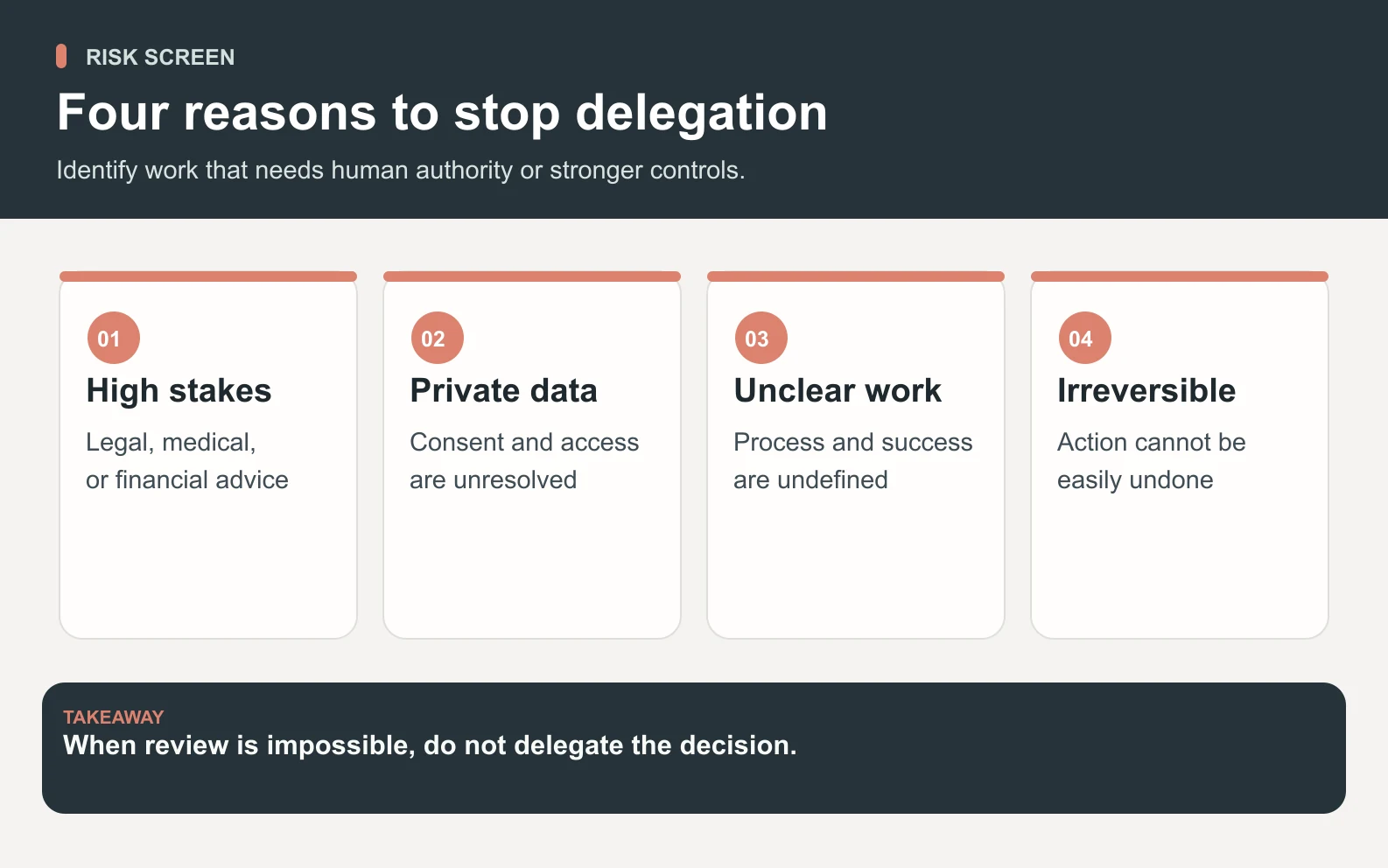
Swipe to explore the diagram
Before using an AI agent, ask 8 questions. If any answer is yes, constrain the agent to drafting, organizing, or recommending rather than acting independently. The checklist is intentionally plain because the goal is not governance theater; it is avoiding obvious mistakes before they become public.
- 1Could a wrong answer create legal, financial, medical, employment, or safety harm?
- 2Does the task use private data, credentials, customer files, or confidential strategy?
- 3Will the agent send, publish, delete, spend, or change something externally?
- 4Is the process undocumented or different every time?
- 5Would a customer feel misled if they knew an agent handled this unsupervised?
- 6Is there no qualified human available to review the output?
- 7Does the task require taste, negotiation, apology, or relationship context?
- 8Would you be embarrassed to explain the workflow after a mistake?
When AI agents are the right fit
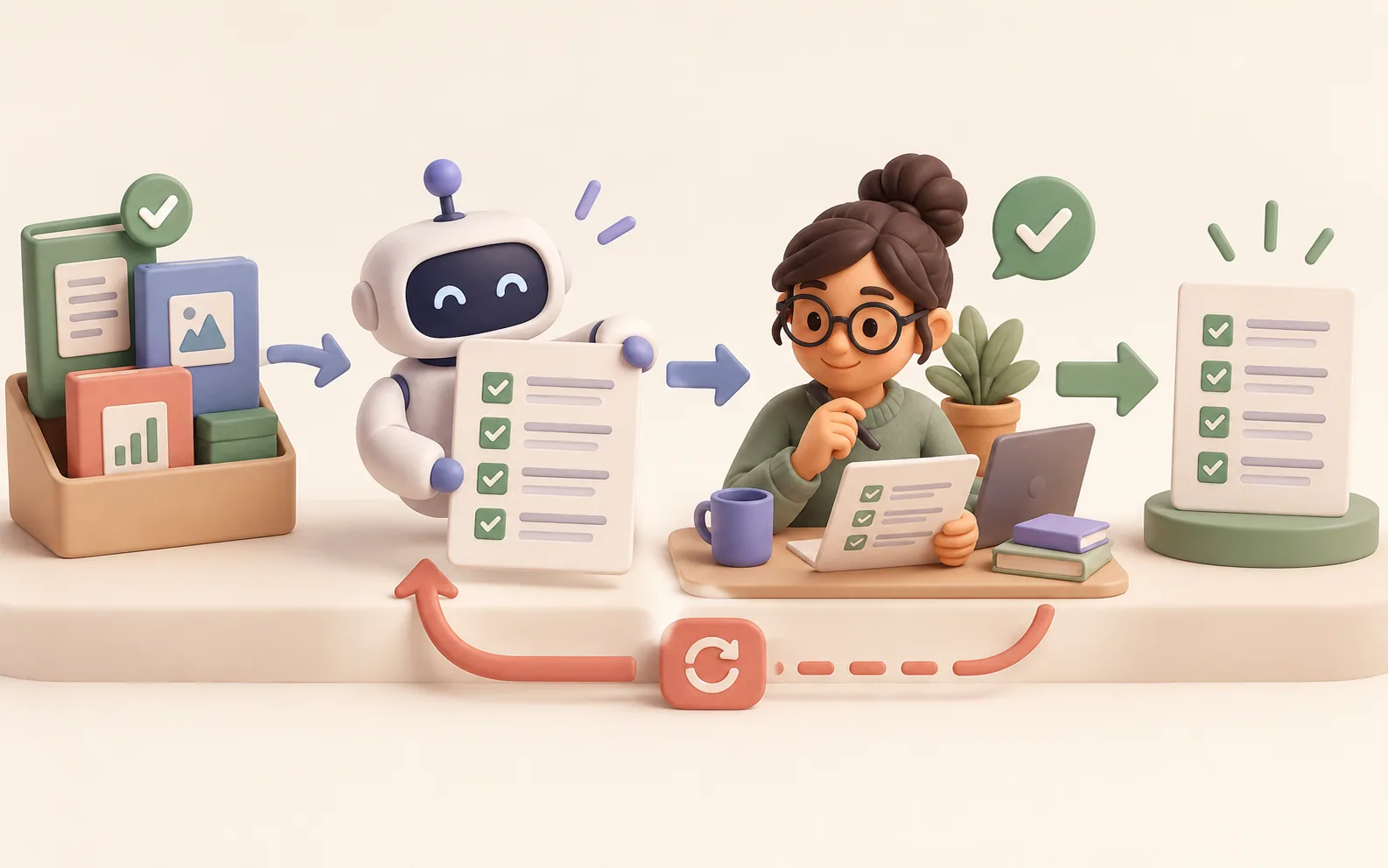
AI agents are the right fit when the task is bounded, reviewable, and repetitive enough that a better system compounds. Good examples include first-draft content, source-grounded research packets, SEO audits, support triage, QA checklists, launch asset variants, meeting summaries, CRM cleanup suggestions, and internal process documentation. These tasks have clear inputs, visible outputs, and a reviewer who can judge quality.
They are especially useful when paired with specialists. In Space Office, Neon can handle SEO and discovery, Nitrogen can support content and copy, Carbon can think like QA, Boron can critique design, and Hydrogen can coordinate the handoff. The point is not blind autonomy. The point is useful delegation with a review layer.
The final recommendation
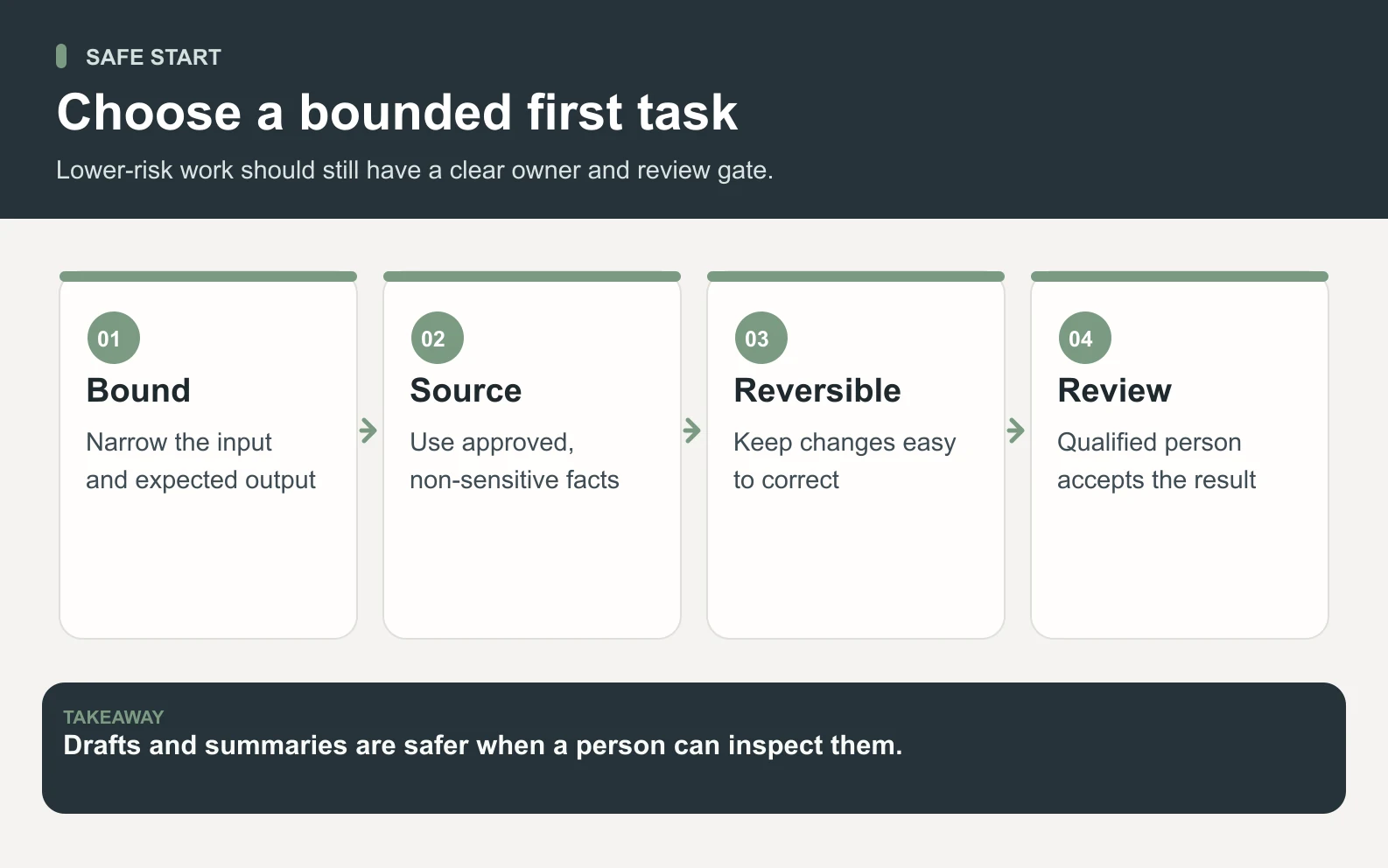
Swipe to explore the diagram
Use AI agents where speed, structure, and repeatability help. Do not use them as unsupervised decision-makers for high-stakes, private, unclear, irreversible, or relationship-heavy work. If the task can be briefed, reviewed, and corrected before it reaches the outside world, agents can be powerful. If not, slow down and keep a human in the loop.
See how Space Office uses a managed review layer instead of handing raw agent output straight to you.
See how it worksThe smartest AI teams are not the ones that automate everything. They are the ones that know which work deserves speed, which work deserves review, and which work should stay human until the risk is truly understood.
Frequently asked questions
When should you not use AI agents?
Do not use AI agents when the task is high-stakes, privacy-sensitive, poorly defined, irreversible, or impossible for a qualified person to review. Legal, medical, financial, hiring, safety, customer-trust, and public-facing decisions should use agents only for support, with human approval before action.
Are AI agents safe for customer data?
AI agents can be safe only when the data path, permissions, retention, subprocessors, and contract terms are approved. If those are unclear, use sanitized briefs or keep the data out of the workflow. Sensitive customer, employee, financial, health, security, and source-code data need explicit boundaries.
How much does Space Office cost if I want reviewed agent work?
Space Office costs $60/month or $600/year, with added specialists at $25/month each and bring-your-own AI usage at zero markup. That pricing buys a managed team structure and Hydrogen review, but it does not remove the need for human approval on high-stakes decisions. Dedicated AWS compute starts at about $30/month, and AI usage is paid separately through your own provider key with zero markup.
Is Space Office safer than using a raw AI agent?
Space Office is safer for many business tasks because it uses a managed team of 24 AI specialists coordinated by Hydrogen, who reviews outputs before delivery. That review layer helps catch issues, but it is not a substitute for legal, financial, medical, security, or customer-accountable human review.
Can AI agents send emails or publish posts automatically?
They can technically do it when connected to tools, but automatic external action should be limited to low-risk, well-tested workflows. For customer emails, public posts, payments, deletes, refunds, or production changes, use a draft-and-approve pattern so a human checks destination, facts, tone, and risk.
What tasks are good for AI agents?
AI agents are useful for bounded and reviewable tasks: research packets, content drafts, SEO audits, QA checklists, support triage, launch asset variants, meeting summaries, CRM cleanup suggestions, and internal documentation. They work best when inputs are clear, outputs are inspectable, and a reviewer owns quality.
What is the biggest risk of using AI agents?
The biggest risk is unsupervised authority: letting an agent act externally or make high-stakes decisions without clear process, permissions, and review. The fix is not avoiding agents entirely. It is limiting access, documenting workflows, requiring approval for risky actions, and keeping humans accountable for judgment.