Comparison
AI Agent Pricing Comparison: What the Sticker Buys
By the Space Office team · Published · Updated · 9 min read
The best AI agent pricing comparison starts by asking what the price buys. A $29 support seat, a workflow task allowance, a credit meter, and a $60/month managed AI team are not the same unit. For lean teams, the right model is the one that makes total monthly cost predictable while covering the work, coordination, and review they actually need.

AI agent pricing looks simple until you try to compare it. One page sells seats. Another sells tasks. Another sells outcomes. Another sells credits. A fourth hides the number behind sales because the implementation is effectively a project. The trap is comparing sticker prices while ignoring what unit you are buying.
What should an AI agent pricing comparison measure?
An AI agent pricing comparison should measure the unit of value: one user seat, one workflow run, one resolved support outcome, one credit bundle, or one coordinated team. The cheapest-looking option may become expensive when the work needs setup, QA, several specialties, and a human to stitch everything together.
Space Office is a managed team of 24 live AI specialists coordinated by Hydrogen, an AI project manager that reviews every output before delivery. Its pricing should be compared as a managed work layer, not as a single-seat chatbot or a workflow builder.
The 5 pricing models founders run into
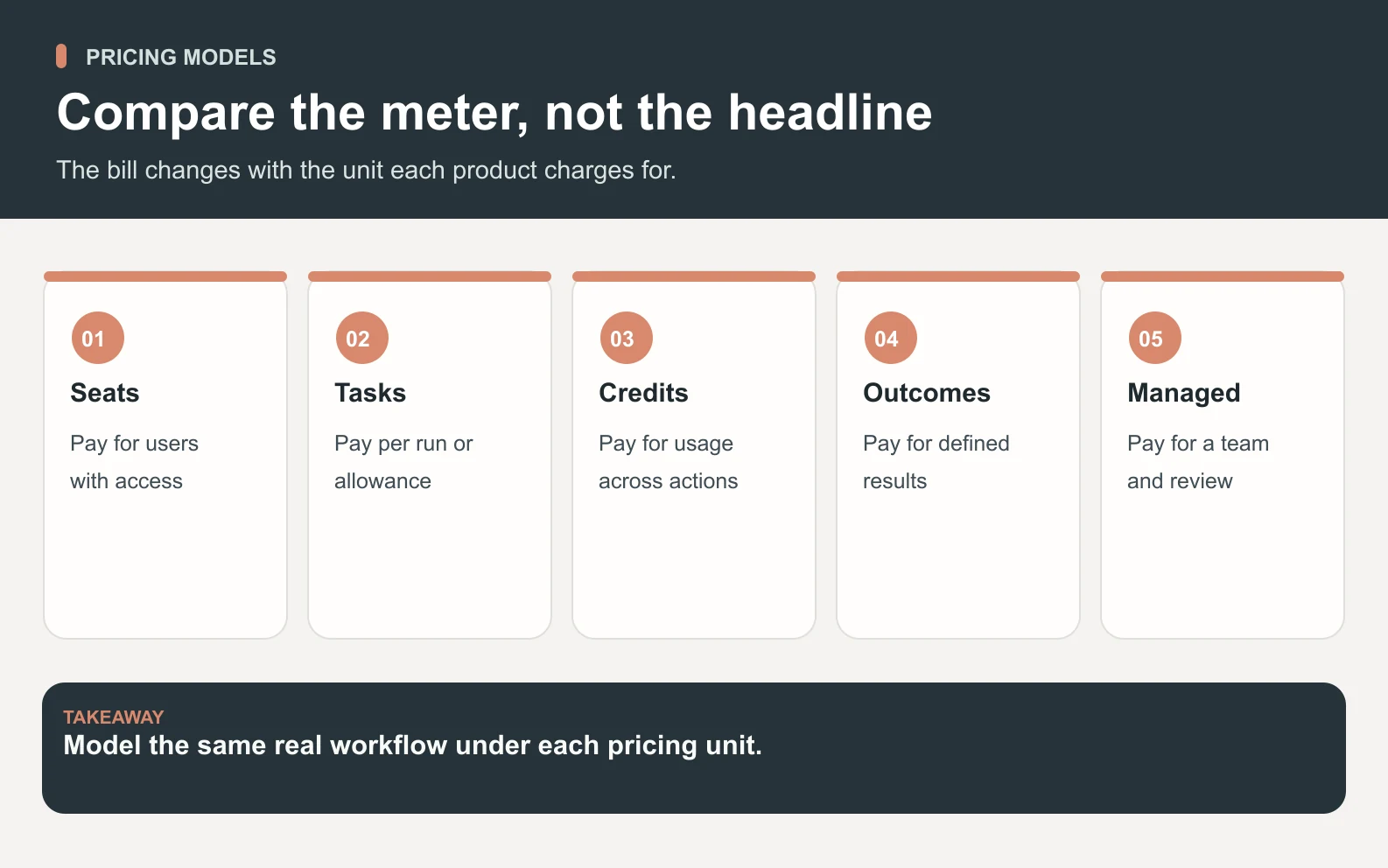
Swipe to explore the diagram
Most AI agent tools fall into 5 pricing models. None is automatically wrong. Each model becomes good or bad based on how predictable the work is, who coordinates it, and whether the vendor charges again when usage spikes.
Scroll horizontally to view all columns.
| Pricing model | What you buy | Common risk |
|---|---|---|
| Seat-based | Access for each user | Cost scales with headcount, not output |
| Task or run allowance | A monthly block of automation usage | Busy months can hit limits or overages |
| Credit-based | Flexible usage across models or actions | Harder to predict before the bill arrives |
| Outcome-based | Payment when a defined result happens | Definitions matter; edge cases need review |
| Managed team | Coordinated specialists and QA | Fit depends on whether you need finished work |
Public examples show why sticker prices mislead
Public pricing pages checked October 6, 2026 show the spread. Zapier's pricing reference describes a plan plus a recurring task allowance, including Free at 100 tasks/month. n8n's pricing page lists workflow limits such as shared projects, concurrent executions, and Assistant credits by plan. Intercom's pricing page lists customer-service seats at $29, $85, and $132 per seat/month, plus Fin AI Agent from $0.99 per outcome. Those are useful models, but they are not interchangeable.
A founder comparing those numbers to Space Office's $60/month flat subscription would be comparing different objects. Zapier and n8n are strong when you know the workflow. Intercom is strong when support outcomes are the unit. Space Office fits when you want a managed AI workforce to produce and review work across functions. Dedicated AWS compute starts at about $30/month, and AI usage is paid separately through your own provider key with zero markup.
Pricing rule
Never compare one seat, one workflow, one outcome, and one managed team as if they were four versions of the same product.
Space Office pricing in plain numbers
Space Office is intentionally simple: $60/month or $600/year, which gives 2 months free. Added specialists are $25/month each. You bring your own AI key and pay Anthropic, OpenAI, or Google directly with zero markup, so Space Office does not resell model usage as a hidden margin line. Dedicated AWS compute starts at about $30/month, and AI usage is paid separately through your own provider key with zero markup.
Scroll horizontally to view all columns.
| Scenario | Platform cost | What changes |
|---|---|---|
| Base team | $60/month | Hydrogen + two chosen specialists |
| Base + 1 additional specialist | $85/month | $60 + 1 × $25 |
| Base + 3 additional specialists | $135/month | $60 + 3 × $25 |
| Annual plan | $600/year | Equivalent to 10 monthly payments |
| AI usage | Provider cost | Your key, zero Space Office markup |
A worked example: 3 specialists for one launch month

Say a solo founder needs a launch month with SEO planning, sales outreach drafts, and customer-success onboarding materials. The setup uses Hydrogen plus 3 additional specialists beyond its existing starter pair: Neon for SEO, Copper for outreach, and Gold for onboarding follow-up. The platform bill is $60 + 3 × $25 = $135 for that month, plus the founder's own AI provider usage at cost.
The important comparison is not '$135 versus a $29 seat.' It is whether one $29 seat can plan SEO, draft outreach, structure onboarding, coordinate dependencies, and review output. If the real job needs 3 specialties and QA, the whole-team number is the honest denominator.
When seat pricing is the better deal
Seat pricing is often the better deal when the work is tied to a human operator inside one system. A support rep using an AI copilot, a salesperson using a prospecting assistant, or a developer using a coding tool can justify a per-seat price because the seat maps to a person with a clear daily workflow.
Do not overpay for a managed team if one expert user only needs acceleration. If your head of support already owns the queue and only needs faster drafts, a helpdesk AI add-on may beat a cross-functional workforce. Good pricing starts with the job, not the vendor category.
When credits and task allowances make sense
Credits and task allowances make sense when the unit of work is measurable and repeatable. Zapier-style task allowances are logical for automations where each successful step consumes usage. n8n-style workflow limits are logical for teams building flows and caring about executions, projects, environments, and operational control.
1. Use them for known workflows
If the workflow is already known — enrich a lead, send a Slack alert, update a CRM field — usage-based automation can be efficient. You can forecast volume because the action repeats.
2. Be careful with exploratory work
Exploratory work is harder to price by credits. Research, strategy, content, design, and review loops may take more turns than expected. If the vendor meter runs every time the work needs another pass, the founder carries the uncertainty.
Where outcome pricing is strongest
Outcome pricing is strongest when the result can be defined cleanly. Intercom lists Fin from $0.99 per outcome, which fits support because a resolved answer is a natural billing unit. That model is attractive when the helpdesk can track the event and when edge cases are routed correctly.
The caution is that not every business outcome is as clean as a support resolution. A launch plan, an SEO strategy, a sales sequence, and a design critique are deliverables with quality judgment. They need review, not only counting.
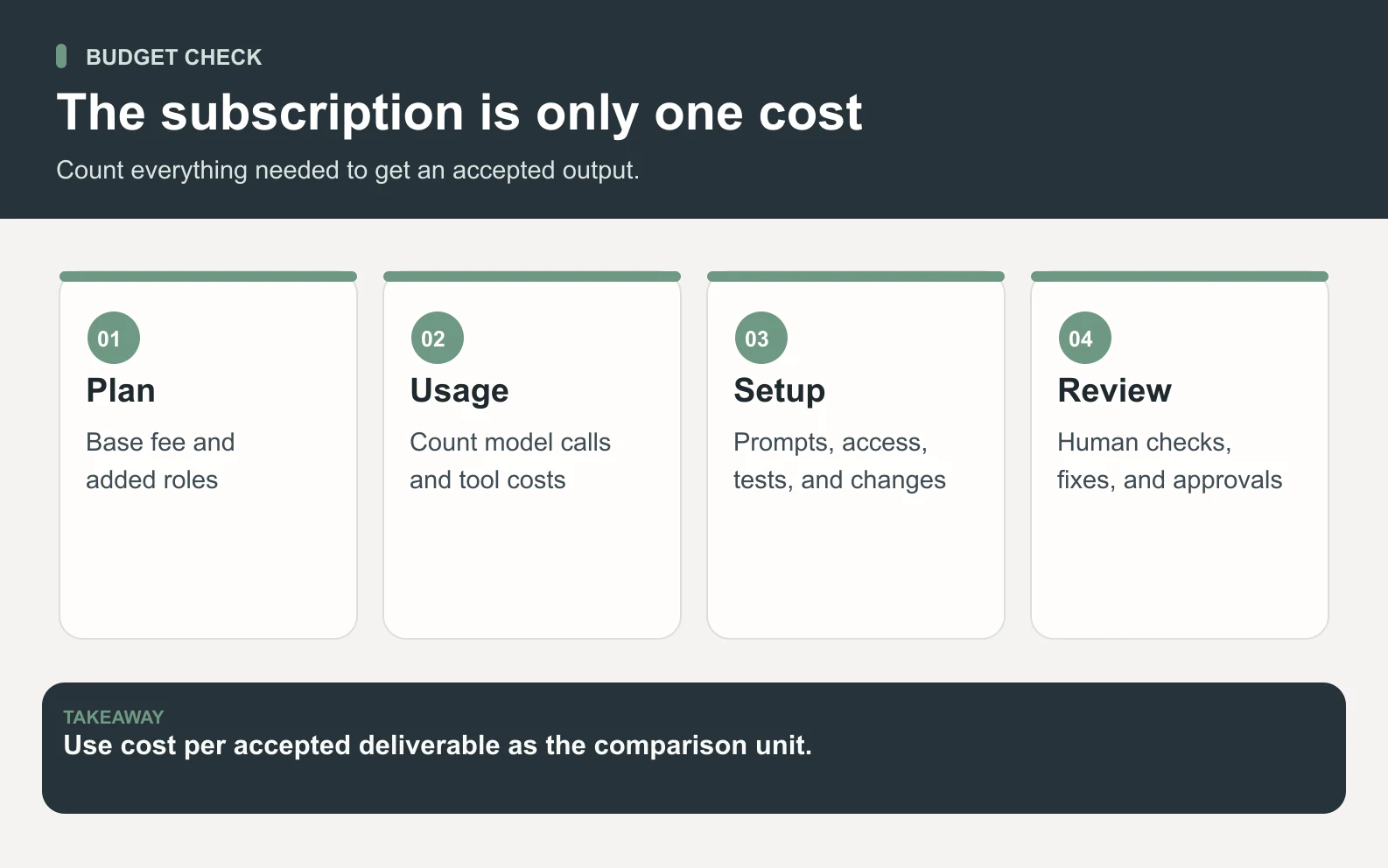
The hidden costs that matter more than the subscription

The hidden costs are setup time, prompt management, QA, failed work, and tool sprawl. A cheap tool becomes expensive if a founder spends 5 hours a week turning raw AI output into usable work. Conversely, a higher platform price can be cheap if it removes coordination and rework.
- Setup: who turns the messy goal into steps the agent can run?
- Coordination: who decides which specialist or workflow owns each piece?
- Review: who catches wrong tone, missing context, and weak output before delivery?
- Usage: does the price rise with every task, token, outcome, or seat?
- Lock-in: can you bring your own AI key, or is model usage resold inside the plan?
How to choose the right pricing model
Swipe to explore the diagram
Choose the pricing model that matches the shape of your work. A narrow, repeatable workflow wants usage pricing. A team member inside one tool may want a seat. A support queue may want outcome pricing. A founder who needs finished cross-functional output may want a managed team.
- 1List the work you want done this month, not the software category you think you need.
- 2Mark each item as repeatable workflow, human-assist seat, support outcome, or cross-functional deliverable.
- 3Estimate the usage driver: seats, tasks, credits, outcomes, specialists, or AI-provider cost.
- 4Add setup and review time as a real cost, because founder hours are not free.
- 5Pick the model with the most predictable total cost for the actual work mix.
Where Space Office is not the cheapest option
Space Office is not always the cheapest option, and saying otherwise would be sloppy. If you only need one workflow between two apps, a workflow tool may be cheaper. If one employee needs an inbox copilot, a seat add-on may be cheaper. If support resolutions are the whole job, an outcome-priced support agent may be cleaner.
Space Office is priced for a different buyer: the lean operator who needs several kinds of work done and does not want to personally coordinate every prompt, specialist, and review pass.
If the price question is really a coordination question, see how Space Office turns one brief into reviewed work across the team.
See Space Office pricingThe winning AI agent price is not the lowest number on a pricing page. It is the cleanest path from your messy backlog to finished, reviewed work at a cost you can explain before the month starts.
Sources and review notes
Updated October 6, 2026 with live checks of Zapier, n8n, and Intercom pricing pages plus current Space Office pricing from docs/PRODUCT-FACTS.md and src/lib/pricing.ts. Third-party prices and limits can change; compare the current vendor pages before buying. Space Office examples are illustrative and exclude compute, ad spend, and AI-provider usage unless named.
- Zapier pricing — checked
- n8n pricing — checked
- Intercom pricing — checked
Frequently asked questions
How much do AI agents cost in 2026?
AI agent costs vary by pricing model. Some tools charge per user seat, some by task allowance, some by credits, some by resolved outcome, and some by managed team. Space Office is $60/month or $600/year, with added specialists at $25/month and bring-your-own AI keys at zero markup. Dedicated AWS compute starts at about $30/month, and AI usage is paid separately through your own provider key with zero markup.
What is the best way to compare AI agent pricing?
Compare the unit of value first. A seat, task, credit, outcome, and managed team are different things. Then add setup time, coordination, QA, usage overages, and AI-provider costs. The best model is the one with the most predictable total monthly cost for the work you actually need.
Is Space Office cheaper than buying several AI tools?
It can be, when the work needs several specialties and coordination. Space Office costs $60/month, or $135/month with 3 added specialists, before compute and AI usage. But if you only need one narrow workflow or one employee seat inside a specific tool, a dedicated tool may be cheaper and more direct. Dedicated AWS compute starts at about $30/month, and AI usage is paid separately through your own provider key with zero markup.
Does Space Office mark up AI model usage?
No. Space Office uses a bring-your-own-key model. You connect your own Anthropic, OpenAI, or Google key and pay that provider directly, with zero Space Office markup. The platform subscription pays for the managed team layer, Hydrogen coordination, and specialist access rather than resold token usage.
Are credit-based AI agent plans bad?
No. Credit-based plans can be efficient when usage is predictable and the work is repeatable. They become harder for founders when exploratory work needs many revisions, because the final bill depends on how much back-and-forth the task took. Credits are a meter; they are not automatically a problem.
What is the difference between Space Office and workflow tools like Zapier or n8n?
Workflow tools like Zapier and n8n are strong when you know the automation you want to build and can define the steps. Space Office is a managed AI workforce for cross-functional deliverables, coordinated by Hydrogen and reviewed before delivery. One automates flows; the other helps produce finished work.
When should a startup choose a managed AI team?
Choose a managed AI team when the work spans several functions — SEO, content, outreach, onboarding, design, research — and the founder does not want to coordinate every task manually. If the job is one narrow app workflow or one employee needing a copilot, a specialist tool may fit better.