Comparison
Make.com Alternative: Keep Make, Switch Tools, or Hire AI?
By the Space Office team · Published · Updated · 8 min read
A Make.com alternative can mean a different workflow tool, an implementation partner, or a different way to get business work done. Choose the category first. Keep Make or another automation builder for deterministic app workflows. Consider Space Office when the real need is reviewed specialist work that starts from a brief, not another canvas to maintain.

Do you need an alternative or a Make agency?
Looking for a Make.com agency or bureau?
If you want someone to build or maintain Make scenarios, start with Make’s official partner directory. Space Office is not presented here as a certified Make implementation agency. A request for ongoing business deliverables is a different brief from a request to configure Make.
Scroll horizontally to view all columns.
| Your requirement | Category to investigate | What to request |
|---|---|---|
| Keep Make, get help building scenarios | Make implementation partner | Scope, integration experience, maintenance terms, and a handover plan |
| Replace the workflow editor or deployment model | Another workflow platform, such as n8n or Zapier | A working test of the same triggers, actions, failure paths, and permissions |
| Coordinate copy, SEO, or other specialist deliverables | Managed specialist workflow, such as Space Office | Available roles, acceptance criteria, review process, and total budget |
What a platform replacement has to preserve
Make describes its product as visual AI automation connecting apps, data, and models. Its pricing uses credits. Replacing an established scenario means accounting for more than the visible happy path: schedules, field mappings, duplicate protection, retries, credentials, and notifications all need owners.

- 1Inventory each trigger and downstream write, including what should happen if the same event arrives twice.
- 2List the fields and transformations that determine the business outcome. Keep representative inputs and expected outputs.
- 3Test missing values, access failures, rate limits, and partial completion before enabling the new workflow.
- 4Run a controlled comparison and document a rollback. Do not let both systems independently send the same email or update the same record.
Where Space Office fits
Space Office fits a brief that needs selected specialist roles and coordinated review: for example, an SEO brief and landing-page copy produced together. Hydrogen assigns and reviews the work. You still provide the business facts and approve the final result. Confirm required integrations through the contact page; this guide does not promise a Make scenario importer or connector-for-connector parity.
A deterministic app-to-app synchronization may be better served by retaining a workflow platform. A campaign can also use both models: specialist work produces an approved asset, and a separately maintained automation distributes it. The handoff must specify the approved version and the person allowed to release it.
Compare cost per accepted outcome
Space Office costs $60/month or $600/year for Hydrogen and two chosen specialists. Each additional specialist costs $25/month or $250/year. Dedicated AWS compute starts at an estimated $30/month; your AI provider bills model usage separately through your own key, with no Space Office markup. The full live roster has 24 specialists plus Hydrogen; the base subscription does not include every specialist.
For Make or another builder, measure the credits or tasks consumed by one complete business process, including retries. Add the cost of implementation and maintenance if you will hire a partner. For Space Office, add compute and model usage to the chosen specialist subscription. For both, include the time spent reviewing and correcting output.
Scroll horizontally to view all columns.
| Record for the pilot | Why it matters |
|---|---|
| Subscription and billing term | Monthly equivalents can hide an annual commitment |
| Usage units and failed runs | The advertised allowance may not equal completed tasks |
| Setup and maintenance hours | A working process needs an owner after launch |
| Review time and accepted results | Cheap output is not useful if it cannot be approved |
The category mistake that wastes the most time
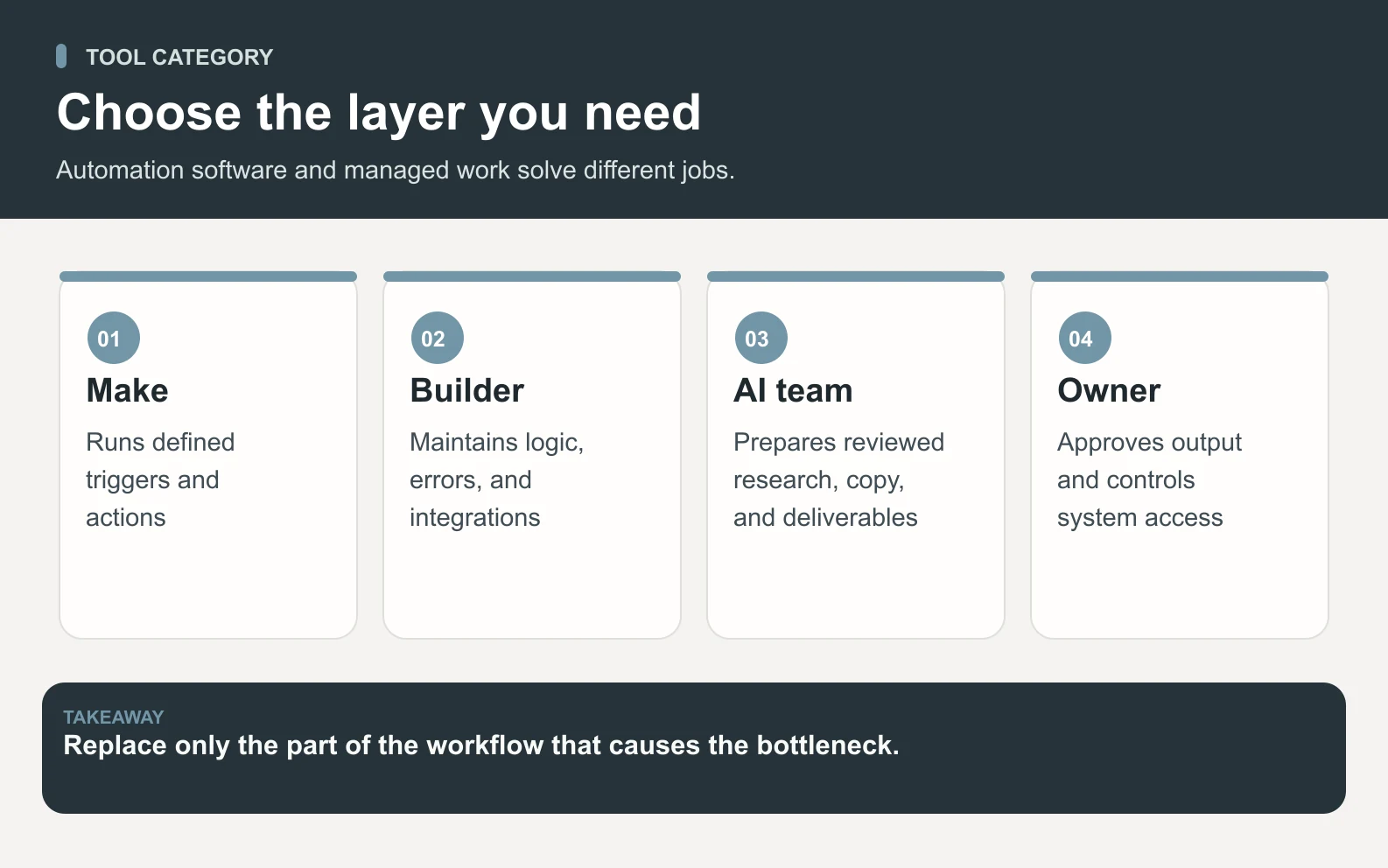
The common mistake is comparing Make, Zapier, n8n, an implementation agency, and Space Office as if they were the same purchase. They are not. Make and similar builders are automation platforms: they move data between applications when a trigger and a rule are clear. A Make agency or partner is a services layer around that platform. Space Office is a managed AI workforce: Hydrogen coordinates selected specialists to produce reviewed business deliverables from a brief.
Swipe to explore the diagram
That distinction changes the buying question. If your process is already known and you need reliability, permissions, error handling, and a handover plan, evaluate automation tooling and Make partners. If the task starts with judgment — write the SEO brief, draft the landing page, compare the competitors, prepare the outreach copy — adding another automation canvas may only give you a faster way to route unfinished work.
When Make is the better choice
Make is the better choice when the process can be described as a deterministic scenario: when X happens in one system, transform the fields, check conditions, and write Y somewhere else. It is also the better choice when you already have someone who understands the workflow well enough to own scenario design, monitoring, permissions, and rollback.
- Syncing form submissions into a CRM and notifying the right channel.
- Moving paid orders into onboarding tasks with known fields and owners.
- Routing approved assets into a publishing queue after a human signs off.
- Running a repeatable enrichment or reporting workflow with clear failure states.
Use automation when the rule is known. Use a managed AI workforce when the work still has to be interpreted, created, and reviewed.
When Space Office is the better alternative
Space Office is the better alternative when the bottleneck is not the handoff between apps, but the specialist work before the handoff. Hydrogen can coordinate selected specialists such as Neon for SEO, Nitrogen for content and copy, Aluminum for design, Sodium for market research, Iron for lead generation, Copper for outreach, and Gold for customer success. The output is still reviewed and approved by a human, but the work arrives as a deliverable rather than a scenario diagram.
A founder might use Space Office to prepare a campaign brief, create the landing page copy, draft outreach, and check SEO. Then Make can distribute the approved asset, update the CRM, or trigger follow-up tasks. In that setup the two categories complement each other: Space Office creates and reviews the work; Make moves the approved work through known systems.
A worked example: content request to shipped workflow
Imagine a weekly lead-magnet workflow. A founder needs one researched article, three social posts, an email announcement, and CRM follow-up. With Space Office, the base $60 subscription includes Hydrogen plus two specialists; adding Cobalt for social and Copper for outreach costs $25 each. Subscription is $60 + $25 + $25 = $110/month before compute and provider usage. Add an illustrative $30 compute estimate and $25 model usage estimate, and the operating budget is about $165/month before the founder's review time.

Make would still be useful after approval: trigger from the final asset, create the campaign task, notify Slack, add CRM notes, and schedule follow-up. The clean division is what protects quality. Space Office handles ambiguous creation; Make handles deterministic movement. If you ask Make to replace editorial judgment, you will build a fragile scenario. If you ask Space Office to replace a mature data sync, you may overcomplicate a rule-based workflow.
Scroll horizontally to view all columns.
| Layer | Best fit | Planning figure |
|---|---|---|
| Brief interpretation and specialist work | Space Office | $110 subscription for four selected specialists |
| Compute estimate | Space Office environment | About $30/month, workload dependent |
| Model usage | Customer's AI provider key | Illustrative $25/month, billed by provider |
| Approved-asset routing | Make or similar automation tool | Platform credits/tasks plus maintenance |
| Final approval | Human owner | Required before publishing or sending |
What to measure in the pilot
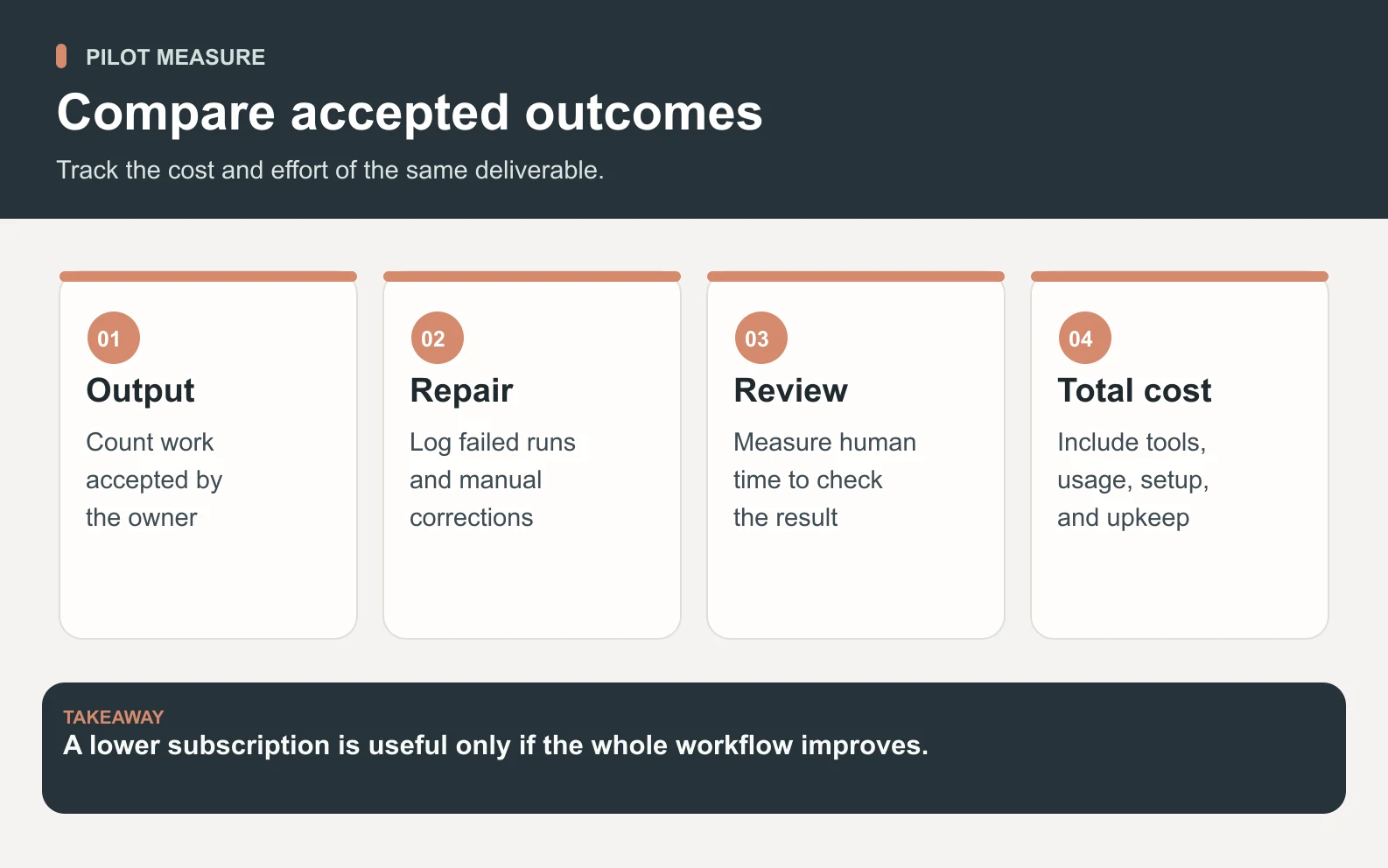
A useful pilot should measure accepted outcomes, not screenshots of a working scenario. For an automation platform, count completed runs, failed runs, manual repairs, duplicated records, and the time it takes a human to understand the logs. For Space Office, count accepted deliverables, revision rounds, review time, and whether the output matched the brief closely enough to use. Those are different metrics because the products sit in different parts of the work system.
Swipe to explore the diagram
The fairest test is one real workflow with one owner. Give Make or another builder the deterministic handoff, give Space Office the ambiguous specialist work, and compare where errors appear. If the errors are field mappings, permissions, or retries, solve the automation layer. If the errors are weak copy, shallow research, unclear positioning, or missing review, solve the specialist-work layer. That prevents the common failure mode: blaming the tool when the category was wrong.
For lean teams, that sequencing matters more than the logo on the invoice. Automating an unclear process usually freezes the confusion in place. Producing specialist work without a distribution path creates reviewed assets that still sit in a folder. The durable setup is creation first when the work is ambiguous, automation first when the process is already proven, and a clear handoff between the two.
Decision checklist before you switch
- 1Write the outcome in one sentence: app sync, implementation help, or reviewed specialist output.
- 2List every system touched, every credential needed, and every failure state that could duplicate work.
- 3Separate creation from distribution: who makes the asset, who approves it, and what tool moves it after approval.
- 4Run one pilot with representative inputs and compare accepted outcomes, not just subscription prices.
- 5Keep rollback simple: one owner, one source of truth, and no double-sending during the test.
Also decide who owns maintenance after the pilot. A Make scenario needs someone to notice broken credentials, changed app fields, rate limits, and duplicate runs. A Space Office workflow needs someone to maintain briefs, examples, approval rules, and the definition of acceptable output. Neither category is maintenance-free; they simply ask for different kinds of ownership.
If you already have clean process documentation and only need faster movement between tools, start with the automation layer. If the process documentation is missing because the work itself is still being invented each week, start with the managed specialist layer and automate only after the approved path is stable.
See how Hydrogen turns a business brief into reviewed specialist work before any automation distributes it.
How it worksSources and review notes
This comparison is published by Space Office, one of the products discussed. The September 22, 2026 refresh used current Space Office pricing and kept Make claims limited to stable public positioning from official Make URLs; re-requesting the Make pages during this run returned a bot challenge, so no new Make price claim was added. We did not run a comparative benchmark. Suitability recommendations are editorial judgment; prices, allowances, and features can change.
- Make: visual AI automation — checked
- Make pricing and credits — checked
- Make official partner directory — checked
- Space Office pricing — checked
- Space Office how it works — checked
Frequently asked questions
What is the best Make.com alternative?
The best Make.com alternative depends on the job. Choose another automation platform when you need a different workflow canvas, a Make partner when you need scenario implementation, and Space Office when the request is reviewed specialist work such as SEO, copy, research, outreach, or customer success deliverables.
Is Space Office a Make.com agency?
No. This comparison does not claim certified Make partner or agency status. Use Make’s official partner directory for implementation services. Use Space Office when you want Hydrogen to coordinate selected specialists and return reviewed business deliverables rather than configure Make scenarios.
Does Make support AI workflows?
Yes. Make’s official product site describes visual AI automation, so it should not be characterized as a non-AI workflow tool. The better distinction is ownership: Make gives you a canvas to build and monitor automations, while Space Office coordinates specialist work from a brief.
Can I migrate a Make scenario directly into Space Office?
No direct Make scenario import capability is established here. Treat a move as a new workflow evaluation. Space Office can help with reviewed work around a process, but deterministic app-to-app syncs still need a workflow platform or native integration with clear failure handling.
How much does Space Office cost compared with Make?
Space Office starts at $60/month for Hydrogen plus two specialists, with additional specialists at $25/month each. Compute and AI-provider usage are separate. Make uses its own platform pricing and credits. Compare accepted outcomes, setup time, maintenance, and review time rather than only subscription stickers.
Can Make and Space Office be used together?
Yes. A practical pattern is Space Office for ambiguous specialist work and Make for deterministic distribution after approval. For example, Space Office can produce the reviewed campaign assets, then Make can route approved assets into CRM, project management, and notification workflows.