Guide
SQL: What It Is, Core Commands, and a Worked Query
Understand SQL by asking one precise question of a small table, checking the returned rows, and turning the result into a report someone can trust.
By the Space Office team · Published · Updated · 16 min read
SQL is a language for defining, querying, and changing data in relational databases. A query can select records, combine related tables, and summarize values under explicit rules. In Space Office, Helium can prepare database work and Carbon can test the result. Hydrogen coordinates and reviews the work; a human approves the data, access, interpretation, and any deployment.

Key takeaways
- Write the business question and the meaning of one row before writing a query.
- Use SELECT, FROM, WHERE, and ORDER BY to retrieve a small result you can check by hand.
- Check missing values and join relationships before trusting a count or total.
- A successful query proves that the database accepted the statement, not that the business answer is correct.
- Start with a disposable sample and approved read access; keep production changes under a separate review.
For a small program around an approved text extract, the Python guide shows an inventory function with explicit input rules, expected counts, and failure cases. The script example complements a database query when a workflow needs reusable processing outside the database.
Download the SQL query and review worksheet and runnable sample SQL as a text file. The bicycle repair shop, records, statuses, and time estimates below are fictional teaching material. The example was checked in a local SQLite database; it is not a customer result or a query against Space Office production data.
What SQL means and where it fits
AWS’s SQL introduction explains its role in working with relational data. SQL stands for Structured Query Language. You describe the records or transformation you want, while the database system decides how to carry out the request. Learning the language helps you inspect an application’s data, build a report, and discuss data requirements with a developer without treating every export as an unexplained spreadsheet.
A database is the system that stores and manages the information. A table organizes a particular kind of record into named columns and rows. A query is a request written in the language the system understands. These are related ideas, but they are different objects: installing a database does not define your business rules, and receiving a query result does not explain what the records mean.
Scroll horizontally to view all columns.
| Term | Practical meaning | Repair-shop example |
|---|---|---|
| Database | The managed collection of data and its rules. | The application’s repair records and related tables. |
| Table | A defined set of rows with named columns. | repair_jobs contains individual repair jobs. |
| Row | One record at the table’s chosen level of detail. | Job 101 is one repair job, not one bicycle owner. |
| Column | A named attribute with a defined meaning and type. | estimated_minutes records an estimate when one is available. |
| Key | A value used to identify a record or connect related records. | job_id distinguishes jobs that may otherwise look similar. |
PostgreSQL, SQLite, and other database systems implement SQL with their own features and differences. Basic ideas transfer, but date functions, parameter placeholders, identifier quoting, and administration commands can vary. Follow the documentation for the database you actually run. This guide uses a small shared subset for learning, with SQLite as the verified execution environment; it does not claim that every later example from another engine will run unchanged.
SQL also differs from an API. An API defines an interface between software components. That interface might read a database using SQL internally, but the caller usually receives a documented response rather than unrestricted database access. In a customer relationship management system, for example, the screens, permission checks, and underlying records all matter when deciding which report someone should receive.
Turn a question into a data definition
Start with a narrow question: which repair jobs are currently queued, and how many estimated minutes are recorded for each? That wording names a population, a status, and a measure. It does not ask for all customer information or imply that estimated minutes are actual work time. Keeping the question small makes it possible to check every included and excluded row before a larger report hides an error.

For this example, each job has a unique job_id, a service, a status, and an estimated_minutes value. The status vocabulary is queued, ready, or cancelled. A missing estimate is represented by NULL. The table contains no names, email addresses, phone numbers, or payment details because none are needed to answer the question. Actual business systems may require further scope, including location, owner, date, or workspace boundaries.
Scroll horizontally to view all columns.
| job_id | service | status | estimated_minutes |
|---|---|---|---|
| 101 | tune_up | queued | 45 |
| 102 | puncture | ready | 20 |
| 103 | tune_up | queued | 60 |
| 104 | brake_adjust | queued | 30 |
| 105 | puncture | cancelled | 15 |
| 106 | tune_up | queued | NULL |
Before querying a real system, ask who owns each definition. Does queued mean an approved job waiting for work, or any unassigned enquiry? Can one job change service after intake? Are cancelled jobs retained? Does a missing estimate mean not yet assessed or not applicable? Write the answers beside the schema. These decisions determine the report more directly than the choice of a clever query expression.
Use the download in a fresh, disposable local database or an approved learning environment. It creates a temporary example table and inserts only these fictional rows. Reopen a fresh session if you want to start again. Do not paste setup statements into an existing production connection, and do not replace a real table with the example. The SELECT statements below can be studied separately from the local sample setup.
Write your first SQL query and check every row
SELECT job_id, service, estimated_minutes
FROM repair_jobs
WHERE status = 'queued'
ORDER BY job_id;Read the statement one clause at a time. SELECT names the columns returned to the reader. FROM names the source table. WHERE keeps rows matching the stated condition. ORDER BY makes the display order explicit. The PostgreSQL query tutorial documents these building blocks. Here, the spelling of queued is part of the example’s data contract; changing it without checking the stored values can produce an empty answer.
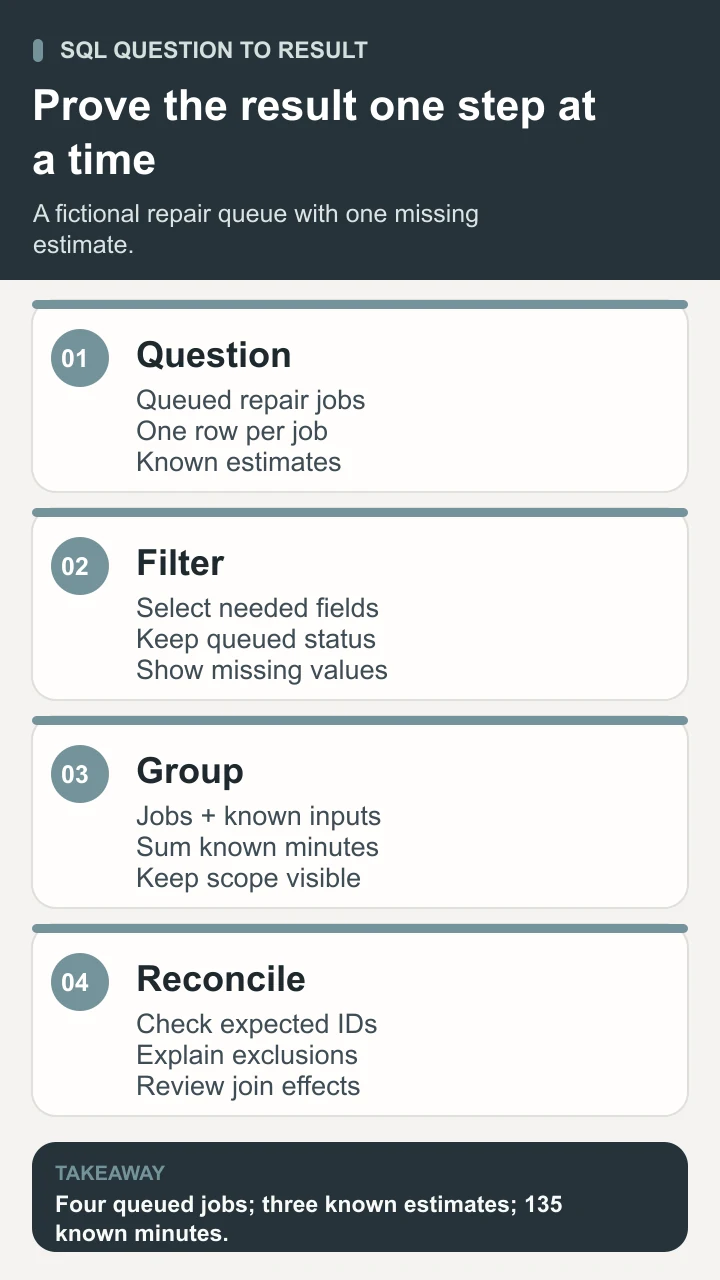
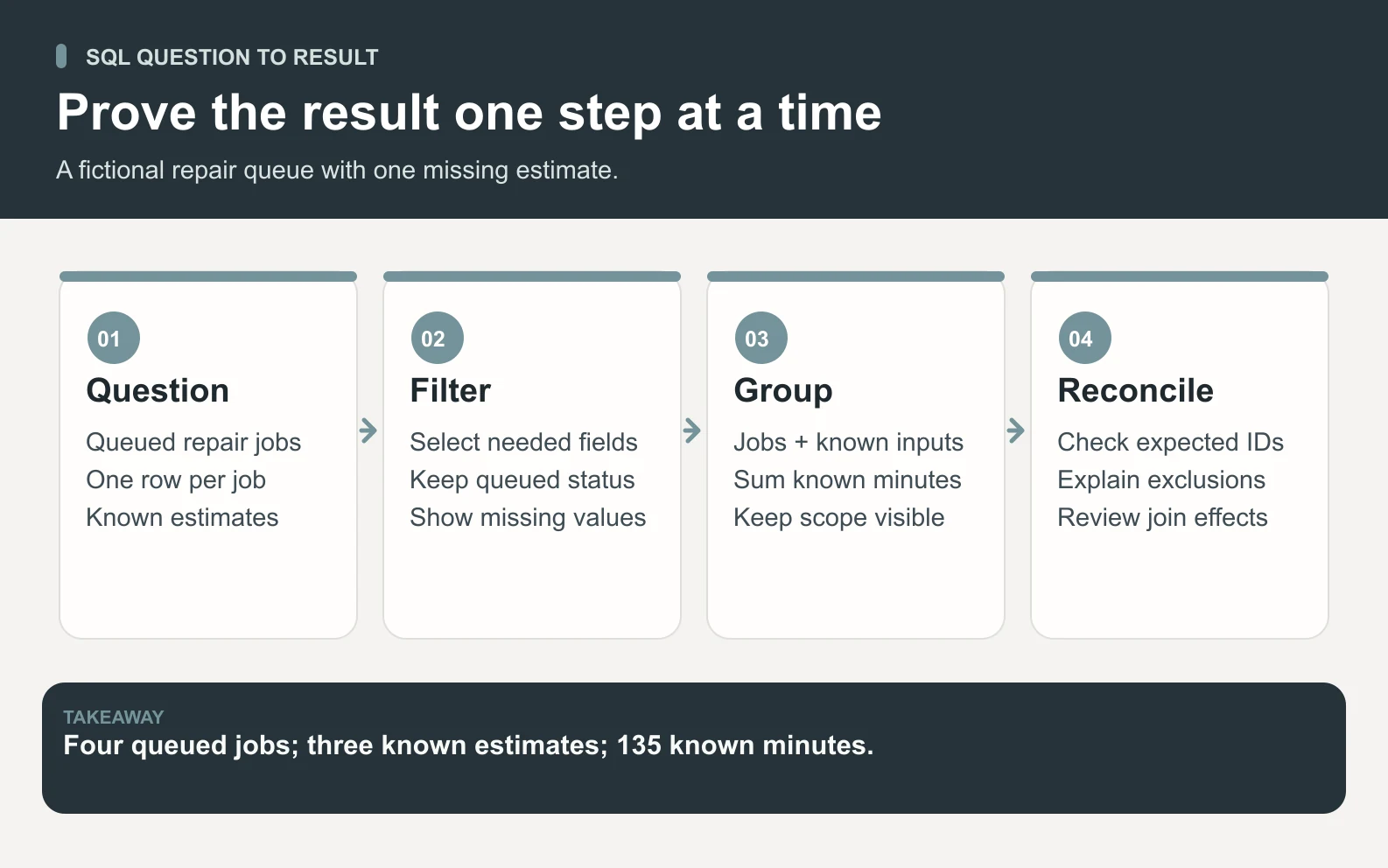
The expected job IDs are 101, 103, 104, and 106, in that order. Job 102 is ready, and job 105 is cancelled, so neither belongs in the queue. The fourth returned row has an unknown estimate, and it must stay visible. Four rows means four queued jobs in this sample. It does not establish the number of customers, bicycles, mechanics needed, or jobs that can be completed today.
Selecting named columns makes the result’s purpose clear and avoids collecting fields the report does not need. SELECT * is useful when exploring a harmless sample, but it can make a business report fragile: a future column may unexpectedly appear, including a field the recipient should not receive. A small explicit output is easier to review and compare across revisions.
- 1Write the expected IDs before running the query: 101, 103, 104, and 106.
- 2Run the statement against the fictional sample and compare the returned IDs and values.
- 3Check the two excluded records and state why they are outside the question.
- 4Keep job 106 visible and label its estimate as missing rather than inventing a number.
- 5Change one controlled sample row, rerun, and confirm that only the expected part of the result changes.
A query returning no rows is an observation to investigate. Perhaps there are no matching jobs, the status is different, your access covers a different location, or you selected the wrong environment. A query error is a different event: the system could not carry out the statement. Keep the error message and the tested statement when asking for help, while removing credentials and real customer records from anything shared externally.
If you need a recent time window, define its boundaries before adding a date condition. Decide which timestamp represents the event, which timezone applies, and whether each boundary is included. A report based on intake time answers a different question from one based on completion time. The sample deliberately leaves dates out so those business decisions do not disappear inside a misleading “last month” label.
Group rows, understand NULL, and watch joins
SELECT service,
       COUNT(*) AS jobs,
       COUNT(estimated_minutes) AS estimates_known,
       SUM(estimated_minutes) AS minutes_known
FROM repair_jobs
WHERE status = 'queued'
GROUP BY service
ORDER BY jobs DESC, service;The PostgreSQL aggregate tutorial shows how GROUP BY produces one result per group. In this example, service is the grouping dimension. COUNT(*) counts queued rows in each service. COUNT(estimated_minutes) counts rows with a non-NULL estimate. SUM adds the known estimates. Showing both counts exposes incomplete coverage instead of making a partial total look like a complete workload.
Scroll horizontally to view all columns.
| service | jobs | estimates_known | minutes_known |
|---|---|---|---|
tune_up | 3 | 2 | 105 |
brake_adjust | 1 | 1 | 30 |
NULL is not a synonym for zero. SQLite’s aggregate documentation distinguishes COUNT(*) from counting a particular expression and describes how SUM treats missing inputs. If job 106 is replaced with zero minutes merely to fill a blank, the report will communicate a false estimate. Ask the owner to supply the missing input or report the known total and missing count together.
When no rows match, a grouped query returns no service groups. An ungrouped aggregate can still return a result with a zero count and a NULL sum. That difference matters when building a dashboard: an absent group, a count of zero, and an unknown measure should not all become the same reassuring green tile. Label the data state in the report before choosing its visual treatment.
Joins combine related tables. The PostgreSQL joins guide describes matching records through a condition. Imagine job 101 has two part rows in a separate job_parts table. Joining the job to those parts returns two matched rows for that job. Counting those joined rows as two repair jobs would overstate the queue even though the join itself worked as written.
Before joining, write the relationship: one job may have zero, one, or several parts. Decide whether jobs without parts should remain in the result. Check both row counts and distinct job IDs after the join. Counting distinct IDs can answer a job-count question, but it does not automatically fix a duplicated time sum. For a workload report, aggregate the detail to the intended level first or query the job table directly.
Review correctness, access, and operational limits
Use two separate review questions: may this person retrieve these records, and does this calculation answer the agreed question? PostgreSQL privileges distinguish access to operations on database objects. A database owner should configure the actual permitted role and scope. A read-only report does not justify giving a new collaborator unrestricted credentials, and a successful login does not establish permission to export every accessible field.

For application inputs, keep data values separate from SQL syntax using the driver’s supported parameterized-query mechanism. OWASP’s SQL injection prevention guidance recommends this approach rather than building statements by concatenating untrusted input. Parameterization does not replace authorization, and values cannot generally stand in for arbitrary table names or query structure. Use a deliberately limited design for those choices.
A query can also create operational load. Returning a few displayed rows does not necessarily mean the database read only a few records. Large joins, sorting, and aggregation can be expensive. Ask the system owner how to inspect the execution plan and set appropriate limits in the actual environment. Run exploratory work on an approved sample or replica when available, with an agreed timeout and a person responsible for stopping it.
- One source row maps to the expected output row or group.
- An excluded status stays excluded after the query changes.
- A missing estimate stays identifiable and does not become fabricated certainty.
- A one-to-many join does not silently inflate counts or sums.
- The same approved inputs reproduce the expected result.
- The recipient has the appropriate access and understands the output’s date, scope, and missing-data notes.
Treat changes to records as a separate task. INSERT, UPDATE, and DELETE can alter data; schema and permission statements can change how the system behaves. A beginner report should not acquire write permissions merely because the same language supports them. A real change needs an owner, a tested statement, a recovery plan appropriate to the system, and explicit approval for the intended effect.
Use Space Office to prepare a reviewable database task
A useful Space Office brief includes the database engine and version, an approved schema or data dictionary, a small fictional or sanitized sample, the exact question, and expected results. If a real connection is necessary, the customer controls which environment and permissions are supplied. Do not send private production records merely to make the prompt longer. The smallest representative sample usually makes the intended rule easier to inspect.
Scroll horizontally to view all columns.
| Participant | Contribution | What the human owner supplies or decides |
|---|---|---|
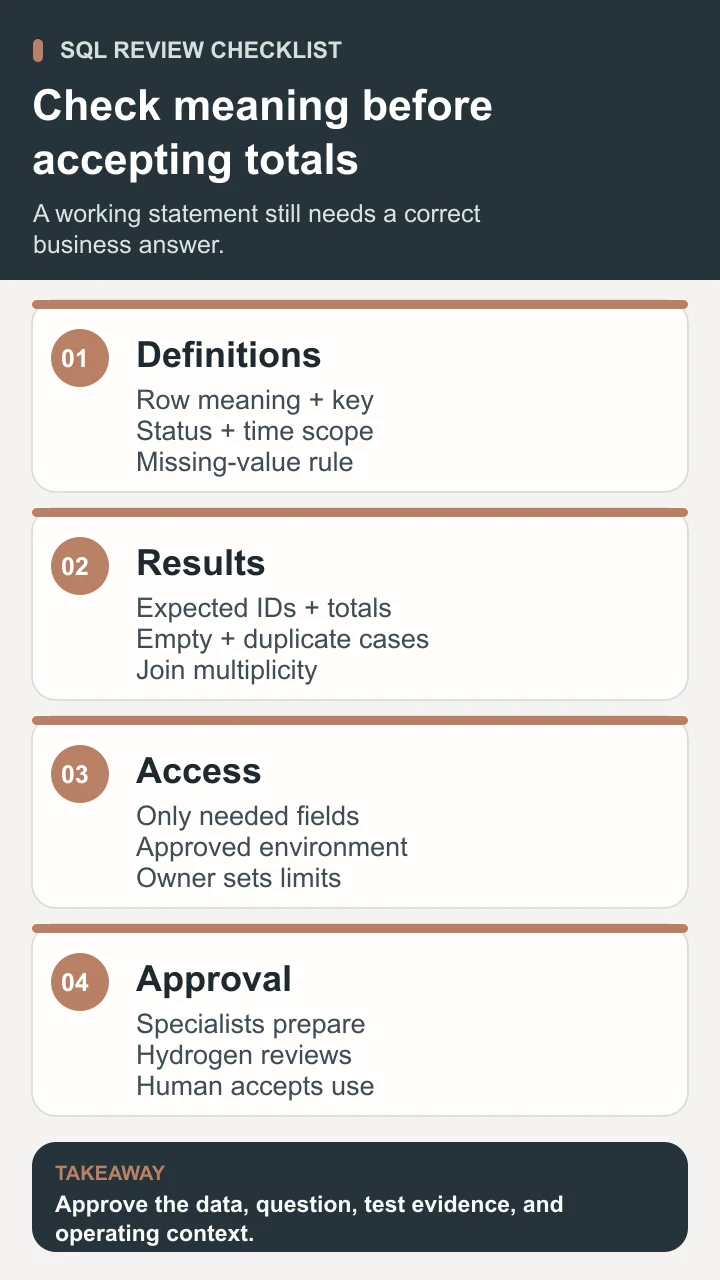
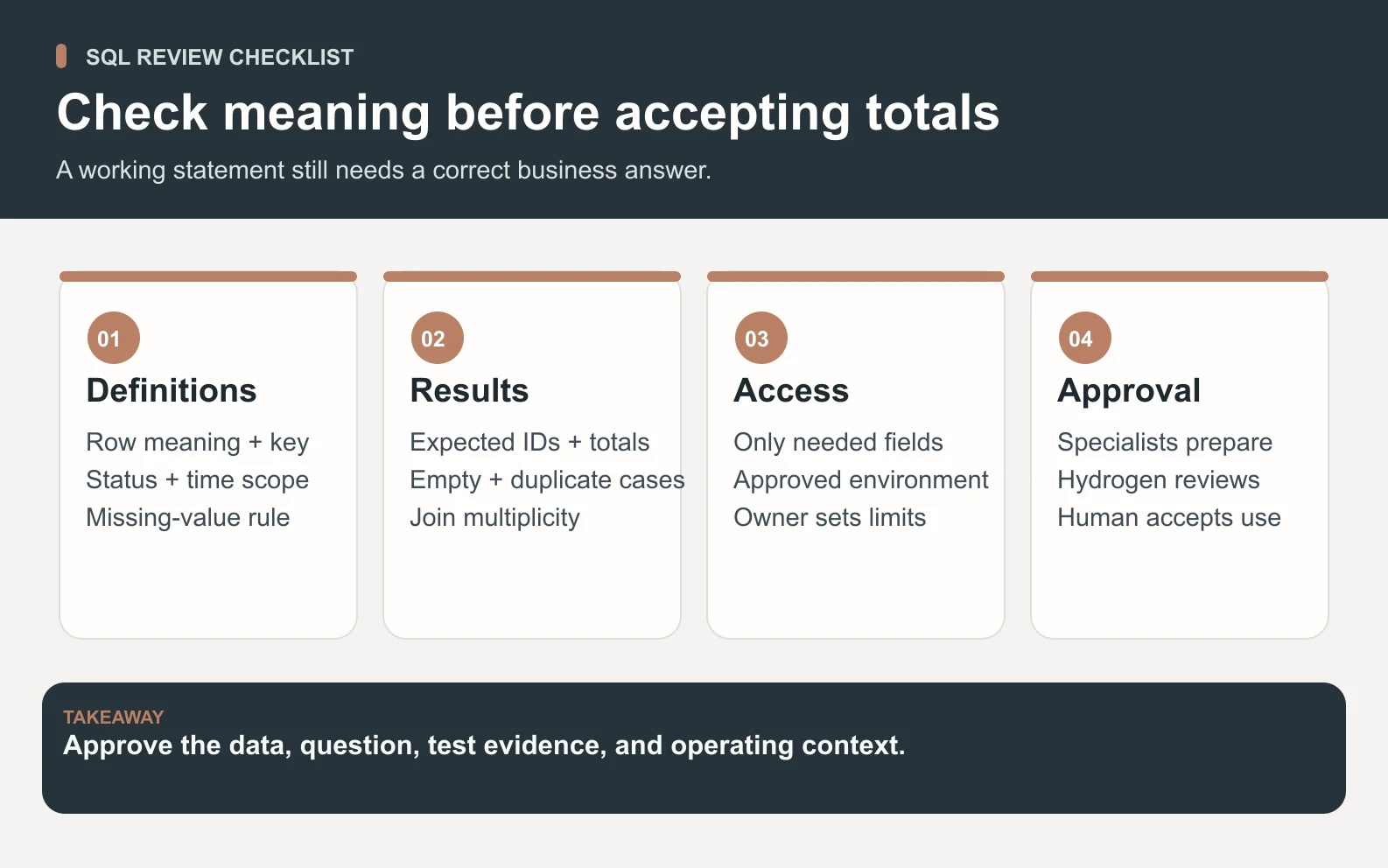
| Helium, Backend & Supabase Specialist | Prepares the schema or database query work within the approved task. | Confirms engine, row definitions, permitted fields, and access scope. |
| Carbon, Senior QA Engineer & Test Strategist | Checks sample outputs, edge cases, and reproducible failures. | Accepts the test cases and verifies that the business rule is correct. |
| Hydrogen, Project Manager · Lead | Coordinates the specialists and reviews the delivery packet. | Resolves open questions and approves the final interpretation. |
| Human owner | Authorizes access and any operational use or deployment. | Decides whether the result is fit for the actual decision. |
For the repair queue, ask for the query text, a field-definition note, the four expected job IDs, the grouped output, and an explanation of job 106’s missing estimate. Carbon should also report what happened with an empty queue and a deliberately duplicated detail record. Hydrogen can assemble the evidence into one review packet so the owner can examine both the statement and its meaning.
Keep unresolved assumptions visible. If the team cannot establish what queued means, the deliverable should ask for that definition instead of presenting a polished but unreliable total. If the sample tests pass, that supports the sample logic only. The owner must still check the production schema, permission model, data freshness, and operating constraints before adopting the query in a recurring workflow.
Browse the live specialist roster for role details and how Space Office works for the coordination model. If the job also needs an application interface, the AI development team guide explains a broader build and review scope. Preparing a query, deploying a feature, and maintaining a production system require different acceptance criteria.
Learn SQL by proving one small answer
Begin with one table and a question whose answer you can write down. Select the needed columns, filter a defined population, add an explicit order, and compare the result by hand. Then introduce grouping or a second table only when the question needs it. Keep the original small sample so you can explain how a revision changed the answer rather than relying on memory.
SQL becomes useful when the language, the data definitions, and the business decision agree. A report is ready when someone can reproduce its result, account for missing or duplicated records, and explain its limits. Use the worksheet to record those checks, and add complexity only when a new question requires it.
Sources and review notes
Reviewed against the linked primary sources on the checked dates. Search features and citations are selected by their respective platforms; no placement is guaranteed.
- AWS: What Is SQL? — checked
- PostgreSQL: Querying a Table — checked
- PostgreSQL: Aggregate Functions — checked
- PostgreSQL: Joins Between Tables — checked
- PostgreSQL: Privileges — checked
- SQLite: Built-in Aggregate Functions — checked
- OWASP: SQL Injection Prevention — checked
Frequently asked questions
What is SQL?
SQL is Structured Query Language, a language used to define, retrieve, and change data in relational database systems. A SELECT query retrieves information under stated rules. The database engine, its permissions, and the meaning of the stored records determine what a particular query can return. SQL is a language rather than the name of a single database product.
Is SQL a programming language?
Yes. SQL is commonly described as a domain-specific language for working with data. Much of its querying is declarative: you state the result you want rather than writing every low-level retrieval step. Database systems also provide different procedural extensions. For a beginner report, learning the core query clauses and validating the result is a more useful first task than choosing a label.
Should I learn SQL or use a spreadsheet?
Use the tool that fits the source and the decision. A spreadsheet can be helpful for small manual comparisons and review. SQL is useful when the authoritative data lives in relational tables and you need repeatable filtering, relationships, or aggregation. You can query an approved subset and review its output in a spreadsheet; neither tool automatically resolves ambiguous definitions or missing records.
Why does a join change my row count?
A join returns matching combinations under its condition. If one job matches two detail records, that job can appear in two joined rows. Check the intended level of detail and whether unmatched records should remain. Count distinct keys when the question needs distinct entities, and review measures separately because removing duplicate IDs from a count does not automatically repair an inflated sum.
Can AI safely write SQL for my business?
AI can help draft a query when it has the correct schema, question, permitted scope, and representative examples. A human should verify expected rows and aggregates and approve access or changes. Test missing values, empty results, and one-to-many relationships. A query that runs successfully can still disclose inappropriate fields or calculate the wrong business measure, so execution alone is insufficient evidence.