Guide
Python: What It Is, Basics, and a Working Script
Understand Python by turning a small, clearly defined inventory extract into a summary you can check by hand before using it in a real workflow.
By the Space Office team · Published · Updated · 16 min read
Python is a general-purpose programming language used to express calculations, process data, and build software. A small script can turn a repeated task into explicit, reusable steps. In Space Office, Lithium can implement the software logic and Carbon can test it. Hydrogen coordinates and reviews the work; a human approves the input definitions, required access, expected results, and final use.

Key takeaways
- Start with one question and a small sample whose answer you can calculate yourself.
- Learn values, names, collections, conditions, loops, and functions through a concrete task.
- Validate inputs before reporting a total; a script that runs can still answer the wrong question.
- Test normal, empty, boundary, duplicate, and invalid cases against written expectations.
- Keep a local learning script separate from production access, scheduled execution, and external actions.
For a typed, compiled version of a small business rule, the Java guide walks through a postcard-packing method and its boundary tests. Compare how the two languages express inputs, reject invalid values, and separate a result from its display.
Download the runnable Python example as a text file and the script review worksheet. The garden-tool library, item records, and quantity limits below are fictional teaching material. The complete example uses only Python’s standard library and was checked locally; it does not connect to a customer system.
What Python is and when a script helps
The Python Software Foundation’s introduction describes a high-level language with built-in data structures and support for reusable modules. In everyday terms, you write a sequence of instructions and run it with a Python interpreter. Those instructions can work with text, numbers, files, or software interfaces. The interpreter executes the program; it does not decide whether your business definitions are sensible.
A script is useful when a task has repeatable rules. For example, a lending-library manager may receive a small inventory extract and repeatedly need the same summary. Writing those rules once can make the calculation easier to reproduce and review. If the task changes every time or the source records are ambiguous, first clarify the process. Automating an unclear decision usually makes the ambiguity harder to notice.
Python is one part of a software workflow. SQL asks questions of relational tables, JavaScript often handles behavior in a browser, and an API defines an interface between systems. A Python program can use an API or query a database when properly implemented and authorized, but learning the language does not grant access to either. Start with a local example whose effects you understand.
For this guide, the question is narrow: how many item types are listed, how many units are available, and which item IDs have at least one unit available? The output is a snapshot summary. It does not reserve a tool, confirm a loan, contact a borrower, or prove that the physical shelf matches the extract. Those are separate operations and would need their own rules and checks.
Understand the basic building blocks
The official introduction to Python explains numbers, text, assignment, and lists. A value has a type: the number 3 can participate in arithmetic, while the text "3" needs interpretation before you treat it as a quantity. A name refers to a value so the program can use it again. Choose names that communicate meaning, such as total_units, rather than a letter whose purpose disappears a week later.
Scroll horizontally to view all columns.
| Building block | What it does in this example | What the reader should verify |
|---|---|---|
| String | Stores an item ID or the text read from the quantity column. | Digits in an input file are initially text, not a checked number. |
| Integer | Represents a whole quantity after validation. | Zero means no available units; a blank is not silently changed to zero. |
| List | Keeps the IDs of items with positive available quantities. | The result retains input order in this example. |
| Set | Tracks which item IDs have already appeared. | A repeated ID is rejected instead of being counted twice. |
| Dictionary | Groups named results such as item_types and available_units. | Each result has a defined meaning and a predictable key. |
A condition chooses a path. Here, a positive quantity adds an ID to the available list. A loop repeats the same review for each record. A function packages the operation behind a name, taking an input and returning a result. The control-flow tutorial documents these language features. Indentation marks the statements that belong together, so keep the example’s indentation when copying it.
The program separates a calculation from its display. summarize_inventory returns a dictionary; the short final section prints selected fields. That separation makes the function easier to test without trying to interpret a screenshot of terminal output. It also gives a future developer a clear place to connect a different interface, provided the input contract and authorization remain explicit.
Read code in small pieces. First identify what enters the function, then the conditions that reject an input, then the values accumulated, and finally the returned result. You do not need to memorize every standard-library function before understanding the business rule. Keep a short glossary of unfamiliar terms and check them against the documentation when they affect the example’s behavior.
Define the input before writing the calculation

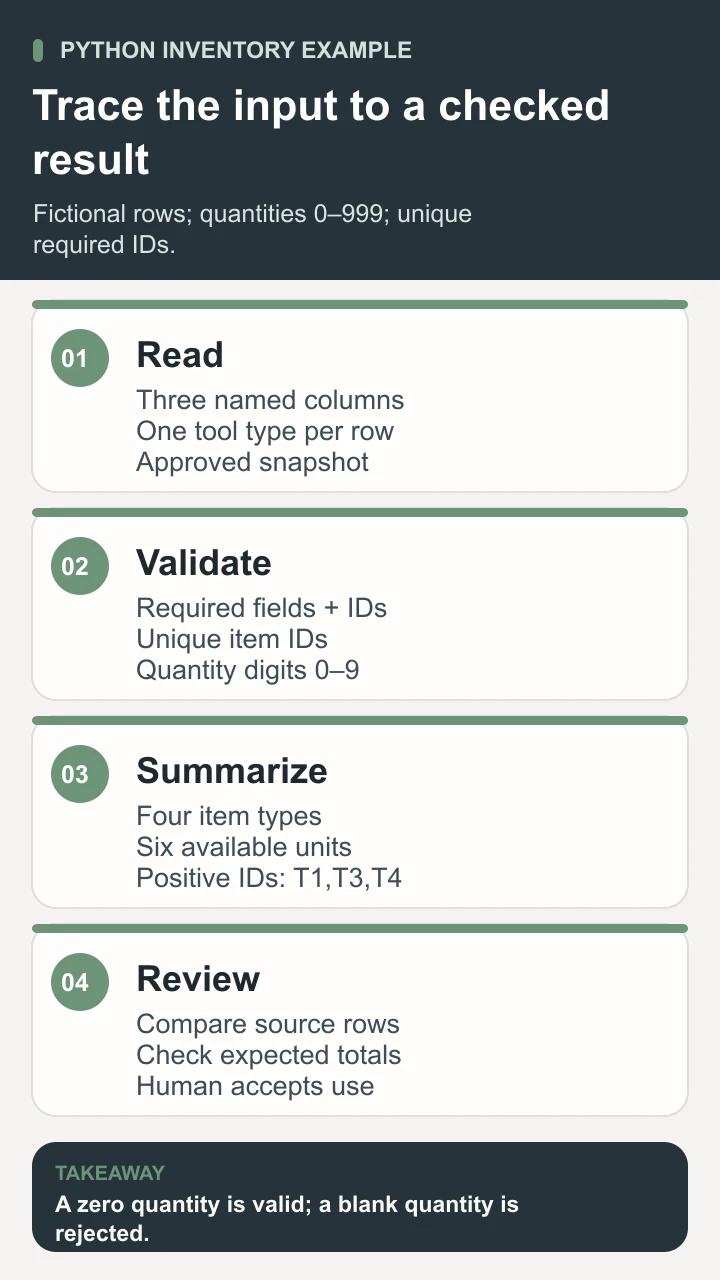
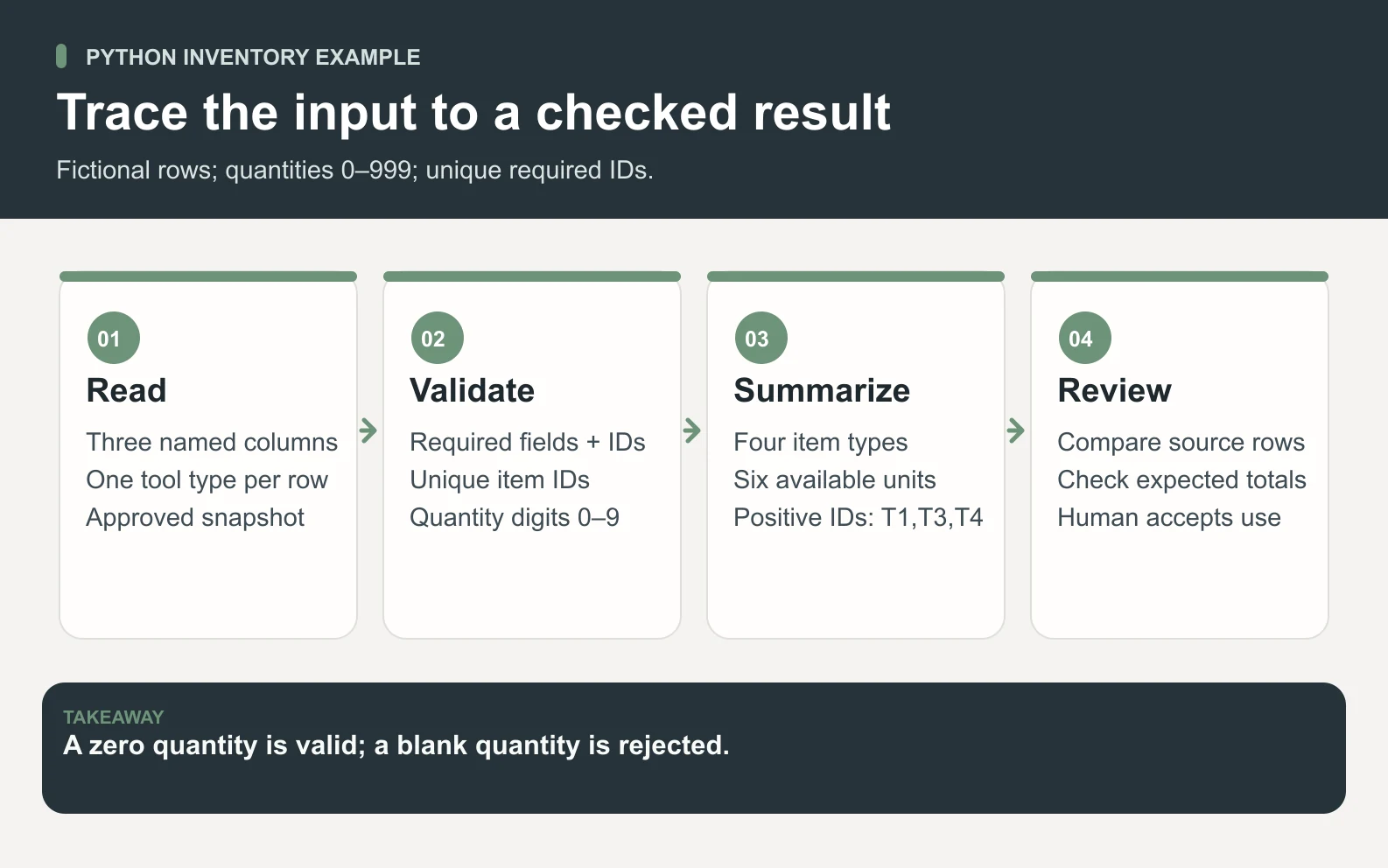
Each row in this example represents one tool type in one approved inventory snapshot. The columns must be exactly item_id, item, and available, in that order. An ID and item name must be present. The quantity must be a whole number written with the digits 0–9 and fall between zero and 999 inclusive. That upper limit is an illustrative rule for this exercise, not a language limit or an inventory benchmark.
Scroll horizontally to view all columns.
| item_id | item | available |
|---|---|---|
| T1 | spade | 3 |
| T2 | rake | 0 |
| T3 | watering can | 2 |
| T4 | hand fork | 1 |
Before running anything, write the expected answer: four item types, six units, and the IDs T1, T3, and T4. T2 is a valid record with no available units, so it still counts as an item type. This distinction catches a common reporting error: counting only positive rows and presenting that count as the size of the entire inventory list.
The program rejects a duplicate ID because the example does not define what duplicate rows mean. In a real extract, two rows might represent different locations, separate batches, or a data-quality problem. Adding them together without deciding which interpretation applies could inflate the total. Change the data definition and key deliberately if your actual unit of record is an item-and-location pair.
CSV looks simple, but quoted fields can contain commas or other special characters. Use the standard-library CSV reader rather than splitting every line on a comma yourself. The reader maps fields to the declared column names. Our additional checks reject missing or extra fields and convert a validated quantity string to an integer; reading CSV alone does not enforce the application’s rules.
Write and run a small Python function
import csv
from io import StringIO


def summarize_inventory(csv_text):
    reader = csv.DictReader(StringIO(csv_text))
    if reader.fieldnames != ["item_id", "item", "available"]:
        raise ValueError("Expected item_id,item,available columns")

    seen = set()
    available_ids = []
    total_units = 0
    for row in reader:
        if None in row or any(value is None for value in row.values()):
            raise ValueError("A row has missing or extra fields")
        item_id = row["item_id"].strip()
        item = row["item"].strip()
        quantity_text = row["available"].strip()
        if not item_id or not item or item_id in seen:
            raise ValueError("Item IDs must be unique; names are required")
        if not (quantity_text.isascii() and quantity_text.isdigit()):
            raise ValueError("Available quantity must contain digits 0-9")
        quantity = int(quantity_text)
        if quantity > 999:
            raise ValueError("Available quantity must be between 0 and 999")
        seen.add(item_id)
        total_units += quantity
        if quantity > 0:
            available_ids.append(item_id)
    return {
        "item_types": len(seen),
        "available_units": total_units,
        "available_ids": available_ids,
    }
The first two imports bring in the CSV reader and an in-memory text stream. The function checks the header before processing rows. It keeps a set of seen IDs, a list of available IDs, and a running unit total. Each accepted record contributes to those structures under the same rule. If any record fails validation, the function raises an error and does not return a partial summary as though it were complete.
Notice the order of operations. The program checks missing fields before calling string methods, trims the relevant text, checks required values and duplicates, validates the quantity characters, converts the value, and checks its limit. Only then does it add the ID and quantity to the result. This order makes it easier to explain why a record was accepted and prevents a half-validated row from entering the total.
SAMPLE = """item_id,item,available
T1,spade,3
T2,rake,0
T3,watering can,2
T4,hand fork,1
"""

if __name__ == "__main__":
    result = summarize_inventory(SAMPLE)
    print("Item types:", result["item_types"])
    print("Available units:", result["available_units"])
print("Available IDs:", ", ".join(result["available_ids"]))Save the complete download as inventory_demo.py in a learning folder after reviewing its contents. If Python 3 is installed and available as python3, run python3 inventory_demo.py from that folder. On a system using the Windows Python launcher, the command may be py inventory_demo.py. Check the installed interpreter and your local setup rather than assuming that a command named python always selects the environment you intended.
The displayed output should read “Item types: 4”, “Available units: 6”, and “Available IDs: T1, T3, T4”. Compare that result with the four source rows. The if __name__ == "__main__" guard makes the display section run when the file is executed directly; importing the function for the tests does not print the sample report. The download contains both pieces in their correct order.
This example reads a string already included in the file and prints a summary. It does not read your folders, modify inventory, install packages, send a message, or call an API. Moving from this sample to a real file would introduce decisions about file paths, encoding, permissions, source freshness, and failure handling. Treat that extension as a reviewed change rather than casually replacing the sample with a production export.
Test expectations and understand failures

Scroll horizontally to view all columns.
| Case | Expected behavior | Why it matters |
|---|---|---|
| The four sample rows | Return four types, six units, and T1/T3/T4. | Proves the ordinary rule against a hand-checkable answer. |
| Header only | Return zero types, zero units, and an empty ID list. | An empty valid extract is different from a missing header. |
| Quantity zero or 999 | Accept both boundary values. | Tests the stated inclusive range. |
| Blank, negative, decimal, or non-ASCII quantity | Raise ValueError. | Avoids interpreting an invalid value as an available whole unit. |
| Duplicate item ID | Raise ValueError. | Prevents an ambiguous record from inflating the snapshot. |
| Missing or extra field, or wrong header | Raise ValueError. | Keeps structural changes from silently changing the calculation. |
The errors and exceptions tutorial distinguishes syntax errors from problems raised during execution. A syntax error may indicate a missing colon or incorrect indentation. A ValueError from this function means an input did not meet the agreed contract. Keep the error and a harmless reproduction sample when asking for help, instead of sharing credentials or an entire private export.
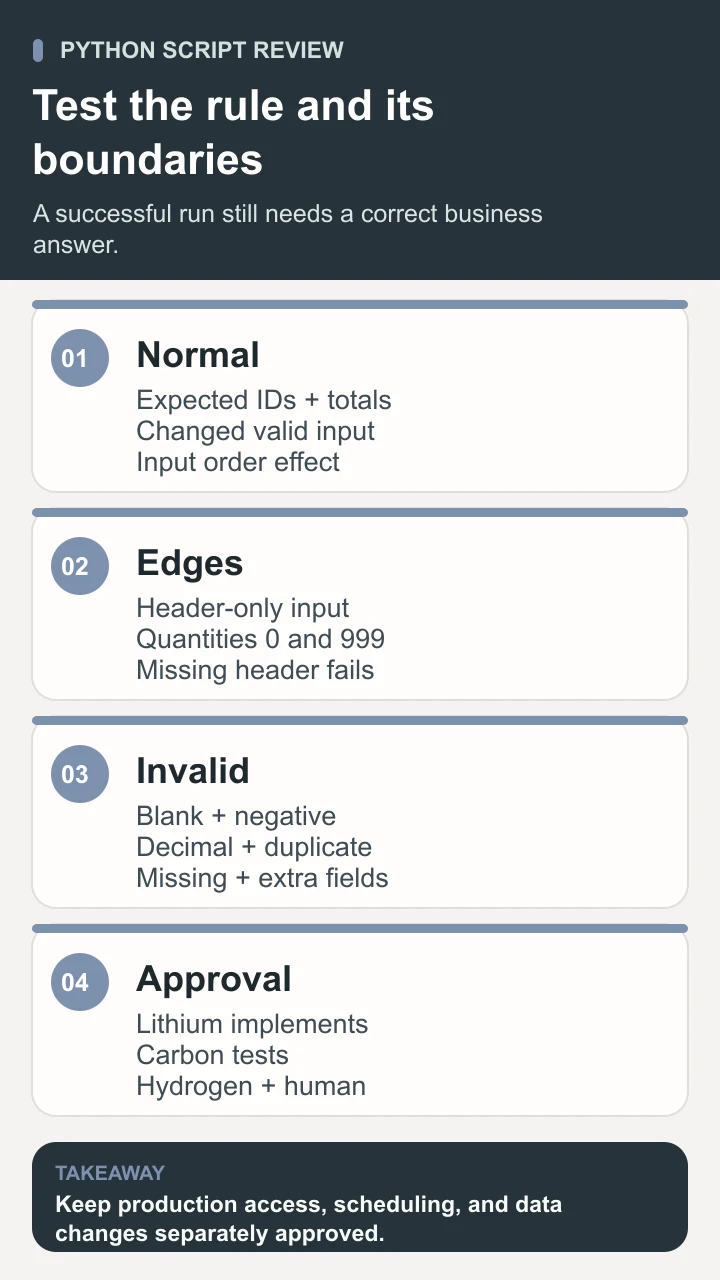
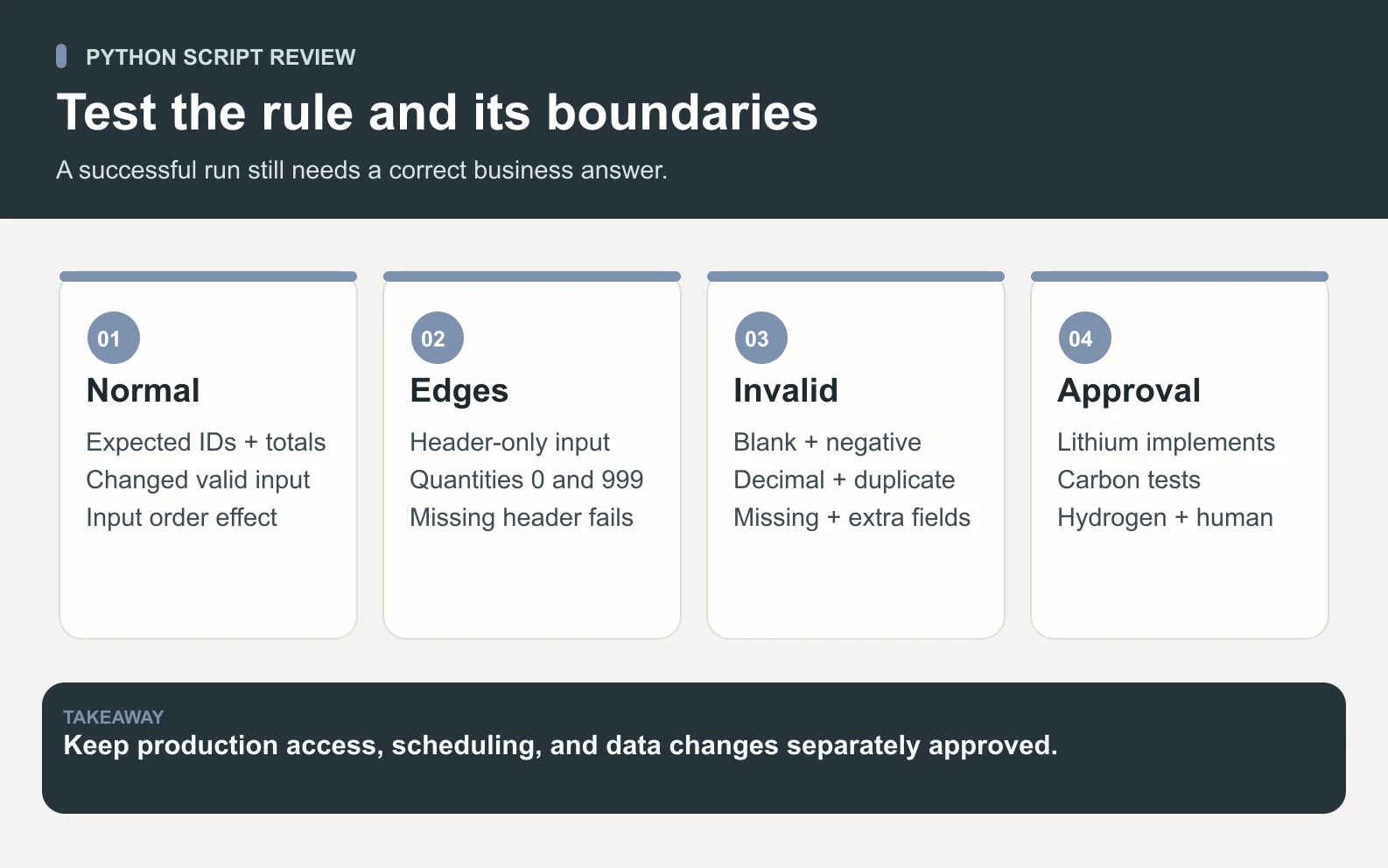
Test a changed valid input as well as invalid inputs. If T2 changes from zero to two, the total becomes eight and T2 joins the available-ID list. If the input rows are rearranged, the total stays six but the available-ID order follows the new input order. These checks tell you which aspects should be stable and which are deliberately tied to presentation order.
An error should have an operational meaning. For a learning script, stopping with a clear exception is acceptable. A scheduled business job may need an alert, an owner, a retry rule, and a way to prevent an old successful summary from looking current after the next run fails. Do not swallow every exception and substitute zero; that would turn “we could not produce a valid report” into a misleading inventory result.
Choose the next extension carefully
Keep the next change small. You might add a location column, read an approved local file, or sort the output for a particular report. Write the changed rule and expected result before editing the function. Keep a copy of the original sample so you can distinguish a deliberate behavior change from a regression. A larger dataset should not be the first place you discover that two columns use different units.
If a future version needs third-party packages, isolate them for the project and record the dependencies. The virtual-environment documentation explains how environments separate installed packages. This example needs no third-party package. An environment helps manage dependencies; it is not a security sandbox or permission to execute an unfamiliar script against private data.
Choose the right tool for the source. A spreadsheet may remain the simplest option for a one-off manual review. A database query may be better when authoritative records and access controls already live in a relational system. Python becomes useful when you need explicit transformations, reusable logic, and a controlled program around approved inputs. Combining these tools can be appropriate, provided the handoffs preserve definitions and provenance.
Use Space Office for one reviewed software task
A bounded assignment is an inventory-summary function plus a test packet for a documented input format. The customer provides the question, approved sample rows, column definitions, acceptance cases, and any deliberately scoped access needed later. Lithium, the Full Stack Developer, can implement the software logic. Carbon can test ordinary and edge cases and document failures. Hydrogen coordinates the work and reviews the deliverable against the brief.
The human owner confirms what each record means, checks expected counts, decides which access is appropriate, and approves how the output will be used. A developer’s completed function does not authorize production credentials, scheduling, data changes, or sending reports to other people. The current agents and how-it-works overview help scope that preparation and review workflow without implying automatic account access or release.
Python is most useful here when the next person can trace an input row through an understandable rule to a checked result. Begin with the fictional sample, test the promised failures as carefully as the normal output, and extend one boundary at a time. The goal is a small program you can explain, maintain, and accept for a defined task, with the evidence needed to trust its result.
Sources and review notes
Reviewed against the linked primary sources on the checked dates. Search features and citations are selected by their respective platforms; no placement is guaranteed.
- Python Software Foundation: What Is Python? — checked
- Python Tutorial: An Informal Introduction — checked
- Python Tutorial: Control Flow — checked
- Python Standard Library: CSV — checked
- Python Tutorial: Errors and Exceptions — checked
- Python Standard Library: Virtual Environments — checked
Frequently asked questions
What is Python in simple terms?
Python is a general-purpose programming language used to write instructions that process information and build software. An interpreter runs those instructions. A useful first script takes a clearly defined input, applies explicit rules, and returns a result that a person can verify.
What is Python used for?
Common uses include scripting, text and file processing, software services, testing, and working with documented interfaces. The appropriate task depends on the libraries, environment, access, and implementation. A language’s range of uses does not mean a particular sample script provides all those capabilities.
Do I need external packages for this example?
No. The example uses csv and io from Python’s standard library. Review the complete file, use an appropriate Python 3 interpreter, and run it in a learning folder. The sample itself does not install packages, read real files, contact services, or alter inventory.
Why reject a blank quantity instead of counting it as zero?
A blank means the input lacks a valid quantity under this example’s contract. Zero is a valid statement that no units are available. Replacing a blank with zero would invent information and could make an incomplete extract look complete. Define a different missing-value policy explicitly if a real workflow needs one.
Can Space Office build a Python script for my workflow?
A software task can be scoped with Lithium and Carbon using approved examples, definitions, and acceptance checks. Hydrogen coordinates and reviews the work. A human validates the meaning and results and approves access, scheduling, and any production use separately. Code that runs is not by itself evidence that a business decision is correct.