Guide
AI Operations Team Cost per Month: Real Budget Guide
By the Space Office team · Published · Updated · 10 min read
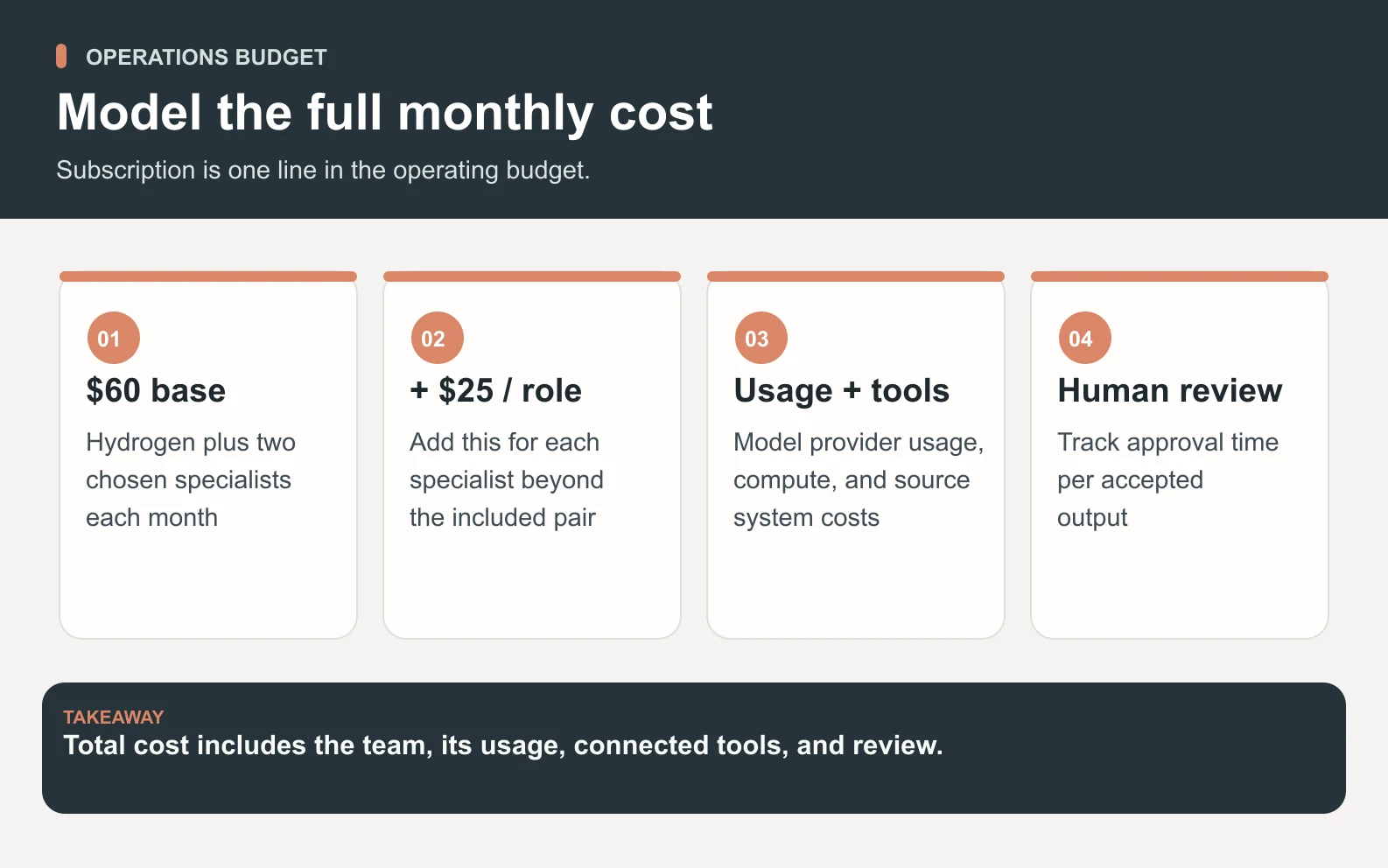
AI operations team cost per month is not just the subscription sticker price. A real budget includes the base plan, added specialists, AI-provider usage, compute, source-system costs, and human review time. Space Office starts at $60/month or $600/year for Hydrogen plus two chosen specialists, with additional live specialists at $25/month each.

Operations work is where AI-team budgets become fuzzy. A founder may say "AI operations team" and mean weekly reporting, customer handoffs, inbox follow-up, SOP cleanup, vendor reminders, CRM notes, or a little of all of it. Those jobs do not belong to one generic bot, and they should not be priced as if they do.
Space Office is a managed team of 24 live AI specialists coordinated by Hydrogen, an AI project manager that reviews every output before delivery. The cost question is therefore not only "what is the base price?" It is "which live specialists does this workflow need, what usage will it consume, what systems are involved, and who approves the final work?" The subscription is only one line in an honest operations budget.
What counts as an AI operations team?

An AI operations team is a coordinated group that handles recurring back-office and operating work: triage, SOPs, reporting drafts, customer handoffs, status summaries, checklist creation, launch follow-up, and decision packets. The goal is not to remove accountability. The goal is to reduce repetitive coordination work while a human owner keeps final authority.
1. Internal operations
Internal operations work includes weekly packets, task routing, vendor reminders, meeting follow-up, SOP drafts, and checklist maintenance. In Space Office today, Hydrogen can coordinate the workflow, Nitrogen can turn rough notes into clear operating docs, Sodium can research options, and Carbon can review process checklists for gaps. Palladium, the executive-ops specialist, is still in development, so do not budget it as a live role yet.
2. Customer operations
Customer operations work includes onboarding notes, renewal-risk summaries, support macro drafts, and sales-to-success handoffs. Gold is the live customer-success specialist, and Copper or Titanium can support revenue-facing follow-up depending on the workflow. Potassium is a planned support role, so current support workflows need a human owner or another live specialist handling the draft under review.
3. Revenue and reporting operations
Revenue operations can include lead-list cleanup, pipeline summaries, outbound status, CRM hygiene, and weekly KPI notes. Iron, Copper, Titanium, and Gold cover live sales and retention work. Nickel and Arsenic are planned future roles for RevOps and analytics, so the current budget should separate what the live roster can do now from what will become more specialized later.
The pricing formula to use
Swipe to explore the diagram
Use this formula for Space Office subscription planning: $60 base + $25 x added live specialists. The base plan includes Hydrogen plus two chosen specialists. Annual billing is $600/year for the base plan; added specialists are $250/year each when billed annually. AI-provider usage is paid through your own key with zero Space Office markup, and dedicated AWS compute starts separately when the workflow needs it.
Scroll horizontally to view all columns.
| Operations setup | Specialist count | Monthly subscription math |
|---|---|---|
| Lean ops desk | 2 included specialists | $60/month |
| Ops + customer success | 3 live specialists | $60 + $25 = $85/month |
| Ops + success + research | 4 live specialists | $60 + $50 = $110/month |
| Ops + success + sales follow-up + QA | 5 live specialists | $60 + $75 = $135/month |
| Broad operating team | 7 live specialists | $60 + 5 x $25 = $185/month |
Worked example: a five-specialist operating workflow
Imagine a small SaaS company wants a weekly operating packet: open customer handoffs, support themes, renewal risks, CRM cleanup questions, launch follow-up, and a prioritized next-week checklist. A practical current-roster setup could use Hydrogen for coordination, Gold for customer success, Copper for outreach follow-up, Sodium for research, Nitrogen for writing the packet, and Carbon for a QA pass.
That is five hireable specialists plus Hydrogen. Because the base includes two specialists, the subscription adds three roles beyond the included pair. The arithmetic is $60 + (3 x $25) = $135/month before AI-provider usage, compute, software seats, and the founder's approval time. Annual billing changes the base and add-on billing cadence, but it does not make provider usage or review time disappear.
Scroll horizontally to view all columns.
| Line | How to calculate it | Example |
|---|---|---|
| Base subscription | Hydrogen plus two specialists | $60/month |
| Added specialists | 3 extra live roles x $25 | $75/month |
| Subscription subtotal | $60 + $75 | $135/month |
| AI-provider usage | Your own key, zero Space Office markup | Estimate from actual workflow volume |
| Human approval | Founder or operator review minutes | Track per accepted packet |
| Source systems | CRM, support desk, docs, analytics | Use existing vendor bills |
Budget rule
Only call a number the total monthly cost if it includes subscription, added specialists, AI-provider usage, human approval time, compute, and any paid tools the workflow touches.
What to include beyond subscription
The common budgeting mistake is comparing a team subscription with a human salary or software seat and stopping there. A useful operating budget adds the lines that decide whether the workflow actually works: the AI usage behind drafts and reviews, the source systems being read, the human review time, and the first-month setup work needed to define examples and acceptance checks.
Scroll horizontally to view all columns.
| Budget line | Why it matters | How to model it |
|---|---|---|
| AI-provider usage | The customer brings the key | Estimate per workflow; Space Office adds zero markup |
| Human approval time | Final work still needs review | Track minutes per accepted output |
| Dedicated compute | Some workspaces need a separate runtime | Add only when the setup requires it |
| Source systems | CRM, support, docs, and analytics tools remain separate | Include existing seats or API costs |
| Setup and SOP writing | The first month has more workflow design | Budget extra review time in month one |
| Specialist mix | More functions mean more roles | Use $25/month for each added live specialist |
Compare AI operations cost with a first operations hire
A fair comparison should not claim that AI replaces an operations manager one-for-one. A human operator owns judgment, relationships, exceptions, and accountability. An AI operations workflow can prepare packets, draft follow-ups, clean lists, summarize status, and reduce routine coordination. Those are valuable, but they are not the same as hiring a person with management authority.
For a founder, the practical question is narrower: if a $135/month subscription setup saves 6 to 10 hours of weekly coordination prep, does that delay a hire or make the first operations hire more effective? That answer depends on risk, review discipline, and how repetitive the work is. Treat the number as an illustrative workflow budget, not a measured savings claim.
A monthly operating workflow to pilot
Swipe to explore the diagram
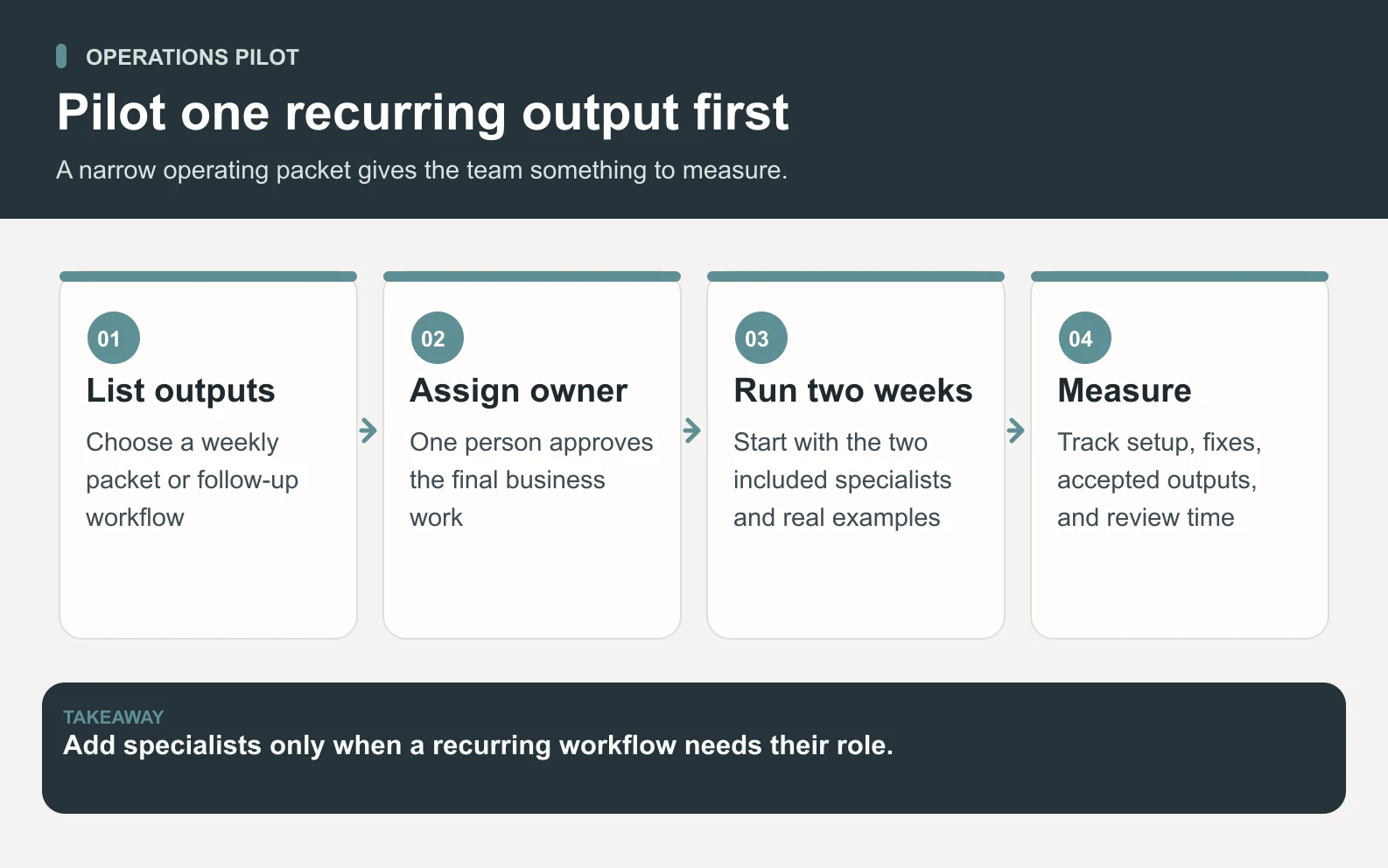
- 1List the recurring outputs: weekly packet, support macro review, CRM cleanup, vendor reminder, onboarding checklist, or KPI summary.
- 2Assign one human owner who can approve the final work and answer exception questions.
- 3Pick two included specialists first before adding roles.
- 4Run the workflow for two weeks and track setup time, corrections, accepted outputs, and human review time.
- 5Add specialists only when a real recurring workflow needs that role every month.
How to keep the first month under control

The first month should be narrow. Start with one operating packet and one follow-up workflow. For example: every Friday, Hydrogen returns a reviewed packet with open customer handoffs, support trends, renewal risks, CRM cleanup questions, and the next week's priority list. That gives the founder a measurable artifact instead of a vague promise of automation.
Do not connect every system on day one. Send exports, examples, and constraints first. Once the review pattern is clear, decide whether deeper integrations are worth the added complexity. Operations automation that nobody trusts becomes another system to manage.
When a lower-cost setup is enough
- The founder only needs weekly summaries and checklist drafts.
- Customer success work is low-volume and Gold can prepare the recurring notes.
- CRM cleanup is occasional rather than daily.
- Reporting can be summarized from exports while a human owner checks the final packet.
When to add more specialists
- Customer success, sales follow-up, research, writing, and QA each have recurring monthly tasks.
- The workflow touches customers and needs more careful review before anything goes out.
- Sales handoffs, onboarding, and reporting are all part of the same operating packet.
- The founder is spending more time routing work than approving finished outputs.
Internal links for pricing and roles
Use /pricing for the current Space Office offer and /agents for the specialist roster. If you are comparing adjacent cost-intent queries, read how much an AI team costs, AI agent pricing comparison, and AI team cost versus an agency retainer to separate operations work from marketing, sales, and agency-replacement budgets.
Build your operations-team budget from real roles, not a vague automation promise.
Review Space Office pricingBottom line
A realistic AI operations team cost per month starts with $60/month for Space Office, then adds $25/month for each extra live specialist, AI-provider usage through your own key, compute when required, and human review time. For many small teams, the first serious operating setup lands around $110 to $185/month in subscription fees before usage. Start narrower than you think, prove the workflow, then add specialists where the work repeats.
Sources and review notes
Updated October 2, 2026 by Space Office. Pricing and roster claims were checked against docs/PRODUCT-FACTS.md, src/lib/pricing.ts, src/lib/agents.ts, and the public pricing and agents pages. Workflow budgets are illustrative planning examples, not measured savings or customer outcomes. Planned specialists are identified as in development rather than sold as live services.
- Space Office pricing — checked
- Space Office specialist roster — checked
- Space Office how it works — checked
Frequently asked questions
How much does an AI operations team cost per month?
With Space Office, the base price is $60/month or $600/year for Hydrogen plus two chosen specialists. Added live specialists cost $25/month each. A practical five-specialist operations workflow is $135/month in subscription fees before AI-provider usage, compute, software seats, and human review time.
What is included in Space Office pricing?
The public offer includes Hydrogen, the AI project manager, plus two chosen specialists for $60/month or $600/year. Additional live specialists cost $25/month or $250/year each. Customers bring their own AI provider key, and Space Office adds zero markup to provider usage.
Which specialists belong on an AI operations team?
A current live workflow can use Gold for customer success, Copper or Titanium for revenue follow-up, Sodium for research, Nitrogen for operating docs, Carbon for QA, and Hydrogen for coordination. Planned roles such as Palladium, Potassium, Nickel, and Arsenic are not live services today.
Can an AI operations team replace an operations manager?
Not one-for-one. A human operations manager owns judgment, relationships, escalation, and accountability. An AI operations workflow can prepare packets, draft follow-ups, clean lists, summarize status, and reduce routine coordination under human approval.
What should I budget beyond the subscription?
Budget AI-provider usage, human review time, source-system costs, dedicated compute when needed, setup time, and any extra specialists. Do not call the subscription alone the total cost unless those lines are genuinely included or irrelevant to the workflow.
Is annual billing cheaper for Space Office?
The annual base offer is $600/year compared with $60/month paid monthly. Added specialists are $250/year each on annual billing or $25/month each on monthly billing. AI-provider usage, compute, and human review time remain separate planning lines.
What is the first operations workflow to try?
Start with one weekly operating packet: open handoffs, support trends, CRM cleanup questions, renewal risks, KPI summary, and next-week priorities. Track accepted outputs, corrections, usage, and human review time before adding more specialists.