Guide
Pay Per Click Advertising: Costs, Examples, and a Practical Plan
Plan pay per click advertising around a useful customer action, a relevant offer, tested measurement, and a budget the owner understands.
By the Space Office team · Published · Updated · 16 min read
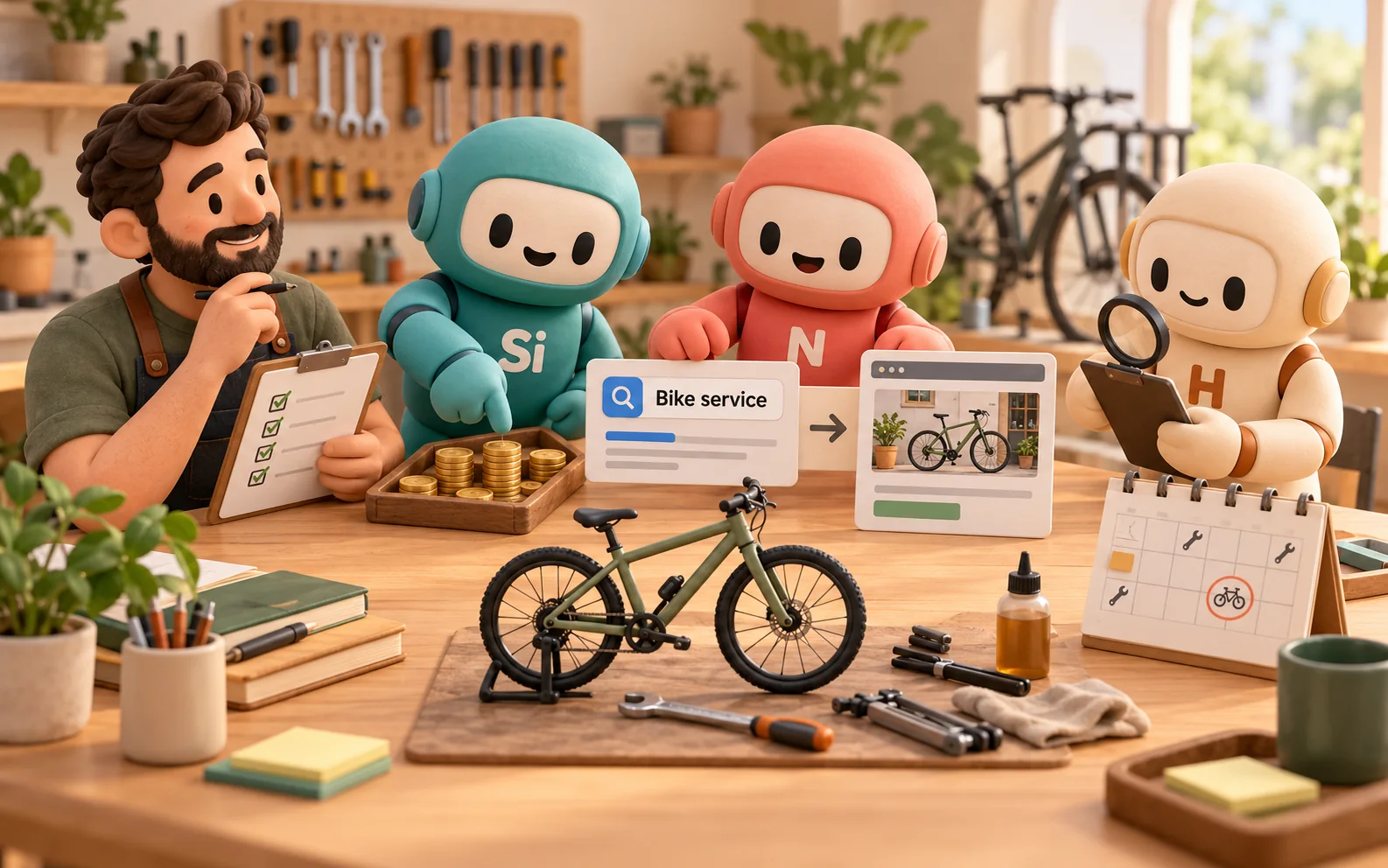
Pay per click advertising is a paid advertising model in which an advertiser pays when someone clicks an ad. To plan a useful PPC campaign, choose the customer action, match the ad to a relevant destination, set a reviewed budget, and test how you will measure results. In Space Office, Silicon can prepare the paid-media plan and Nitrogen can draft the copy. Hydrogen coordinates and reviews their work; a human verifies the offer, grants account access, and approves activation and spending.
Key takeaways
- A click is a paid visit, not evidence of a qualified enquiry, a booking, or profit.
- Start with one offer, a defined audience and geography, and one meaningful customer action.
- Calculate average CPC and cost per verified outcome using the same spending period and cohort.
- Check platform budget rules, tracking, message consistency, and capacity before authorizing launch.
- Use search terms and qualified outcomes to investigate what needs changing; cheap clicks alone are insufficient.
Download the free PPC campaign worksheet to prepare the brief, calculate costs, test measurement, and record release approval. The mobile bicycle service and numbers below are fictional teaching examples. They are not customer results, typical advertising costs, or a forecast of what another campaign will achieve.
How pay per click advertising works
Google’s paid-search guide explains how ads can appear for relevant searches and direct people to a business website. Paid search is one setting for PPC; the payment model also appears in other advertising environments. Select the platform and campaign type for the customer’s situation. Do not assume every social, display, or video campaign uses the same billing model.
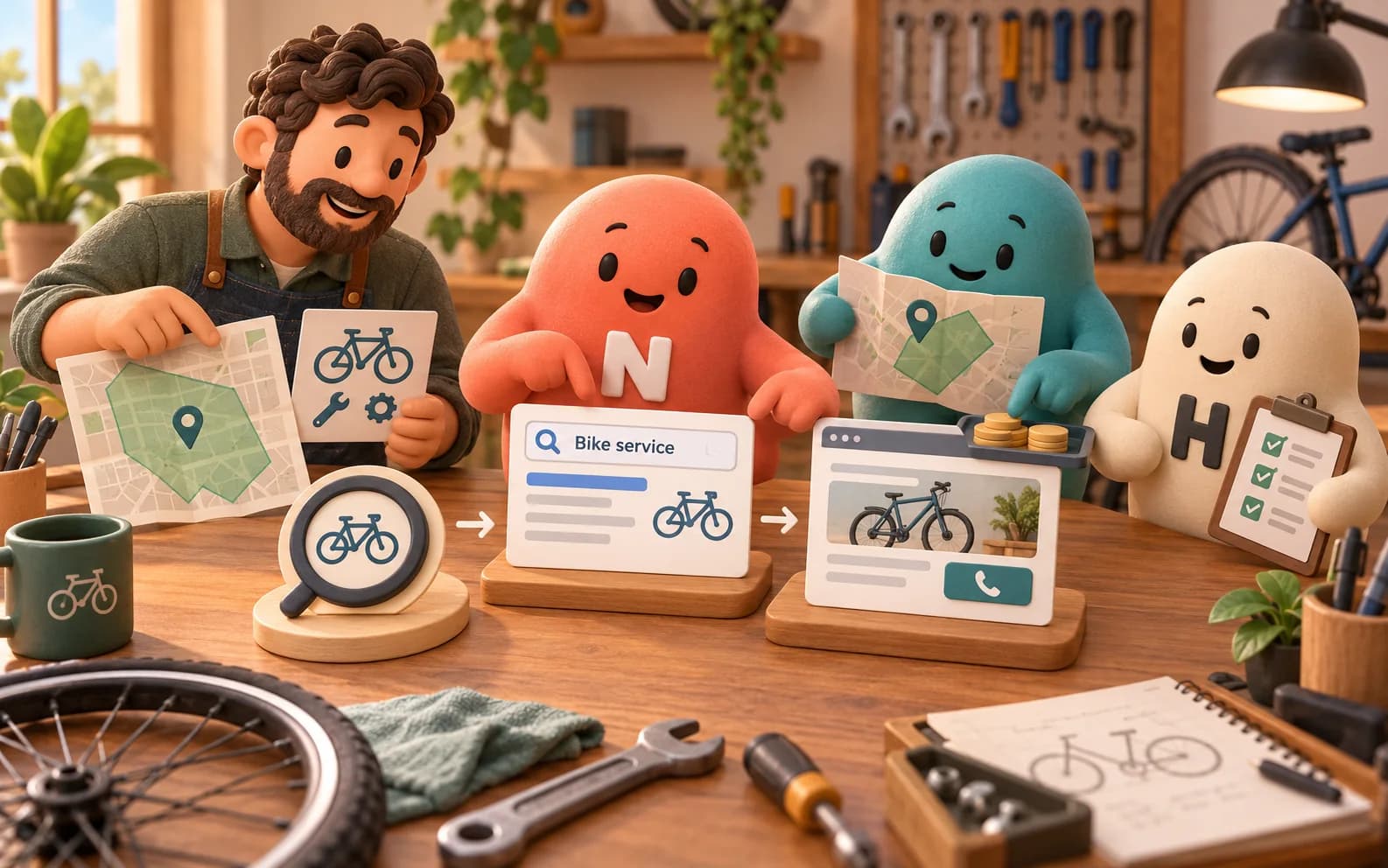
A search campaign might respond to a person looking for mobile bicycle servicing. The advertiser prepares targeting, an ad, a destination, and bidding and budget settings. A person who clicks can visit the service page and decide whether to enquire. The business still needs to answer the enquiry, confirm suitability, and deliver the service. Advertising buys an opportunity to be considered; it does not complete those later tasks.
Scroll horizontally to view all columns.
| Term | What it tells you | What it does not establish |
|---|---|---|
| Impression | An ad was shown under the platform’s reporting rules. | That someone noticed it or needed the offer. |
| Click | Someone interacted with the ad through a counted click. | That the visitor is qualified or has purchased. |
| Conversion action | A configured action was measured or attributed. | That every action meets the business’s quality criteria. |
| Qualified enquiry | The business verified the request against defined criteria. | That the person will book or that delivery is profitable. |
PPC and organic search also require different plans. A paid placement is purchased through an advertising system; it does not raise the page’s organic ranking. A useful service page can support both visitors from ads and people discovering the business elsewhere. Use the digital marketing guide to place paid search within the wider channel plan, and the keyword research guide for the separate task of investigating search language.
PPC can be unsuitable when the business cannot explain its offer, serve the targeted area, answer enquiries, or measure the action that matters. Fix those gaps before treating a campaign as a traffic solution. A narrow campaign with a dependable response process is easier to interpret than several offers sharing an unclear destination and no agreed owner.
Write a campaign brief before choosing settings
For the fictional bicycle service, the desired action is a suitable local rider requesting a service appointment. A qualified enquiry means the address is inside the service area, the requested work is offered, and the rider provides a way to arrange an appointment. A page view or a click on a phone icon is useful evidence, but neither automatically meets that definition.
- 1Define the offer. State which service is available, its important conditions, and the next step. Ask the owner to verify price information, service scope, and any booking promises.
- 2Define the audience and boundary. Describe who needs the service, where the team can travel, and what makes a request unsuitable. Record exclusions and capacity limits.
- 3Choose one primary outcome. Specify what is measured online and what a person must confirm later. Keep secondary engagement signals separately labeled.
- 4Choose a destination and response owner. The page should explain the same service as the ad. Name who handles the enquiry and what information they need.
- 5Set the review boundary. Record the permitted spend, platform budget settings, review date, authorized decision-maker, and conditions that require pausing or escalation.
Then consider where that need appears. A search ad may suit someone actively looking for a repair service; a visual awareness campaign addresses a different situation. Compare audience intent, supported formats, geographic controls, destination requirements, and measurement options. Choosing a platform because a competitor uses it does not establish that its visitors or costs fit your offer.
Keep the first campaign understandable. One service area and a coherent set of service requests give the owner a clearer interpretation of unsuitable enquiries. Separate materially different offers when they need different pages, budgets, or qualification rules. Avoid dividing a small experiment into so many fragments that each produces little useful evidence.
Understand PPC costs with a worked example
Google defines average CPC as total click cost divided by the number of clicks. That observed average differs from a maximum CPC setting. Costs vary with the campaign and market, so use estimates to plan a test and actual records to evaluate it. A quoted industry average cannot tell you whether your specific offer will attract worthwhile customers.
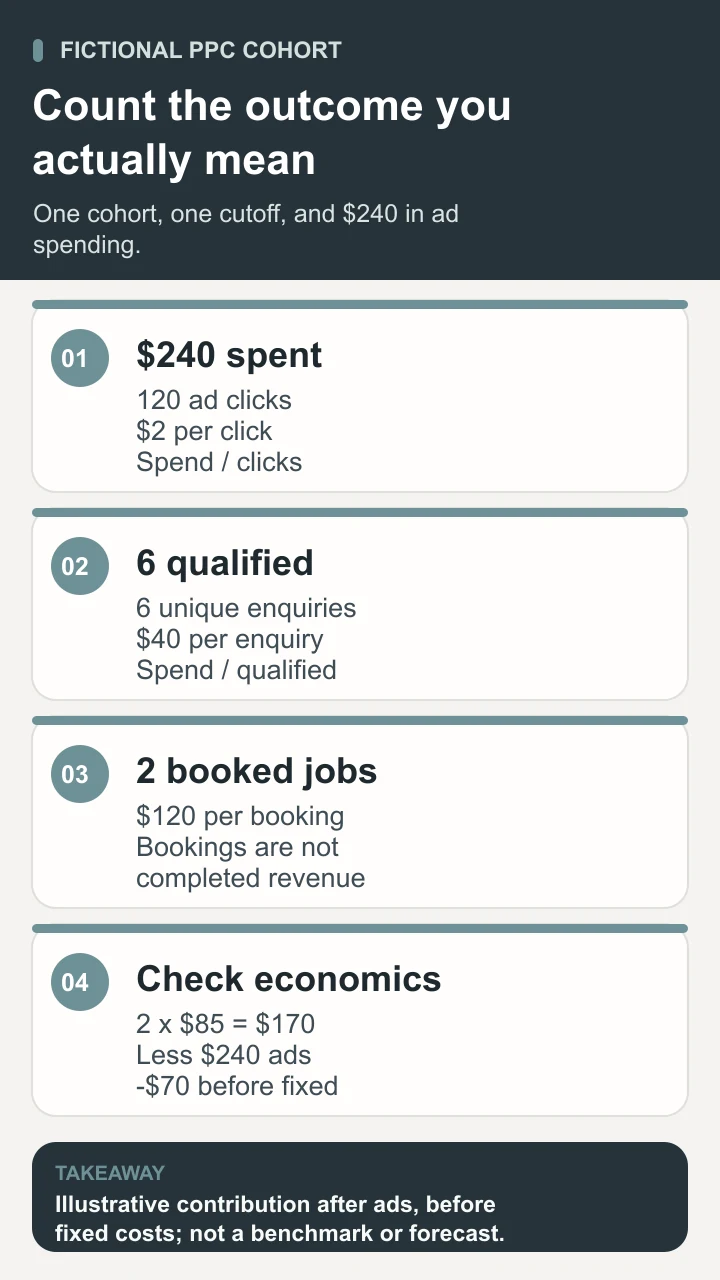
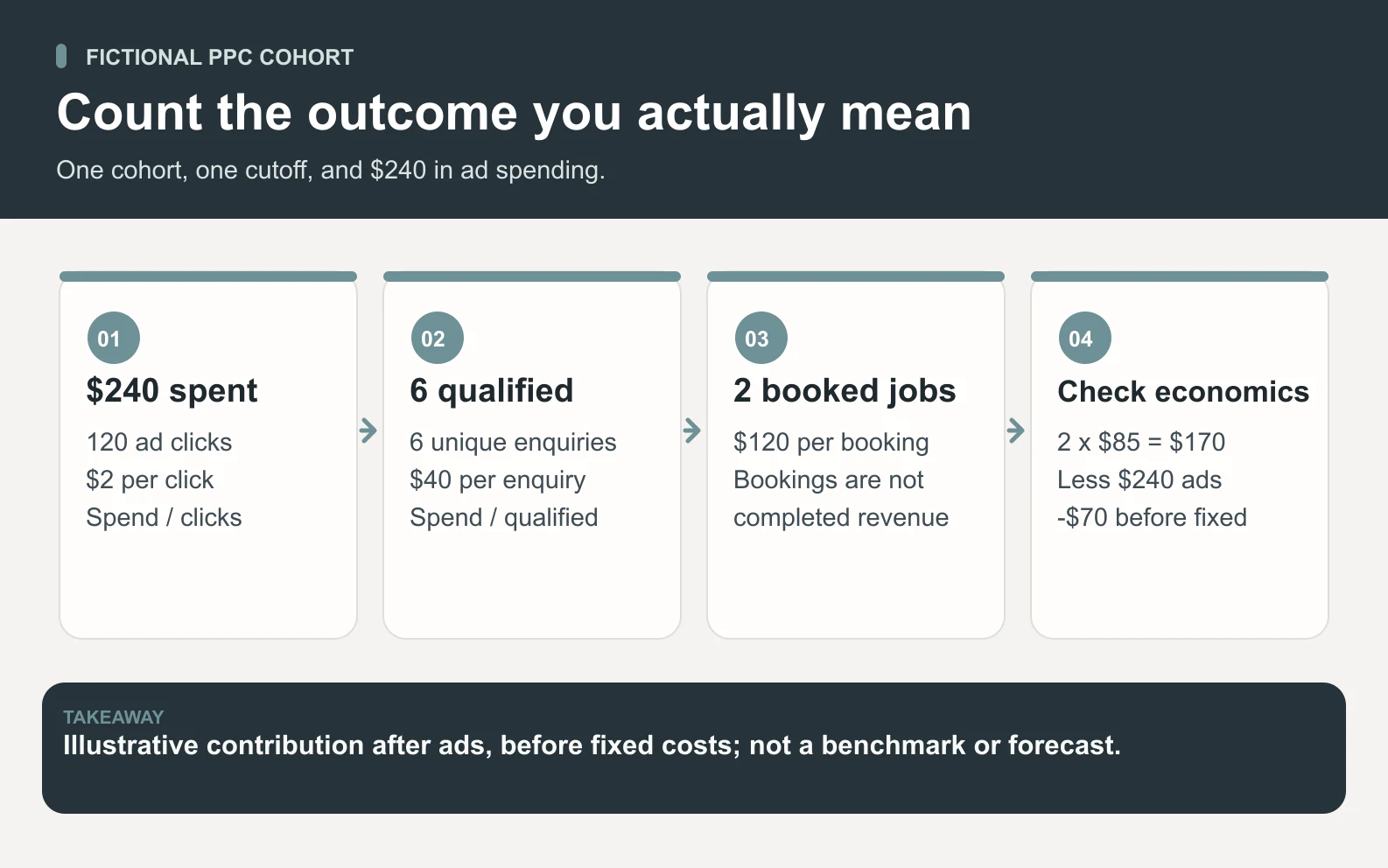
Suppose the bicycle service records $240 in ad spend and 120 clicks for a defined fictional campaign cohort. By the review cutoff, six unique enquiries meet the qualification rules and two of those enquiries become booked jobs. The following calculations use that same spend and attributed cohort. They deliberately show how the denominator changes the meaning of the result.
Scroll horizontally to view all columns.
| Measure | Calculation | Illustrative result |
|---|---|---|
| Average CPC | $240 ÷ 120 clicks | $2 per click |
| Cost per qualified enquiry | $240 ÷ 6 verified enquiries | $40 per qualified enquiry |
| Cost per booked job | $240 ÷ 2 booked jobs | $120 per booked job |
| Contribution after ads | 2 jobs × $85 contribution before ads − $240 ad spend | −$70 before fixed costs |
The $85 assumption is the contribution from each job after its variable delivery costs and before advertising. Two jobs contribute $170 before ads; subtracting $240 leaves a negative $70 before fixed costs. That calculation excludes other acquisition costs and assumes both jobs are completed as planned. A cancellation, refund, additional travel, or unpaid invoice would require updating the result.
Do not confuse revenue with contribution or profit. A revenue-to-ad-spend ratio can look attractive while delivery costs consume the proceeds. Include agency or software fees, creative production, and staff time in a fuller evaluation when they are material. Use a clearly labeled calculation rather than combining a platform’s revenue number with a different month’s business costs.
An unresolved enquiry is still unresolved at the cutoff, not a failed sale invented for convenience. Keep later bookings attached to their original cohort when your method supports that connection, and state the reporting window. Small samples, attribution gaps, and changing demand limit what you can conclude from an early test.
Match the ad, search need, and service page
Build the message around a request the business can fulfill. For the bicycle service, “mobile bike servicing in the approved area” is a clearer starting point than an expansive promise to fix every bicycle immediately. The landing page should identify the service, coverage, material conditions, and how to request an appointment. A person should not have to infer those details from a generic home page.
Group closely related search needs and prepare exclusions for clearly unsuitable requests. For example, a service-only business may not want enquiries about buying a replacement bicycle. Review the actual terms reported by the platform when available. A keyword is the advertiser’s targeting input; the user’s search can differ, depending on the campaign and matching settings.
Check important exclusions before writing persuasive copy. If the workshop cannot repair a particular motor system or travel outside its route, the campaign should not suggest otherwise. Availability is also a claim. A calendar icon or a booking button must not imply an appointment is confirmed when the business still needs to inspect the request.
- Use consistent service names and conditions across the ad, page, enquiry form, and response instructions.
- Give phone visitors readable text, working controls, and a clear way to provide the information needed for a suitable enquiry.
- Verify claims, prices, offer dates, images, and any required permissions against the owner’s approved facts.
- Check that the service page and form work on a real phone, including confirmation, error messages, and the route back to the business.
When visitors arrive but do not enquire, investigate the whole experience: audience suitability, unclear scope, destination speed, form friction, price expectations, and actual demand. A copy change cannot resolve a service-area mismatch. The conversion rate optimization guide explains how to investigate a destination systematically; keep that work separate from assumptions about ad targeting.
Test measurement and understand the budget rules
Google’s conversion measurement documentation describes choosing valuable actions such as a purchase, sign-up, or call. Choose actions that represent your campaign objective and verify their setup. A tag firing is a technical event; a valid enquiry is a business judgment. Map how a form submission or call becomes a qualified request and, later, a completed job.
Run controlled test submissions and calls through the actual destination. Check the thank-you state, destination of the enquiry, recorded event, duplicate handling, and owner notification. Mark test records so they do not inflate the outcome report. Where systems disagree, investigate the configuration and counting method instead of choosing whichever total looks better.
Record the attribution method and conversion window alongside the report. A customer may see an ad, return through another channel, and enquire later. Different platforms can credit the same action under different rules. Do not simply add their attributed conversions together and call the total unique customers. Maintain a deduplicated business outcome record where the available data permits it.
Google’s average daily budget guidance distinguishes the average daily amount from spending limits. For most campaigns, the documented daily limit is twice the average daily budget and the monthly limit is 30.4 times that budget. These are not universal rules for every campaign configuration. Check the actual budget type, account report, and effect of changes before approving spend.
Write down both the commercial amount the owner accepts and the platform settings intended to implement it. Include who monitors spend and what happens when tracking fails, the service is unavailable, or lead quality is materially unsuitable. An average daily budget is not a promise that every day will cost exactly that amount. Review the settings with the person responsible for billing.
Prepare a reviewed Space Office launch packet
Provide Space Office with the approved service description, target geography, capacity, destination URL, relevant account exports, proposed measurement definitions, and the owner’s spending boundary. Identify missing facts before asking for recommendations. Use minimized or fictional enquiry examples when detailed customer records are unnecessary. Any work inside an ad account requires separately granted, appropriate access.
Silicon, the live paid-media specialist, can prepare campaign structure, targeting, bidding considerations, and tracking questions. Nitrogen can draft ad copy and help keep the message consistent with the approved offer. Hydrogen coordinates the work and reviews whether the recommendations and copy agree. Ask for a preparation packet that a person can inspect before implementation.
The packet should contain the campaign brief, proposed targeting and exclusions, copy options, destination checks, measurement map, budget settings to verify, and an exception list. Keep assumptions visible beside the recommendation they affect. If conversion measurement is untested or the service conditions are unresolved, the packet should show those gaps instead of presenting the campaign as ready.
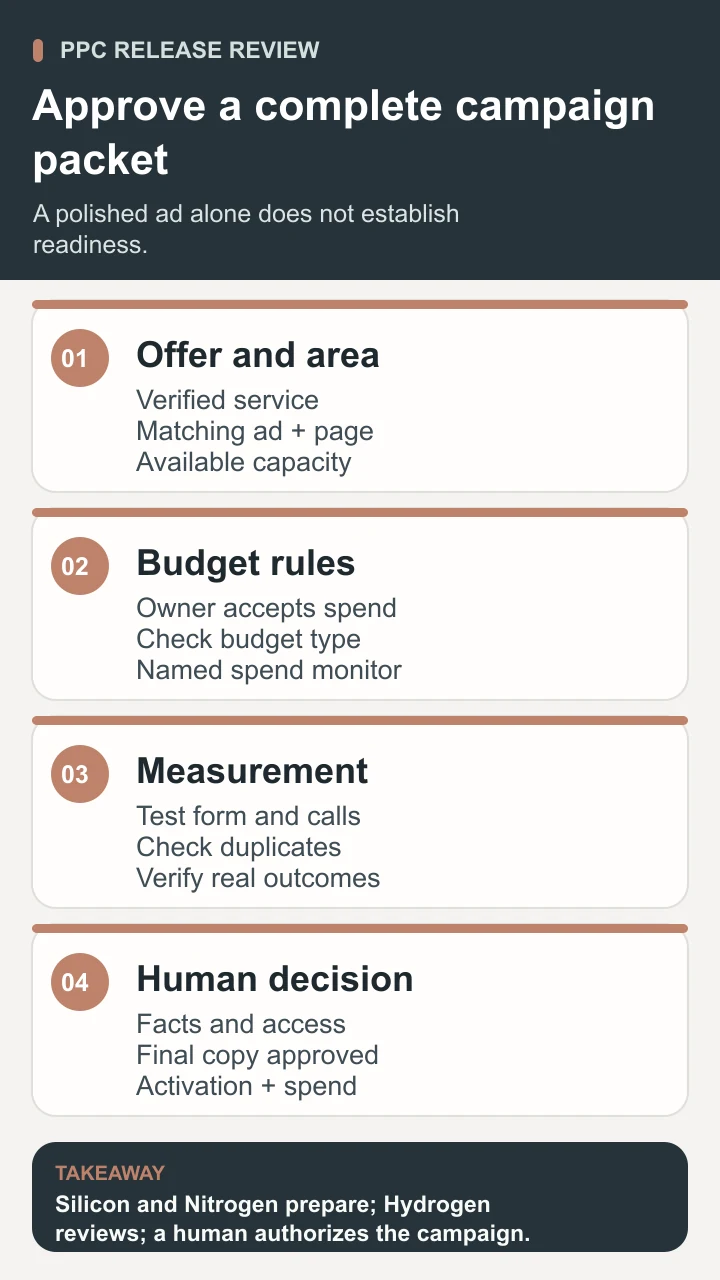
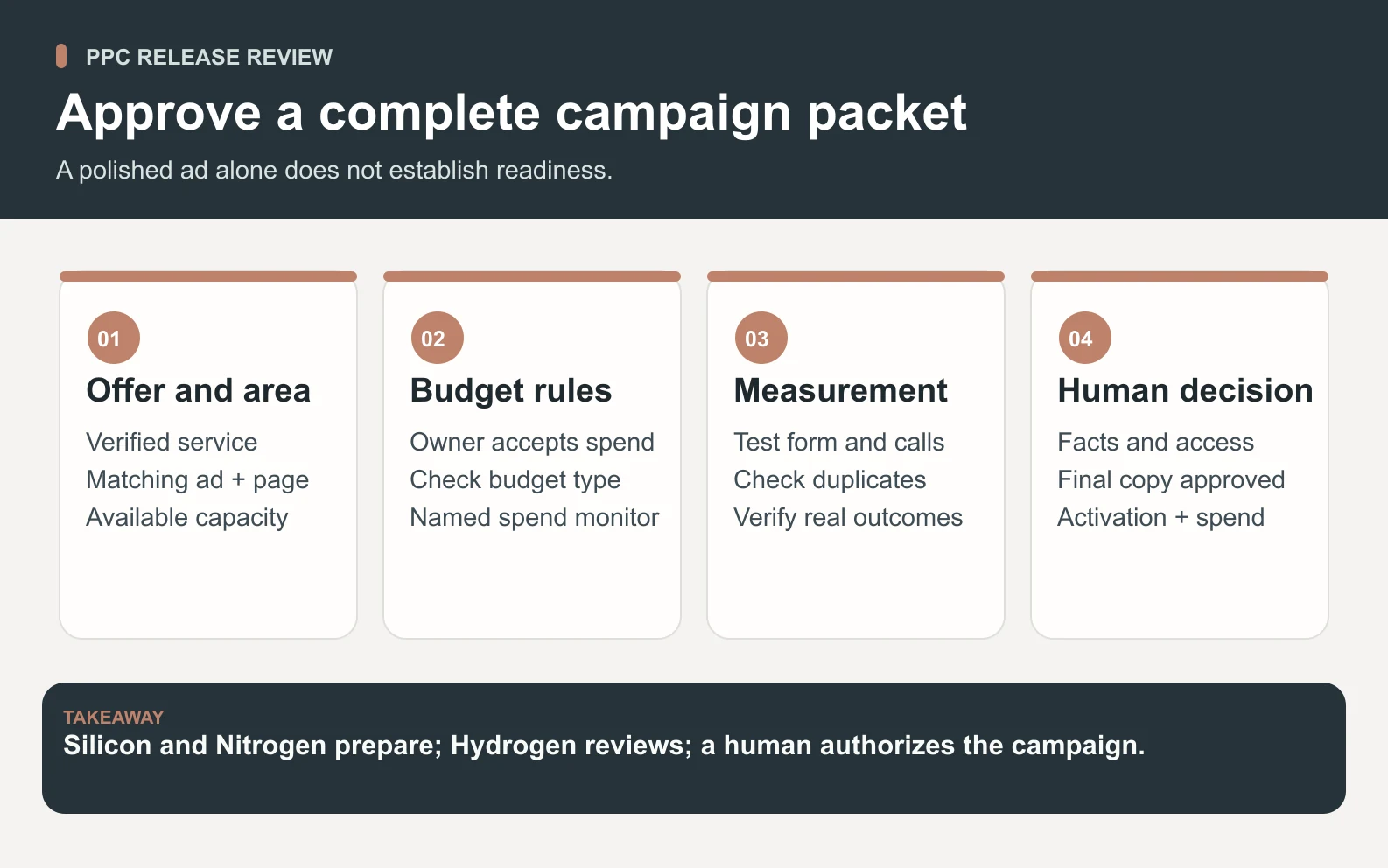
A human verifies the business facts, checks platform requirements and account settings, grants any access, and approves the final copy, activation, and spend. Hydrogen’s review does not replace that authority. The workflow does not automatically open an ad account or authorize a campaign. Use the agent roster and how Space Office works to understand the roles; contact is the route for discussing assisted setup.

Review qualified outcomes and choose the next change
At the agreed review, compare spending, traffic, verified enquiry quality, bookings, and delivery capacity for the defined cohort. Check whether enough time has passed for the outcome you are measuring. Review the terms, locations, and messages associated with unsuitable enquiries. A low CPC is not useful if most clicks concern services the business cannot provide.
Choose a change that addresses an observed problem. If people outside the service area dominate enquiries, investigate geographic settings and message clarity. If suitable people submit incomplete forms, check which information the business actually needs and whether the instructions explain it. If bookings are delayed because no one returns calls, assign the response work before increasing traffic.
Record the reason, changed setting, approver, date, and next review. Avoid changing every major component at once when you want to understand the effect of a particular adjustment. An ordinary before-and-after comparison still has limits: weather, competing offers, customer mix, and capacity may change. Treat the result as evidence to investigate, not automatic proof of causation.
Useful pay per click advertising connects a clear offer to suitable visitors and a verified business outcome. Start with a manageable campaign, test the measurement and spending rules, and review the work with the person accountable for delivery. Increase the commitment only when the evidence and capacity justify the next test.
Sources and review notes
Reviewed against the linked primary sources on the checked dates. Search features and citations are selected by their respective platforms; no placement is guaranteed.
- Google Ads: What Is Paid Search? — checked
- Google Ads: About Average Daily Budgets — checked
- Google Ads: About Conversion Measurement — checked
- Google Ads: Average Cost Per Click — checked
Frequently asked questions
What is pay per click advertising?
Pay per click advertising is a paid advertising model in which the advertiser pays when someone clicks an ad. PPC can direct people to a website or another supported destination. A click does not guarantee a qualified lead, sale, or profit; the offer, targeting, destination, and follow-through still matter.
How much does PPC advertising cost?
There is no single price that fits every campaign. Average CPC is total click cost divided by clicks. Evaluate cost per verified enquiry or customer as well, using a consistent cohort and time window. Include other material acquisition and delivery costs when judging whether the campaign makes commercial sense.
Is PPC the same as SEO?
PPC involves paying for ad interactions under the selected advertising model. SEO works on organic search discovery and the usefulness and accessibility of site content. Buying an ad does not improve a page’s organic ranking. A relevant, usable destination can support visitors arriving through either route.
Does a daily Google Ads budget cap spending at that exact amount?
An average daily budget is an average, not an exact daily charge. Google documents separate spending limits for most campaigns, with exceptions and rules for changes. Check the current budget type, account report, and official documentation before approving spend, rather than treating the average daily amount as a universal hard cap.
Can Space Office launch a PPC campaign automatically?
The workflow described here prepares a reviewable plan: Silicon handles paid-media preparation, Nitrogen drafts copy, and Hydrogen coordinates and reviews. A human verifies facts and settings, grants access, and approves activation and spending. Preparation alone does not authorize account access or a live campaign.