Guide
Press Release Template: Free Download and Worked Example
Copy a press release template, download the editable text file, and follow a worked launch example from approved facts to the final publication decision.
By the Space Office team · Published · Updated · 16 min read
A press release template gives your announcement a clear order: headline, location and date, the news, supporting facts, an approved quote, company background, and a media contact. Replace the prompts below with verified information, then check every claim before sending. Download the free text template or copy it from this page. In Space Office, Silver can prepare the PR draft, Hydrogen reviews the work, and a human owner approves publication and outreach.

Key takeaways
- Start with the actual change and the people it affects; company enthusiasm alone is not the news.
- Use the free text download in Word, Google Docs, or your editor. Remove every bracketed prompt before release.
- Keep an internal record of sources and approvals for dates, availability, figures, quotes, and third-party names.
- A useful announcement gives a reporter enough information to investigate; it does not guarantee coverage or Google rankings.
For the wider story, media relationships, and follow-through around an announcement, use the public relations guide. It covers audience needs, source evidence, recipient fit, spokesperson review, and evaluation beyond publication counts.
Copy this free press release template
Open the editable plain-text file, save it, and paste it into Word, Google Docs, or your preferred editor. No signup is required. The same release structure appears below.
Download template (.txt)This is an original general-purpose template for a business announcement. Use it for a product launch, a new location, a partnership, or another specific development. Bracketed instructions are writing prompts; they are not part of the final release. The private preparation sheet in the download helps you collect evidence before completing the public announcement.
Release timing
FOR IMMEDIATE RELEASE — [Use only when the announcement is approved for public release now. Otherwise keep the document marked INTERNAL DRAFT until the owner sets the release date and any agreed embargo arrangements.]
[Organization] [announces the specific change] for [the affected audience]
[Optional subheading: add one useful detail, such as availability, location, or scope, without repeating the headline.]
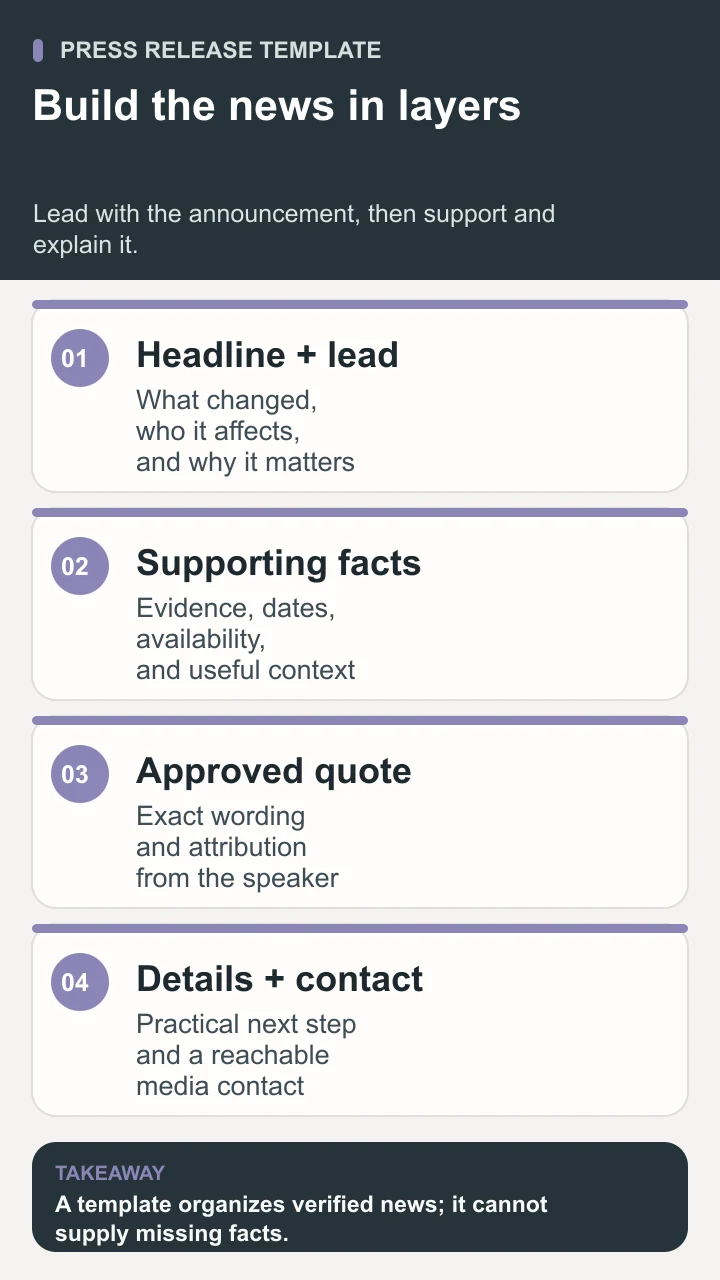
[CITY, region, Month Day, Year] — [Organization], [short factual description], announced [what has changed]. [Explain who can use or participate in it, when it becomes available, where it applies, and why that matters in practical terms.]
[Describe the change in enough detail to understand it. Include the main capability, event activity, or agreement scope, followed by the eligibility, geography, price, or other condition that affects the reader.]
[Add the strongest approved supporting fact. Identify its source, relevant date, and limits. If a number is not verified or needed to understand the news, leave it out.]
“[Approved speaker explains the reason for the decision, a meaningful tradeoff, or what changes for the audience],” said [full name], [current title] at [organization].
[State the practical next step: availability, registration, an interview request, or the location of further information.] [Add the approved public destination and any material conditions.]
About [organization] — [Two or three factual sentences describing the organization, whom it serves, and its relevant work.] [Official website.]
Media contact: [Name and role]; [monitored email]; [approved phone number, if offered]; [press-kit location, if available]. End.
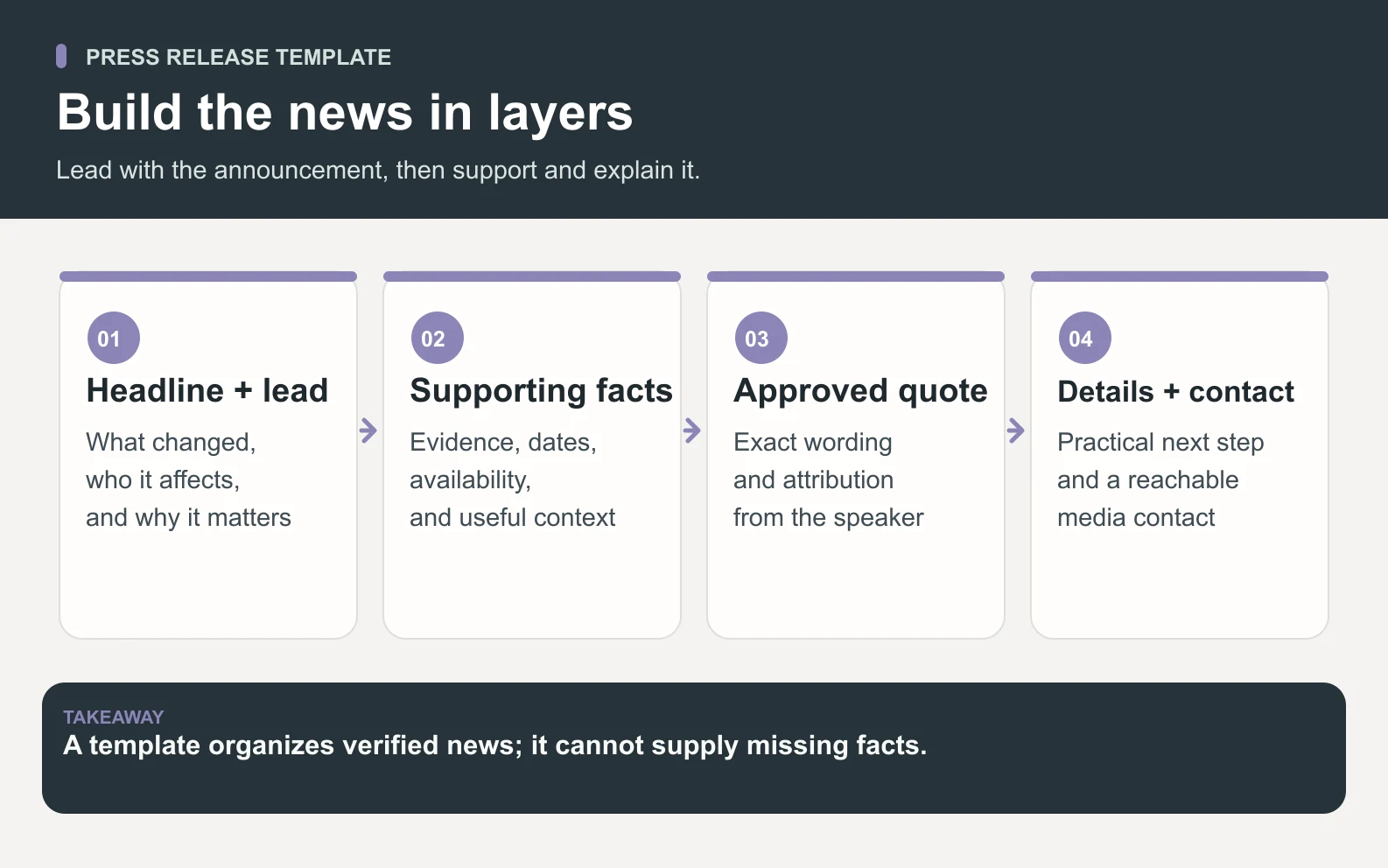
The familiar format helps readers find the news and follow-up information. PR Newswire's writing guidance identifies a headline, dateline, opening summary, supporting details, quotes, background, and media contact as standard components. The wording above and the example below are our own. Follow a chosen distributor's current submission requirements if you use its service; this template does not replace those requirements.
Collect the facts before writing the announcement
Start a separate preparation sheet with one sentence answering: what can the audience do or know after this announcement that it could not before? If the answer is only that your company is excited, the story needs a clearer development. A new workshop series gives people a date and activity. A product release gives a defined group a new capability. An appointment changes responsibility. Describe that change before choosing adjectives.
Next, record the public fact and the evidence that supports it in different columns. A draft product roadmap is not proof that a feature is available. A partner conversation is not permission to announce an agreement. A salesperson's estimate is not a verified customer result. Give each uncertain item an owner who can resolve it. If the answer is unavailable, narrow the claim or remove it instead of asking the writer to make it sound definite.
Scroll horizontally to view all columns.
| Question | Useful evidence | Decision before drafting |
|---|---|---|
| What becomes available? | Approved release notes or a confirmed service description | Separate released functionality from planned work |
| Who can use it, and when? | Launch date, plan eligibility, and rollout owner | State restrictions beside the availability claim |
| What does the number mean? | Dated source, measurement definition, and sample | Keep the denominator and period; remove unsupported figures |
| Who can be quoted or named? | Speaker approval and permission for third-party references | Approve the exact wording and attribution |
| Where does the reader go next? | Working public page and monitored contact | Check the destination matches the announcement |
Keep the release date separate from the event or availability date. A company may announce something today that starts next month; the opening must make both clear. Store the timezone with a timed launch and check that every team uses the same moment. In the public copy, prefer a full date when relative phrases such as next Friday could become ambiguous after the release is forwarded or read later.
For a Space Office brief, provide that fact sheet, the audience, approved source files, the spokesperson, and the person who will approve the result. Silver is the PR and communications specialist; Nitrogen can assist with copy editing when selected. Hydrogen coordinates and reviews the work. A specialist role does not provide automatic access to your private documents, newsroom, distribution account, or contact lists. Supply the approved information and scope any access separately.

Write each part so a reader can verify the news
Make the headline specific and the opening complete
Build the headline around the organization, a concrete action, and the changed thing. Compare “Juniper Desk transforms team productivity” with “Juniper Desk adds a shared approval queue for agency account teams.” The second tells a reader what to investigate. It still needs evidence, but it does not ask a vague benefit to stand in for news. Keep product names and audience descriptions understandable without reading a separate brand guide.
Write the first paragraph as a standalone answer. Name the issuer, the announcement, its timing and scope, and its practical relevance. Then read it without the headline. If a reader still cannot tell whether the feature is shipping, being tested, or merely planned, revise the verb. “Will introduce,” “is testing,” and “has made available” describe different states. Choosing the accurate one matters more than making the opening sound urgent.
Use the body for evidence and the quote for perspective
Put the strongest supporting detail immediately after the lead. Explain how the announced change works, who it applies to, and any condition that would change a reader's decision. For an early product release, a concrete description can be more informative than a performance claim. Showing that reviewers can return a draft with a reason is useful; claiming the product eliminates approval delays requires evidence you may not have.
Use a quote to explain a decision or tradeoff that plain specifications do not convey. “We are excited to launch” adds little. A speaker explaining why the first version focuses on approval ownership gives the reader an idea they can question. Drafted wording must be approved by the named speaker; never present an invented customer endorsement as an actual quotation. Keep approval tied to the exact version, because an innocent-looking edit can change the meaning.
Finish with usable details, not another sales paragraph
Answer the practical questions left by the announcement: what is available, how to find it, and whom to contact. Keep the company background brief and factual. PR Newswire's components guide emphasizes putting the news early, avoiding promotional language, and including a reachable media contact. A phone number is useful only if the organization has approved it for public use and someone can respond.
Do a final read with the supporting documents closed. Underline every sentence a reporter might reasonably challenge: a launch date, the meaning of “all customers,” a price, a partner name, or a claim of being first. Reopen the evidence and resolve each one. This test identifies where smooth prose has quietly become broader than the approved facts. Remove unnecessary superlatives instead of assigning someone a research project to defend them.
Worked example: a fictional software launch
Illustrative example
Juniper Desk, its people, product, dates, prices, and quote below are fictional. This is an original writing example, not customer work or a Space Office product announcement. The reserved .example addresses are placeholders, not destinations to visit.
FOR IMMEDIATE RELEASE
Juniper Desk adds a shared approval queue for agency account teams
New workspace view groups client deliverables by reviewer, due date, and approval status.
AUSTIN, Texas, October 11, 2026 — Juniper Desk, a project workspace for small creative agencies, announced that its shared approval queue is available today to customers on its Studio plan. The new view brings deliverables awaiting internal approval into one place so account teams can see which items need a decision before sending work to clients.
Account managers can assign one reviewer and a due date to each deliverable. Reviewers can approve an item or return it with a written reason. The queue displays the current status and keeps the earlier decision notes with the item, allowing a colleague to understand why a draft was returned without searching a separate message thread.
The first version supports documents and image previews uploaded to Juniper Desk. It does not import approval history from other services or send approved work to a client's external systems. Workspace administrators choose which team members can review deliverables, and account managers remain responsible for deciding when work is ready to share outside their organization.
“We built the first version around a question our own project reviews kept returning to: who needs to decide next?” said Mira Lane, product lead at Juniper Desk. “Keeping the reviewer, due date, and reason for a return together makes that responsibility visible without asking every team to adopt a new approval vocabulary.”
The approval queue is included in the fictional Studio plan at $39 per workspace per month, with no separate queue fee. Existing Studio administrators can enable it from workspace settings. A setup walkthrough and an example review project are available at juniperdesk.example/approval-queue. Other plans are not included in this initial release.
About Juniper Desk — Juniper Desk is a fictional software company building project workspaces for small creative agencies. Its example product combines project documents, review assignments, and delivery notes in a shared workspace. Company information: juniperdesk.example.
Media contact: Alex Rowan, communications lead; press@juniperdesk.example. End of fictional release.
Notice what makes this example checkable. The announcement names a specific feature and plan, says it is available today, describes the actions users can take, and states the limits of the first version. It contains no fabricated time-saving statistic or customer endorsement. The quote explains a design decision instead of repeating the headline. The price is explicitly part of the fiction and must never be reused as a Space Office price.
If the feature were actually entering a private test, the headline, opening, availability paragraph, and destination would all need to change together. Editing only “available today” to “coming soon” would leave the plan and activation instructions misleading. Treat the release as one connected statement: a changed fact often has consequences in more than one paragraph.
Adapt the template to the announcement you actually have
The same basic structure can support several kinds of news, but the proof changes. Keep the sections that answer the reader's questions and remove instructions that do not apply. A new office opening needs a usable location and opening date. A partnership needs a clear description of what each organization has agreed to do. Copying the launch example and replacing the company name will not supply those facts.
Scroll horizontally to view all columns.
| Announcement | Details to put near the top | Common gap to resolve |
|---|---|---|
| Product or service launch | Availability date, intended users, included functionality, and access conditions | A roadmap promise written as an available feature |
| Event or new location | Full date, location or online access, audience, and registration details | A promotional description with no practical attendance information |
| Partnership | The participating organizations, agreed work, scope, and start date | An endorsement or exclusivity claim neither party approved |
| Leadership appointment | Person, position, effective date, responsibilities, and relevant experience | An old title or biography that has not been checked |
| Research publication | Finding, population studied, period, method, and access to the report | A percentage presented without its base or limitations |
For a joint announcement, decide who owns the shared draft and who can approve each organization's facts and quote. Keep one version for review; otherwise two teams can approve different documents with the same filename. Record whether permission covers the release itself, the press image, and any accompanying social post. Those assets may repeat the same names but use them in different contexts.
For research, preserve enough context to interpret the result. If the source is a survey of current customers, do not rewrite the finding as a statement about everyone in the market. Name the population, collection period, and relevant limitations. If that explanation cannot fit naturally in the release, summarize it accurately and point to a public methodology page. A striking number without its meaning makes the announcement less reliable.
When the material is mainly a practical lesson, opinion, or routine product tip, a blog post may serve the audience better. A release should give a reader a dated development they can identify. A how-to article can teach a process over time. Choosing the format based on the information avoids filling a news template with generic marketing copy just because a launch calendar has an empty slot.
Review the release and choose how to share it
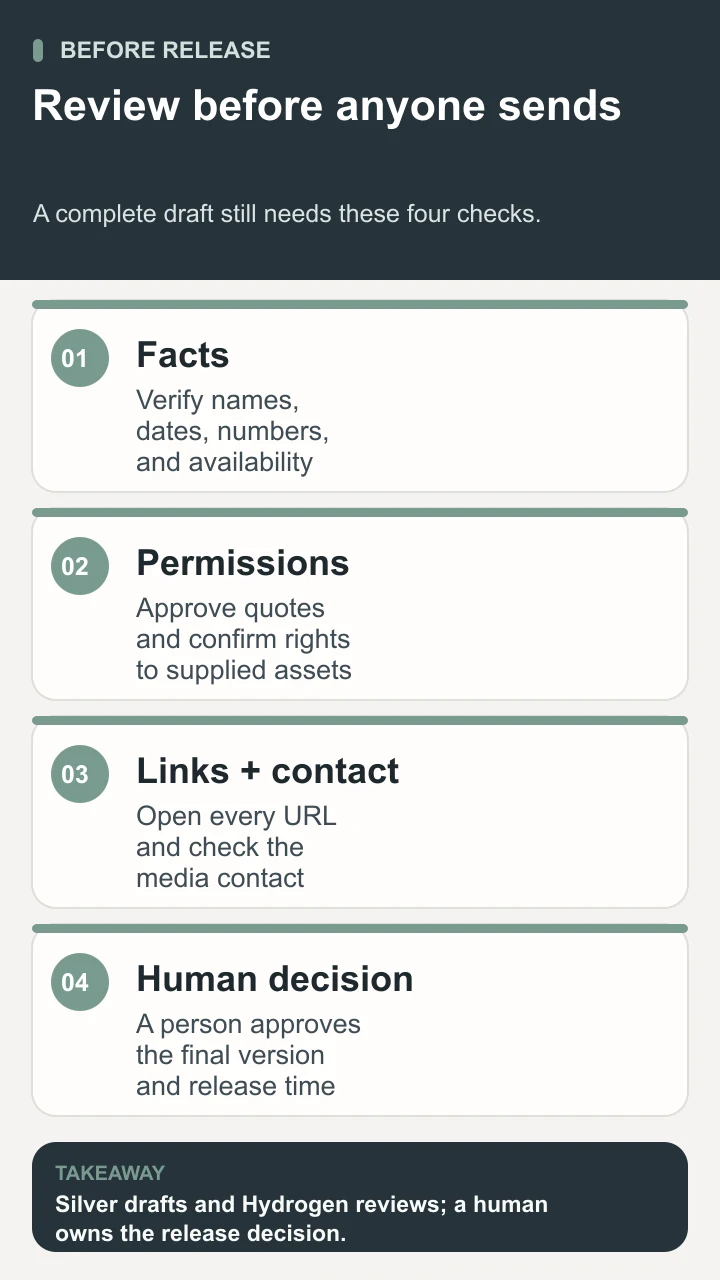
Make the handoff specific. Ask Silver for the release draft, a short fact-check record, and a list of unresolved questions. If Nitrogen edits the copy, preserve the meaning of approved figures, conditions, and quotes. Hydrogen reviews specialist output before it reaches the owner. The Space Office workflow keeps the final approval with a human who knows the announcement's business context and can verify the remaining facts.
- 1Check the news: a reader can identify the change from the headline and first paragraph, including whether it is planned, in testing, or available.
- 2Check the evidence: every date, amount, eligibility statement, and third-party reference matches the approved source and current draft.
- 3Check the permissions: the named speaker approved the exact quote, and the owner cleared the public use of names, images, and contact details.
- 4Check the experience: links open the intended public pages, images have useful captions and credits, and the release is readable on a phone.
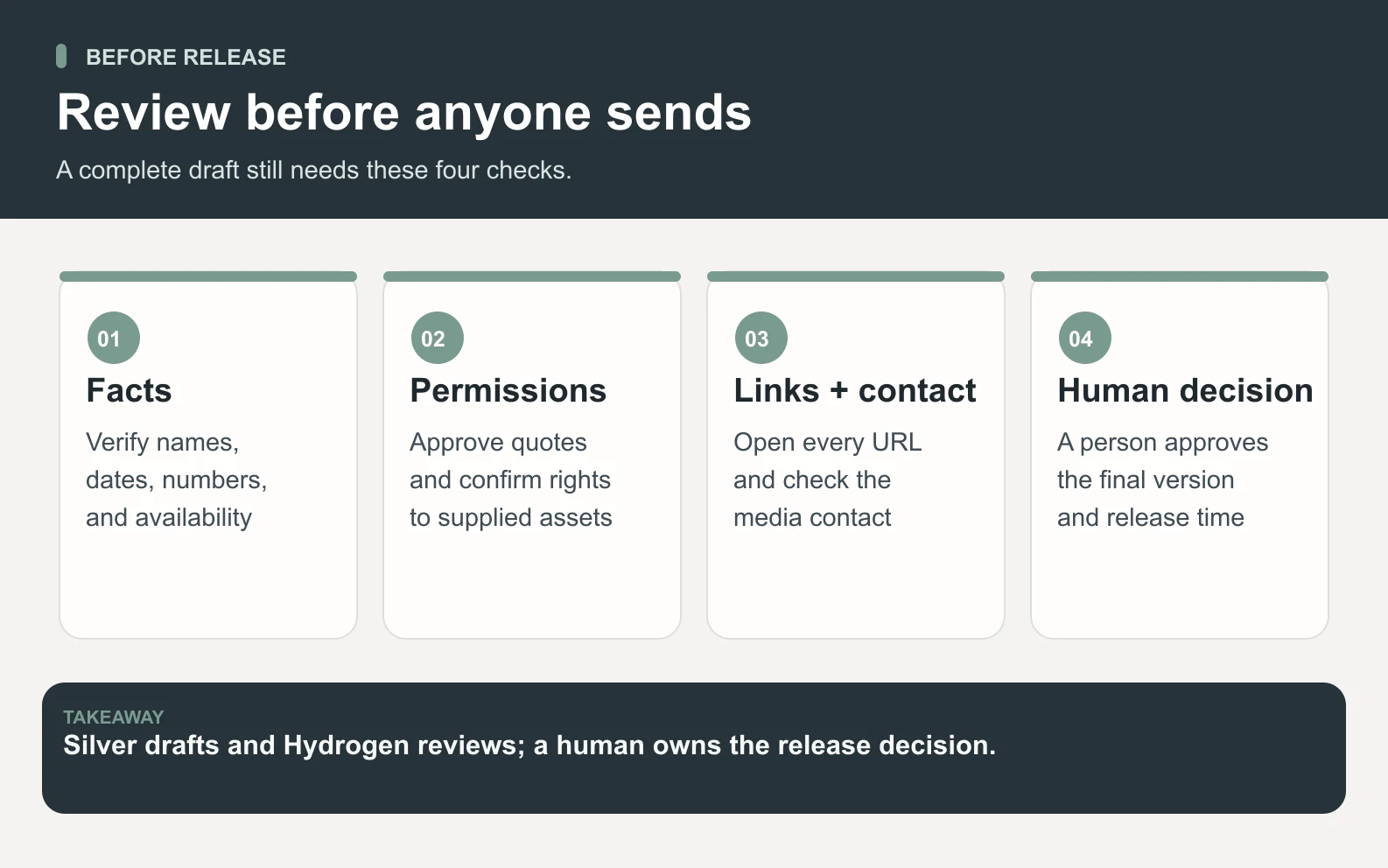
- 5Make the decision: the human owner approves the final version, timing, destination, and any outreach recipients before the external action.
Keep drafting, publishing on your own site, and contacting journalists as separate decisions. A completed draft is an asset you can review; it is not evidence that anyone has received it. If you choose a distribution service, confirm its current requirements, costs, and reporting definitions before ordering. If you contact a reporter directly, connect the story to that person's coverage and offer a relevant source or interview. Neither route guarantees an article.
Do not treat release distribution as a shortcut to Google rankings. Google's link-spam policy includes links with optimized anchor text in press releases distributed on other sites among its examples. Link where it helps someone verify the announcement or take the stated next step. Avoid turning ordinary product or service phrases into repeated keyword links for ranking purposes.
After publication, keep the final URL and release time with the approved copy. Record corrections in the same place so the next person does not reuse an outdated draft. Separate the outcomes you can observe: the release is public, a journalist replied, an independent article appeared, or a visitor followed a relevant link. A distributor's potential audience is not your measured website traffic, and a syndicated copy is not automatically an independently reported story.

If the same review problems recur, improve the next brief. Repeated date corrections suggest the launch owner needs to confirm timing earlier. Rewritten quotes suggest the spokesperson needs a more specific question. Missing evidence suggests the requested claim should be narrowed. Our guide to reviewing AI-generated work explains a broader acceptance process; this release checklist applies it to a public announcement.
Use the press release template to make the news clear
The best use of a press release template is to turn a verified development into an announcement someone else can understand, check, and follow up on. Start with the facts, write the change plainly, add the details that affect the audience, and approve the complete version. If you want Space Office to support that work, brief Silver with the source material and decision owner; Hydrogen reviews the handoff, and your team makes the final release decision. The template supplies the structure. Your evidence supplies the news.
Sources and review notes
Reviewed against the linked primary sources on the checked dates. Search features and citations are selected by their respective platforms; no placement is guaranteed.
Frequently asked questions
What is a press release template?
Press release template is the term for a reusable outline for announcing a specific development to journalists and the public. It usually includes a headline, location and date, opening news summary, supporting details, a quote, company background, and a media contact. The template organizes the information; the writer still needs verified facts and approval to use them.
Can I use this template in Word or Google Docs?
Yes. Open the free .txt download and copy its contents into Word, Google Docs, or another editor. Complete the private preparation sheet separately, then fill in the public release. Remove bracketed prompts and internal approval notes before sharing. You can also copy the visible template directly from this page.
How long should my press release be?
Use the length needed to explain one announcement clearly. For a straightforward launch, try an opening summary, a few short paragraphs of evidence and practical details, one useful quote, and the company and contact information. Treat that as an editing starting point, not a universal word limit. Check any distributor's current format and length rules separately.
What is the difference between a press release and a media pitch?
A release records the announcement in a form multiple readers can use. A pitch is a message explaining why that news may matter to a particular journalist or outlet. A pitch can link to the release and offer an interview or evidence. Writing either document does not authorize sending it to someone or establish that they will cover the story.
Can AI write the quote in a press release?
AI can suggest wording for a real speaker to review, but the final quote must reflect that person's intended statement and receive their approval. Keep unapproved wording labeled as a draft. Do not invent customer comments, endorsements, or source testimony, and recheck approval if an edit changes the statement's meaning.
Can Space Office publish and distribute the release automatically?
This workflow covers preparing and reviewing a release from approved inputs. Silver contributes PR and communications work, optional Nitrogen support covers copy, and Hydrogen coordinates and reviews specialist output. A human approves final publication and outreach. Access to your website, distribution service, or contacts must be explicitly established; the template does not promise automatic sending or media coverage.