Guide
Free Competitive Analysis Template: Excel + Worked Example
A free competitive analysis template with an Excel workbook, copyable comparison matrix, evidence log, and worked example for one real buyer decision.
By the Space Office team · Published · Updated · 16 min read
Use a competitive analysis template to compare your offer with the alternatives a specific buyer could choose. Define one decision, select relevant competitors, fill the same fields for every option, and attach dated evidence to important claims. Mark missing information as unknown, then choose an action a person can review. Download the free Excel workbook or copy the matrix below to start. In Space Office, Sodium can research approved sources, Oxygen can interpret the findings, and Hydrogen coordinates and reviews their work; the human owner makes the final decision.

Key takeaways
- Begin with one buyer, one task, and one decision so the comparison stays useful.
- Include your own offer, a direct competitor, and a credible alternative such as the buyer's existing process.
- Keep observations, interpretations, and unknowns separate; a missing website claim is not proof that a capability is absent.
- Use identical criteria and comparable terms before scoring options or drawing conclusions.
- End with a decision, an owner, and the next piece of evidence needed rather than a generic list of competitor strengths.
For a broader investigation that combines customer evidence, existing records, and method selection, follow the market research guide. It shows how to preserve source limits and conflicting findings before choosing a bounded business test.
Once the comparison shows which customer need your offer can credibly address, use the value proposition worksheet and worked example to turn that evidence into a clear message you can test.
To combine competitor findings with your own capabilities and constraints, use the SWOT analysis worksheet and worked example. It helps distinguish internal strengths and weaknesses from external opportunities and threats before choosing an action.
Download or copy this competitive analysis template
Download the free competitive analysis template for Excel (.xlsx). The editable workbook includes Comparison and Evidence log tabs, with space for the buyer, decision, owner, sources, unknowns, and next action. No email address or Space Office account is required. The cells contain prompts, not researched vendor claims or automatic scores.
For Google Sheets, download the workbook, open Sheets, and choose File → Import to import the Excel file into a new spreadsheet. Google documents the Excel import options. Check both tabs after importing, then replace the prompts with your evidence. You can also copy the tables below into a document if that is easier for your reviewer.
Blank comparison template
The table below is a blank template for you to fill in. Copy it into a spreadsheet or shared document, then replace the bracketed prompts with your own evidence. For a filled illustration, see “Worked example: a fictional client-intake comparison” below. Add columns only for alternatives that belong in the same buying decision. Keep the first column for your own offer: a comparison that scrutinizes competitors while accepting your own claims without checking them is difficult to trust. HubSpot's comparison template also puts the company being assessed alongside competitors. The worksheet here adds explicit source, uncertainty, and decision fields so a reviewer can trace the reasoning.
Scroll horizontally to view all columns.
| Comparison field | Our offer | Direct competitor | Other buyer option |
|---|---|---|---|
| Buyer and task | [Who needs what outcome?] | [Same buyer and task?] | [How is the task handled today?] |
| Option and scope | [Product, plan, or service] | [Exact product and plan] | [Tool, service, or existing process] |
| Core workflow | [Input → work → output] | [Documented steps] | [Steps and manual work] |
| Required capabilities | [Verified; source ID] | [Verified; source ID] | [Verified; source ID] |
| Setup and ownership | [Who configures and maintains it?] | [Documented owner and effort] | [Current owner and dependencies] |
| Commercial terms | [Date, scope, billing unit] | [Comparable terms or unknown] | [Known cost lines or unknown] |
| Proof relevant to buyer | [Relevant test or case; limits] | [Relevant test or case; limits] | [Actual current experience] |
| Constraints | [Supported limits and exclusions] | [Supported limits and exclusions] | [Known constraints] |
| Evidence record | [Source ID, URL, checked date] | [Source ID, URL, checked date] | [Source ID, location, checked date] |
| Open questions | [Unknown; owner; next check] | [Unknown; owner; next check] | [Unknown; owner; next check] |
| Decision implication | [Observation → possible action] | [Observation → possible action] | [Observation → possible action] |
Above the table, write a short scope note: “We are comparing [options] for [buyer segment] doing [task], to decide [action] by [date].” Add the research owner and reviewer. A founder deciding what to demonstrate on a product page needs different evidence from a procurement team selecting software. Naming the decision first prevents the worksheet from collecting interesting facts that cannot change the outcome. It also gives a second person a way to challenge the comparison before anyone spends hours filling it in.
Blank evidence-record template
Keep an evidence log beside the summary matrix. Assign a short reference such as E01 to each important claim, then use that reference in the relevant cell. The summary should remain readable; the log holds the detail needed to check it. One source can support several narrow observations, but it should not become a blanket citation for an entire competitor column. If the pricing page supports a billing unit, it does not also prove a workflow, integration, or service commitment.
Scroll horizontally to view all columns.
| Field | What to enter |
|---|---|
| Evidence ID and option | [E01; exact competitor/product/plan] |
| Observation | [One narrow statement supported by the source] |
| Source and location | [Original URL or approved document; section or page] |
| Date and context | [Checked YYYY-MM-DD; plan, region, version, or other limits] |
| Interpretation | [Why the observation may matter to this buyer] |
| Unknown and next check | [Missing detail; how and by whom it will be checked] |
| Review decision | [Accepted, qualified, or rejected; reviewer and reason] |
This is an original worksheet you can use directly; no download or account is required to copy the tables. In a spreadsheet, put the comparison and evidence log on separate sheets and use consistent evidence IDs. In a document, place the log after the summary and link source URLs in each entry. Choose the format your reviewer will actually use. A small, readable document with five verified observations is more useful than a sophisticated workbook that nobody updates.
Choose competitors around one buyer decision
Choose the buyer before the brands. For example, “small service teams coordinating incoming client requests” is a useful starting segment. “Everyone who needs productivity” is too broad to generate meaningful comparison criteria. Write the triggering situation, the job to finish, and the constraints that might rule out an option. Those constraints could include a required export format, a named system the team already uses, or the person available to maintain the workflow. Do not assume that a larger feature list makes an option a better fit.
The SBA's market-research guidance recommends identifying competitors by product or service line and market segment, including indirect or secondary competitors. That distinction is practical: a buyer can choose another vendor, combine existing tools, hire help, or continue the current process. Include the alternatives that appear in real customer conversations. If you have no such evidence, label the initial selection as a hypothesis and validate it with buyers before calling it a complete competitive landscape.
Atlassian's template guidance distinguishes direct competitors from indirect alternatives that address the same problem differently. Apply that distinction to the worksheet rather than making every company appear equivalent. A product that executes a workflow, a consultant who designs it, and a spreadsheet used to track it have different responsibilities. Describe those responsibilities first. You may discover that two options work together rather than replace each other, which changes both the comparison and your positioning.
- 1Write the buyer's task in one sentence and identify the decision this research should support.
- 2List alternatives mentioned in approved customer notes, sales conversations, or observed buying behavior.
- 3Choose a manageable first set, such as your offer, two direct competitors, and the current process.
- 4State what qualifies an option for inclusion and why any prominent but irrelevant brand is excluded.
- 5Agree on the same comparison criteria before researching individual vendors.
Keep the first comparison narrow enough to complete and review. If one competitor serves a different region or a much larger customer, record the mismatch instead of forcing a verdict. If a buyer's current process has no subscription fee, describe its ownership and manual steps without inventing a salary-based cost. You can estimate effort later from an observed workload. Keeping selection and measurement separate makes the worksheet easier to revise when you learn that a supposedly important competitor rarely appears in real deals.

Research facts and keep unknowns visible
For each option, begin with original product documentation, current plan details, help pages, and accessible demonstrations. Read the page that actually supports the claim instead of relying on a search snippet or an AI summary. Record the plan, region, date, and any condition that changes the meaning. A feature listed for an enterprise package should not be credited to an entry plan. A case study describing one customer's configuration does not establish that every buyer receives the same configuration.
Write observations in narrow language. “The help page documents a CSV export” is an observation. “Migration will be easy” is an interpretation that still needs a test using the buyer's actual data. “No export exists” is unsupported if you simply failed to find documentation. Use “not verified” and assign a next check. This vocabulary prevents a blank cell from becoming an unfair negative and stops a confident summary from concealing unfinished research. It also makes later corrections smaller: a reviewer can amend one claim without rebuilding the whole comparison.
Separate a vendor's claim from your own verification. A vendor may describe a process as simple or fast; your log should identify that as the vendor's description until someone performs a relevant test. If a public case study reports a result, preserve its setting and limitations. Do not turn it into an expected result for your buyer. A reviewer's useful question is, “What would I need to observe to accept this statement for our use case?” Sometimes the answer is a short product test; sometimes it requires a customer reference or a clarification that public pages cannot provide.
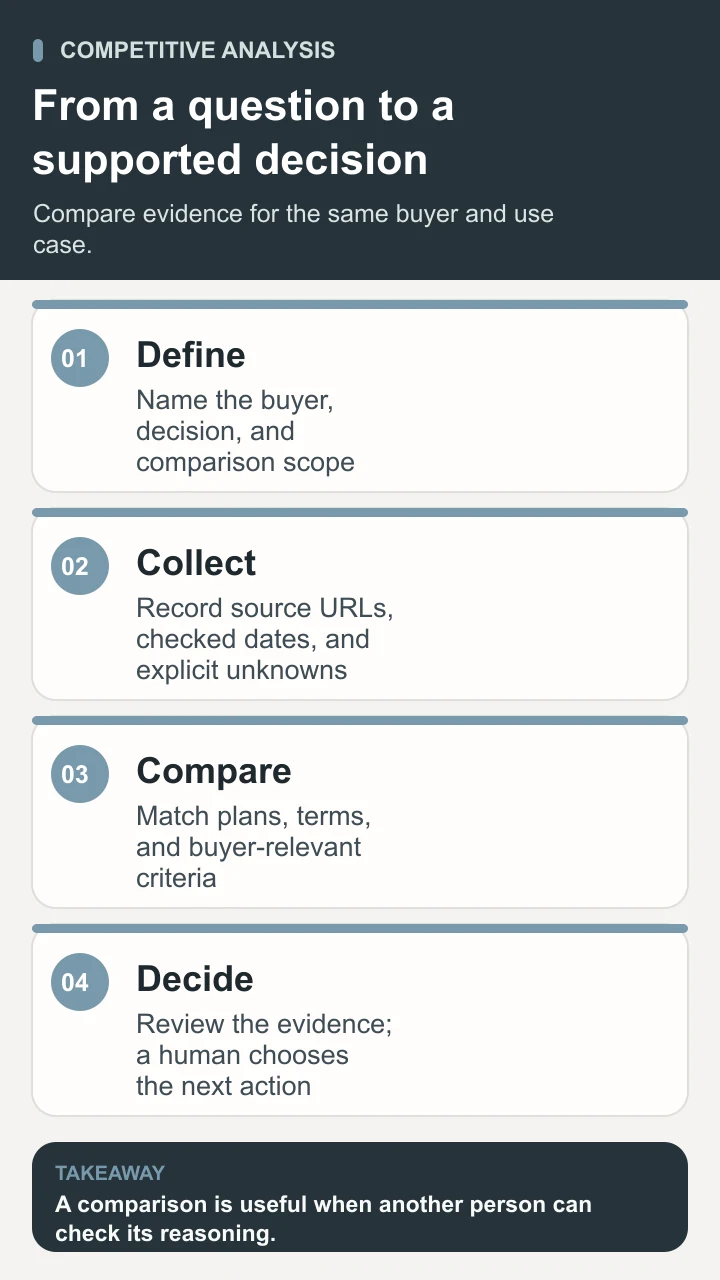
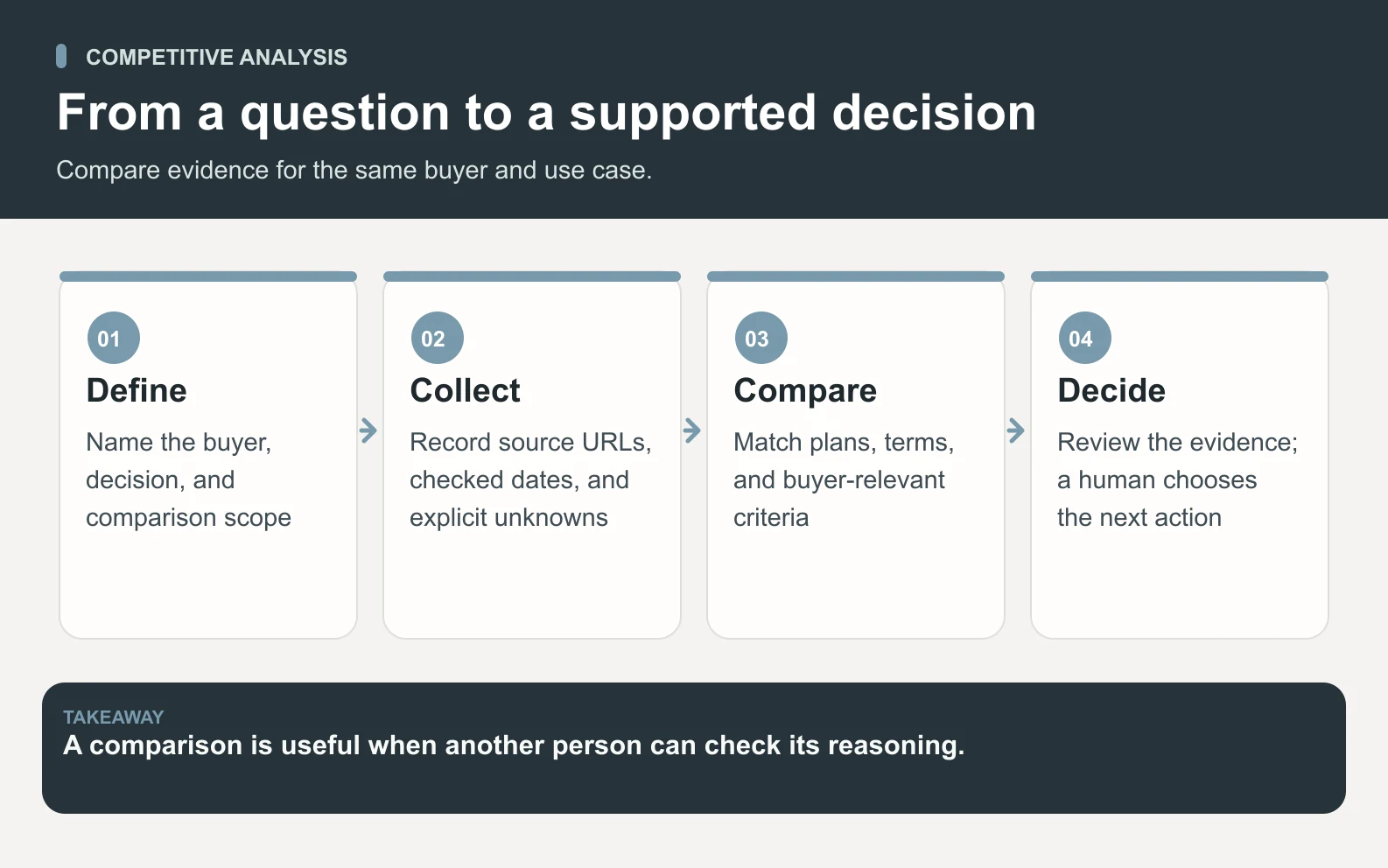
When comparing commercial terms, keep the billing unit and included scope visible. Monthly and annual commitments, per-user and per-workspace charges, usage allowances, required services, and optional add-ons describe different offers. If you cannot normalize the terms without guessing, show the difference in plain language and leave a total uncalculated. A contact-sales price is unknown until a relevant quote is available. A hypothetical number placed in that cell could change the conclusion even though it has no evidential basis.
Use customer interviews and internal sales notes only when they are approved inputs for this task. They can help explain which problems matter, but they do not automatically verify a competitor's current functionality. Record the context: one buyer's account of an older plan is a different kind of evidence from current documentation. Keep personal details and confidential material out of a public comparison. If the research will eventually inform a published page, prepare a separate version using sources and claims that are appropriate to disclose.
Worked example: a fictional client-intake comparison
Consider a fictional company called Cedar Intake. Its owner is deciding which workflow to demonstrate on a new product page for small service firms. The proposed positioning is “a clearer handoff from a new client request to the person responsible.” This example is invented to show the method. Cedar Intake, Harbor Queue, the evidence notes, and the observations below are not real vendor research, customer work, or measured results. No source IDs in this example refer to live documents.
The owner selects three options: Cedar Intake, a fictional direct competitor named Harbor Queue, and the buyer's existing shared inbox plus spreadsheet. The decision is deliberately narrower than “which business is best?” The owner wants to know whether to demonstrate request assignment, emphasize reporting, or gather more buyer evidence first. Required comparison fields are assignment ownership, handoff history, export, setup responsibility, and unresolved questions. Pricing is outside this particular decision, so the example does not fabricate a commercial comparison.
Scroll horizontally to view all columns.
| Criterion | Cedar Intake | Harbor Queue | Inbox + spreadsheet |
|---|---|---|---|
| Who owns each request? | Named owner shown in sample demo; E01 | Assignment documented in sample help page; E02 | Owner entered manually; sample interview E03 |
| What records a handoff? | Reassignment history in sample demo; E01 | History not verified; ask for demonstration | Notes recorded manually; E03 |
| Can the buyer export? | Sample CSV test completed; E04 | Export documented; fields not verified; E05 | Spreadsheet export observed; E03 |
| Who maintains the setup? | Customer chooses intake rules; E01 | Setup ownership unknown | Team lead maintains columns; E03 |
| Important unknown | Whether buyers value handoff history | Whether history and required export fields exist | How often ownership is left unclear |
| Next check | Show the handoff to target buyers | Verify history and export in a permitted test | Observe one approved intake cycle |
The first reading of this matrix should be cautious. All three options can apparently assign responsibility in some form, so “we let you assign requests” is not yet a distinctive claim. Cedar Intake's sample history view suggests a possible demonstration angle, but Harbor Queue's unknown history is not evidence that Harbor lacks it. The existing process may work adequately for a small volume. The research therefore supports a next step: test whether buyers struggle with reassignment and whether seeing the history helps them understand the offer.
A fictional evidence-log entry for E02 might read: “Harbor Queue sample help page, assignment section; checked October 10, 2026; shows that a request can have a named owner. Interpretation: basic assignment is shared functionality. Unknown: whether previous owners remain visible. Next check: authorized product demonstration. Review: accepted for assignment only.” Notice how little the accepted observation proves. That is useful discipline. It prevents one real or simulated source from being stretched to support all the adjacent claims a writer would like to make.
The proposed action is to create a short handoff demonstration and show it to a few appropriately selected buyers, while a researcher checks the competing workflow. The human owner should decide in advance what feedback would change the plan. If buyers care primarily about preventing duplicate replies, revise the demonstration around that problem. If the competitor has equivalent history and buyers consider the existing process sufficient, retire the differentiation claim. The template has still done its job: it has identified an unsupported assumption before the team spends more time building a page around it.
Turn the comparison into a decision
Write the conclusion as a small decision memo beneath the matrix. Include the question, the strongest supported finding, the most important unknown, and one recommended next action. Then name the person who decides. This format makes it possible to disagree productively. A colleague can accept the observation while rejecting the proposed action, or agree with the action but request stronger evidence. A list of strengths and weaknesses often hides those differences because it never says what the team should do with them.
Scoring is optional. If you use it, define criteria and weights before filling in competitor scores, and state what each score means. A three-point scale might distinguish “fails the requirement,” “meets it with a limitation,” and “meets it in the tested workflow.” Keep “unknown” outside the numerical scale. Giving an unknown a zero punishes the least-documented option; giving it an average conceals missing evidence. You can compare verified dimensions while preserving a decision-blocking question separately.
A mandatory requirement should remain a gate rather than disappear inside a weighted average. If the buyer needs a particular export field and an option cannot provide it, attractive design should not cancel that failure. Conversely, do not invent mandatory requirements merely because your product happens to meet them. Ask whether the buyer has a concrete reason for the condition. A criterion that cannot be connected to the buyer's task may belong in background notes rather than the decision matrix.
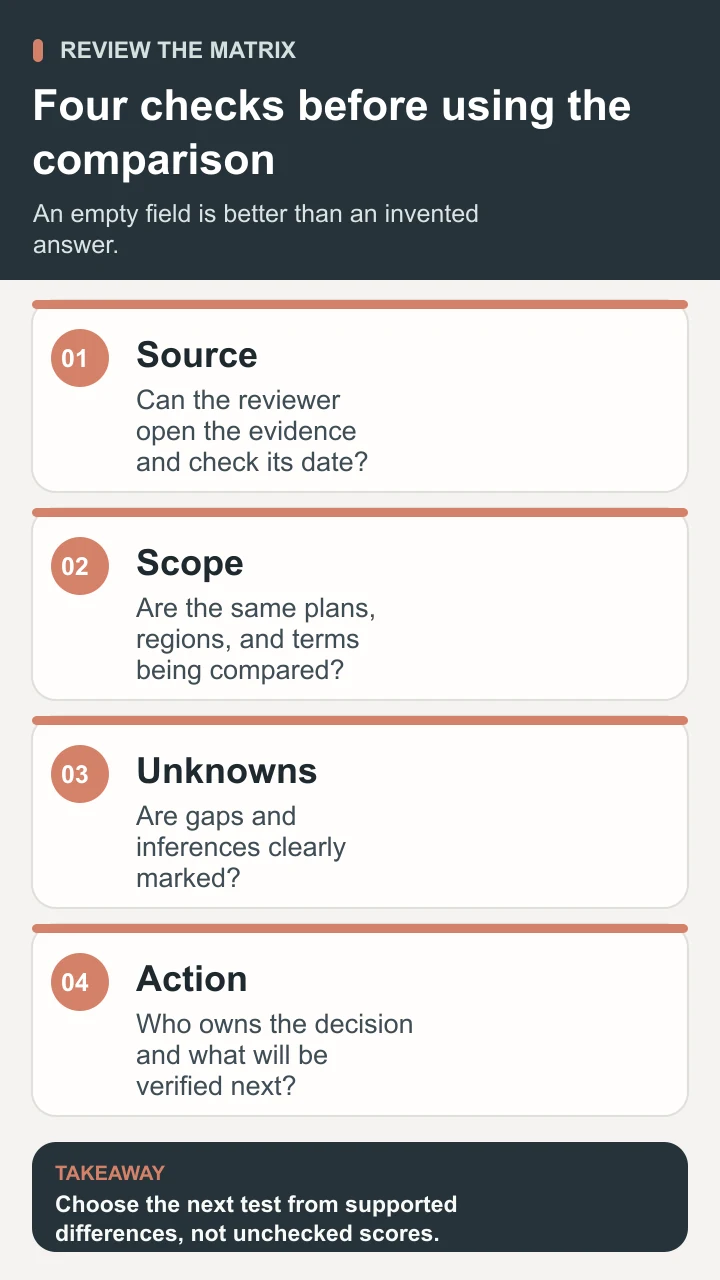
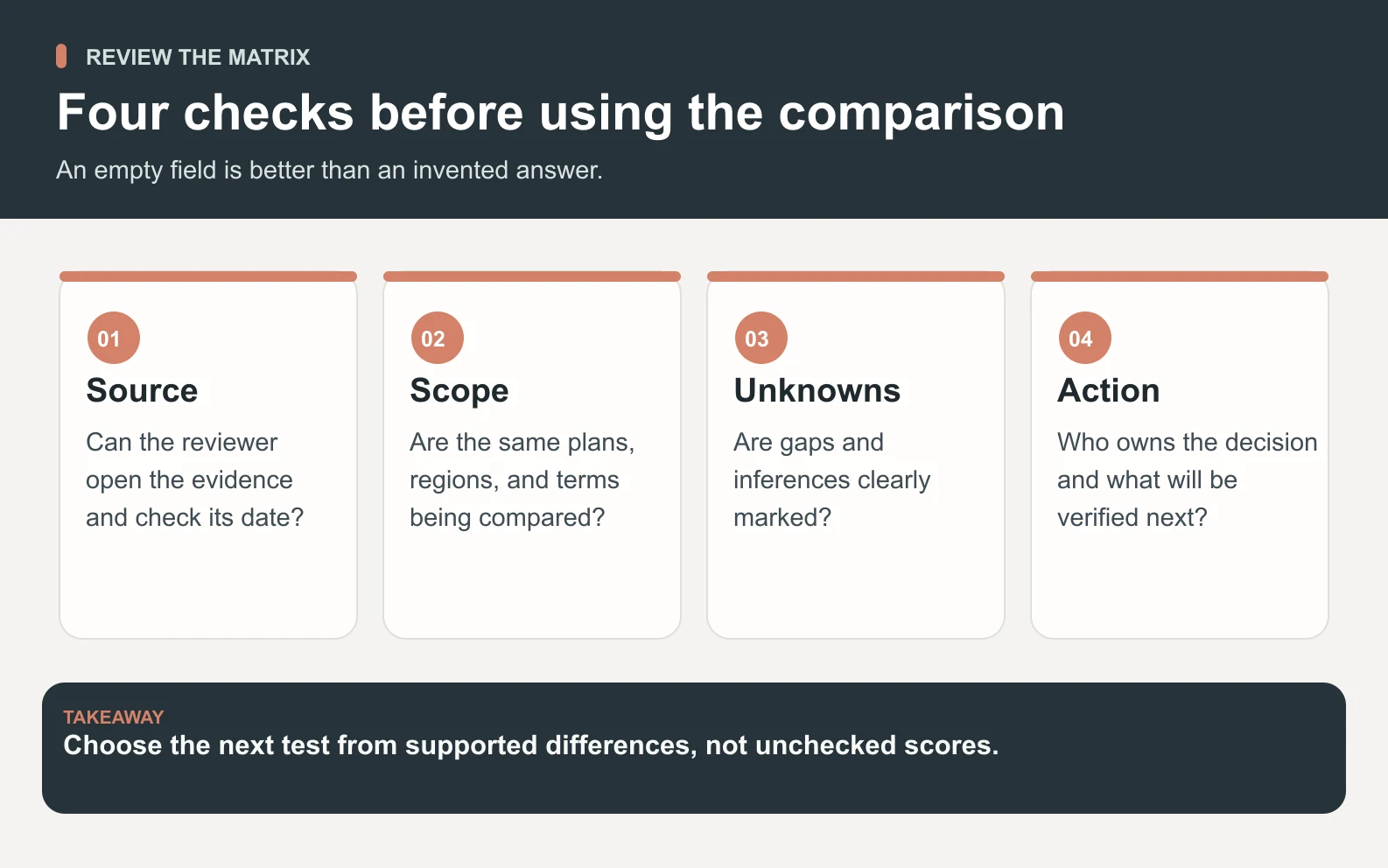
Choose a refresh trigger for the finished analysis. A changed plan, a new product release, repeated lost deals, or a new buyer segment can make an earlier conclusion obsolete. Put the checked date on individual claims so a reviewer can distinguish stale observations from a current conclusion. For recurring reviews, record what changed and why it changes the decision. Rewriting the entire matrix every month can obscure the few important developments. A short change log keeps the team's attention on evidence that affects action.
Run a bounded research workflow with Space Office
The live Space Office roster identifies Sodium as the market research and intelligence specialist and Oxygen as the strategy and GTM specialist. A focused workflow uses Sodium to prepare the source log and comparison, then Oxygen to interpret the findings against the buyer decision. Hydrogen coordinates their handoff and reviews the output. The delivery process retains your final review and approval. Neither a polished matrix nor Hydrogen's review transfers the product, purchasing, or publication decision away from the human owner.
Give the team a specific input packet: the buyer segment, decision deadline, your current product facts, the initial competitor list, required criteria, and approved source locations. Include examples of claims you consider too broad. State whether the task is public-source research only or whether a named person has supplied authorized customer notes or product access. Hiring a specialist does not connect paid research tools, unlock private competitor data, or grant permission to enter accounts. When access is missing, request a useful public-source draft with visible gaps.
- 1Ask Hydrogen for a comparison of a defined set of buyer options using the agreed matrix and evidence fields.
- 2Have Sodium gather approved evidence, label plan and date limits, and return unresolved questions without filling them with guesses.
- 3Have Oxygen propose one or two actions supported by the findings and state what would change each recommendation.
- 4Ask Hydrogen to check source-to-claim accuracy, consistent comparison criteria, and the separation between observation and interpretation.
- 5Review decisive sources yourself, accept or reject the recommendation, and authorize any follow-up separately.

For the first run, judge whether the packet is easier to verify than starting the research yourself. Count material unsupported claims, corrections, unresolved questions, and the time needed for a decision. A longer document is not automatically a better result. If the team keeps researching peripheral features, tighten the buyer task. If the recommendation does not follow from the sources, ask for the missing reasoning. The AI briefing guide can help structure the input, while the output-quality guide covers a broader review rubric.
Conclusion: use the competitive analysis template to resolve one decision
A competitive analysis template becomes useful when someone can follow its evidence and decide what to do. Copy the matrix, name the buyer's task, compare realistic alternatives on the same criteria, and keep unknowns visible. Test the claim that matters before turning it into positioning, a product change, or a purchase. If you use Space Office, let Sodium research, Oxygen interpret, and Hydrogen coordinate and review, then make the final call yourself. To discuss that workflow, bring your buyer question and a short competitor list to Space Office's contact page.
Sources and review notes
Reviewed against the linked primary sources on the checked dates. Search features and citations are selected by their respective platforms; no placement is guaranteed.
- Google: Use both Excel and Sheets — checked
- HubSpot: Competitive Analysis Template — checked
- Atlassian: Competitive Analysis Template — checked
- U.S. Small Business Administration: Plan your business — checked
- Space Office: Live specialist roster — checked
- Space Office: How it works — checked
Frequently asked questions
What is a competitive analysis template?
Competitive analysis template is the name for a reusable worksheet that compares a business or offer with the alternatives a buyer could choose. Useful fields describe the buyer's task, comparable capabilities, constraints, evidence, unknowns, and the implication for a decision. The template organizes research; it does not establish that any option is superior before the evidence is checked.
Can I copy this template into Excel or Google Sheets?
Yes. Download the free Excel workbook linked above, which already has Comparison and Evidence log tabs. Open it in Excel, or import the file into a new Google Sheets spreadsheet using File → Import. Replace the prompts with your own options and evidence and check the imported tabs before sharing. You can also copy the visible tables without downloading anything.
How many competitors should I include?
Start with a set small enough to research consistently, such as your offer, two direct competitors, and the buyer's current process. That is a practical starting choice, not a universal rule. Add options when customer evidence shows they belong in the same decision. A long list of brands from different segments can make the comparison less informative.
What should I do when competitor information is missing?
Write unknown or not verified, explain what you checked, and assign a next step. A missing public claim does not prove that the product lacks a capability. Seek relevant documentation, an authorized demonstration, or a clarification when the gap could change your decision. Do not invent figures or quietly score missing information as failure.
How is this different from a SWOT analysis?
A comparison matrix examines several options against consistent criteria. A SWOT analysis groups strengths, weaknesses, opportunities, and threats around a business or situation. You can use verified findings from the matrix as inputs to a SWOT discussion, but the SWOT labels do not replace sources or explain whether two offers serve the same buyer task.
Can Space Office finish the analysis without my input?
Sodium and Oxygen can support research and interpretation, with Hydrogen coordinating and reviewing. They still need your buyer scope, product facts, decision criteria, and approved sources or access. You resolve business context, check decisive claims, and approve the outcome. The workflow does not automatically publish comparisons, contact competitors, connect accounts, or guarantee a commercial result.